Smart Lock vs Traditional Lock
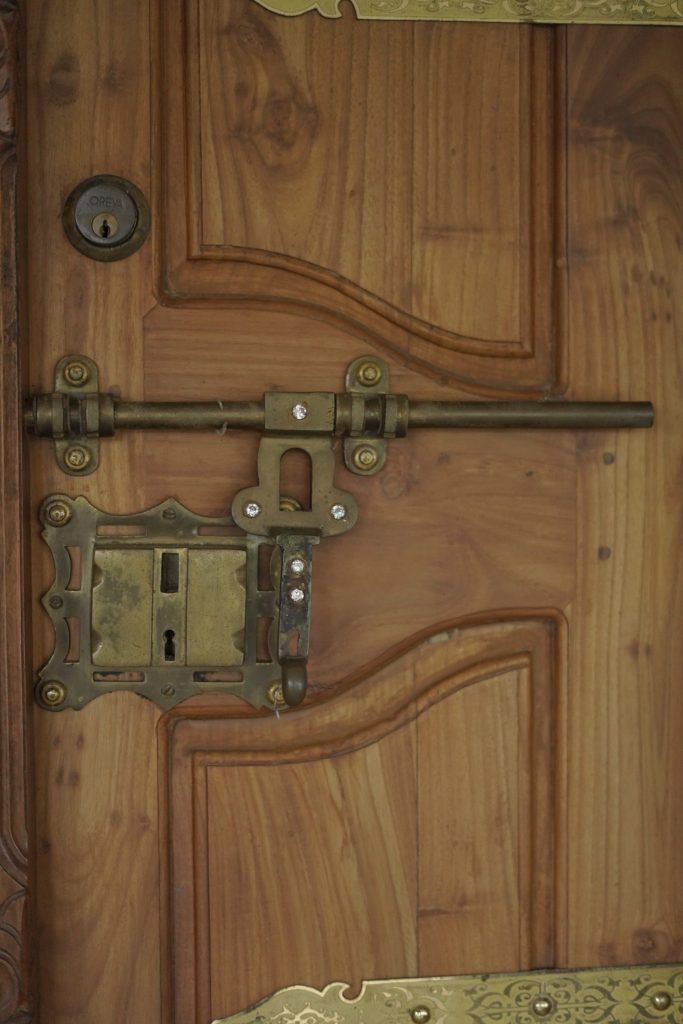
Quick Verdict: The smart lock vs traditional lock decision is really about what you value: convenience and control, or simplicity and zero dependencies. A smart lock adds keyless entry, remote control, guest codes, activity logs, and auto-lock — genuinely useful features for busy households, frequent guests, and rentals. A traditional lock is cheaper, needs no batteries or apps, never goes offline, and at the same security grade is just as physically strong. Crucially, “smart” is not automatically “more secure” — a quality smart lock and a quality traditional deadbolt of the same ANSI/BHMA grade resist forced entry equally. Choose a smart lock for convenience and management; stick with traditional for low cost and total reliability.
Smart Lock vs Traditional Lock: At a Glance
| Factor | Smart Lock | Traditional Lock |
|---|---|---|
| Entry methods | Code, fingerprint, app, phone tap, auto-unlock, key | Physical key only |
| Remote control | Yes (lock/unlock and check status from anywhere) | No |
| Guest access | Temporary codes/digital keys, schedulable, revocable | Hand over a physical key |
| Activity log | Yes — who entered and when | No |
| Physical security | As strong as its ANSI/BHMA grade | As strong as its ANSI/BHMA grade |
| Power dependency | Batteries (months to a year) | None |
| Connectivity dependency | Wi-Fi/Bluetooth for smart features | None |
| Cost | Higher upfront ($$–$$$) | Lower ($) |
| Failure modes | Dead battery, app/Wi-Fi issues (key/code backup) | Lost key, lockout, lock picking |
How We Compared
This comparison synthesizes independent expert reviews and security-industry guidance alongside published manufacturer specifications. We do not present marketing claims as independent testing. We compare the two lock types across the dimensions that actually matter to a buyer — convenience, security, reliability, cost, and failure modes — and we are explicit about a point many articles get wrong: at equal certification grade, smart and traditional locks offer equivalent physical resistance. We do not accept payment for placement.
Convenience: Where Smart Locks Win
This is the smart lock’s home turf. Keyless entry means never fumbling for keys with arms full of groceries — you tap a code, a finger, or a phone. Remote control lets you lock a door you forgot about from the office, or unlock it for a family member from across town. Temporary access codes and digital keys let you give a dog walker, cleaner, or Airbnb guest entry on a schedule and revoke it instantly, without copying a physical key you can never fully get back. Activity logs tell you exactly who came and went and when. Auto-lock secures the door behind you so a forgotten lock is no longer a worry. For busy households, families with kids, and anyone managing guests or short-term rentals, these features change daily life in a way a traditional lock simply cannot.
Simplicity and Reliability: Where Traditional Locks Win
A traditional lock has no batteries to die, no app to crash, no Wi-Fi to drop, and no firmware to update. It works in a power outage, during an internet outage, in extreme cold that can sap batteries, and twenty years from now without a software update or a cloud account that might be discontinued. That dependency-free reliability is a genuine, underrated advantage. The flip side of a smart lock’s intelligence is a longer list of things that can go wrong — though, importantly, every reputable smart lock includes a fallback: a physical key, a keypad code, or both, so a dead battery or offline app means inconvenience, not a lockout. Still, if you value a lock that does exactly one thing and never needs attention, traditional hardware delivers that better.
Security: The Myth Worth Busting
The single most common misconception is that smart locks are inherently more secure than traditional locks. They are not — and they are not inherently less secure either. Physical forced-entry resistance is determined by the bolt, the strike, the cylinder, and the door, all measured by the ANSI/BHMA grading system (Grade 1 highest, then Grade 2, then Grade 3). A Grade 1 smart deadbolt like the Schlage Encode Plus and a Grade 1 traditional deadbolt resist kicking, drilling, and prying equally, because they use comparable mechanical hardware.
What changes with a smart lock is the type of risk, not the amount. Smart locks add digital considerations: the quality of the encryption, the security of the app and cloud account, and the integrity of any wireless protocol. Reputable brands use strong encryption (for example AES 128-bit and TLS), but a weak password on your lock’s account is a new attack surface a traditional lock doesn’t have. Traditional locks, meanwhile, face old risks: lock picking, bumping, and the simple fact that copies of a physical key may exist that you can’t track or revoke. Neither category is universally safer; they trade one risk profile for another. The honest takeaway: choose a high grade and a reputable brand, use strong account security on a smart lock, and either type will protect a typical home well.
Cost
Traditional locks win on price, clearly. A quality traditional deadbolt costs a fraction of a smart lock, with no ongoing considerations beyond the occasional rekey. Smart locks carry a higher upfront cost — mid-range models in the low hundreds, premium models higher — plus inexpensive battery replacement over time. There are no mandatory subscriptions for the core functions of the mainstream locks discussed here, though some brands offer optional paid features. If budget is the deciding factor and you don’t need keyless convenience, traditional is the economical choice.
Failure Modes and Backups
It is worth being concrete about how each type fails. A traditional lock fails when you lose your key, get locked out, or someone defeats the cylinder. A smart lock fails when the battery dies, the app or Wi-Fi has trouble, or — rarely — firmware misbehaves. The mitigation is built in: virtually every quality smart lock provides a backup, whether a physical key, a keypad code that works locally without Wi-Fi, or an emergency power contact (some Yale models accept a 9-volt battery held to terminals to power the lock long enough to enter a code). Understanding and testing your lock’s backup method is the key to never being stranded by a smart lock.
Installation and Compatibility
Installation differs more than buyers expect. A traditional deadbolt is a quick, forgiving swap — drop the new lock into the existing bore, tighten the screws, and you are done in minutes, with essentially no compatibility questions beyond bore size and door thickness. Smart locks add considerations. A full-replacement smart deadbolt installs in the same bore but is heavier and requires aligning the bolt precisely so the motor never strains, plus connecting it to Wi-Fi or Bluetooth and pairing it with an app. Retrofit smart locks like the August avoid replacing the lockset entirely but depend on fitting an adapter to your specific existing deadbolt. Before buying a smart lock, it is worth confirming three things: that your door thickness and bore match the lock’s specs, that your Wi-Fi reaches the door (for Wi-Fi models), and that the lock works with the smart-home platform you already use. None of these are obstacles for most homes, but they are checks a traditional lock simply never requires.
Compatibility extends to your phone and ecosystem too. Some features — Apple Home Key, for instance — depend on owning the right devices, and the smoothest experience often assumes you are committed to one ecosystem (Apple Home, Alexa, or Google Home). A traditional lock has no such dependencies and will never be orphaned by a discontinued app or an unsupported phone. For buyers who value buying something once and never revisiting it, that permanence is part of the traditional lock’s quiet appeal; for buyers happy to manage a connected device, the smart lock’s compatibility requirements are a minor, one-time setup task.
Maintenance and Lifespan
Over the years, the two types ask different things of you. A traditional lock is close to maintenance-free: an occasional shot of dry lubricant in the cylinder, and perhaps a rekey if you lose track of who has copies, is the extent of it, and a quality deadbolt can last decades. A smart lock asks for periodic battery changes (every few months to about a year depending on the model and connection type), occasional firmware updates pushed through its app, and attention to its online account security. In return it gives you features a traditional lock cannot. Neither lifespan is inherently shorter — the mechanical bolt in a good smart lock is built to last like any deadbolt — but the smart lock’s electronics and software introduce a maintenance rhythm the traditional lock avoids. Buyers who dislike ongoing upkeep should weigh that honestly; buyers who already manage other connected devices will find it trivial.
Which Should You Buy? Verdict by Use Case
Busy Households and Families: Choose Smart
Keyless entry for kids who lose keys, codes for each family member, auto-lock, and remote checking make a smart lock genuinely life-improving for active households. The convenience compounds daily.
Frequent Guests, Rentals, and Service Providers: Choose Smart
Temporary, schedulable, revocable access is the smart lock’s killer feature. Airbnb hosts, anyone with cleaners or dog walkers, and households with regular visitors benefit enormously from issuing and revoking digital access instead of copying keys.
Budget-First Buyers: Choose Traditional
If you don’t need keyless convenience and want the lowest cost with zero dependencies, a quality traditional deadbolt at a good ANSI/BHMA grade is the smart financial choice — and just as physically secure at the same grade.
Reliability Purists and Off-Grid Situations: Choose Traditional
If you want a lock that never needs batteries, apps, or connectivity — for a cabin, a workshop, or simply by preference — traditional hardware is the dependency-free answer.
Common Mistakes to Avoid
The most frequent mistake is assuming a smart lock is automatically more secure and buying one for that reason alone — at the same ANSI/BHMA grade it is not, so choose based on the convenience features you will actually use. A second mistake is ignoring the backup method: never install a smart lock without confirming and testing its physical key, keypad code, or emergency power option, so a dead battery is never a lockout. A third is overlooking placement and prep — a Wi-Fi lock at the edge of your coverage will frustrate you, and a door without the right bore will turn an easy swap into a drilling job. Avoid these three, and either lock type will serve you well for years.
Frequently Asked Questions
Are smart locks more secure than traditional locks?
Not inherently. At the same ANSI/BHMA grade, a smart lock and a traditional lock offer equivalent physical forced-entry resistance because they use comparable mechanical hardware. Smart locks add digital considerations (encryption, app/account security) while traditional locks face risks like picking and untracked key copies. Choose a high grade and a reputable brand either way.
What happens to a smart lock if the battery dies?
You use the backup. Most smart locks include a physical key, a keypad code that works locally without Wi-Fi, or an emergency power option (some Yale locks accept a 9-volt battery held to external terminals). A dead battery means inconvenience, not a lockout, and the app warns you well in advance.
Do smart locks work during a power or internet outage?
Yes, for entry. Smart locks run on their own batteries, so they keep working in a power outage. During an internet outage you lose remote control, but local methods — keypad code, fingerprint, Bluetooth, physical key — continue to work.
Are smart locks worth the extra cost?
If you value keyless entry, remote control, guest codes, and activity logs, yes — those features meaningfully improve daily life and access management. If you only need a door that locks and don’t want the convenience features, a traditional lock saves money with no security penalty at the same grade.
Can a smart lock be hacked?
The realistic risk for most homes is account compromise (a weak password) rather than exotic wireless attacks. Reputable brands use strong encryption like AES 128-bit and TLS. Use a strong, unique password and two-factor authentication on the lock’s account, keep firmware updated, and the digital risk is low. For nearly all break-ins, the bolt and door matter far more than the radio.
Do I still get a physical key with a smart lock?
Usually, yes. Most smart deadbolts (Schlage Encode Plus, Yale Assure Lock 2 keyed versions, Ultraloq U-Bolt Pro) include a keyed cylinder as backup, and the August lock keeps your existing key entirely. Some key-free designs omit the cylinder and rely on codes, phones, or key cards instead.
Final Verdict
Smart lock vs traditional lock is a choice of priorities, not of better versus worse. Smart locks deliver convenience and control that genuinely improve daily life — keyless entry, remote management, guest codes, and logs — and at the same security grade they are exactly as physically strong as traditional hardware. Traditional locks deliver lower cost and total reliability with no batteries, apps, or connectivity to manage. Bust the myth that smart equals safer, pick a high ANSI/BHMA grade from a reputable brand, and choose based on whether you want the convenience features. For most modern households, the convenience tips the balance toward smart; for budget and simplicity, traditional still earns its place. Compare current smart lock options on Amazon to see what fits your door and your needs.
Last updated: June 2026
See our main guide: Best Smart Locks.