Imagine a home where convenience and security work hand-in-hand, where a glance at your phone lets you see who’s at the door and effortlessly unlock it for welcomed guests. This isn’t a futuristic fantasy; it’s the reality of integrating your smart lock with a Ring Video Doorbell. As someone with over a decade of experience in smart lock technology, I’ve seen firsthand how these systems evolve to offer unparalleled peace of mind and accessibility. This guide will walk you through the process, helping you harness the full potential of your smart home security setup.
Understanding Ring Smart Lock Compatibility
Before diving into the pairing process, it’s crucial to understand how smart locks connect with the Ring ecosystem. Not all smart locks are created equal, nor do they all integrate in the same way. The primary factors determining compatibility are the communication technology your lock uses and whether you have a Ring Alarm system.
Most smart locks communicate using either Z-Wave or Wi-Fi technology. Z-Wave locks, such as many models from Schlage, Kwikset, and Yale, typically require a central hub to connect to your home network. In the Ring ecosystem, this hub is usually the Ring Alarm Base Station. If your smart lock uses Z-Wave, you’ll need a Ring Alarm system to enable full integration with your Ring Video Doorbell and the Ring app. On the other hand, some Wi-Fi enabled smart locks, like the Schlage Encode Smart WiFi Deadbolt or Level Locks, can connect more directly, sometimes leveraging services like Key by Amazon or Amazon Sidewalk to bridge the connection without necessarily needing a full Ring Alarm system. Understanding this distinction is the first step toward a successful integration.
Benefits of Integrating Your Smart Lock and Ring Doorbell
Connecting your smart lock to your Ring Video Doorbell transforms your home security from a collection of individual devices into a cohesive, powerful system. The advantages extend far beyond basic security, touching every aspect of home access and management.
One of the most significant benefits is enhanced security and remote monitoring. When your doorbell rings, you can see and speak to visitors through your Ring app, and with the integrated smart lock, you can unlock the door remotely for a delivery person or a trusted friend, even when you’re not home. This eliminates the need to share temporary keys or codes physically. This integration also brings unparalleled convenience, offering keyless entry and the ability to check your lock’s status from anywhere. Imagine being able to confirm your front door is locked directly from the Ring app’s live view of your porch, or receiving real-time notifications when the lock is engaged or disengaged. Furthermore, this pairing enables smart home automation; you can set up routines where your door automatically locks when your Ring Alarm is armed, or disarms when a specific access code is entered.
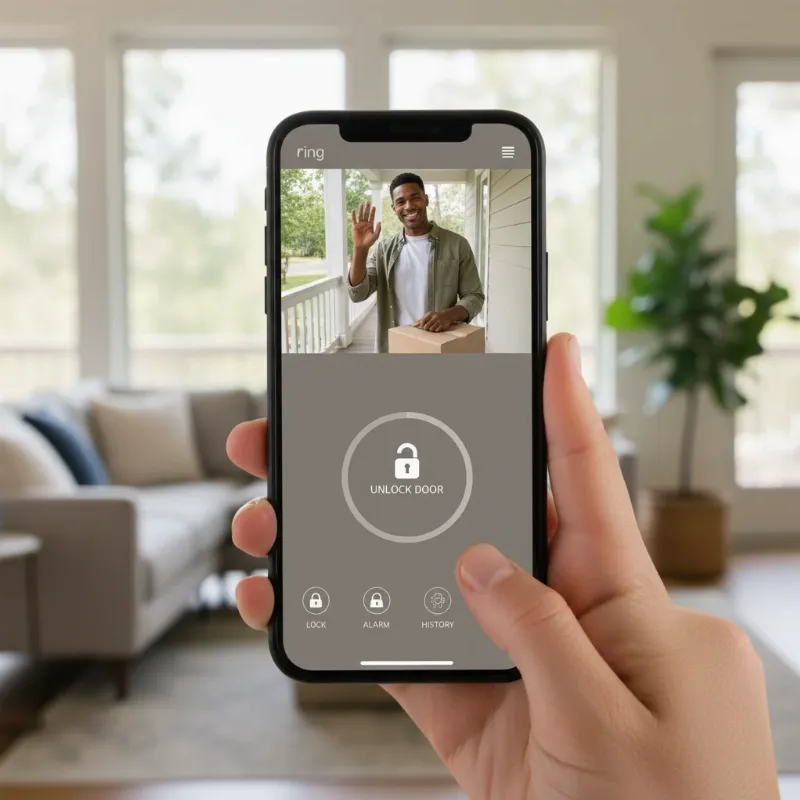 A person using a smartphone to unlock a smart lock while viewing a Ring doorbell feed on the same screen, symbolizing integrated smart home security and convenience.
Preparing for a Seamless Pairing Process
A little preparation goes a long way in ensuring your smart lock pairs smoothly with your Ring Video Doorbell setup. Taking these steps beforehand can prevent common hiccups and get you to a fully integrated system faster.
First, ensure your Ring app is updated to the latest version on your smartphone or tablet. App updates often include crucial bug fixes and compatibility improvements. Second, verify the battery level of your smart lock. Low batteries are a frequent cause of pairing failures, so it’s always best to start with fresh batteries. If you’re using a Z-Wave smart lock, make sure it is within close proximity to your Ring Alarm Base Station, ideally within 10-20 feet during the initial pairing process to establish a strong connection. Lastly, have all necessary apps installed and accounts ready. This includes the Ring app, your smart lock’s native app (e.g., Schlage Home, Kwikset app), and potentially the Key by Amazon app if your Wi-Fi lock integrates through that service. A stable internet connection is also vital for both your Ring devices and smart lock to communicate effectively.
Step-by-Step Guide: Pairing a Z-Wave Smart Lock with Ring Alarm
For many popular smart locks that use Z-Wave technology, the Ring Alarm Base Station acts as the central hub, allowing seamless communication with your Ring Video Doorbell. Here’s a general guide for integrating these devices.
To begin, open the Ring app on your mobile device. From the main dashboard, tap the “Menu” icon (usually three horizontal lines) to access the main options. Navigate to “Devices” and then select “Set Up a Device” or “Add Device.” In the list of device categories, choose “Security Devices,” and then select “Locks.” The app will likely prompt you to select “Z-Wave Lock” as the type of lock you are adding. Follow the on-screen prompts within the Ring app, which will guide you to put your smart lock into pairing or inclusion mode. This usually involves pressing a specific button or sequence of buttons on the lock itself. Once the lock is in pairing mode and the Ring Alarm Base Station is searching, the devices should discover each other. The app will confirm when the pairing is successful, allowing you to name your lock and assign it to a location within your Ring system.
Step-by-Step Guide: Pairing a Wi-Fi Smart Lock (e.g., Schlage Encode or Level Lock)
Some advanced Wi-Fi smart locks offer direct integration with the Ring ecosystem, sometimes bypassing the need for a Ring Alarm Base Station. This often involves connecting through services like Key by Amazon or Amazon Sidewalk.
First, ensure your Wi-Fi smart lock is already set up and functioning with its native app and connected to your home’s Wi-Fi network. For locks like the Schlage Encode, you might need to link it through the Key by Amazon app first. If you are using a Level Lock, you will typically set it up in the Level Home app and connect it to Amazon Sidewalk. Once your smart lock is independently configured, open the Ring app. Tap the “Menu” icon and go to “Devices,” then “Set Up a Device” or “Add Device.” Look for “Locks and Access Devices” and then select your specific lock partner (e.g., “Level Lock” or an option to “Connect using Key by Amazon”). You will then be prompted to authorize the connection between your Ring and Key by Amazon/Level accounts. Follow the on-screen instructions, which will typically involve signing into your Amazon account (the same one linked to Ring and your smart lock). Once authorized, the Ring app will discover and integrate your Wi-Fi smart lock, allowing you to manage it directly within the Ring interface.
Advanced Integration: Arming/Disarming Ring Alarm with Your Smart Lock
Integrating your smart lock with your Ring Alarm system offers an advanced layer of convenience and security: the ability to arm or disarm your alarm simply by locking or unlocking your door. This feature streamlines your routine and ensures your home is protected with minimal effort.
To set this up, open the Ring app and navigate to the main dashboard. Tap the “Alarm tile” under Devices. From there, select “Connected Devices” and then choose your specific smart lock from the list. Look for “Mode Settings” within your lock’s settings. Here, you’ll find options to link your lock’s actions to your Ring Alarm modes. For example, you can toggle on “Lock with Access Code” or “Lock with One Touch” under “Away Mode” to automatically arm your alarm when you lock your door from the keypad. Similarly, you can enable “Unlocking will disarm” under “Disarmed” settings, allowing you to disarm your alarm by simply unlocking your door with an access code. Make sure to tap “Save” in the upper right corner to apply these changes. This seamless automation means your home’s security can be managed with a single, intuitive action.
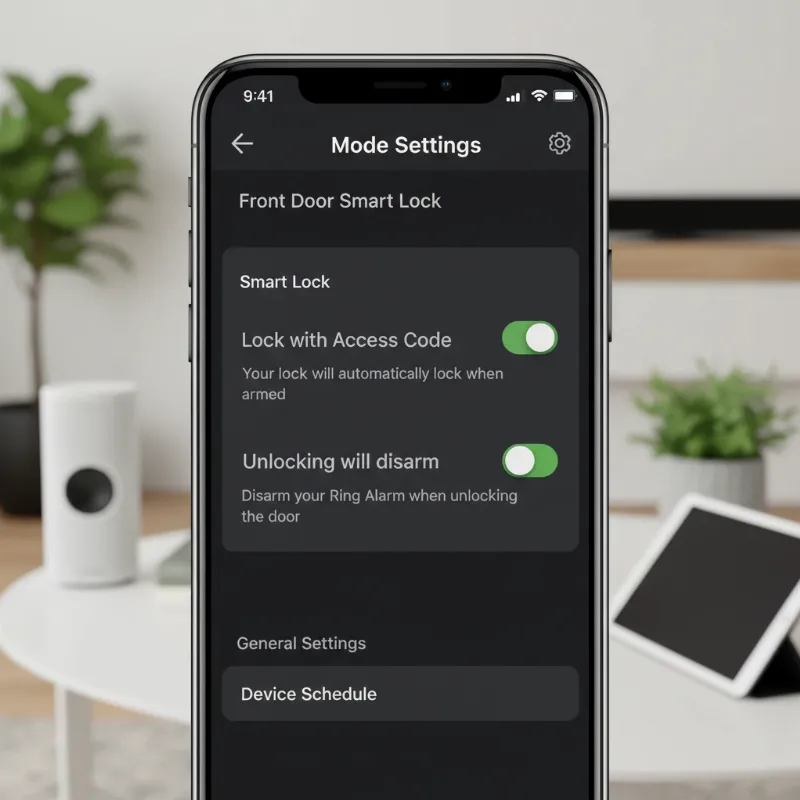 A screenshot of the Ring app's settings screen showing options for smart lock integration with Ring Alarm modes, highlighting automation.
Troubleshooting Common Pairing Issues
Even with the best preparation, you might encounter a snag or two during the pairing process. Don’t worry, many common issues have straightforward solutions. As a technician, I’ve seen these frequently, and they are usually easy to resolve.
One common problem is the lock being out of range of the Ring Alarm Base Station (for Z-Wave locks) or your Wi-Fi router (for Wi-Fi locks). Try moving the lock closer to the hub during pairing, or consider a Z-Wave extender or Wi-Fi mesh system to improve coverage. Another frequent culprit is a low battery in the smart lock; replace batteries and try pairing again. Outdated firmware on your smart lock or Ring devices can also cause compatibility issues. Always check for and install any available firmware updates through the manufacturer’s app or the Ring app. For Z-Wave locks, if initial pairing fails, you might need to perform a Z-Wave exclusion (removing the device from the network) and then attempt to re-include it. This effectively resets the connection. Finally, ensure your internet connection is stable. If issues persist, consult the specific troubleshooting guides from your smart lock manufacturer or Ring’s official support channels.
Popular Smart Locks Compatible with Ring Ecosystem
The market for smart locks is vast, but when it comes to seamless integration with your Ring Video Doorbell and ecosystem, certain brands and models stand out. Here’s a look at some of the most popular and reliable choices.
| Smart Lock Model | Compatibility Type | Key Integration Feature with Ring |
|---|---|---|
| Schlage Encode Smart WiFi Deadbolt | Wi-Fi (via Key by Amazon/direct) | Remote lock/unlock via Ring app, works with Ring Video Doorbells/Cameras |
| Yale Real Living Assure SL (Z-Wave Plus) | Z-Wave (via Ring Alarm) | Remote lock/unlock, arm/disarm Ring Alarm |
| Kwikset SmartCode (Z-Wave) | Z-Wave (via Ring Alarm) | Remote lock/unlock, arm/disarm Ring Alarm |
| Level Lock | Amazon Sidewalk | Control via Ring app, notifications |
| August Smart Lock Pro | Wi-Fi/Bluetooth (via August Connect/Z-Wave module) | Attaches to existing deadbolt, Ring integration for status/control |
Each of these locks offers unique features and benefits, catering to different home security needs. For instance, the Schlage Encode is ideal for direct Wi-Fi connectivity, while Yale and Kwikset Z-Wave models provide robust integration with the Ring Alarm. Level Locks offer a discreet design, and August Smart Lock Pro maintains your existing key entry while adding smart features. Always verify the specific model’s compatibility with your Ring setup before purchasing.
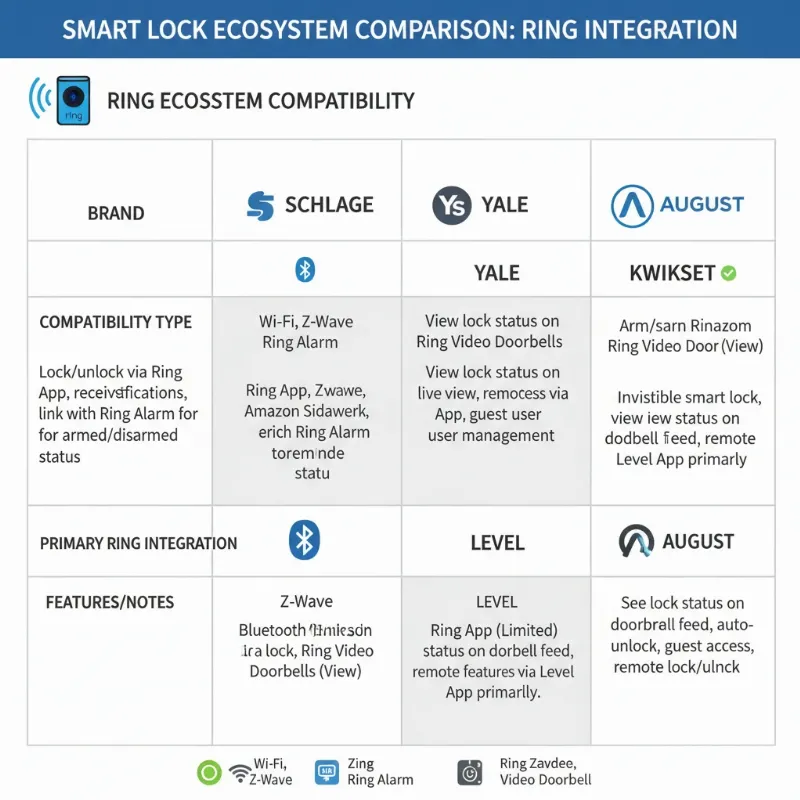 A visually appealing infographic comparing different smart lock brands and their compatibility features with the Ring ecosystem, emphasizing choices.
The Future of Smart Lock and Ring Integration
The landscape of smart home technology is ever-evolving, and the integration between smart locks and Ring Video Doorbells is no exception. We’re on the cusp of even more sophisticated and intuitive home security solutions.
In the near future, expect to see further advancements in Artificial Intelligence (AI) integration, allowing for more proactive security features, such as intelligent anomaly detection and personalized access controls. Connectivity will also become even more robust, with expanded support for new wireless protocols and seamless integration with a wider array of smart home devices beyond just Ring. Enhanced biometric authentication, like advanced facial recognition, could become more commonplace, offering even greater security and convenience. The goal remains to create a truly interconnected and intelligent home that anticipates your needs and protects your loved ones and property with unprecedented efficiency.
Conclusion
Pairing your smart lock with a Ring Video Doorbell is a transformative step towards a more secure, convenient, and intelligent home. From the peace of mind that comes with remote access and monitoring to the streamlined routines offered by advanced automation, the benefits are clear. By understanding compatibility, preparing your devices, and following the pairing steps, you can unlock a new level of control over your front door. The integration empowers you to manage access, monitor activity, and respond to visitors with unparalleled ease.
“Smart locks aren’t just about keyless entry; they’re about building a comprehensive security ecosystem that keeps you connected and protected.” – An expert in home security technology.
Ready to enhance your home’s intelligence and security? Explore the range of compatible smart locks and Ring devices today, and take the first step towards a smarter, safer home. What smart lock feature are you most excited to integrate with your Ring doorbell?
Frequently Asked Questions
Do all smart locks work with Ring?
|
Our Picks for the Best smart locks in 2026
As an Amazon Associate I earn from qualifying purchases.
|
||
| Num | Product | Action |
|---|---|---|
| 1 | Schlage Encode Smart WiFi Deadbolt Lock for Front Door - Keyless Entry with App or Touchscreen - Works with Alexa, Hey Google, & Airbnb - Create Codes for Guests - Satin Nickel Silver |

|
| 2 | Wyze Auto-Lock Bolt v2, Fingerprint Keyless Entry Smart Lock, AI Learning Scanner with Wi-Fi Front Door Lock Deadbolt, Auto-Lock, 8 Months Battery, BHMA2, IP53, Anti-Peep Keypad, Backup Keys |
|
| 3 | ULTRALOQ U-Bolt Pro WiFi Smart Lock with Door Sensor, 8-in-1 Keyless Entry Door Lock with Fingerprint ID, App Remote Control, Built-in WiFi Keypad Deadbolt, Auto Unlock, IP65 Waterproof, Easy Install |
|
| 4 | Smart Door Lock with Camera Fingerprint Keyless Entry Door Lock Electronic Deadbolt with Keypad Code, App Remote Control, Auto Unlock for Front Door |
|
| 5 | Schlage Encode Smart WiFi Deadbolt Lock for Front Door - Keyless Entry with App or Touchscreen - Works with Alexa, Hey Google, & Airbnb - Create Codes for Guests - Matte Black |
|
| 6 | Smart Door Handle Lock with Keypad: Yamiry Fingerprint Smart Knob - Keyless Entry Digital Lock for Front Door - Deadbolt with APP - Generate Passcode Remotely - DIY Installation |
|
| 7 | TEEHO TE001 Keyless Entry Door Lock with Keypad - Smart Deadbolt Lock for Front Door with 2 Keys - Auto Lock - Easy Installation - Matte Black |
|
| 8 | Yale Security Assure Lock 2 Deadbolt, Black Suede Keyed Smart Entry Door Lock with Wi-Fi Connected Keypad for Code Entry and Remote Access, YRD410-WF1-BSP |
|
| 9 | Tapo Smart Wi-Fi Deadbolt Door Lock – Keyless Tactile Buttons, Customized Access with in-App Monitoring, Auto-Lock, IP54 Weatherproof, BHMA Grade 3, Compatible with Standard Door Sizes, Tapo DL100 |
|
| 10 | Wyze Palm Lock, Smart Door Lock with Palm Vein Recognition, Keyless Entry Smart Locks for Front Door, Keypad, Auto Lock, Dual Battery, Wi-Fi, Works with Alexa & Google, BHMA, IP53, Mechanical Key |
|
No, not all smart locks are universally compatible with the Ring ecosystem. Compatibility depends on the communication technology (Z-Wave or Wi-Fi) and whether your Ring setup includes a Ring Alarm Base Station. Always check the “Works with Ring” certification or specific product compatibility lists before purchasing.
Do I need a Ring Alarm for smart lock integration?
For most Z-Wave enabled smart locks (e.g., many from Schlage, Kwikset, Yale), a Ring Alarm Base Station is required to act as the Z-Wave hub and facilitate integration with the Ring app and your Ring Video Doorbell. Some Wi-Fi smart locks, like Schlage Encode, can connect directly or via services like Key by Amazon or Amazon Sidewalk, potentially without needing a Ring Alarm.
Can I unlock my door from the Ring doorbell live view?
Yes, if your smart lock is successfully paired with your Ring system, you can often unlock your door directly from the live view screen within the Ring app. This feature provides immense convenience, allowing you to grant access while speaking to visitors at your doorstep.
What is Z-Wave and why is it important for Ring integration?
Z-Wave is a wireless protocol designed for smart home devices, allowing them to communicate with each other. For Ring integration, Z-Wave is crucial because many compatible smart locks use this technology. The Ring Alarm Base Station acts as a Z-Wave hub, enabling these locks to connect to your Ring system and be controlled through the Ring app.