The unexpected sound of your smart lock beeping can be startling, especially when you’re not sure what it means. Far from being a mere annoyance, these sounds are your smart lock’s way of communicating vital information, from urgent security alerts to simple maintenance reminders. Understanding these common warning signals is key to keeping your home secure and your smart lock functioning flawlessly. This comprehensive guide will help you decipher your smart lock’s language, diagnose issues quickly, and implement effective solutions to restore peace and security to your home.
Understanding Smart Lock Beeping: A Crucial Communication
Smart locks are sophisticated devices designed to enhance your home security and convenience. Unlike traditional locks, they come equipped with built-in diagnostic systems that use sounds, lights, and app notifications to communicate their status. When your smart lock beeps, it’s attempting to tell you something important about its operational health, security status, or a necessary action.
Recognizing the specific patterns of these beeps is crucial for swift troubleshooting. A single, short beep might confirm a successful action, such as locking or unlocking. However, a continuous, loud alarm could signal an immediate security threat, while intermittent chirps might point to a less critical but equally important issue, such as a low battery. Learning to distinguish these sounds empowers you to react appropriately and efficiently, preventing potential lockouts or security vulnerabilities.
Common Reasons Your Smart Lock Might Be Beeping
When your smart lock starts making noise, it’s usually trying to alert you to one of several common issues. Pinpointing the exact reason behind the beeping is the first step toward a solution. Here are the most frequent culprits and what they typically signify.
Low Battery Warning
The most common reason for a smart lock to beep is a low battery level. As the internal power supply diminishes, your lock will alert you to prevent complete power loss, which could leave you locked out.
- Description of beep sound: This often manifests as consistent beeping after each use, or intermittent chirps throughout the day. Some locks may have a specific low-battery beep pattern.
- Why it happens: Batteries naturally deplete over time, and smart locks consume power for their electronic functions, connectivity, and motors.
- Solution: Immediately replace the batteries with high-quality alkaline ones. Avoid mixing old and new batteries, as this can lead to inconsistent voltage and further issues. Always refer to your lock’s manual for the correct battery type and replacement procedure.
|
Our Picks for the Best smart locks in 2026
As an Amazon Associate I earn from qualifying purchases.
|
||
| Num | Product | Action |
|---|---|---|
| 1 | Yale Security Assure Lock 2 Deadbolt, Black Suede Keyed Smart Entry Door Lock with Wi-Fi Connected Keypad for Code Entry and Remote Access, YRD410-WF1-BSP |

|
| 2 | Wyze Palm Lock, Smart Door Lock with Palm Vein Recognition, Keyless Entry Smart Locks for Front Door, Keypad, Auto Lock, Dual Battery, Wi-Fi, Works with Alexa & Google, BHMA, IP53, Mechanical Key |
|
| 3 | TEEHO TE001 Keyless Entry Door Lock with Keypad - Smart Deadbolt Lock for Front Door with 2 Keys - Auto Lock - Easy Installation - Matte Black |
|
| 4 | Tapo Smart Wi-Fi Deadbolt Door Lock – Keyless Tactile Buttons, Customized Access with in-App Monitoring, Auto-Lock, IP54 Weatherproof, BHMA Grade 3, Compatible with Standard Door Sizes, Tapo DL100 |
|
| 5 | Wyze Auto-Lock Bolt v2, Fingerprint Keyless Entry Smart Lock, AI Learning Scanner with Wi-Fi Front Door Lock Deadbolt, Auto-Lock, 8 Months Battery, BHMA2, IP53, Anti-Peep Keypad, Backup Keys |
|
| 6 | Smart Door Lock with Camera Fingerprint Keyless Entry Door Lock Electronic Deadbolt with Keypad Code, App Remote Control, Auto Unlock for Front Door |
|
| 7 | Schlage Encode Smart WiFi Deadbolt Lock for Front Door - Keyless Entry with App or Touchscreen - Works with Alexa, Hey Google, & Airbnb - Create Codes for Guests - Satin Nickel Silver |
|
| 8 | Smart Door Handle Lock with Keypad: Yamiry Fingerprint Smart Knob - Keyless Entry Digital Lock for Front Door - Deadbolt with APP - Generate Passcode Remotely - DIY Installation |
|
| 9 | ULTRALOQ U-Bolt Pro WiFi Smart Lock with Door Sensor, 8-in-1 Keyless Entry Door Lock with Fingerprint ID, App Remote Control, Built-in WiFi Keypad Deadbolt, Auto Unlock, IP65 Waterproof, Easy Install |
|
| 10 | Schlage Encode Smart WiFi Deadbolt Lock for Front Door - Keyless Entry with App or Touchscreen - Works with Alexa, Hey Google, & Airbnb - Create Codes for Guests - Matte Black |
|
Tampering or Forced Entry Alert
Your smart lock is designed with security features that can detect unauthorized attempts to gain access. If it senses unusual activity, it will trigger an alarm to alert you and deter intruders.
- Description of beep sound: This typically involves a loud, continuous, and urgent alarm sound, often accompanied by flashing red lights.
- How smart locks detect tampering: Integrated sensors can detect forced entry attempts, excessive vibration, or attempts to manipulate the lock mechanism.
- What to do if you hear this: Immediately check your door and surrounding areas. Consult your smart lock app for any security alerts or notifications. If you suspect a break-in, prioritize your safety and contact local authorities.
Door Ajar or Improperly Closed
Many smart locks are equipped with sensors that verify the door is fully closed and latched before locking. If the door isn’t properly aligned or secured, the lock may beep as a warning.
- Description of beep sound: This might be a short, repeated beep or a series of tones, often when attempting to lock the door.
- How sensors detect this: Internal sensors check the alignment of the deadbolt with the strike plate, or an external sensor on the door frame verifies the door’s closed position.
- Solution: Ensure the door is fully shut and the latch is completely engaged. Check for any obstructions in the door frame or debris in the strike plate. Sometimes, minor door misalignment due to house settling can cause this; adjustments to the strike plate might be necessary.
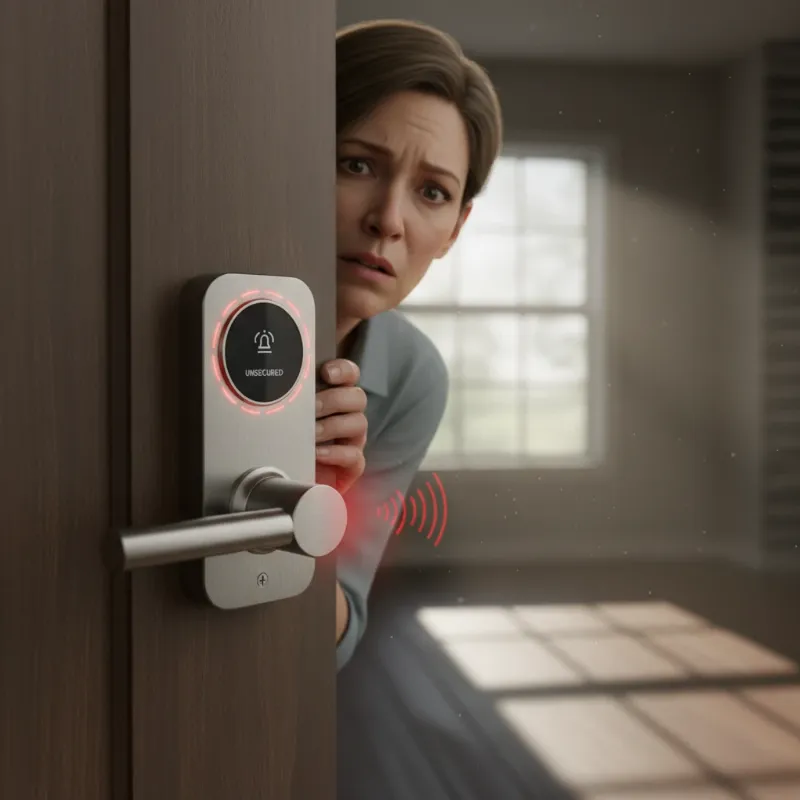 A smart lock with a red light indicating a door ajar warning, on a slightly open front door, with a worried homeowner looking at it.
Connectivity Issues (Wi-Fi/Bluetooth)
While not always a direct cause for beeping, connectivity problems can lead to malfunctions that might indirectly trigger error sounds or prevent crucial app notifications from reaching you.
- Description of beep sound: Beeping directly related to connectivity issues is less common, as locks typically use app notifications for this. However, a general system error beep might occur if critical communication fails.
- Why connectivity is important: Smart locks rely on Wi-Fi or Bluetooth for remote access, integration with smart home systems, and receiving updates. Low battery levels can significantly impair connectivity.
- Solution: First, ensure your lock’s batteries are fresh, as low power can severely impact wireless performance. Check your home router and Wi-Fi network status. If using Bluetooth, ensure your smartphone is within range. Re-pairing the device with your app might also resolve communication glitches.
System Error or Malfunction
Occasionally, a smart lock might experience an internal software glitch or a hardware malfunction that triggers a warning beep. These can be more challenging to diagnose without specific error codes.
- Description of beep sound: This could be an unusual or persistent beep pattern that doesn’t fit other categories, sometimes accompanied by peculiar light sequences.
- General diagnostic steps: If other common issues are ruled out, try a soft reset of the lock (usually by removing and reinserting batteries). Check your smart lock’s app or user manual for any error codes displayed.
- When to contact support: If the beeping persists after basic troubleshooting and you can’t identify the cause, it’s best to contact the manufacturer’s customer support. They can often provide model-specific diagnostic advice.
Failed Unlock Attempt (Incorrect Code/Fingerprint)
As a security measure, many smart locks are programmed to react to multiple incorrect access attempts. This can involve a specific beep sequence, and sometimes even a temporary lockout.
- Description of beep sound: Often, a distinct series of beeps or a specific tone will sound after multiple failed attempts to enter a code or register a fingerprint. Some locks might emit ten rapid beeps indicating a security lockout.
- Security feature: This prevents unauthorized users from endlessly guessing codes or trying different fingerprints.
- Solution: Carefully re-enter the correct access code or re-scan your fingerprint, ensuring clean contact. If you’ve forgotten the code, use an alternative unlock method like a physical key or your smartphone app. If the lock is in a temporary lockout, wait for the specified cooldown period (e.g., 60-120 seconds for some models) before trying again.
Troubleshooting Your Smart Lock’s Beeps: A Step-by-Step Guide
When your smart lock begins to beep unexpectedly, a methodical approach to troubleshooting can save you time and stress. By following these steps, you can often diagnose and resolve the issue without professional assistance. Taking swift action not only silences the alert but also maintains your home’s security integrity.
Identify the Beep Pattern
The first and most critical step is to pay close attention to the sound itself. Is the beep continuous and steady, or does it occur in rapid bursts? Is it a single, short tone, or a prolonged, loud alarm?
- Continuous Steady Beeps: Often signal critical hardware issues, dying batteries, physical separation of lock components, or active tamper detection.
- Rapid Multi-Beep Bursts: Can indicate complete battery depletion (e.g., four rapid beeps with red LED flashing), a jammed bolt (e.g., five rapid beeps every 30 seconds), or a security lockout after failed access attempts.
Check the Smart Lock App
Your smart lock’s companion app is a powerful diagnostic tool. Most modern smart locks will send detailed alerts and notifications directly to your smartphone.
- App Notifications: Look for specific messages about battery levels, tampering attempts, connectivity issues, or system errors. These alerts often provide direct guidance on how to resolve the problem.
- Status Indicators: The app usually displays the current status of your lock, including battery life, lock/unlock status, and connectivity strength.
Inspect the Lock Physically
A thorough physical examination of the smart lock itself and the door it’s attached to can reveal underlying issues.
- Obstructions: Check for any debris, dirt, or foreign objects that might be jamming the bolt or sensors.
- Damage: Look for visible damage to the lock mechanism, keypad, or interior components.
- Battery Compartment: Ensure the battery pack is seated correctly and hasn’t shifted, especially after door slams. (This is a common issue with some models like Kwikset SmartCode deadbolts).
- Door Alignment: Confirm the door is properly aligned with the frame, and the deadbolt or latch can extend fully into the strike plate without obstruction.
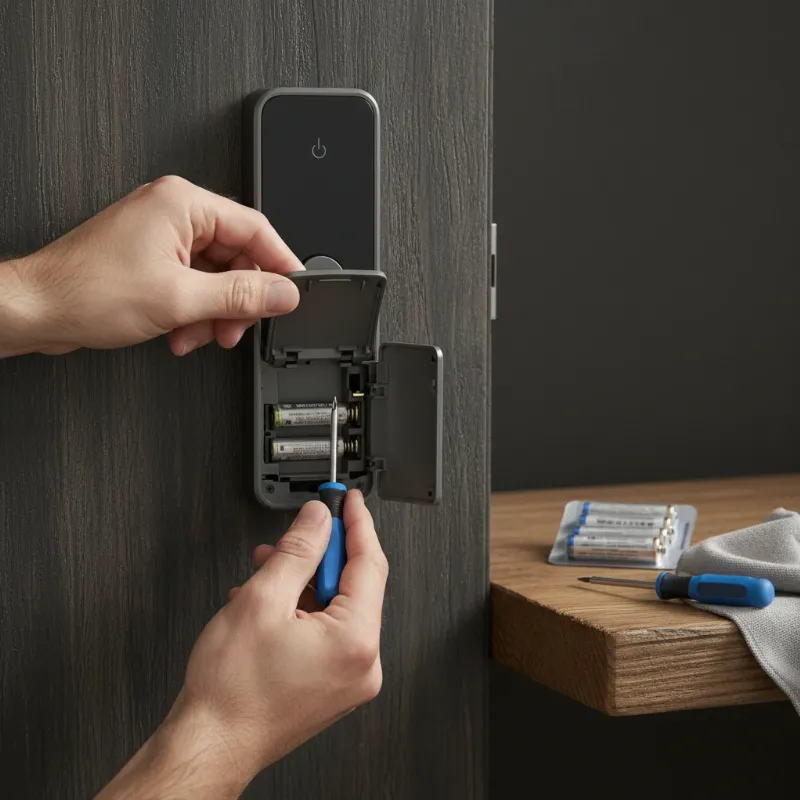 A person inspecting the battery compartment of a smart lock, with a screwdriver and new batteries nearby, on a modern wooden door.
Consult the User Manual
The user manual is an invaluable resource for troubleshooting specific to your smart lock model. It typically contains a dedicated section on error codes, beep patterns, and their corresponding meanings and solutions.
- Beep Codes: Many manufacturers include a list of distinct beep codes or patterns that correlate to specific problems.
- Model-Specific Fixes: The manual will provide precise instructions tailored to your lock’s design and features. If you can’t find your physical manual, most manufacturers offer digital versions on their websites.
Perform a Soft Reset
A soft reset can often clear minor software glitches or temporary errors that are causing your lock to beep. This typically involves power cycling the device.
- How to do it: The most common method is to carefully remove the batteries, wait for 30 seconds to a minute, and then reinsert them. This reboots the lock’s internal system.
- When it’s appropriate: This is a good step to try after checking batteries and manual, and before considering more drastic measures like a factory reset.
Replace Batteries
Even if you’re not getting a specific “low battery” warning, fresh batteries are always a good first step for unexplained beeping.
- Proactive Replacement: Batteries can sometimes deplete unexpectedly or fluctuate in voltage. Replacing them eliminates a common variable.
- Correct Type: Ensure you use the exact type and number of batteries specified by the manufacturer. Using incorrect batteries can lead to further issues.
Preventing Future Beeping Incidents
Proactive maintenance and understanding your smart lock’s operational nuances can significantly reduce the likelihood of unexpected beeping. By establishing good habits, you ensure your smart lock remains a reliable and silent guardian of your home.
Regular Battery Checks and Replacement
Since low battery is the leading cause of smart lock beeping, establishing a routine for battery maintenance is paramount.
- Scheduled Replacement: Mark your calendar to replace batteries every 6-12 months, regardless of whether you’ve received a low battery alert. This preemptive approach prevents critical power depletion.
- High-Quality Batteries: Always opt for reputable, high-quality alkaline batteries. They offer better performance and longevity compared to generic brands.
- Avoid Mixing: Never mix old and new batteries, or different brands, as this can cause uneven discharge and system instability.
Keep Software Updated
Manufacturers frequently release software updates for smart locks to improve performance, add new features, and patch security vulnerabilities. These updates can also address bugs that might cause erroneous beeping.
- Automatic Updates: Enable automatic updates through your smart lock app if available.
- Manual Checks: Periodically check your app for available firmware updates and install them promptly.
Ensure Proper Installation and Alignment
Many beeping issues stem from the physical interaction between the lock and the door. Proper installation and ongoing alignment are crucial.
- Professional Installation: If unsure, consider having your smart lock professionally installed to ensure it’s correctly aligned and secured.
- Periodic Inspection: Regularly check that your door closes smoothly and that the deadbolt fully extends into the strike plate without resistance. Adjustments to the strike plate or door hinges might be needed over time due to house settling.
Monitor App Notifications
Your smart lock app is your central hub for information. Regularly checking it can provide early warnings and insights.
- Enable Alerts: Ensure you have notifications enabled for battery warnings, security alerts, and system errors.
- Review History: Many apps provide a history log of lock activity and alerts, which can help you identify recurring patterns or issues.
Understand Your Lock’s Features
Familiarize yourself with all the settings, customization options, and specific alert patterns of your smart lock model.
- User Manual: Keep your user manual handy (or a digital copy accessible) to quickly reference beep codes and troubleshooting steps.
- Online Resources: Utilize manufacturer websites, support forums, and online communities for additional tips and common fixes specific to your lock.
The Evolution of Smart Lock Diagnostics
Smart lock technology is continually advancing, and so are the ways these devices communicate and diagnose issues. The future promises even more intuitive and proactive diagnostic capabilities, making smart homes safer and more convenient.
- Tighter AI Integration: Future smart locks will likely use advanced AI algorithms to learn user patterns and environmental factors, enabling more accurate predictive maintenance. They might alert you to potential issues before they become critical, based on subtle changes in performance or battery drain patterns.
- Enhanced Connectivity and Centralized Diagnostics: Expect deeper integration with broader smart home ecosystems. This means your smart lock’s diagnostics could be centrally managed and displayed alongside other smart devices, offering a holistic view of your home’s operational health. Imagine a single dashboard that tells you your lock battery is low, your smart thermostat filter needs changing, and your security camera detected unusual motion.
- Voice Alerts and Contextual Notifications: Beyond simple beeps, future locks might provide clear voice prompts or highly contextualized app notifications. Instead of just a “low battery” beep, you might hear, “Front door lock battery is at 10%. Please replace soon,” or receive an app notification with direct links to order replacement batteries.
- Blockchain for Security Audits: While not directly related to beeping, the integration of blockchain technology could provide an immutable ledger of lock activity, enhancing security and making forensic diagnostics more robust in case of a breach or malfunction.
The evolution of smart lock diagnostics is moving towards a future where these devices are not just reactive to problems but proactive in preventing them, offering users unparalleled peace of mind and effortless management.
Conclusion
The sudden beeping of your smart lock can be an unsettling sound, but it’s rarely a cause for panic. More often than not, it’s a vital message about its status, primarily concerning battery levels or minor operational hitches. By understanding the common reasons behind these audible warnings—from low batteries and improper door closure to security alerts and system errors—you can quickly diagnose and resolve most issues yourself. Proactive maintenance, such as regular battery checks, software updates, and proper installation, is key to preventing these disruptions and ensuring your smart lock remains a silent, dependable guardian of your home.
Don’t let a beeping smart lock cause unnecessary stress. Embrace it as an intelligent feature designed to keep you informed and secure. By paying attention to these signals and following simple troubleshooting steps, you can ensure your smart lock operates smoothly, providing the convenience and enhanced security you rely on. Is your smart lock trying to tell you something critical? Take a moment to listen, understand, and take action for a smarter, safer home.
Frequently Asked Questions
Is it normal for a smart lock to beep?
Yes, it is perfectly normal for a smart lock to beep. These sounds are a crucial part of its diagnostic system, providing feedback for successful operations like locking or unlocking, and alerting you to potential issues such as low battery levels, security alerts, or system errors. Different beep patterns often signify different messages.
How often should I change my smart lock’s batteries?
It is generally recommended to change your smart lock’s batteries every 6 to 12 months, even if you haven’t received a low battery warning. This proactive approach helps prevent unexpected power loss and ensures consistent performance. Factors like usage frequency and extreme temperatures can affect battery life, so monitoring your lock’s app for battery status is also wise.
Can I disable my smart lock’s beeping sounds?
Many smart locks offer options to adjust or disable certain sounds, including beeps, through their companion app or directly on the device settings. However, it’s generally not recommended to disable all audible warnings, especially for critical alerts like low battery or tampering, as these sounds are vital for security and maintenance awareness. Check your specific lock’s manual for sound settings.
What if my smart lock keeps beeping after I’ve changed the batteries?
If your smart lock continues to beep after you’ve replaced the batteries, the issue likely lies elsewhere. First, verify that the new batteries are inserted correctly and are of the recommended type and quality. Then, check for other common causes such as a door ajar, a jammed bolt, a physical misalignment, or a system error. Consult your lock’s user manual or app for specific error codes.
How do I know if my smart lock is being hacked?
While a smart lock beeping due to a “hack” is rare, continuous, loud, and urgent alarms accompanied by flashing red lights are typical indicators of tampering or attempted forced entry. Your smart lock app should also send immediate security alerts for such events. If you suspect your lock has been compromised, secure your home, check app activity logs, and contact the manufacturer’s support and local authorities immediately.
