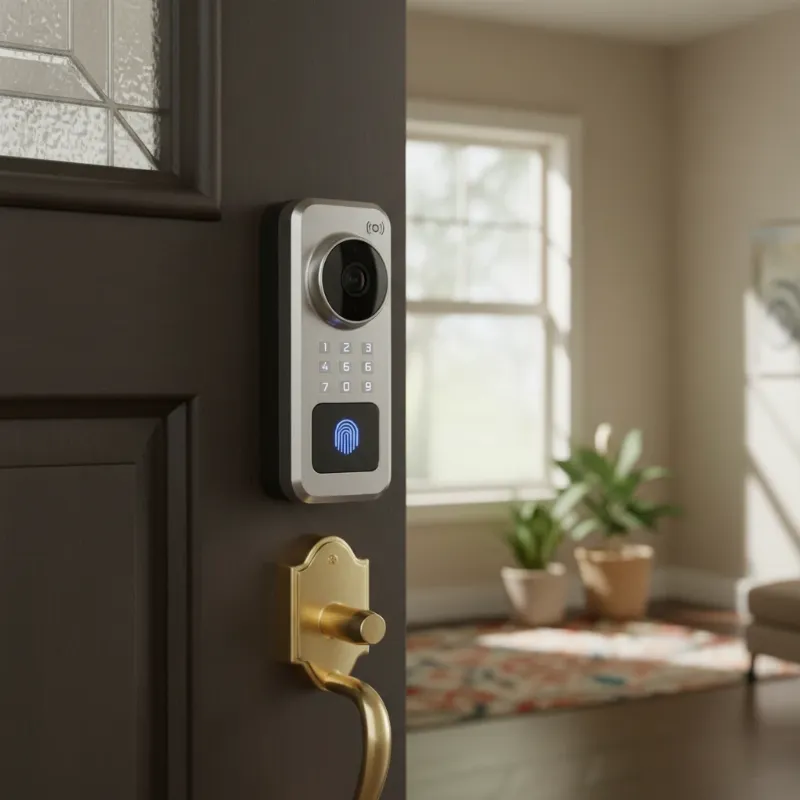
In a world that thrives on connectivity and convenience, the traditional house key often feels like a relic. Smart locks have emerged as a cornerstone of modern home security, offering unparalleled flexibility and control over who enters your property. For homeowners, short-term rental hosts, and busy individuals alike, the ability to grant temporary access to visitors without ever handing over a physical key is a game-changer. This guide will walk you through the simple yet powerful process of setting up temporary guest codes for your smart locks, enhancing both your home’s security and your guests’ experience.
What Are Temporary Guest Codes for Smart Locks?
Temporary guest codes are digital access credentials, typically PINs or app-based permissions, that allow designated visitors to enter your property for a limited duration. Unlike permanent codes, these access methods are designed with built-in expiration dates or single-use functionality, providing a flexible and secure way to manage entry. They are an essential feature for anyone seeking to modernize their home access, moving beyond the cumbersome and less secure traditional key exchange.
Smart locks offer various forms of temporary access, from a one-time password (OTP) ideal for a single delivery to time-sensitive PINs perfectly suited for a weekend guest or a recurring schedule for a weekly cleaning service. The core benefit lies in their ability to grant controlled entry without compromising your home’s long-term security.
The Unmatched Advantages of Smart Lock Guest Codes
Embracing temporary guest codes with your smart lock system brings a multitude of benefits, streamlining access management while significantly boosting security and convenience for both you and your visitors.
Enhanced Security
|
Our Picks for the Best smart locks in 2026
As an Amazon Associate I earn from qualifying purchases.
|
||
| Num | Product | Action |
|---|---|---|
| 1 | Tapo Smart Wi-Fi Deadbolt Door Lock – Keyless Tactile Buttons, Customized Access with in-App Monitoring, Auto-Lock, IP54 Weatherproof, BHMA Grade 3, Compatible with Standard Door Sizes, Tapo DL100 |

|
| 2 | TEEHO TE001 Keyless Entry Door Lock with Keypad - Smart Deadbolt Lock for Front Door with 2 Keys - Auto Lock - Easy Installation - Matte Black |
|
| 3 | Smart Door Handle Lock with Keypad: Yamiry Fingerprint Smart Knob - Keyless Entry Digital Lock for Front Door - Deadbolt with APP - Generate Passcode Remotely - DIY Installation |
|
| 4 | Yale Security Assure Lock 2 Deadbolt, Black Suede Keyed Smart Entry Door Lock with Wi-Fi Connected Keypad for Code Entry and Remote Access, YRD410-WF1-BSP |
|
| 5 | ULTRALOQ U-Bolt Pro WiFi Smart Lock with Door Sensor, 8-in-1 Keyless Entry Door Lock with Fingerprint ID, App Remote Control, Built-in WiFi Keypad Deadbolt, Auto Unlock, IP65 Waterproof, Easy Install |
|
| 6 | Wyze Auto-Lock Bolt v2, Fingerprint Keyless Entry Smart Lock, AI Learning Scanner with Wi-Fi Front Door Lock Deadbolt, Auto-Lock, 8 Months Battery, BHMA2, IP53, Anti-Peep Keypad, Backup Keys |
|
| 7 | Wyze Palm Lock, Smart Door Lock with Palm Vein Recognition, Keyless Entry Smart Locks for Front Door, Keypad, Auto Lock, Dual Battery, Wi-Fi, Works with Alexa & Google, BHMA, IP53, Mechanical Key |
|
| 8 | Smart Door Lock with Camera Fingerprint Keyless Entry Door Lock Electronic Deadbolt with Keypad Code, App Remote Control, Auto Unlock for Front Door |
|
| 9 | Schlage Encode Smart WiFi Deadbolt Lock for Front Door - Keyless Entry with App or Touchscreen - Works with Alexa, Hey Google, & Airbnb - Create Codes for Guests - Matte Black |
|
| 10 | Schlage Encode Smart WiFi Deadbolt Lock for Front Door - Keyless Entry with App or Touchscreen - Works with Alexa, Hey Google, & Airbnb - Create Codes for Guests - Satin Nickel Silver |
|
Eliminate the risks associated with physical keys, such as loss, theft, or unauthorized duplication. Each temporary code is unique and can be set to expire, preventing former guests or service providers from re-entering your property after their authorized period. Many smart locks also provide an activity log, allowing you to monitor who enters and exits, and when, adding an invaluable layer of security and accountability.
Ultimate Convenience
Imagine no more rushing home to unlock the door for a repair technician or leaving a spare key under the mat for an arriving guest. Temporary codes facilitate seamless self-check-ins and offer remote management capabilities. You can generate and distribute codes from anywhere using your smartphone, ensuring access is granted precisely when needed, even when you’re away.
Increased Flexibility
Smart locks adapt to your diverse needs, whether it’s accommodating a visiting family member, a pet sitter, a handyman, or guests for a short-term rental. You can customize access schedules to fit specific timeframes—for instance, a code valid only on Tuesday afternoons for your cleaner or active for the exact duration of a rental booking. This adaptability makes your home more welcoming and manageable.
Peace of Mind
With temporary guest codes, you gain unprecedented control over your home’s access. The ability to instantly revoke a code if plans change, or if a guest overstays their welcome, provides immense peace of mind. Knowing that access is precisely controlled and monitored means you can relax, confident in your home’s security.
Popular Methods for Creating Guest Codes
Setting up temporary guest codes for your smart lock is typically a straightforward process, primarily managed through your device’s dedicated smartphone application. While specific steps may vary slightly between brands, the general workflow remains consistent across most modern smart lock systems.
Via Smartphone App
The most common and user-friendly method for creating temporary access codes involves your smart lock’s mobile application. Brands like August, Yale, and Schlage Home offer intuitive apps that put complete control at your fingertips.
To set up a temporary code:
- Access Your Smart Lock App: Open the official app for your smart lock and ensure you are connected to your device (via Wi-Fi or Bluetooth).
- Navigate to Guest/Access Management: Look for a section often labeled “Guests,” “Access,” “Codes,” or “User Management.”
- Initiate Guest Invitation: Select an option to “Add Guest,” “Create Code,” or “Invite.” You might be asked to enter the guest’s name or contact information.
- Define Access Type: Crucially, specify the type of access. This is where you select “Temporary,” “Scheduled,” or “One-Time.” You will then set the start and end dates/times for the code’s validity. Some apps allow you to create recurring schedules (e.g., Monday-Friday, 9 AM – 5 PM).
- Generate and Confirm Code: The app will either suggest a random PIN or allow you to create your own. Confirm the details.
- Share the Code: Once generated, you can typically share the code directly with your guest via SMS, email, or a messaging app from within your smart lock app. Always provide clear instructions on how to use the code.
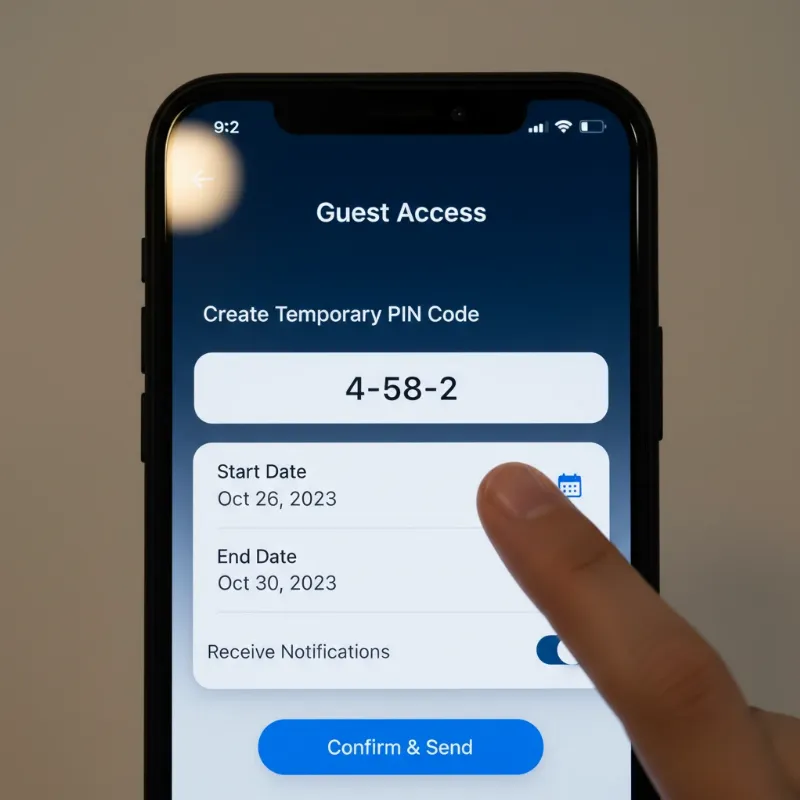 A smartphone screen displaying a smart lock app interface with options for setting temporary guest codes, schedules, and user management.
Via Keypad (On-Device Programming)
While less common for complex temporary scheduling, some smart locks allow you to program basic guest codes directly on the keypad using a master code. This method usually involves entering your master code, followed by a specific sequence of buttons to enter a programming mode, then inputting the new temporary code and its validity parameters. Always consult your lock’s user manual for precise instructions if this is your preferred method.
Integration with Property Management Systems (for Rentals)
For vacation rental owners managing properties on platforms like Airbnb or Vrbo, smart locks often integrate with property management systems (PMS) such as Rental Ninja or Lodgify. These integrations can automate the entire process:
- Automated Code Generation: Upon a confirmed booking, the PMS can automatically generate a unique, time-limited access code for the guest based on their check-in and check-out dates.
- Seamless Distribution: The code is then automatically sent to the guest via the booking platform’s messaging system or a dedicated guest portal, along with check-in instructions. This ensures guests receive their access details precisely when they need them, without any manual intervention from the host.
This level of automation significantly streamlines operations for rental businesses, ensuring a professional and hassle-free experience for both hosts and guests.
A Quick Comparison of Temporary Access Types
Understanding the different types of temporary access available can help you choose the best solution for your specific needs.
| Feature | One-Time Passwords (OTP) | Time-Limited PIN Codes | App-Based Scheduled Access |
|---|---|---|---|
| Purpose | Single entry only | Access within a defined timeframe | Granular control via smartphone app |
| Best For | Deliveries, one-off service calls | Short-term guests, regular service providers (e.g., cleaners) for specific days | Extended stays, frequent visitors, situations requiring remote monitoring and control |
| Security Level | High (expires after first use) | High (automatically expires) | Very High (remote revocation, activity logs, multi-factor authentication) |
| Convenience for Guest | Very High (simple numeric code) | High (easy to remember and use) | High (unlocks with their phone) |
| Management Effort | Low | Moderate (set once, then forget) | Advanced (requires app interaction, but offers highest control) |
Choosing the Right Temporary Access Solution for Your Needs
Selecting the optimal temporary access solution depends heavily on your specific situation and the type of visitor you’re expecting. Consider these factors when making your choice:
- Type of Visitor: Are you expecting a one-time delivery, a weekend guest, or a recurring service provider? One-time passwords are perfect for single entries, while time-limited PINs or app-based scheduled access suits longer or repeated visits.
- Your Smart Lock’s Capabilities: Not all smart locks offer every type of temporary access. Review your smart lock’s features and its companion app to understand the available options. Some advanced locks provide more granular control over schedules and user permissions.
- Desired Level of Security and Control: If you need the highest level of security with real-time monitoring and instant revocation capabilities, app-based scheduled access is usually the best choice. For simpler needs, time-limited PINs offer excellent security without constant oversight.
- Integration with Other Systems: For rental properties, prioritize smart locks and systems that integrate seamlessly with your property management platform for automated code generation and guest communication.
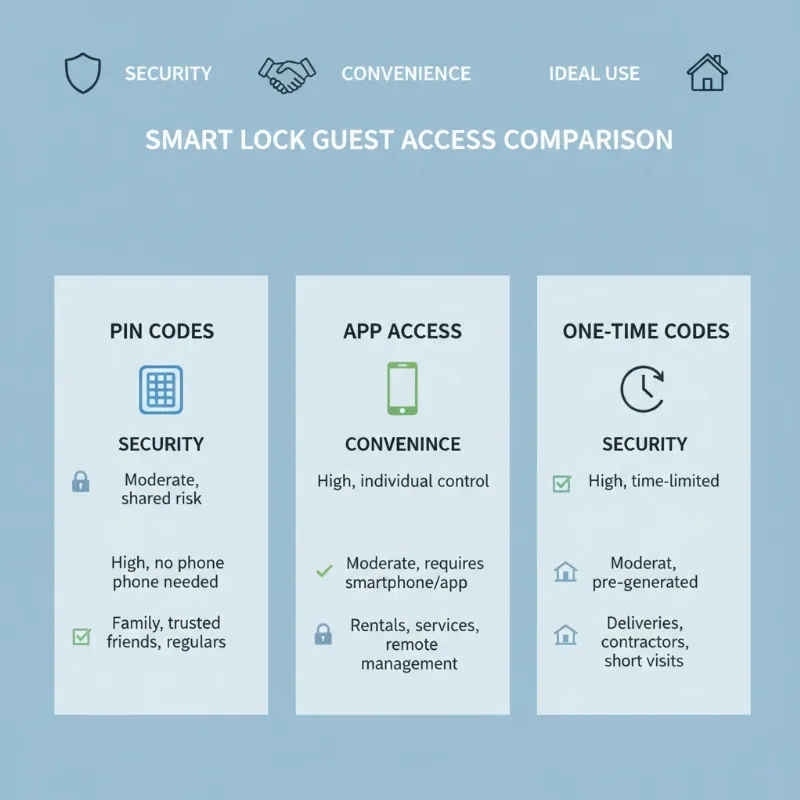 A visually appealing infographic comparing different smart lock features, specifically focusing on temporary guest access options and their suitability for various user needs.
“A smart lock is not just a device; it’s a comprehensive security solution that empowers you to control your home’s access with unprecedented flexibility and peace of mind.” – John Smith, Home Security Expert
Best Practices for Managing Guest Codes Securely
Implementing temporary guest codes is a powerful security upgrade, but maintaining that security requires adherence to best practices.
- Regularly Review and Delete Expired Codes: Make it a habit to check your smart lock app and remove any codes that are no longer needed, even if they’ve already expired automatically. This minimizes potential vulnerabilities.
- Use Strong, Non-Obvious PINs: If you create custom PINs, avoid easily guessable combinations like birthdays, sequential numbers (1234), or repeated digits (1111). Opt for unique, random number sequences whenever possible.
- Monitor Activity Logs: Regularly review your smart lock’s activity log. This feature, available in most smart lock apps, shows who entered and exited, and when. It’s an excellent way to ensure codes are being used as intended and to detect any unauthorized activity.
- Educate Guests on Code Security: When sharing a code, briefly advise your guests not to share it with unauthorized individuals. Emphasize that the code is for their personal use during their stay or visit.
- Keep Your Smart Lock App and Software Updated: Manufacturers frequently release software and firmware updates that include security patches and new features. Ensure your smart lock and its companion app are always running the latest versions to protect against known vulnerabilities.
Common Issues and Quick Troubleshooting
Even with the most reliable smart locks, occasional issues can arise when managing temporary guest codes. Here’s how to address some common problems:
- Code Not Working:
- Incorrect Entry: Ask the guest to re-enter the code carefully, ensuring all digits are correct.
- Expired Code: Verify the code’s validity period in your smart lock app. If it has expired, you’ll need to generate a new one.
- Low Battery: A common culprit! Check your smart lock’s battery status. Many locks behave erratically or stop responding when batteries are critically low. Replace them promptly.
- Guest Can’t Access Via App:
- Connectivity Issues: Ensure the guest’s phone has a stable internet connection (if the lock uses Wi-Fi) or is within Bluetooth range.
- Incorrect Invite: Double-check that you sent the app invitation to the correct phone number or email.
- App Not Downloaded/Configured: Guide the guest to download the smart lock app and ensure they’ve followed the invitation link or login instructions correctly.
- Security Concerns (Code Leaked/Unauthorized Re-entry):
- Immediate Revocation: If you suspect a code has been compromised or misused, revoke it immediately through your smart lock app. This is one of the most significant advantages of smart locks over physical keys.
- Change All Relevant Codes: As a precaution, consider changing any other codes that might be linked or shared.
The Future of Guest Access in Smart Home Technology
The evolution of smart locks and guest access is intrinsically linked to broader advancements in smart home technology. We can anticipate even more seamless, intuitive, and secure ways to manage access in the coming years.
- AI Integration: Future smart locks may leverage artificial intelligence to offer predictive access, learning patterns of entry and automatically adjusting permissions based on anticipated needs, further simplifying management.
- Seamless Smart Home Ecosystem Integration: Expect deeper integration with other smart home devices. Imagine a guest code not only unlocking the door but also automatically adjusting the thermostat, turning on specific lights, or activating “welcome” scenes upon entry.
- Advanced Biometric Options: While keypad and app access dominate for temporary guests, future iterations might explore more sophisticated biometric methods like advanced facial recognition or improved fingerprint scanners, potentially with temporary enrollment options for guests, though privacy considerations will remain paramount.
- Blockchain for Enhanced Security: The use of blockchain technology could emerge to create decentralized, immutable records of access, providing an unparalleled level of transparency and tamper-proof security for access management, particularly in commercial or multi-tenant environments.
 A futuristic smart lock integrated into a sleek door, displaying a holographic interface for guest access with AI and smart home symbols.
Conclusion
Embracing temporary guest codes for your smart locks is more than just adopting a new gadget; it’s about upgrading to a smarter, more secure, and infinitely more convenient way of managing access to your home. From unexpected visitors to regular service providers and short-term rental guests, smart locks empower you to provide controlled entry with unparalleled ease. By understanding the various setup methods, leveraging the robust security features, and following best practices, you can transform your home into a truly connected and welcoming space. Say goodbye to the hassle of physical keys and hello to the intelligent era of access management.
Ready to enhance your home security and streamline guest access? Explore the wide range of smart lock options available on SmartLocksPro.com today and discover the perfect solution for your needs.
Frequently Asked Questions
Are temporary guest codes secure?
Yes, temporary guest codes are highly secure. They eliminate the risks of lost or copied physical keys, and their time-limited nature ensures access expires automatically. Features like remote revocation and activity logs provide an additional layer of control and monitoring, making them a safer alternative to traditional keys.
How do I share a temporary code with a guest?
Most smart lock apps allow you to share generated codes directly via SMS, email, or popular messaging apps. Simply select the share option within your smart lock’s app after creating the code, and it will facilitate sending the details to your guest along with usage instructions.
Can I set a code to work only on certain days of the week?
Absolutely. Many advanced smart lock systems offer “recurring access” or “scheduled access” features. This allows you to set codes that are valid only on specific days (e.g., every Monday, Wednesday, Friday) and within defined time windows (e.g., 9 AM to 5 PM), perfect for cleaners or regular service providers.
What if a guest overstays their welcome?
One of the key advantages of temporary codes is the ability to revoke access remotely and instantly. If a guest overstays or there’s an unexpected situation, you can simply open your smart lock app and delete or deactivate their code, immediately preventing further entry.
Do all smart locks offer temporary guest codes?
While most modern smart locks with keypads or app control offer some form of temporary guest code functionality, the level of sophistication (e.g., one-time, time-limited, recurring schedules) can vary. Always check the specific features of a smart lock model before purchasing to ensure it meets your guest access needs.
What happens if the internet goes out?
Most smart locks are designed to function even without an active internet connection. Keypad codes, once programmed, are typically stored locally on the lock and will continue to work. For app-based access, some locks may rely on Bluetooth for local control, allowing guests within range to unlock the door even if Wi-Fi is down.