Securing your property with a robust metal gate offers peace of mind, but adding a smart lock elevates that security with unparalleled convenience and advanced control. Traditional locks on metal gates often feel outdated, requiring physical keys and lacking the intelligent features modern homeowners desire. Installing a smart lock transforms your gate into a connected entry point, allowing keyless access, remote management, and enhanced monitoring. This guide will walk you through everything you need to know, from selecting the right smart lock to the step-by-step installation process and essential maintenance for your metal gate.
What is a Smart Lock?
A smart lock is an electromechanical lock designed to perform locking and unlocking operations when it receives instructions from an authorized device using a wireless protocol and cryptographic key to execute the authorization process. Unlike traditional locks, smart locks integrate with smart home systems, offering features like keyless entry, remote access control, and activity logging. The evolution of smart locks has seen them move from basic keypads to sophisticated systems incorporating biometric recognition, Wi-Fi connectivity, and artificial intelligence for enhanced security.
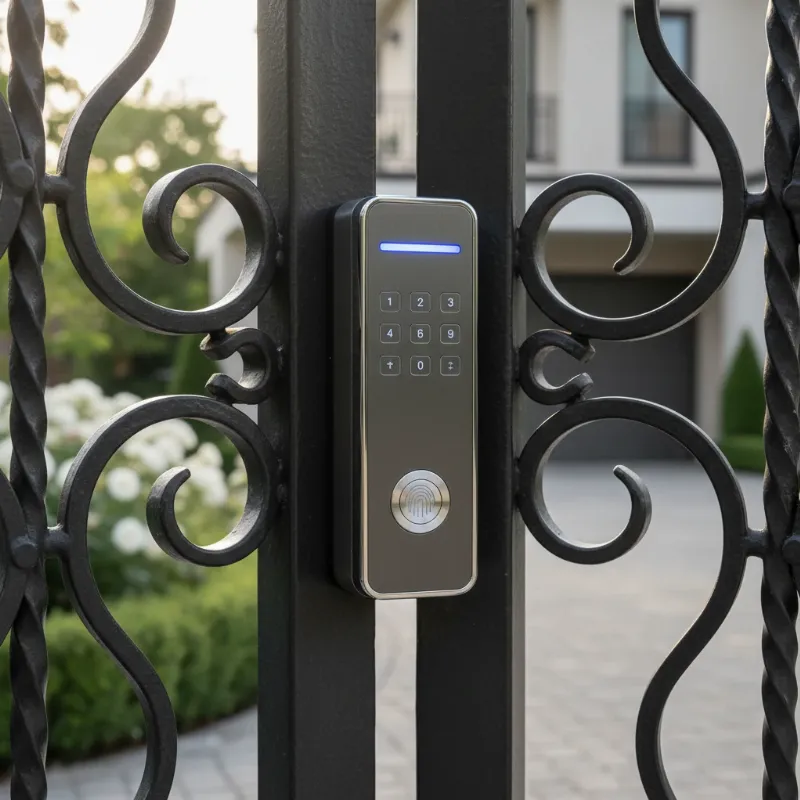 Modern smart lock on an elegant black metal gate, integrating security and convenience.
Common types of smart locks include:
- Bluetooth-enabled locks: Connect directly to your smartphone within a short range.
- Wi-Fi enabled locks: Offer remote control from anywhere with an internet connection.
- Fingerprint locks: Utilize biometric scanning for quick and secure access.
- Keypad locks: Allow entry via a personalized PIN code.
- RFID/Key Card locks: Provide access through programmed cards or fobs.
- Facial Recognition locks: Employ advanced technology for hands-free, high-security entry.
|
Our Picks for the Best smart locks in 2026
As an Amazon Associate I earn from qualifying purchases.
|
||
| Num | Product | Action |
|---|---|---|
| 1 | Smart Door Lock with Camera Fingerprint Keyless Entry Door Lock Electronic Deadbolt with Keypad Code, App Remote Control, Auto Unlock for Front Door |

|
| 2 | TEEHO TE001 Keyless Entry Door Lock with Keypad - Smart Deadbolt Lock for Front Door with 2 Keys - Auto Lock - Easy Installation - Matte Black |
|
| 3 | Wyze Auto-Lock Bolt v2, Fingerprint Keyless Entry Smart Lock, AI Learning Scanner with Wi-Fi Front Door Lock Deadbolt, Auto-Lock, 8 Months Battery, BHMA2, IP53, Anti-Peep Keypad, Backup Keys |
|
| 4 | Tapo Smart Wi-Fi Deadbolt Door Lock – Keyless Tactile Buttons, Customized Access with in-App Monitoring, Auto-Lock, IP54 Weatherproof, BHMA Grade 3, Compatible with Standard Door Sizes, Tapo DL100 |
|
| 5 | Yale Security Assure Lock 2 Deadbolt, Black Suede Keyed Smart Entry Door Lock with Wi-Fi Connected Keypad for Code Entry and Remote Access, YRD410-WF1-BSP |
|
| 6 | Schlage Encode Smart WiFi Deadbolt Lock for Front Door - Keyless Entry with App or Touchscreen - Works with Alexa, Hey Google, & Airbnb - Create Codes for Guests - Matte Black |
|
| 7 | Smart Door Handle Lock with Keypad: Yamiry Fingerprint Smart Knob - Keyless Entry Digital Lock for Front Door - Deadbolt with APP - Generate Passcode Remotely - DIY Installation |
|
| 8 | Wyze Palm Lock, Smart Door Lock with Palm Vein Recognition, Keyless Entry Smart Locks for Front Door, Keypad, Auto Lock, Dual Battery, Wi-Fi, Works with Alexa & Google, BHMA, IP53, Mechanical Key |
|
| 9 | Schlage Encode Smart WiFi Deadbolt Lock for Front Door - Keyless Entry with App or Touchscreen - Works with Alexa, Hey Google, & Airbnb - Create Codes for Guests - Satin Nickel Silver |
|
| 10 | ULTRALOQ U-Bolt Pro WiFi Smart Lock with Door Sensor, 8-in-1 Keyless Entry Door Lock with Fingerprint ID, App Remote Control, Built-in WiFi Keypad Deadbolt, Auto Unlock, IP65 Waterproof, Easy Install |
|
Why a Metal Gate Needs a Special Smart Lock
Installing a smart lock on a metal gate presents unique considerations compared to a standard wooden door. Metal gates are often exposed to the elements and have different structural properties that demand specific features from your chosen lock.
- Outdoor Exposure and Durability: Metal gates are typically outdoors, meaning any smart lock installed must withstand harsh weather conditions, including rain, snow, extreme temperatures, and UV exposure. Standard indoor smart locks will quickly fail in such environments. Look for locks specifically marketed as “waterproof” or “outdoor-rated” with an IP65 or higher ingress protection (IP) rating to ensure resistance against dust and water. The materials of the lock are also crucial; aluminum alloy and robust plastics are preferable to cheaper materials that may corrode.
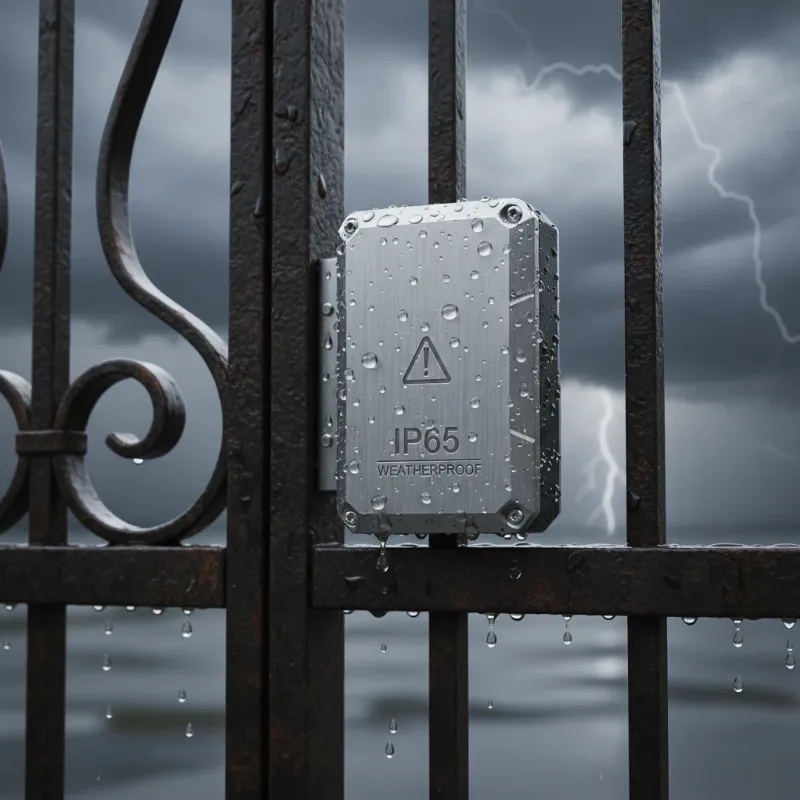 Weather-resistant smart lock on a metal gate, enduring rain and outdoor elements.
- Structural Differences: Metal gates often have varying thicknesses, internal structures, and frame designs that can complicate a standard lock installation. Many smart deadbolts are designed for door thicknesses around 35mm-55mm, and a metal gate might exceed or fall short of this range. Additionally, features like protective plates, raised patterns, or unique frame designs on metal gates require the smart lock to sit flush and align precisely.
- Connectivity Challenges: Metal can interfere with wireless signals, impacting the performance of Bluetooth and Wi-Fi connections. This interference can lead to unreliable remote access or slower response times. Choosing a smart lock designed with a Wi-Fi bridge or strategically placing your router closer to the gate can mitigate these issues.
Choosing the Right Smart Lock for Your Metal Gate
Selecting the appropriate smart lock for your metal gate is the most critical step. A careful evaluation of your gate’s specifications and the lock’s features will ensure compatibility and optimal performance.
- Compatibility with Gate Structure: Before purchasing, measure your gate’s thickness, backset (distance from the edge to the center of the latch/bolt), and cross-bore diameter. These measurements must align with the smart lock’s specifications to prevent an improper fit that could compromise security or void the warranty. Rim locks, which mount onto the surface, are often a suitable choice for metal gates as they may require less modification. Consider the lock type as well; if your gate has a complex multi-point locking system, you might need a specialized smart lock.
- Weather Resistance and Durability: As metal gates are exposed to the elements, prioritize locks with high IP ratings (IP65 or higher) for superior water and dust resistance. Materials like aluminum alloy are ideal for outdoor longevity. A durable lock not only prevents unauthorized access but also reduces the need for costly replacements.
- Access Methods and Convenience: Smart locks offer various entry options. Consider what works best for your household and guests:
- Fingerprint Recognition: Fast and convenient, though sometimes less reliable in extreme wet or cold conditions.
- Keypad Entry: Common and reliable, offering easy code management.
- Smartphone App Control: Provides remote locking/unlocking and guest code management.
- Mechanical Key Override: Essential for emergency backup in case of power failure.
- Power Source and Backup Options: Most smart locks are battery-powered. Look for models with long battery life, low-battery warnings, and options for emergency power (e.g., USB charging ports). A mechanical key override is crucial as a fail-safe. Lithium AA batteries often perform better in extreme temperatures, extending battery life in outdoor settings.
- Smart Home Integration: If you have an existing smart home ecosystem (e.g., Apple HomeKit, Google Home, Amazon Alexa), choose a lock that integrates seamlessly for centralized control and automation.
Preparation Before Installation
Proper preparation is key to a smooth and successful smart lock installation on your metal gate. This phase involves gathering the right tools and thoroughly assessing your gate.
- Gathering Tools and Materials:
- Drill: A powerful drill is essential for working with metal.
- Hole Saw Kit: You will need appropriate sizes for the main bore and latch bore (e.g., 1.5-inch hole saw, 7/8-inch bit).
- Chisel: For any necessary mortising for the latch plate and strike plate.
- Measuring Tape and Pencil/Marker: For accurate marking.
- Safety Gear: Safety glasses, gloves, and ear protection are highly recommended when drilling metal.
- Manufacturer’s Template: Crucial for precise hole placement.
- Screwdrivers: Philips and flathead.
- Lubricant/Cutting Oil: Can assist in drilling metal.
- Shims/Spacers: May be needed for alignment.
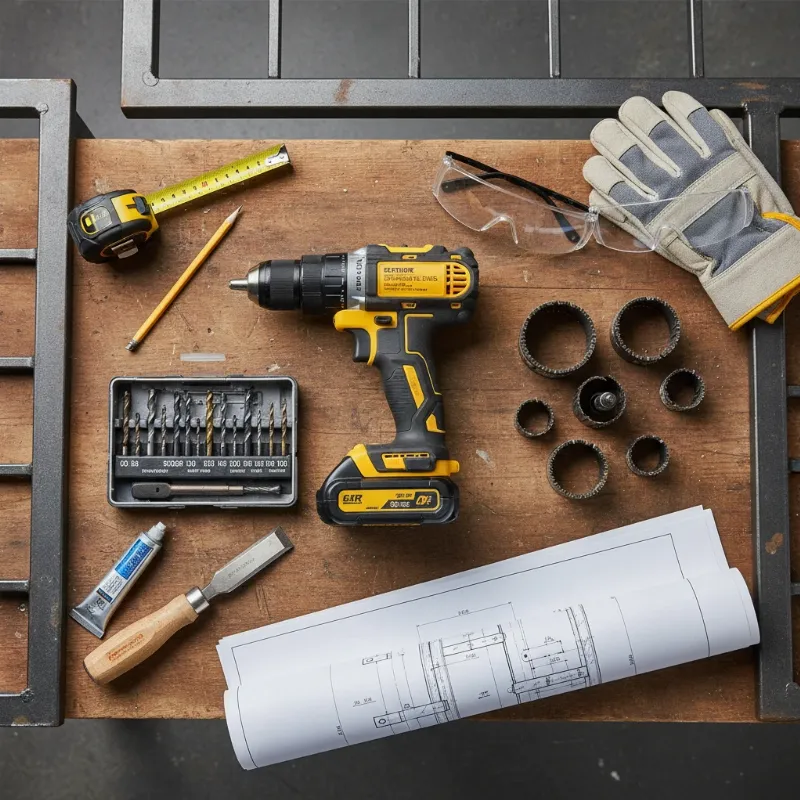 Essential tools for smart lock installation on a metal gate, including drill and hole saw.
- Assessing Your Gate:
- Measurements: Double-check your gate’s thickness, backset, and edge clearance.
- Existing Hardware: If replacing an old lock, remove it and clean the area.
- Clearance: Ensure there’s sufficient space for the new smart lock’s components, especially if the gate closes against another door or wall. A gap of about 70-80mm between a main door and a metal gate is often recommended for smart lock handles.
- Gate Material: Understand if your gate is solid metal, hollow, or has a specific internal structure, as this will influence drilling methods.
- Power Source: If choosing a wired lock (less common for gates but possible), plan for power routing.
- Reading the Manufacturer’s Instructions: Every smart lock model is unique. Always consult the specific installation manual provided by the manufacturer. This document will contain precise measurements, warnings, and troubleshooting tips tailored to your device.
Step-by-Step Installation Guide
Installing a smart lock on a metal gate requires precision and patience. Follow these general steps, always referring to your lock’s specific manual.
- Marking and Drilling Holes:
- Apply Template: Carefully tape the provided paper template to your gate at the desired lock height. Ensure it’s level and secure.
- Mark Pilot Holes: Use a center punch to mark the exact spots for the main bore (where the cylindrical lock body goes) and the latch bore (for the bolt mechanism).
- Drill Pilot Holes: Start with a small drill bit for pilot holes to guide your larger hole saw and bit.
- Drill Main Bore: Use the hole saw to drill the large cross-bore through the gate’s face. Drill halfway from one side, then complete from the other to prevent tear-out and ensure a clean hole.
- Drill Latch Bore: Use the appropriate drill bit (e.g., 7/8-inch) to drill the hole into the gate’s edge for the latch bolt.
- Installing the Latch Mechanism:
- Insert the latch bolt into the latch bore on the gate edge. Ensure it’s oriented correctly (e.g., “UP” indicator facing up, if present).
- With the latch in place, trace around its faceplate on the gate’s edge.
- Use a chisel to mortise out this area so the latch faceplate sits flush with the gate’s edge. Secure the latch with screws.
- Mounting Exterior and Interior Assemblies:
- Feed any connecting wires from the exterior smart lock component through the main bore hole to the interior side of the gate.
- Align the exterior smart lock assembly with the main bore and the spindle (the part that connects to the latch) and press it into place.
- On the interior side, connect the wires from the exterior unit to the interior mounting plate. Ensure all cables are tucked neatly into the housing.
- Secure the interior mounting plate to the exterior assembly using the provided screws, making sure the components are flush and stable.
- Installing Batteries and Cover:
- Once the interior assembly is mounted, install the recommended batteries (typically AA).
- Attach the interior cover.
- Testing the Smart Lock:
- Enter the default master code provided in your manual.
- Test the deadbolt operation several times. It should extend and retract smoothly.
- If the bolt gets stuck, you may need to adjust the strike plate or remove a small amount of additional material from the gate or door frame.
- Follow the manufacturer’s instructions for initial programming, setting up user codes, and connecting to your smart home system.
“A precise installation not only ensures the smart lock functions flawlessly but also significantly enhances the overall security integrity of your metal gate.” – Nguyễn Văn An, Cybersecurity Expert
Troubleshooting Common Installation Issues
Even with careful planning, you might encounter issues during or after installation. Here are common problems with smart locks on metal gates and how to address them:
- Misalignment: If the latch or bolt doesn’t align with the strike plate, making it difficult to lock or unlock, it often indicates an incorrect fit or a shifted gate structure. Loosen the mounting screws, gently realign the lock components or the strike plate using shims or spacers if needed, and then retighten. If the handle doesn’t return after pressing, it might be due to a misaligned or too-small square steel hole, requiring precise re-drilling or expansion.
- Connectivity Problems: Metal gates can impede Bluetooth or Wi-Fi signals. If your lock has weak or intermittent connectivity, try relocating your Wi-Fi router or smart home hub closer to the gate. Some smart locks benefit from a dedicated Wi-Fi bridge or gateway to improve signal strength.
- Power and Battery Issues: External metal surfaces conduct cold and dampness, which can drain batteries faster. If you experience poor battery life in cold or humid climates, switch to lithium AA batteries, which perform better in extreme temperatures. Ensure your lock has a low-battery indicator, or consider models with wired power options and a battery backup.
- Jammed Bolt or Unresponsive Lock: A bolt that jams or doesn’t fully extend can be caused by misalignment with the strike plate or if the gate structure flexes. Adjust the strike plate, ensure all holes are correctly sized, or consider adding extension hardware. If the problem persists, consulting a professional locksmith is advisable. If the motor recognizes an action but can’t open the door, ensure no cables are pinched and the mechanical components move freely.
Maintenance Tips for Your Metal Gate Smart Lock
Regular maintenance will ensure your smart lock continues to provide optimal security and convenience for years to come.
- Regular Cleaning: Periodically wipe down the exterior of your smart lock with a soft, damp cloth to remove dirt, dust, and grime. Avoid abrasive cleaners or harsh chemicals that could damage the finish or electronic components.
- Battery Management: Smart locks are typically battery-powered. Pay attention to low-battery warnings from the lock or its accompanying app. Replace batteries proactively, especially before winter or if you’re going on an extended trip. Always use high-quality batteries.
- Software Updates: Manufacturers frequently release firmware updates that improve security, add features, and fix bugs. Keep your smart lock’s software up to date through its companion app to ensure it runs efficiently and securely.
- Inspect for Wear and Tear: Regularly check for any loose screws, corrosion, or physical damage to the lock components. Address any issues promptly to prevent minor problems from escalating. Ensure the latch and strike plate remain aligned and clear of obstructions.
When to Call a Professional
While many smart lock installations are DIY-friendly, certain scenarios warrant professional assistance, especially when dealing with metal gates.
- Complex Gate Structures: If your metal gate has intricate designs, hollow sections, or specialized locking mechanisms (e.g., multi-point locks), a professional locksmith or welder can ensure precise modifications without compromising the gate’s integrity.
- Lack of Proper Tools or Skills: Working with metal requires specific tools like heavy-duty drills, hole saws, and potentially welding equipment. If you lack these tools or experience in metalwork, attempting a DIY installation could lead to damage or an insecure setup.
- Custom Fabrication: Some smart locks may require a custom “gate box” to be welded onto the gate to achieve the correct thickness and backset for proper installation. This is a task best left to skilled professionals.
- Persistent Issues: If you’ve attempted troubleshooting common problems and your smart lock still malfunctions, a professional can diagnose underlying issues, such as structural gate problems or electrical complexities, that might be beyond a typical DIY fix. Improper installation can void your warranty and reduce the lock’s security effectiveness.
Conclusion
Installing a smart lock on your metal gate is a significant upgrade, merging advanced security with modern convenience. From keyless entry to remote access, the benefits are clear. However, the unique nature of metal gates demands careful consideration of compatibility, weather resistance, and precise installation techniques. By choosing the right lock, diligently preparing, and following a methodical installation process—or knowing when to enlist professional help—you can successfully integrate this innovative technology into your property. Embrace the future of gate security and enjoy the effortless control a smart lock brings to your home.
Ready to enhance your gate’s security and convenience? Explore the latest smart lock options tailored for outdoor metal gates and take the first step towards a smarter, safer home!
Frequently Asked Questions
Are all smart locks compatible with metal gates?
No, not all smart locks are compatible with metal gates. Many standard smart locks are designed for wooden doors and lack the weather resistance or structural compatibility needed for outdoor metal gates. It’s crucial to select models specifically rated for outdoor use (IP65+) and compatible with your gate’s thickness and design.
Will a metal gate interfere with my smart lock’s signal?
Yes, metal can interfere with wireless signals like Bluetooth and Wi-Fi, potentially affecting your smart lock’s performance. To mitigate this, consider locks designed with stronger antennas, use a Wi-Fi bridge or gateway, or place your home router closer to the gate for better connectivity.
What IP rating should I look for in an outdoor smart lock for a metal gate?
For an outdoor smart lock on a metal gate, you should look for an IP65 rating or higher. This rating indicates strong protection against dust ingress and resistance to water jets, ensuring the lock can withstand various outdoor weather conditions.
Do I need special tools to install a smart lock on a metal gate?
Installing a smart lock on a metal gate typically requires more robust tools than a wooden door. Essential tools include a powerful drill, a metal-specific hole saw kit, various drill bits (e.g., 7/8-inch), and potentially a chisel. For custom modifications or welding for a “gate box,” professional tools and expertise are often necessary.
Can I install a smart lock on a thin metal gate?
Installing a smart lock on a thin metal gate can be challenging as many smart locks are designed for doors with a thickness of 35-90mm. If your gate is too thin, it may not provide adequate housing for the lock’s components, potentially compromising security. You might need a specialized lock or custom fabrication to ensure proper fit and security.
