In an era where convenience and security are paramount, homeowners are constantly seeking innovative solutions to protect their most valuable asset. Gone are the days of fumbling for keys or wondering who is at your doorstep while you’re away. The advent of smart locks with built-in video doorbells has revolutionized front-door security, merging two essential devices into one powerful, intelligent system. These integrated solutions offer unparalleled peace of mind, allowing you to monitor, communicate, and control access to your home from virtually anywhere. They represent a significant leap forward in smart living, making your home safer and your daily life more streamlined.
What Are Smart Locks with Built-in Video Doorbells?
A smart lock with a built-in video doorbell is an advanced, all-in-one security device designed to replace your traditional deadbolt and doorbell. Essentially, it combines the core functionalities of a keyless smart lock with the real-time visual and audio capabilities of a video doorbell camera. This integration means you have a single unit on your door that not only secures it with modern locking mechanisms but also provides a live feed of your entryway, allowing you to see and speak to visitors.
These sophisticated devices typically connect to your home’s Wi-Fi network, enabling remote management through a smartphone application. You can grant access, view visitor history, and receive alerts directly on your phone, whether you’re at work, on vacation, or simply in another room. The evolution of smart locks has led to increasingly sophisticated models, moving from basic keypad entry to advanced biometric recognition, and now, to comprehensive entryway solutions that include high-definition video monitoring and two-way audio communication.
Unlocking Superior Security and Convenience with Integrated Smart Locks
The primary appeal of smart locks with built-in video doorbells lies in their dual benefits of elevated security and unmatched convenience, all within a single, streamlined device. This combination transforms your front door into an intelligent access point that’s always connected and always aware.
For convenience, imagine never having to worry about lost keys again. Keyless entry options abound, from personal passcodes and fingerprint scanning to facial recognition and even palm scanning, allowing for effortless access for family members and trusted visitors. Remote access management means you can grant temporary access to a dog walker or delivery person with a few taps on your smartphone, even when you’re miles away.
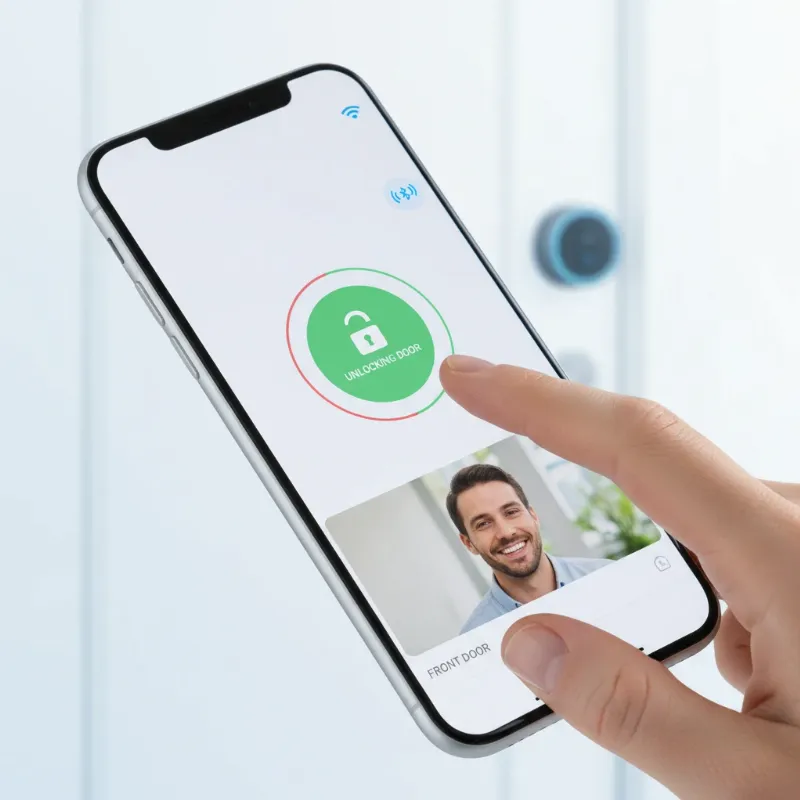 A person easily unlocking a smart lock with a built-in video doorbell using a smartphone app, showcasing modern convenience and remote access.
On the security front, these devices provide robust protection. Real-time video monitoring offers a live view of your doorstep, while motion detection alerts you to any activity, often with advanced AI to distinguish between people, animals, or packages, reducing false alarms. Two-way audio allows you to communicate with visitors directly through your phone, whether you’re greeting a friend or instructing a delivery driver. Recorded video footage provides a valuable historical log, and intrusion alerts instantly notify you of suspicious activity, adding layers of security that traditional locks simply cannot offer. Many systems also integrate seamlessly with broader smart home ecosystems, allowing for voice control via platforms like Google Assistant or Alexa, and supporting emerging standards like Matter for even greater compatibility. Beyond functionality, the modern and sleek designs of these integrated locks complement contemporary home aesthetics, blending security with style.
Popular Types of Smart Locks with Integrated Video Doorbells On The Market
The market for smart locks with integrated video doorbells is diverse, offering various entry methods and technologies to suit different preferences and security needs. Understanding these types can help you pinpoint the best solution for your home.
Fingerprint Locks with Video offer a swift and secure way to unlock your door using unique biometric identification.
- Pros: Fast, highly secure, keyless, and personalized access.
- Cons: Can sometimes be affected by dirty fingers, extreme temperatures, or smudges, and may require multiple attempts in certain conditions.
- Brands: Models like the Lockin Veno Pro and myQ Secure View incorporate reliable fingerprint scanners alongside their video doorbell capabilities.
Keypad Locks with Video utilize a numerical code for entry, a familiar and straightforward method.
- Pros: Flexible for multiple users with unique codes, easy to update or revoke access remotely, no physical keys needed.
- Cons: Codes can potentially be observed or shared, and keypads may show wear over time revealing frequently used digits.
- Brands: The Eufy FamiLock S3 Max and Lockly Vision Elite are prominent examples featuring robust keypads.
Facial Recognition Locks with Video represent the cutting edge of hands-free security, identifying authorized individuals by their unique facial features.
- Pros: Ultimate hands-free convenience, high level of security, and a futuristic user experience.
- Cons: Generally higher cost, potential privacy concerns with biometric data, and performance can be affected by lighting conditions or face coverings.
- Brands: The myQ Secure View is a notable smart lock offering advanced facial recognition.
Palm Scanning Locks with Video are an emerging biometric technology, using the unique patterns of your palm for access.
- Pros: Highly secure and less susceptible to environmental factors compared to fingerprints, providing a unique and advanced biometric solution.
- Cons: Still a relatively new technology, which might mean higher costs and fewer available models, with potential recognition challenges in certain conditions.
- Brands: The Eufy FamiLock S3 Max and Lockin Veno Pro are leading the way with integrated palm scanning features.
Remote/App-Controlled Locks with Video (Bluetooth, Wi-Fi) leverage your smartphone for comprehensive control, regardless of the physical locking mechanism.
- Pros: Full control from anywhere, real-time alerts, activity logs, and seamless integration with other smart home devices.
- Cons: Dependent on a stable internet connection and smartphone battery life, and may have higher battery consumption for the lock itself due to constant connectivity.
- Brands: Most high-end integrated smart locks, including those from Eufy, Lockly, and myQ, offer extensive app control via Wi-Fi and Bluetooth.
Comparison Table: Integrated Smart Lock Features
| Feature | Fingerprint + Video | Keypad + Video | Facial Recognition + Video | Palm Scan + Video | Remote Control + Video |
|---|---|---|---|---|---|
| Security Level | High | Medium | Very High | Very High | High |
| Convenience | High | High | Very High | Very High | Very High |
| Cost | Medium to High | Medium | High | High | Medium to High |
| Ideal For | Families, Offices | Rentals, Guests | Premium Homes | Tech Enthusiasts | All Homes |
| Key Benefits | Fast, Unique | Flexible Codes | Hands-free Access | Ultra Secure | Control Anywhere |
How to Choose the Best Smart Locks with Built-in Video Doorbells
Selecting the ideal smart lock with an integrated video doorbell requires careful consideration of your specific needs, the features available, and your overall budget. Making an informed decision ensures you get a device that perfectly aligns with your home security and convenience goals.
Begin by assessing your specific requirements. Consider the type of door you have, the level of security you desire, and how much you’re willing to invest. Think about who will need access to your home and what entry methods would be most convenient for them.
Researching reputable brands is crucial. Look into companies known for their reliability, customer support, and commitment to security, such as Eufy, Lockly, myQ, and Lockin. These brands often lead the market with innovative features and robust designs.
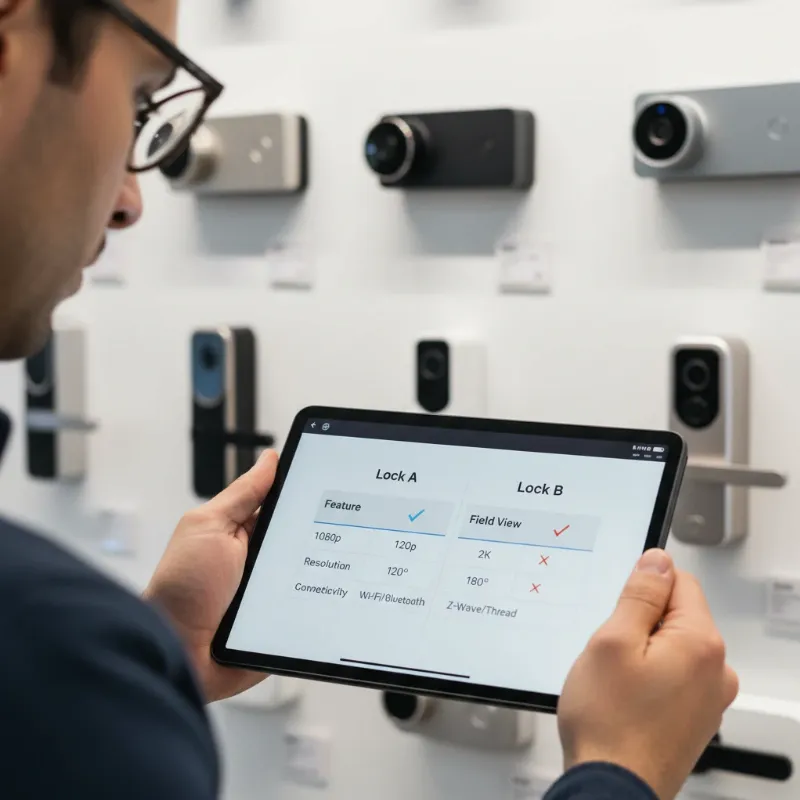 A person comparing different smart lock features and specifications on a tablet, with various smart lock devices in the background.
Next, compare the features and technical specifications of different products. Key aspects include video resolution (2K vs. 1080p), field of view, the presence of night vision, and the sophistication of motion detection, especially those with AI to prevent false alerts. Also, consider storage options for video recordings, whether local (SD card) or cloud-based (subscription required). Evaluate battery life and power source options—some are entirely battery-powered, while others can be hardwired. Connectivity standards like Wi-Fi and Matter compatibility are important for smart home integration. Finally, consider the various biometric options available, such as fingerprint, facial, or palm scanning, and decide which best suits your household. Always read user reviews and expert opinions to gain insights into real-world performance and potential drawbacks. Before finalizing your purchase, verify the warranty policy and available technical support to ensure long-term peace of mind.
Tips for Using and Maintaining Smart Locks with Built-in Video Doorbells Correctly
To maximize the lifespan and effectiveness of your smart lock with a built-in video doorbell, proper usage and routine maintenance are essential. These sophisticated devices benefit greatly from a few simple practices.
For battery-powered units, it’s crucial to replace or recharge batteries regularly to ensure uninterrupted operation. Most apps will notify you when battery levels are low, but establishing a routine check can prevent unexpected power loss. Keeping the device clean is also vital; regularly wipe down the camera lens and biometric sensors to prevent dust, smudges, or moisture from obstructing functionality. Software updates are released periodically to enhance security, fix bugs, and introduce new features. Always install these updates promptly to keep your device performing optimally and secure against potential vulnerabilities.
Security extends beyond the physical lock itself. Practice secure access habits by using strong, unique passwords for your associated apps and limiting who you share access codes or digital keys with. If someone no longer requires access, revoke their permissions immediately. Should you encounter any issues, such as a sensor not recognizing a fingerprint or persistent connectivity problems, refer to the manufacturer’s troubleshooting guide or contact customer support. Proactive maintenance ensures your integrated smart lock remains a reliable guardian of your home.
Common Issues and Troubleshooting When Using Smart Locks with Built-in Video Doorbells
Even the most advanced technology can encounter occasional hiccups. Knowing how to address common issues with your smart lock and built-in video doorbell can save you time and frustration, ensuring your home security remains robust.
One frequent problem is the biometric sensor not recognizing a fingerprint or face. This can often be resolved by cleaning the sensor surface to remove any smudges or debris. Re-enrolling your fingerprint or face in the app can also help, as can ensuring adequate lighting for facial recognition systems.
Battery drain is another common concern, especially for battery-powered models. Monitor your usage patterns and consider optimizing settings, such as motion detection sensitivity, to reduce power consumption. If your device supports it, ensure it’s hardwired to prevent battery reliance.
Connectivity problems can manifest as delayed alerts, inability to view live video, or remote control failures. First, check your home Wi-Fi signal strength at the door; a weak signal is a common culprit. Restarting your router and ensuring your smart lock app is up to date can often resolve these issues.
False motion alerts can be annoying. Most devices allow you to adjust motion detection sensitivity and set specific activity zones, focusing detection on critical areas and ignoring others like busy sidewalks or swaying trees.
If you experience video quality issues, ensure the camera lens is clean and check your internet upload speed. Slow internet can severely degrade live stream and recorded video quality.
Finally, concerns about the lock being “hacked” are natural. Always use strong, unique passwords for your smart home accounts and enable two-factor authentication where available. Keep your device’s software updated, as manufacturers frequently release patches for security vulnerabilities. If you suspect a security breach, change all relevant passwords immediately and contact the manufacturer’s support.
“A smart lock with a built-in video doorbell isn’t just a gadget; it’s an intelligent guardian that seamlessly integrates security and convenience, providing unparalleled control over your home’s entry.”
The Future of Smart Locks with Integrated Video Doorbells
The trajectory of smart lock technology, particularly those with integrated video doorbells, points towards an even more interconnected, intelligent, and proactive future. We are on the cusp of advancements that will further solidify their role as essential components of the modern smart home.
Expect to see deeper advanced AI integration, moving beyond basic motion detection to sophisticated capabilities like intelligent package recognition, identifying known visitors, and even predicting potential threats based on behavioral patterns. This will lead to fewer false alarms and more meaningful alerts.
Enhanced connectivity will become standard, with broader support for universal smart home protocols like Matter and Thread. This will ensure seamless interaction with an ever-growing ecosystem of smart devices, from lighting and thermostats to security cameras and automated blinds, creating a truly unified smart home experience. Energy efficiency will continue to improve, with innovations in battery technology leading to even longer-lasting batteries and more integrated power solutions like advanced solar charging panels.
The development of new biometric methods and the refinement of existing ones will offer even faster, more secure, and inclusive ways to access your home, potentially incorporating gait analysis or advanced multi-modal biometrics. We might also see the exploration of blockchain technology for security, offering decentralized and tamper-proof methods for data storage and access verification, significantly boosting the integrity of your home’s security system. These ongoing innovations promise to make our homes not just smarter, but also inherently safer and more intuitive to live in.
Conclusion
Smart locks with built-in video doorbells are transforming the landscape of home security and convenience. They offer a powerful, integrated solution that eliminates the need for physical keys, provides real-time monitoring of your entryway, and allows for remote control from anywhere in the world. From fingerprint and keypad access to advanced facial and palm recognition, these devices provide robust security features alongside unparalleled ease of use. The ability to see, hear, and speak to visitors, receive instant alerts, and manage access remotely offers a profound sense of peace of mind.
Embracing this technology means upgrading your home to a new standard of smart living—one where security is proactive, and access is effortless. The continuous evolution of these devices, with ongoing advancements in AI and smart home integration, promises an even brighter and more secure future for homeowners. Ready to experience the ultimate blend of security and convenience for your home? Explore the latest smart locks with built-in video doorbells and elevate your entryway.
Frequently Asked Questions
Are smart locks with video doorbells more secure than traditional locks?
|
Our Picks for the Best smart locks in 2026
As an Amazon Associate I earn from qualifying purchases.
|
||
| Num | Product | Action |
|---|---|---|
| 1 | Smart Door Lock with Camera Fingerprint Keyless Entry Door Lock Electronic Deadbolt with Keypad Code, App Remote Control, Auto Unlock for Front Door |

|
| 2 | ULTRALOQ U-Bolt Pro WiFi Smart Lock with Door Sensor, 8-in-1 Keyless Entry Door Lock with Fingerprint ID, App Remote Control, Built-in WiFi Keypad Deadbolt, Auto Unlock, IP65 Waterproof, Easy Install |
|
| 3 | Schlage Encode Smart WiFi Deadbolt Lock for Front Door - Keyless Entry with App or Touchscreen - Works with Alexa, Hey Google, & Airbnb - Create Codes for Guests - Satin Nickel Silver |
|
| 4 | Schlage Encode Smart WiFi Deadbolt Lock for Front Door - Keyless Entry with App or Touchscreen - Works with Alexa, Hey Google, & Airbnb - Create Codes for Guests - Matte Black |
|
| 5 | Smart Door Handle Lock with Keypad: Yamiry Fingerprint Smart Knob - Keyless Entry Digital Lock for Front Door - Deadbolt with APP - Generate Passcode Remotely - DIY Installation |
|
| 6 | Wyze Auto-Lock Bolt v2, Fingerprint Keyless Entry Smart Lock, AI Learning Scanner with Wi-Fi Front Door Lock Deadbolt, Auto-Lock, 8 Months Battery, BHMA2, IP53, Anti-Peep Keypad, Backup Keys |
|
| 7 | Wyze Palm Lock, Smart Door Lock with Palm Vein Recognition, Keyless Entry Smart Locks for Front Door, Keypad, Auto Lock, Dual Battery, Wi-Fi, Works with Alexa & Google, BHMA, IP53, Mechanical Key |
|
| 8 | Yale Security Assure Lock 2 Deadbolt, Black Suede Keyed Smart Entry Door Lock with Wi-Fi Connected Keypad for Code Entry and Remote Access, YRD410-WF1-BSP |
|
| 9 | TEEHO TE001 Keyless Entry Door Lock with Keypad - Smart Deadbolt Lock for Front Door with 2 Keys - Auto Lock - Easy Installation - Matte Black |
|
| 10 | Tapo Smart Wi-Fi Deadbolt Door Lock – Keyless Tactile Buttons, Customized Access with in-App Monitoring, Auto-Lock, IP54 Weatherproof, BHMA Grade 3, Compatible with Standard Door Sizes, Tapo DL100 |
|
Yes, they generally offer a significantly higher level of security than traditional mechanical locks. Beyond the physical locking mechanism, they include features like real-time video monitoring, motion detection, two-way audio, intrusion alerts, and encrypted digital access, providing multiple layers of protection and constant vigilance that traditional locks lack.
Do smart locks with video doorbells work without Wi-Fi?
While some basic smart lock features like keypad entry or local fingerprint scanning might function without Wi-Fi, the integrated video doorbell camera, remote control capabilities, live streaming, alerts, and smart home integrations typically require an active Wi-Fi connection. Without Wi-Fi, many of their key benefits would be unavailable.
How long do the batteries last in these integrated devices?
Battery life varies widely depending on the specific model, usage frequency, and features enabled (e.g., constant recording, frequent motion alerts). Most battery-powered units can last anywhere from a few months to a year on a single charge or set of batteries. Many apps provide low battery warnings, and some models offer hardwired options or backup battery compartments for continuous power.
Can I control a smart lock with a built-in video doorbell remotely?
Absolutely. One of the primary advantages of these integrated devices is their remote control capability. Via a dedicated smartphone app, you can lock/unlock your door, view live video feeds, speak to visitors, review event history, and manage access permissions from virtually any location with an internet connection.
