In an increasingly connected world, protecting your home has evolved beyond traditional locks and alarm systems. Smart locks, when integrated with a comprehensive home security system, offer an unparalleled blend of convenience, control, and robust protection. This guide will walk you through everything you need to know about integrating these powerful technologies to create a truly intelligent and secure living space.
What Are Smart Locks?
Smart locks are innovative electronic devices designed to replace or augment traditional mechanical door locks, offering keyless entry and advanced control features. These devices connect to your home network, allowing you to manage access remotely and integrate with other smart home components. The technology behind smart locks has rapidly advanced, moving from basic keypad entry to sophisticated biometric and network-connected systems.
Common types of smart locks include:
- Keypad Locks: Rely on numeric codes for entry.
- Bluetooth Locks: Use short-range wireless communication, often controlled via a smartphone app when nearby.
- Wi-Fi Locks: Connect directly to your home’s Wi-Fi network, enabling remote access from anywhere with an internet connection.
- Z-Wave and Zigbee Locks: Utilize mesh networking protocols, requiring a compatible smart home hub for remote control and integration.
- Fingerprint Locks: Employ biometric scanning for quick, keyless entry.
- Facial Recognition Locks: Advanced systems that use cameras to identify authorized users.
- RFID Locks: Grant access using proximity cards or fobs.
The evolution of smart locks reflects a broader trend towards more intuitive and interconnected home security solutions, moving beyond simple mechanical barriers to proactive, intelligent protection.
Superior Advantages of Integrated Smart Locks
Integrating smart locks with your existing home security system unlocks a new dimension of safety and convenience, transforming your residence into a truly intelligent sanctuary. This synergy creates a proactive security ecosystem that responds dynamically to various scenarios, offering peace of mind.
- Enhanced Security and Protection: A unified system provides multi-layered defense. If an unauthorized entry is detected by a smart lock, it can automatically trigger your alarm system and activate surveillance cameras, creating a synchronized response to potential threats. This integrated approach deters intruders more effectively than standalone devices.
- Remote Monitoring and Control: One of the most significant advantages is the ability to manage your home’s access from anywhere. Through a smartphone app, you can lock or unlock doors for guests, check entry logs, and receive real-time notifications about door activity, ensuring you are always connected to your home’s security status.
- Automation and Convenience: Smart integration allows for powerful automation routines. You can program your doors to auto-lock when the security system is armed, or disarm the alarm and unlock the door simultaneously when you arrive home. Voice control via smart assistants also adds a layer of convenience, allowing hands-free operation.
- Improved Emergency Response: In critical situations, an integrated system can drastically improve response times. Should an alarm be triggered by a forced entry attempt on a smart lock, the system can automatically alert emergency services or send immediate notifications to your designated contacts, ensuring rapid action.
- Customizable Security Solutions: Every home has unique security requirements. Integrating smart locks allows you to create tailor-made security protocols, from setting temporary access codes for service providers to establishing specific schedules for when certain doors can be accessed. This flexibility ensures your security adapts to your lifestyle.
“A smart lock isn’t just a door opener; it’s a critical sensor in your home’s digital defense, working in harmony with your security system to create an impenetrable shield.” – Emily Thorne, Cybersecurity Expert
Popular Types of Smart Locks for Market Integration
The market offers a diverse range of smart locks, each employing different technologies suitable for various integration needs. Understanding these types is crucial for selecting the best fit for your interconnected security system.
- Fingerprint Locks: These locks offer biometric security, allowing access via registered fingerprints. They are incredibly convenient, eliminating the need for keys or codes, and provide a high level of personal security. Popular brands include Ultraloq and Lockly, known for their reliable fingerprint readers.
- RFID Locks: Using radio-frequency identification, these locks grant access with cards or fobs. Often found in commercial settings, they are also suitable for homes where temporary access for multiple users (e.g., family members, cleaning staff) is managed through physical credentials.
- Keypad Locks: A widely adopted type, keypad locks require a numeric code for entry. They are great for providing temporary guest access without physical keys and often include features like “anti-peeping” codes to deter shoulder surfing. Yale and Schlage are well-regarded for their robust keypad options.
- Facial Recognition Locks: Representing the cutting edge of biometrics, these locks use cameras to identify authorized faces, offering hands-free and highly secure entry. Lockly Visage is an example, providing sophisticated facial detection technology.
- Bluetooth Locks: These locks connect to your smartphone via Bluetooth for local control. While they offer convenience for users within close range, remote access typically requires an additional Wi-Fi bridge or hub. August Smart Lock is a prominent name in this category, often used for retrofitting existing deadbolts.
- Wi-Fi Locks: Designed for direct connection to your home’s Wi-Fi network, these locks enable remote control and monitoring without needing a separate hub. Brands like Nest x Yale and Schlage Connect offer seamless Wi-Fi connectivity for comprehensive remote management.
- Z-Wave/Zigbee Locks: These locks communicate using specialized low-power mesh network protocols, Z-Wave or Zigbee. They require a compatible smart home hub (like those from SmartThings or Vivint) for full functionality, including remote access and integration with other devices. They are highly reliable for creating extensive smart home ecosystems.
Comparing Popular Smart Lock Types
|
Our Picks for the Best smart locks in 2026
As an Amazon Associate I earn from qualifying purchases.
|
||
| Num | Product | Action |
|---|---|---|
| 1 | Smart Door Lock with Camera Fingerprint Keyless Entry Door Lock Electronic Deadbolt with Keypad Code, App Remote Control, Auto Unlock for Front Door |

|
| 2 | TEEHO TE001 Keyless Entry Door Lock with Keypad - Smart Deadbolt Lock for Front Door with 2 Keys - Auto Lock - Easy Installation - Matte Black |
|
| 3 | Tapo Smart Wi-Fi Deadbolt Door Lock – Keyless Tactile Buttons, Customized Access with in-App Monitoring, Auto-Lock, IP54 Weatherproof, BHMA Grade 3, Compatible with Standard Door Sizes, Tapo DL100 |
|
| 4 | Smart Door Handle Lock with Keypad: Yamiry Fingerprint Smart Knob - Keyless Entry Digital Lock for Front Door - Deadbolt with APP - Generate Passcode Remotely - DIY Installation |
|
| 5 | Schlage Encode Smart WiFi Deadbolt Lock for Front Door - Keyless Entry with App or Touchscreen - Works with Alexa, Hey Google, & Airbnb - Create Codes for Guests - Matte Black |
|
| 6 | Wyze Auto-Lock Bolt v2, Fingerprint Keyless Entry Smart Lock, AI Learning Scanner with Wi-Fi Front Door Lock Deadbolt, Auto-Lock, 8 Months Battery, BHMA2, IP53, Anti-Peep Keypad, Backup Keys |
|
| 7 | ULTRALOQ U-Bolt Pro WiFi Smart Lock with Door Sensor, 8-in-1 Keyless Entry Door Lock with Fingerprint ID, App Remote Control, Built-in WiFi Keypad Deadbolt, Auto Unlock, IP65 Waterproof, Easy Install |
|
| 8 | Wyze Palm Lock, Smart Door Lock with Palm Vein Recognition, Keyless Entry Smart Locks for Front Door, Keypad, Auto Lock, Dual Battery, Wi-Fi, Works with Alexa & Google, BHMA, IP53, Mechanical Key |
|
| 9 | Schlage Encode Smart WiFi Deadbolt Lock for Front Door - Keyless Entry with App or Touchscreen - Works with Alexa, Hey Google, & Airbnb - Create Codes for Guests - Satin Nickel Silver |
|
| 10 | Yale Security Assure Lock 2 Deadbolt, Black Suede Keyed Smart Entry Door Lock with Wi-Fi Connected Keypad for Code Entry and Remote Access, YRD410-WF1-BSP |
|
| Feature | Fingerprint Lock | RFID Lock | Keypad Lock | Facial Recognition Lock | Bluetooth Lock | Wi-Fi Lock | Z-Wave/Zigbee Lock |
|---|---|---|---|---|---|---|---|
| Security Level | High | Medium | Medium-High | Very High | Medium-High | High | High |
| Convenience | Very High | Medium | High | Very High | High (local), Med (remote) | Very High | High |
| Cost | Medium-High | Low-Medium | Low-Medium | High | Low-Medium | Medium | Medium |
| Ideal For | Families, Tech Enthusiasts | Offices, Rentals | Guests, Daily Use | Luxury Homes, High Security | Retrofitting, Local Control | Remote Control, Smart Homes | Extensive Smart Home Ecosystems |
| Integration | Often via Wi-Fi/Hub | Often via Hub | Often via Wi-Fi/Hub | Direct Wi-Fi/Hub | Requires Bridge/Hub | Direct Wi-Fi | Requires Hub |
Guiding Your Choice: Selecting the Right Smart Lock
Choosing the ideal smart lock for integration involves carefully considering your specific needs, existing home infrastructure, and security priorities. It’s about finding the perfect balance between advanced features and seamless compatibility.
To make an informed decision, consider these factors:
- Identify Your Security System Compatibility: The most crucial step is to determine which communication protocols your current home security system supports. Common protocols include Wi-Fi, Bluetooth, Z-Wave, Zigbee, and newer standards like Matter. Opt for a smart lock that natively supports your system’s protocol to ensure seamless integration.
- Assess Your Security Requirements: What level of security do you need?
- For basic convenience: A simple keypad or Bluetooth lock might suffice.
- For enhanced security: Look for biometric options (fingerprint, facial recognition), tamper alerts, and robust encryption.
- For comprehensive monitoring: Ensure the lock provides activity logs and real-time notifications.
- Evaluate Your Door Hardware: Smart locks are designed to fit standard deadbolt preparations, but always double-check the lock’s specifications against your door’s thickness, backset, and bore hole diameter. Some locks are full replacements, while others are retrofit solutions that attach to your existing deadbolt.
- Consider Connectivity Options:
- Wi-Fi: Offers direct remote access but consumes more battery.
- Bluetooth: Great for close-range control; requires a separate Wi-Fi bridge for remote access.
- Z-Wave/Zigbee: Excellent for expanding a smart home network with a hub, offering better battery life and network reliability for multiple devices.
- Set Your Budget: Smart locks range widely in price based on features, brand, and technology. Basic keypad locks can be very affordable, while advanced biometric or facial recognition systems come at a premium.
- Research Reputable Brands: Stick with established manufacturers known for reliability, security, and customer support. Brands like Philips, Yale, Samsung, Xiaomi, August, Schlage, Kwikset, Nest, Ultraloq, and Lockly are leaders in the smart lock space.
- Read Reviews and Expert Opinions: User experiences and professional reviews can offer invaluable insights into real-world performance, ease of use, and potential quirks of specific models.
- Check Warranty and Support: A good warranty and accessible customer support are vital for any smart home device, especially one critical to your home’s security.
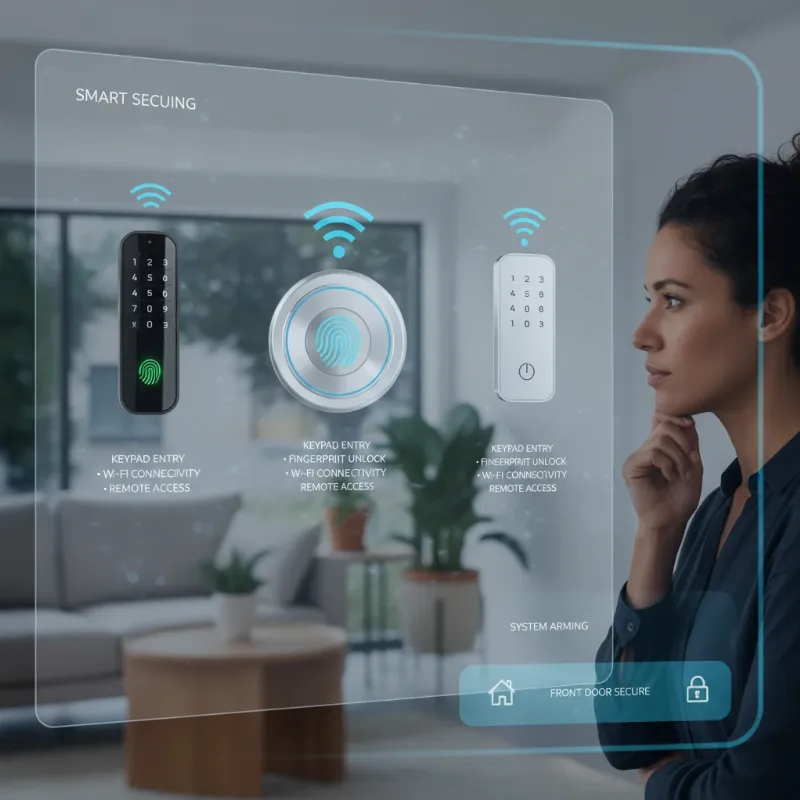 A homeowner thoughtfully choosing a smart lock from various options, considering features and compatibility with their existing security system, in a modern home setting.
Integrating Smart Locks: A Step-by-Step Approach
Integrating your new smart lock with your home security system can seem complex, but by following a structured approach, you can ensure a smooth and secure setup. This process typically involves physical installation, network connection, and system configuration.
- Preparation and Compatibility Check: Before you begin, confirm that your chosen smart lock is compatible with your existing home security hub or platform. Review both the smart lock and security system manuals for specific integration instructions and required tools. Gather essential tools like screwdrivers, a tape measure, and a drill if needed.
- Physical Installation of the Smart Lock:
- Remove Existing Lock: Carefully unscrew and remove your current deadbolt or door lock, ensuring the door surface is clean and free from debris.
- Install New Lock Hardware: Follow the manufacturer’s instructions precisely to install the new smart lock’s components, including the exterior keypad/reader, the deadbolt mechanism, and the interior assembly. Ensure all parts are correctly aligned and secured.
- Connect to Power Source: Insert fresh batteries (if battery-powered) or connect the lock to a wired power source as directed by the manufacturer.
- Establish Network Connection:
- Wi-Fi Locks: Use the smart lock’s companion app to connect it directly to your home’s Wi-Fi network. You’ll typically enter your Wi-Fi credentials during this step.
- Z-Wave/Zigbee Locks: Place your smart home hub in pairing mode. Then, follow the lock’s instructions to put it into pairing mode (often a button press or specific sequence). The hub will detect and add the lock to its network.
- Bluetooth Locks: Pair the lock directly with your smartphone via Bluetooth using the lock’s dedicated app. If remote access is desired, you’ll also need to set up a compatible Wi-Fi bridge or hub provided by the lock manufacturer.
- Smart Security System App Setup and Pairing:
- Download App: If you haven’t already, download the smart lock’s dedicated mobile app.
- Create Account: Follow the prompts to create a user account and register your new smart lock.
- Pair with System: Within your home security system’s app, navigate to the “add device” or “integrations” section. Select “smart lock” or “Z-Wave/Zigbee device” and follow the on-screen instructions to discover and pair your newly installed smart lock. This step links the lock’s functions to your broader security ecosystem.
- Configure Customized Settings and Automations: Once integrated, customize settings in both the smart lock app and your security system app. This includes:
- Setting up unique access codes or registering fingerprints/faces.
- Configuring auto-lock features and schedules.
- Enabling real-time notifications for lock activity.
- Creating automation rules: e.g., “When the security system is armed, lock all smart doors,” or “When the front door unlocks, disarm the alarm.”
- Test and Troubleshoot: Thoroughly test all functions. Try locking and unlocking the door manually, via the smart lock app, and through your security system app. Verify that automation rules trigger correctly and that you receive notifications as expected. If issues arise, consult both device manuals and online support resources for troubleshooting.
Tips for Proper Use and Maintenance of Integrated Smart Locks
Ensuring the longevity and optimal performance of your integrated smart locks requires diligent use and regular maintenance. Neglecting these aspects can compromise both convenience and security.
- Routine Battery Checks and Replacement: For battery-powered smart locks, regularly check battery levels through your app and replace batteries proactively. Low battery warnings are common, but don’t wait until they die completely, as this could leave you locked out or unable to secure your home. Keep spare batteries on hand.
- Regular Cleaning: Dust and grime can interfere with keypads, fingerprint readers, and mechanical components. Gently clean the exterior of your smart lock with a soft, dry cloth. Avoid abrasive cleaners or excessive moisture, which can damage electronic components.
- Firmware Updates: Smart lock manufacturers frequently release firmware updates to improve performance, add new features, and patch security vulnerabilities. Enable automatic updates or manually check for them through your lock’s app to ensure your device is always running the latest, most secure software.
- Secure Passcode Management: Use strong, unique passcodes and change them periodically. Avoid using easily guessable numbers like birthdays or sequential digits. Never share your master codes and use temporary guest codes for visitors or service providers, revoking them once access is no longer needed.
- Network Security: Ensure your home Wi-Fi network is secure with a strong password and WPA3 encryption if available. A compromised Wi-Fi network can expose your smart devices, including locks, to potential threats.
- Professional Assistance: If you encounter persistent issues with installation, integration, or functionality, don’t hesitate to contact the smart lock manufacturer’s support or a certified professional locksmith specializing in smart home technology. Attempting complex repairs yourself could void warranties or cause further damage.
- Physical Inspection: Periodically inspect the physical condition of the lock and door. Ensure screws are tight, the deadbolt operates smoothly, and there are no signs of tampering or wear that could compromise its integrity.
Common Integration Challenges and Practical Solutions
While integrating smart locks with home security systems offers immense benefits, users might encounter a few hurdles. Knowing these common challenges and their solutions can help ensure a seamless experience.
- Compatibility Issues:
- Challenge: Not all smart locks work with every security system or smart home hub, especially if they use different communication protocols (e.g., a Wi-Fi lock trying to connect to a Z-Wave-only hub).
- Solution: Thoroughly research compatibility before purchasing. Look for locks that support universal standards like Matter, or ensure your chosen lock and security system share a common protocol (e.g., both Z-Wave, both Zigbee, or compatible Wi-Fi ecosystems). Many systems offer a list of supported devices.
- Connectivity Problems:
- Challenge: Weak Wi-Fi signals, interference, or distance from the hub can lead to delayed responses, dropped connections, or failed commands for your smart lock.
- Solution: Ensure your smart lock is within optimal range of your Wi-Fi router or smart home hub. Consider using Wi-Fi extenders or strategically repositioning your hub to improve signal strength. For Z-Wave/Zigbee networks, adding more repeater devices can strengthen the mesh network.
- Battery Life and Power Concerns:
- Challenge: Some smart locks, especially Wi-Fi models with frequent activity, can drain batteries faster than expected, potentially leaving you without keyless entry.
- Solution: Choose models with good battery life ratings or consider wired options if feasible. Always have spare batteries readily available and enable low-battery notifications in your app. Most smart locks offer backup physical keys or emergency charging ports for dire situations.
- Security Vulnerabilities (Hacking):
- Challenge: Any internet-connected device can be a target for cyber threats if not properly secured.
- Solution: Implement strong, unique passwords for all smart home accounts. Enable two-factor authentication (2FA) wherever possible. Keep your smart lock’s firmware and your home security system’s software updated to patch any known vulnerabilities. Use a secure Wi-Fi network with WPA2/WPA3 encryption.
- Installation Difficulties:
- Challenge: Misalignment, incorrect wiring, or incompatible door specifications can make physical installation tricky.
- Solution: Always follow the manufacturer’s installation manual precisely. If you’re unsure or encounter difficulties, consider hiring a professional locksmith or smart home installer. They have the expertise to ensure proper function and integration.
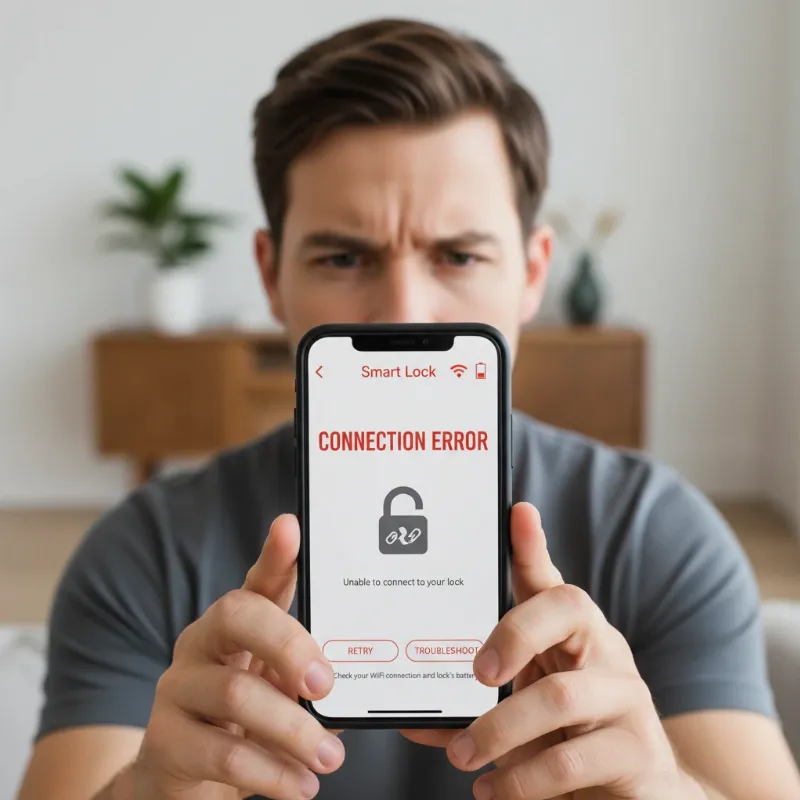 A person looking frustrated at a smartphone app with smart lock errors, surrounded by network connection symbols and a battery icon, illustrating common integration challenges.
The Horizon: Future Trends in Smart Lock Integration
The trajectory of smart lock technology points towards an even more interconnected, intelligent, and proactive future for home security. Innovations are continually emerging, promising to redefine how we interact with our home’s entry points.
- Artificial Intelligence (AI) and Machine Learning: Future smart locks will leverage AI for enhanced predictive security. AI could learn your family’s routines, recognize unusual activity patterns, and even differentiate between benign and suspicious events, minimizing false alarms and proactively securing your home. Imagine a lock that can predict a potential intrusion based on anomalies in access attempts or ambient sounds.
- Deeper Smart Home Ecosystem Integration: The trend is towards seamless integration with virtually all smart home devices. Smart locks will increasingly communicate effortlessly with lighting, climate control, surveillance cameras, and even smart appliances. For instance, unlocking your door could trigger a cascade of actions: lights turning on, thermostat adjusting, and music starting – creating a truly personalized welcome home.
- Blockchain Technology for Enhanced Security: Blockchain’s decentralized and immutable ledger technology offers a revolutionary approach to security logs and access management. Integrating blockchain could provide tamper-proof records of every lock and unlock event, significantly enhancing auditability and trust in access permissions, making hacking virtually impossible.
- Advanced Biometric and Ubiquitous Authentication: Beyond current fingerprint and facial recognition, expect more sophisticated biometrics like gait analysis or behavioral patterns. Furthermore, “ubiquitous authentication” could emerge, where your presence or movement within a certain zone automatically verifies your identity, eliminating the need for explicit actions to unlock doors.
- The Matter Standard and Universal Compatibility: The adoption of the Matter standard is set to revolutionize smart home device compatibility. This will simplify integration, allowing smart locks from different manufacturers to communicate effortlessly with various smart home ecosystems, breaking down proprietary barriers and fostering a more unified smart home experience.
- Voice and Gesture Control Advancements: While voice control exists, future systems will be more nuanced and secure. Imagine complex gesture commands or even more natural, conversational voice interactions to manage access, incorporating biometric voice recognition for added security.
Conclusion
Integrating smart locks with home security systems represents a monumental leap forward in home protection, offering an unprecedented fusion of security, convenience, and intelligent automation. As an Admin for SmartLocksPro.com with over a decade of hands-on experience in this evolving field, I have witnessed how these technologies empower homeowners to maintain control over their security, whether they are at home or miles away. By understanding the diverse types of smart locks, their integration benefits, and how to properly choose, install, and maintain them, you are well-equipped to create a personalized security ecosystem tailored to your lifestyle. The future promises even more advanced, AI-driven solutions, making our homes not just safer, but smarter.
Are you ready to transform your home’s security and embrace the convenience of integrated smart locks?
Frequently Asked Questions
Are smart locks more secure than traditional locks when integrated with a home security system?
Yes, generally, integrated smart locks offer a higher level of security than traditional locks. While traditional locks provide mechanical protection, smart locks add layers of digital security, remote monitoring, and automated responses. Features like encryption, multi-factor authentication, audit trails, and the ability to trigger alarms or cameras upon forced entry attempts create a far more comprehensive and proactive defense against unauthorized access. This synergy ensures that your home is not only physically secure but also intelligently monitored and protected.
Can I integrate any smart lock with any existing home security system?
Not necessarily. The ability to integrate a smart lock with an existing home security system largely depends on the communication protocols both devices support. While newer standards like Matter are aiming for universal compatibility, many systems still rely on specific protocols such as Z-Wave, Zigbee, Wi-Fi, or proprietary ecosystems. It is crucial to check the compatibility lists provided by both your smart lock manufacturer and your home security system provider before making a purchase to ensure seamless integration. Without matching protocols or compatible bridges, direct integration may not be possible.