Stepping into the world of smart home technology can transform daily routines, and a smart lock is often the first, most impactful upgrade for your entryway. The Yale Assure Lock 2, Yale’s latest smart deadbolt, seamlessly blends a refined aesthetic with cutting-edge functionality, promising both security and unparalleled convenience. It’s designed to fit various lifestyles and smart home ecosystems, making key fumbling a relic of the past. This review delves into its capabilities, helping you determine if this elegant solution is the perfect fit for your modern home.
What is the Yale Assure Lock 2?
The Yale Assure Lock 2 represents the next generation in smart deadbolt technology, building upon the trusted foundation of its predecessors. This advanced smart lock offers homeowners a secure and convenient way to manage access to their properties without the need for physical keys.
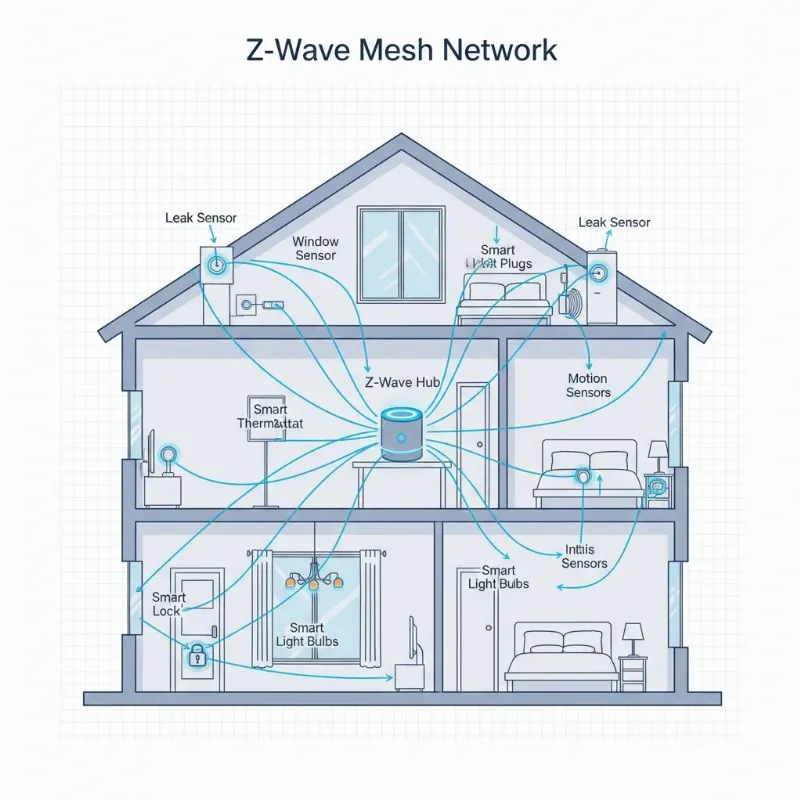
Evolving from the original Yale Assure Lock SL, the Assure Lock 2 boasts a significantly smaller interior footprint, making it approximately 30% more compact and visually discreet on your door. Yale provides a range of configurations to suit individual preferences, including options for a numeric keypad with physical buttons or a sleek touchscreen, as well as models that are either entirely keyless or include a traditional keyhole for backup. While Bluetooth connectivity comes standard, enhancing its immediate functionality, the lock truly unlocks its full potential through interchangeable modules that enable Wi-Fi, Z-Wave, Zigbee, and future Matter compatibility, allowing for seamless integration into virtually any smart home setup.
Why Choose the Yale Assure Lock 2?
Opting for a smart lock like the Yale Assure Lock 2 brings a multitude of benefits, elevating both your home’s security and your daily convenience. It moves beyond traditional locking mechanisms to offer a truly integrated experience.
The Assure Lock 2 provides unmatched convenience, eliminating the need for physical keys through key-free entry options like PIN codes, smartphone control, and even automatic unlocking as you approach your door. This means no more fumbling for keys with arms full of groceries or worrying about lost keys. Beyond convenience, it delivers enhanced security with robust physical construction, advanced data encryption, and a comprehensive activity log that tracks who enters and exits your home. Its broad smart home integration ensures it works harmoniously with popular platforms such as Amazon Alexa, Google Home, and Apple HomeKit, allowing for voice control and intricate automation routines. Furthermore, the lock’s modern aesthetics, characterized by its sleek design and availability in multiple finishes, ensures it complements your home’s décor rather than detracting from it, making it a stylish and secure addition to any entryway.
Key Features and Variants of the Yale Assure Lock 2
The Yale Assure Lock 2 is packed with intelligent features and offers versatile configurations, allowing you to tailor your smart home experience. Understanding these options is key to leveraging its full potential.
One of the primary access methods is through its keypad or touchscreen entry, enabling users to unlock the door using personalized PIN codes. These can be easily managed and updated via the intuitive Yale Access app. For deeper smart home integration, the Assure Lock 2 shines with its diverse connectivity options, featuring built-in Bluetooth and offering optional modules for Wi-Fi, Z-Wave, and the forthcoming Matter protocol. The Wi-Fi module, for instance, allows remote control from anywhere, eliminating the need for a separate bridge or hub. Enhancing everyday ease, the Auto-Lock and Auto-Unlock features use proximity sensing to automatically secure your door after a set time or unlock it as your smartphone approaches. Additionally, Yale’s DoorSense Technology provides real-time alerts on your door’s open or closed status, adding an extra layer of security and peace of mind. The comprehensive Yale Access app serves as the central command center, offering features like guest management with scheduled access, activity logging, and smart notifications. For those who prefer a traditional backup, some models also offer a physical key option, ensuring access even during power outages or technical issues.
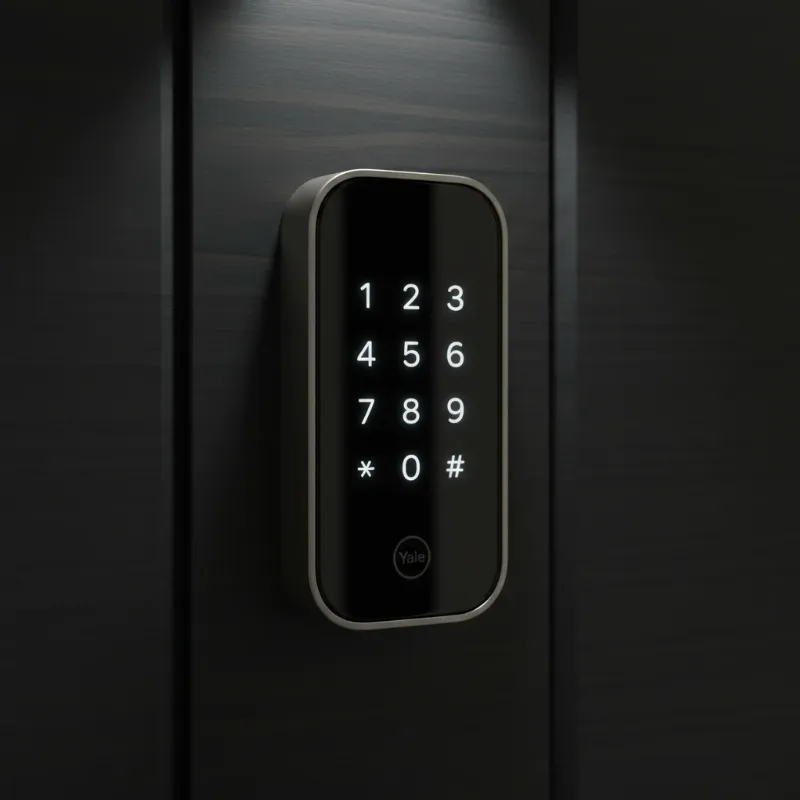 A close-up of the Yale Assure Lock 2 keypad on a modern door, highlighting its sleek design.
Comparing Yale Assure Lock 2 Variants and Features
Choosing the perfect Yale Assure Lock 2 involves understanding the differences between its various configurations, especially concerning entry methods, connectivity, and cost. Each variant caters to specific needs and preferences.
| Feature/Variant | Keypad (Bluetooth) | Touchscreen (Bluetooth) | Keypad (Wi-Fi Module) | Touchscreen (Wi-Fi Module) |
|---|---|---|---|---|
| Entry Method | PIN (Physical Buttons) | PIN (Touchscreen) | PIN (Physical Buttons), App, Voice | PIN (Touchscreen), App, Voice |
| Remote Access | No (Bluetooth Range Only) | No (Bluetooth Range Only) | Yes (Anywhere) | Yes (Anywhere) |
| Smart Home Integration | HomeKit (limited), App | HomeKit (limited), App | Full (Alexa, Google, HomeKit, etc.) | Full (Alexa, Google, HomeKit, etc.) |
| Battery Life (Approx.) | 6-9 months | 6-9 months | ~3 months | ~3 months |
| Cost | Lower | Medium | Medium-High | Highest |
| Design Aesthetics | Minimalist | Sleeker, Modern | Minimalist | Sleeker, Modern |
How to Choose the Right Yale Assure Lock 2 for Your Home
Selecting the ideal Yale Assure Lock 2 for your home requires a thoughtful assessment of your security needs, smart home ecosystem, and personal preferences. Considering these factors will help you make an informed decision.
First, assess your needs by deciding between a keyless or keyed model and whether a physical keypad or a touchscreen best suits your family’s daily interactions. For instance, keyless options offer a more streamlined look and eliminate concerns about lost keys, while keyed versions provide a traditional backup. Next, consider your existing smart home ecosystem; if you already use platforms like Alexa, Google Home, or Apple HomeKit extensively, opting for a model with the Wi-Fi module (or a future Matter module) will provide the most comprehensive integration and remote control capabilities. Evaluate installation requirements, as the lock is designed for standard US and Canadian doors, but specific bore hole dimensions and door thickness should be checked to ensure a smooth DIY installation. Finally, set a budget, as the various models and optional modules come at different price points, allowing you to balance desired features with financial considerations.
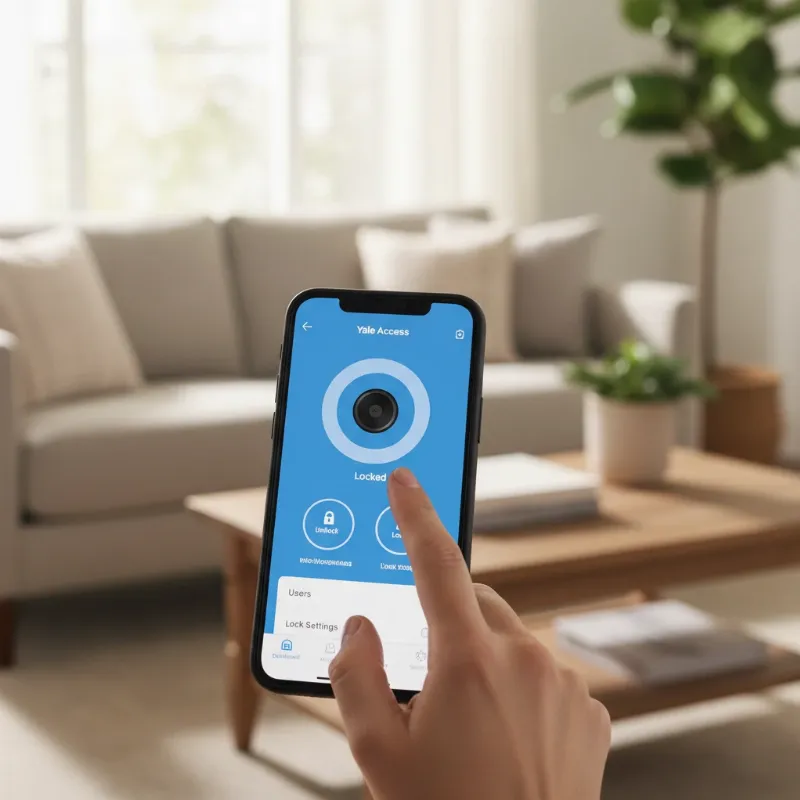 A smartphone screen showing the Yale Access app controlling the Yale Assure Lock 2.
Installation and Maintenance Tips for Your Yale Assure Lock 2
Installing and maintaining your Yale Assure Lock 2 doesn’t have to be complicated, ensuring long-lasting performance and security. A few simple steps and routine checks can keep your smart lock functioning optimally.
The installation process is generally a straightforward DIY task, requiring only a Phillips head screwdriver and typically taking between 30 minutes to two hours. Yale provides clear, step-by-step guidance through its Yale Access app, complete with videos and paper templates to ensure correct door measurements and deadbolt alignment. The optional DoorSense module, which detects if your door is open or closed, can be installed discreetly within the doorframe, though this may require a drill. For battery management, the lock operates on four AA batteries. While Bluetooth-only models can last 6-9 months, Wi-Fi enabled versions typically last around three months, with heavy usage potentially shortening this to as little as seven weeks. It’s crucial to use non-rechargeable alkaline batteries and to replace them proactively when the app provides low-battery alerts, though some users wish these warnings appeared sooner. Keyless models offer a handy 9V battery backup terminal on the exterior, allowing temporary power to enter your code if the main batteries die. Regularly updating the lock’s firmware via the app is also important, as this provides security patches and new features. Finally, a simple wipe-down to keep the keypad clean will prevent grime buildup and ensure consistent responsiveness.
Common Issues and Troubleshooting for Yale Assure Lock 2
Even with advanced technology, users might occasionally encounter minor issues with their Yale Assure Lock 2. Understanding common problems and their solutions can help maintain smooth operation.
One frequently reported concern is shorter battery life for models utilizing the Wi-Fi module. This is often due to constant network communication; to mitigate this, ensure a strong Wi-Fi signal to reduce the lock’s power consumption, or consider switching to a Bluetooth-only mode if remote access isn’t consistently needed. Another issue can be auto-unlock inconsistencies, where the lock fails to automatically open upon approach. This can sometimes be resolved by adjusting the proximity radius in the Yale Access app or by ensuring location services are optimized on your smartphone. If the keypad is unresponsive, first try tapping the Yale logo to activate it. If it remains unresponsive, check that the AA batteries are correctly installed and sufficiently charged; a quick battery replacement often resolves this. Lastly, lock calibration issues might arise if the deadbolt struggles to extend fully. This could indicate the door or strike plate is slightly misaligned or the bore hole isn’t deep enough. The Yale Access app offers a recalibration feature, and in some cases, minor adjustments to the door frame may be necessary to ensure a smooth, unobstructed throw of the deadbolt.
The Future of Smart Locks: What’s Next for Yale
The world of smart locks is continuously evolving, with innovations pushing the boundaries of security and user experience. For Yale and its Assure Lock series, the future promises even more sophisticated integrations and intelligent functionalities.
We can anticipate a continued emphasis on Matter integration, providing a unified smart home experience that allows Yale locks to communicate effortlessly with a broader range of devices and platforms, regardless of brand. This will simplify setup and enhance interoperability for homeowners. Furthermore, the integration of enhanced AI features will likely lead to more predictive security, where the lock can learn usage patterns and identify unusual activity more accurately, providing proactive alerts and smarter automation. Connectivity will become even more robust, with Yale likely exploring broader smart home ecosystem connections to offer even greater control and convenience. Expect to see advancements in biometric technologies becoming more commonplace and refined, potentially including more seamless fingerprint or facial recognition options directly integrated into the lock’s design, moving beyond the current separate “Touch” variant to become standard in future generations. These advancements will redefine how we secure our homes, making them not just safer, but also more intuitive and integrated than ever before.
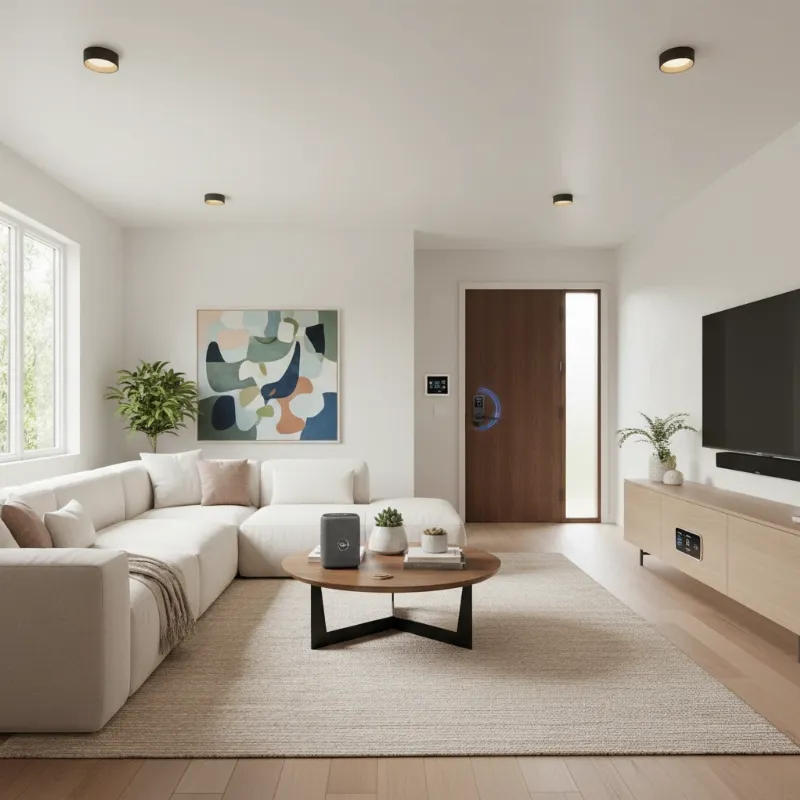 A stylish living room scene with smart home devices and a Yale Assure Lock 2 on the door, symbolizing integration.
Conclusion
The Yale Assure Lock 2 stands out as a compelling choice for anyone looking to upgrade their home security with a blend of sleek design and cutting-edge functionality. Its robust feature set, including multiple access methods, comprehensive smart home integration, and thoughtful security measures, offers both convenience and peace of mind. While considerations like battery life with Wi-Fi modules and the absence of a built-in fingerprint reader in the base models exist, its overall performance, ease of installation, and elegant aesthetic make it a top contender in the smart lock market. This lock is not just about keeping intruders out; it’s about simplifying your life and giving you greater control over your home access.
Are you ready to experience the next level of home security and convenience with the Yale Assure Lock 2? Explore its various models and configurations to find the perfect match for your home today!
Frequently Asked Questions
Is the Yale Assure Lock 2 secure against hacking?
|
Our Picks for the Best smart locks in 2026
As an Amazon Associate I earn from qualifying purchases.
|
||
| Num | Product | Action |
|---|---|---|
| 1 | Smart Door Lock with Camera Fingerprint Keyless Entry Door Lock Electronic Deadbolt with Keypad Code, App Remote Control, Auto Unlock for Front Door |

|
| 2 | Tapo Smart Wi-Fi Deadbolt Door Lock – Keyless Tactile Buttons, Customized Access with in-App Monitoring, Auto-Lock, IP54 Weatherproof, BHMA Grade 3, Compatible with Standard Door Sizes, Tapo DL100 |
|
| 3 | Schlage Encode Smart WiFi Deadbolt Lock for Front Door - Keyless Entry with App or Touchscreen - Works with Alexa, Hey Google, & Airbnb - Create Codes for Guests - Satin Nickel Silver |
|
| 4 | Wyze Palm Lock, Smart Door Lock with Palm Vein Recognition, Keyless Entry Smart Locks for Front Door, Keypad, Auto Lock, Dual Battery, Wi-Fi, Works with Alexa & Google, BHMA, IP53, Mechanical Key |
|
| 5 | Smart Door Handle Lock with Keypad: Yamiry Fingerprint Smart Knob - Keyless Entry Digital Lock for Front Door - Deadbolt with APP - Generate Passcode Remotely - DIY Installation |
|
| 6 | Wyze Auto-Lock Bolt v2, Fingerprint Keyless Entry Smart Lock, AI Learning Scanner with Wi-Fi Front Door Lock Deadbolt, Auto-Lock, 8 Months Battery, BHMA2, IP53, Anti-Peep Keypad, Backup Keys |
|
| 7 | ULTRALOQ U-Bolt Pro WiFi Smart Lock with Door Sensor, 8-in-1 Keyless Entry Door Lock with Fingerprint ID, App Remote Control, Built-in WiFi Keypad Deadbolt, Auto Unlock, IP65 Waterproof, Easy Install |
|
| 8 | Yale Security Assure Lock 2 Deadbolt, Black Suede Keyed Smart Entry Door Lock with Wi-Fi Connected Keypad for Code Entry and Remote Access, YRD410-WF1-BSP |
|
| 9 | TEEHO TE001 Keyless Entry Door Lock with Keypad - Smart Deadbolt Lock for Front Door with 2 Keys - Auto Lock - Easy Installation - Matte Black |
|
| 10 | Schlage Encode Smart WiFi Deadbolt Lock for Front Door - Keyless Entry with App or Touchscreen - Works with Alexa, Hey Google, & Airbnb - Create Codes for Guests - Matte Black |
|
The Yale Assure Lock 2 employs robust security measures, including two-layer encryption, two-factor authentication, and biometric verification via your mobile device for advanced protection. While no system is entirely invulnerable, these features significantly reduce the risk of unauthorized access, making your home considerably safer than with traditional locks.
Can the Yale Assure Lock 2 be installed by anyone, or do I need a professional?
Most homeowners can easily install the Yale Assure Lock 2 themselves with just a Phillips head screwdriver, typically within 30 minutes to two hours. Yale provides comprehensive, step-by-step video guides through its Yale Access app, simplifying the process. However, if your door requires modifications like drilling for the DoorSense sensor or if you prefer professional assistance, that option is always available.
What is the battery life of the Yale Assure Lock 2, and what happens if it dies?
The battery life varies: Bluetooth-only models can last 6-9 months, while Wi-Fi enabled versions average around 3 months, depending on usage. If the batteries die, keyless models have an external terminal where you can temporarily power the lock with a 9V battery to enter your code. Keyed models offer the traditional physical key as a backup.
Does the Yale Assure Lock 2 integrate with popular smart home systems?
Yes, the Yale Assure Lock 2 offers broad compatibility. It integrates seamlessly with Apple HomeKit, Amazon Alexa, and Google Home, allowing for voice control and integration into smart home routines. With optional modules, it also supports Z-Wave and is designed to be Matter-compatible, ensuring future-proof connectivity across various smart home ecosystems.