Are you ready to elevate your home security and convenience with smart locks, but find yourself navigating a maze of technical terms like Zigbee and Z-Wave? Choosing the right communication protocol for your smart door locks is a pivotal decision that impacts everything from network stability to device compatibility within your home automation system. As the digital gateway to your sanctuary, a smart lock needs a foundation built on reliability and seamless integration.
What Are Smart Locks and Their Underlying Protocols?
Smart locks represent a significant leap from traditional mechanical locks, offering keyless entry, remote access control, and enhanced monitoring capabilities. These advanced devices don’t just secure your door; they often become an integral part of your broader home automation ecosystem, communicating with other smart devices like lights, thermostats, and security cameras. The magic behind this connectivity lies in wireless communication protocols such as Zigbee and Z-Wave, which enable devices to “talk” to each other and your central smart home hub. Understanding these foundational technologies is crucial for building a truly intelligent and secure home.
Understanding Zigbee for Smart Locks
Zigbee is an open-standard, low-power wireless communication protocol built on the IEEE 802.15.4 standard. Operating predominantly on the globally recognized 2.4 GHz frequency band, Zigbee creates robust mesh networks where each powered device can relay signals, extending the network’s reach and ensuring reliable communication even if a single device goes offline. This protocol is managed by the Connectivity Standards Alliance (CSA), which fosters a vast ecosystem of devices from numerous manufacturers, making Zigbee a popular choice for everything from smart lighting to sensors.
Advantages of Zigbee Smart Locks
|
Our Picks for the Best smart locks in 2026
As an Amazon Associate I earn from qualifying purchases.
|
||
| Num | Product | Action |
|---|---|---|
| 1 | TEEHO TE001 Keyless Entry Door Lock with Keypad - Smart Deadbolt Lock for Front Door with 2 Keys - Auto Lock - Easy Installation - Matte Black |

|
| 2 | Wyze Palm Lock, Smart Door Lock with Palm Vein Recognition, Keyless Entry Smart Locks for Front Door, Keypad, Auto Lock, Dual Battery, Wi-Fi, Works with Alexa & Google, BHMA, IP53, Mechanical Key |
|
| 3 | ULTRALOQ U-Bolt Pro WiFi Smart Lock with Door Sensor, 8-in-1 Keyless Entry Door Lock with Fingerprint ID, App Remote Control, Built-in WiFi Keypad Deadbolt, Auto Unlock, IP65 Waterproof, Easy Install |
|
| 4 | Smart Door Lock with Camera Fingerprint Keyless Entry Door Lock Electronic Deadbolt with Keypad Code, App Remote Control, Auto Unlock for Front Door |
|
| 5 | Wyze Auto-Lock Bolt v2, Fingerprint Keyless Entry Smart Lock, AI Learning Scanner with Wi-Fi Front Door Lock Deadbolt, Auto-Lock, 8 Months Battery, BHMA2, IP53, Anti-Peep Keypad, Backup Keys |
|
| 6 | Schlage Encode Smart WiFi Deadbolt Lock for Front Door - Keyless Entry with App or Touchscreen - Works with Alexa, Hey Google, & Airbnb - Create Codes for Guests - Satin Nickel Silver |
|
| 7 | Schlage Encode Smart WiFi Deadbolt Lock for Front Door - Keyless Entry with App or Touchscreen - Works with Alexa, Hey Google, & Airbnb - Create Codes for Guests - Matte Black |
|
| 8 | Smart Door Handle Lock with Keypad: Yamiry Fingerprint Smart Knob - Keyless Entry Digital Lock for Front Door - Deadbolt with APP - Generate Passcode Remotely - DIY Installation |
|
| 9 | Yale Security Assure Lock 2 Deadbolt, Black Suede Keyed Smart Entry Door Lock with Wi-Fi Connected Keypad for Code Entry and Remote Access, YRD410-WF1-BSP |
|
| 10 | Tapo Smart Wi-Fi Deadbolt Door Lock – Keyless Tactile Buttons, Customized Access with in-App Monitoring, Auto-Lock, IP54 Weatherproof, BHMA Grade 3, Compatible with Standard Door Sizes, Tapo DL100 |
|
Zigbee smart locks boast several compelling advantages that make them a strong contender for many homeowners. Their open-standard nature means a broader selection of devices and often more competitive pricing compared to proprietary alternatives. The mesh networking capability allows for extensive scalability, theoretically supporting up to 65,535 devices, which is ideal for large smart homes or complex IoT deployments. Furthermore, Zigbee’s relatively high data transfer rate (up to 250 kbps) can result in swift response times for commands. The widespread adoption of Zigbee means it’s frequently integrated into popular consumer ecosystems and smart home hubs, simplifying setup and management.
Disadvantages of Zigbee Smart Locks
Despite its strengths, Zigbee does come with a few considerations. One primary concern is its use of the 2.4 GHz frequency band, which it shares with Wi-Fi and Bluetooth devices. This can lead to signal interference in crowded wireless environments, potentially affecting the reliability of your smart lock’s connection. While Zigbee 3.0 has significantly improved interoperability, the open-standard nature can still result in variations in firmware quality and behavior across different manufacturers, leading to occasional compatibility quirks. Additionally, while individual hop range is decent, a dense network of powered devices is essential for optimal performance and range extension.
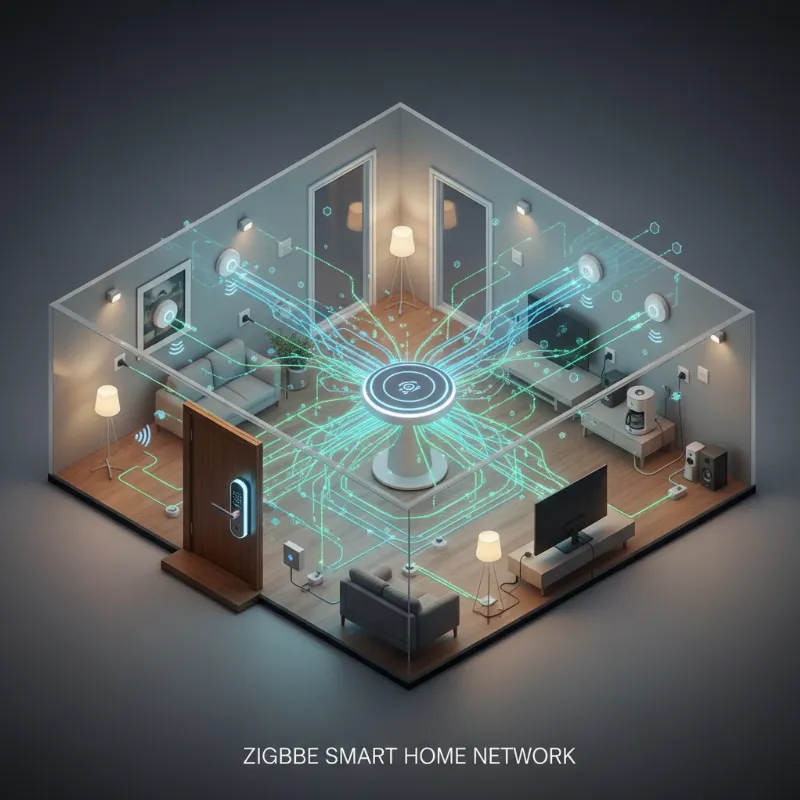 A graphic illustrating a Zigbee smart lock connected within a mesh network, surrounded by other smart home devices like lights and sensors, all linked to a central hub.
Understanding Z-Wave for Smart Locks
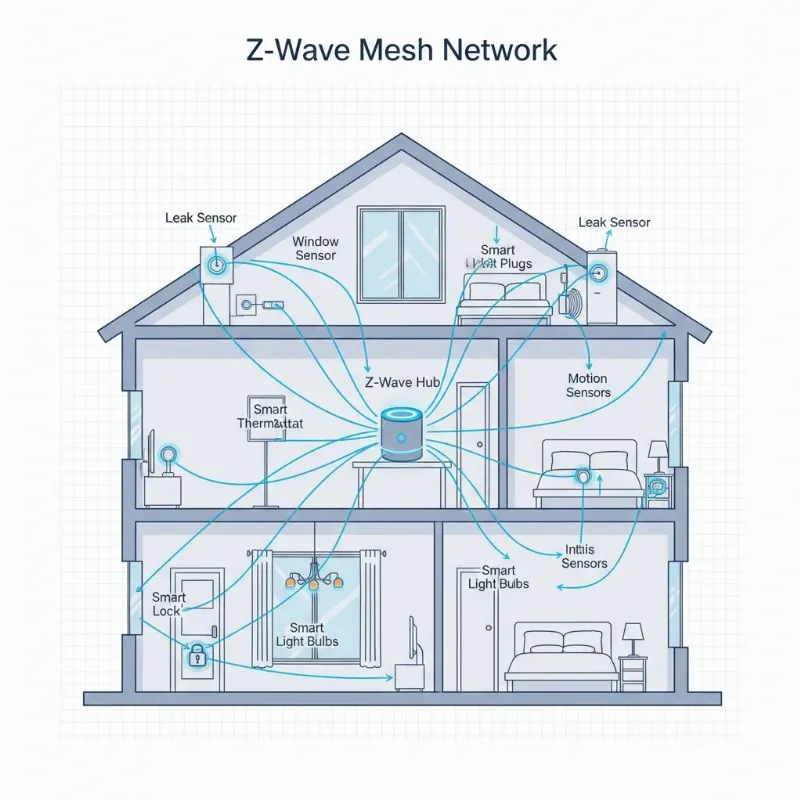
Z-Wave is another leading wireless communication protocol designed specifically for smart home automation. Unlike Zigbee, Z-Wave operates on sub-1 GHz radio frequencies (e.g., 908.42 MHz in the US, 868.42 MHz in Europe), a less crowded bandwidth that significantly reduces interference from common household devices like Wi-Fi routers and microwaves. Maintained by the Z-Wave Alliance, this protocol emphasizes strict interoperability standards, ensuring that all certified Z-Wave devices work seamlessly together, regardless of the manufacturer.
Advantages of Z-Wave Smart Locks
Z-Wave smart locks are often lauded for their exceptional reliability and stability, primarily due to operating on less congested radio frequencies. This leads to better signal penetration through walls and floors and generally longer effective range (up to 100 meters indoors per hop, with a total mesh range of up to 400 meters with four hops) compared to Zigbee’s 35-meter per hop. The stringent certification process mandated by the Z-Wave Alliance guarantees a high degree of interoperability, making device selection straightforward and integration dependable. For critical security devices like smart locks, Z-Wave’s robust S2 Security Framework, featuring AES-128 encryption and secure key exchange, provides a strong layer of protection against unauthorized access.
Disadvantages of Z-Wave Smart Locks
While Z-Wave offers superior reliability for critical applications, it does have a few drawbacks. Its region-specific frequencies mean devices purchased in one geographical area (e.g., US) might not be compatible with hubs or devices from another (e.g., Europe), which can complicate international purchases. Z-Wave networks support a maximum of 232 devices per controller, which, while ample for most residential homes, is significantly less than Zigbee’s capacity. Historically, Z-Wave devices have also tended to be more expensive than their Zigbee counterparts, though this gap is narrowing. Finally, its data transfer rate is generally slower (up to 100 kbps) than Zigbee, though this difference is often imperceptible for common smart lock commands.
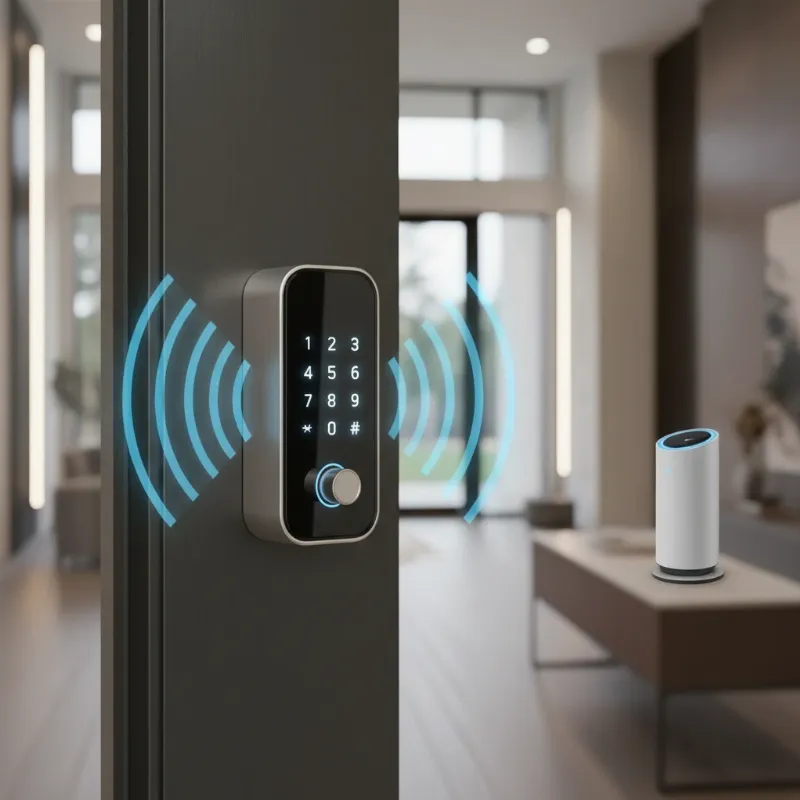 A Z-Wave smart lock emphasizing its secure connection, with subtle graphic elements showing radio waves avoiding interference and a strong padlock icon overlaid.
Key Advantages of Smart Locks in Home Automation
Beyond the underlying protocols, smart locks themselves bring a host of benefits that transform home security and access. The sheer convenience of keyless entry, often through a keypad, fingerprint scanner, or smartphone, eliminates the worry of lost keys. Remote access management allows you to lock/unlock your door from anywhere, grant temporary access codes to guests or service providers, and receive real-time notifications about who enters and leaves your home. This level of control significantly enhances security, providing an audit trail of activity and alerting you to potential intrusions. Furthermore, many smart locks integrate seamlessly with other smart home devices, triggering actions like turning on lights when the door unlocks or arming your security system when it locks. This creates a truly connected and intelligent living experience.
Comparison: Zigbee vs. Z-Wave for Smart Locks
When deciding between Zigbee and Z-Wave for your smart locks, it helps to consider their core characteristics side-by-side. Both excel at low-power mesh networking, but their differences in frequency, range, and ecosystem can dictate which is a better fit for your specific home automation needs.
Frequency Band: Z-Wave operates on sub-GHz frequencies, providing superior penetration through physical barriers and minimizing interference with Wi-Fi networks. Zigbee uses the more congested 2.4 GHz band, which can be susceptible to interference, especially in dense wireless environments.
Range and Network Size: Z-Wave offers longer individual hop ranges, often penetrating walls more effectively. While Zigbee has shorter individual hop ranges, its ability to support an almost unlimited number of hops and up to 65,535 devices makes it highly scalable for very large networks. Z-Wave is limited to 4 hops and 232 devices.
Speed: Zigbee generally boasts higher data transfer speeds (up to 250 kbps) compared to Z-Wave (up to 100 kbps). However, for smart lock commands—which are typically small data packets—both protocols are fast enough that users rarely notice a difference in real-world performance.
Interoperability and Ecosystem: Z-Wave’s strict certification process guarantees strong interoperability between all certified devices, simplifying integration. Zigbee, while improved with Zigbee 3.0, can still exhibit variations due to its open standard, though its ecosystem is vast and diverse, especially in consumer-grade products like smart lighting.
Security: Both protocols employ robust AES-128 encryption. Z-Wave enhances this with its mandatory S2 framework, which adds secure key exchange and improved authentication, making it particularly well-suited for critical security devices like locks.
Comparison Table: Zigbee vs. Z-Wave Smart Locks
| Feature | Zigbee | Z-Wave |
|---|---|---|
| Frequency Band | 2.4 GHz ISM | Sub-1 GHz (e.g., 908.42 MHz US) |
| Interference | Higher (shares with Wi-Fi/Bluetooth) | Lower (less congested bands) |
| Range (per hop) | 10–30 meters indoors (approx. 35 ft) | 30–100 meters indoors (approx. 100 ft) |
| Max. Mesh Hops | Unlimited | 4 hops |
| Total Devices/Network | Up to 65,535 | Up to 232 |
| Data Rate | Up to 250 kbps | Up to 100 kbps |
| Interoperability | Good (improved with Zigbee 3.0) | Excellent (strict certification) |
| Security | AES-128 | AES-128 + S2 Framework (mandatory for new devices) |
| Ecosystem Size | Very large, diverse, open standard | Large, focused on home automation, stricter standard |
| Power Consumption | Very low, excellent for battery devices | Very low, excellent for battery devices (Z-Wave Plus 5-10 years) |
| Global Compatibility | Universal (2.4 GHz) | Region-specific frequencies |
| Cost | Often more affordable | Generally higher, reflecting certification standards |
Choosing the Right Smart Lock for Your Home Automation
Selecting the ideal smart lock involves more than just picking an aesthetically pleasing design; it requires a strategic look at its underlying technology and how it integrates with your smart home vision. Consider your existing smart home ecosystem: do you already have a hub that supports one protocol over the other, or a multitude of devices that could serve as mesh repeaters? For instance, if your home is filled with Philips Hue lighting, a Zigbee smart lock might be a more natural fit. Conversely, if you prioritize unparalleled reliability for security devices and your home experiences heavy Wi-Fi traffic, a Z-Wave lock might be the stronger choice.
“The true intelligence of a smart lock isn’t just in its features, but in its ability to seamlessly integrate with your unique connected lifestyle. Prioritize network stability and interoperability above all else.” – Dr. Elena Petrova, IoT Security Architect.
Think about the size of your home. For larger properties or those with thick walls, Z-Wave’s superior penetration and range could be a decisive factor. If you’re building a massive network with hundreds of devices, Zigbee’s high device capacity might be more appealing. Don’t forget budget considerations; Zigbee devices often offer a more entry-level price point, while Z-Wave can represent a slightly higher investment, often justified by its guaranteed interoperability and reliability. Many advanced users even opt for a hybrid network, leveraging Zigbee for general sensors and lighting, and Z-Wave for mission-critical devices like smart locks, getting the best of both worlds through a dual-protocol hub.
 A person thoughtfully looking at different smart lock options, with Zigbee and Z-Wave icons subtly displayed. The image conveys the decision-making process for home automation.
Tips for Proper Use and Maintenance of Smart Locks
Ensuring the longevity and optimal performance of your Zigbee or Z-Wave smart lock involves a few key maintenance practices. Always replace batteries proactively, rather than waiting for them to completely drain. Most smart locks will provide low battery warnings well in advance, giving you ample time to swap them out. Regular cleaning of keypads and external components with a soft, damp cloth can prevent dirt and grime buildup from affecting functionality.
It’s also crucial to keep your smart lock’s firmware updated. Manufacturers frequently release updates that improve security, add new features, and enhance stability. Always follow the manufacturer’s instructions for updating. For network health, ensure your Zigbee or Z-Wave mesh network has enough powered devices (routers/repeaters) to provide strong, consistent signal coverage, especially for your smart lock, which is a critical security device. Never share access codes or credentials indiscriminately, and regularly review who has access to your home through your smart lock’s app. If you encounter persistent connectivity issues or other malfunctions, consult the manufacturer’s support or a qualified locksmith.
Common Issues and Troubleshooting with Smart Locks
Even with the best protocols, smart locks can occasionally encounter issues. One common problem is connectivity loss, often due to interference (especially with 2.4 GHz Zigbee devices near Wi-Fi routers) or a weak mesh network. If your lock stops responding, first check your smart home hub and ensure it’s online and powered. Next, verify that your smart lock’s batteries aren’t depleted.
- Lock not responding to commands: Check hub status, smart lock battery levels, and the proximity of other powered Zigbee/Z-Wave devices to reinforce the mesh.
- Intermittent connectivity: This often points to network interference or insufficient signal strength. Consider adjusting Wi-Fi channels if using Zigbee, or adding more Z-Wave repeaters.
- Battery draining quickly: This could indicate a weak signal forcing the lock to use more power to communicate, or a faulty battery.
- Failure to pair with hub: Ensure the lock is in pairing mode and within range of your hub or a strong repeater. Check for firmware updates on both the lock and the hub.
For persistent issues, a factory reset of the lock might be necessary (refer to your specific lock’s manual), followed by re-pairing. Remember, a robust smart home network infrastructure is paramount for your smart lock’s reliability.
Future Trends in Smart Lock Technology
The smart lock landscape is continuously evolving, promising even more seamless and secure home automation experiences. A significant trend on the horizon is the increasing adoption of the Matter protocol. Matter aims to unify various smart home standards, including aspects of Zigbee and Z-Wave, into a single, IP-based connectivity standard. While Matter won’t directly replace Zigbee or Z-Wave, it will allow devices using these protocols to integrate more easily through Matter-compatible bridges and hubs, greatly enhancing interoperability across different brands and ecosystems.
Beyond connectivity, we can expect deeper integration with artificial intelligence (AI) for personalized access control and predictive security. Imagine locks that learn your routines, automatically adjusting access based on patterns, or advanced biometric systems that integrate facial recognition with behavioral analytics. Blockchain technology could also play a role in further decentralizing and securing access credentials, providing immutable audit trails. Future smart locks will likely offer more sophisticated energy harvesting capabilities, extending battery life, and will become even more integral to comprehensive smart home security, evolving beyond simple locking mechanisms to truly intelligent gateways.
Conclusion
Choosing between Zigbee and Z-Wave smart locks for your home automation is a critical step towards a more secure and convenient living experience. Both protocols offer distinct advantages: Zigbee shines with its vast ecosystem and high device capacity, making it a flexible choice for extensive networks. Z-Wave, with its reduced interference and robust security framework, often stands out for mission-critical devices like locks, promising unparalleled reliability.
Ultimately, the “best” choice hinges on your specific needs, existing smart home setup, and priorities. Do you value an expansive, cost-effective network, or prioritize rock-solid reliability and interference-free communication for your security devices? Many homeowners find success by strategically combining both protocols within a hybrid system, leveraging their individual strengths for a truly optimized smart home. Embrace the future of connected living by making an informed decision that secures your home and simplifies your life. What will be the next step in enhancing your home’s intelligence?
Frequently Asked Questions
Are Zigbee smart locks more secure than Z-Wave smart locks?
Both Zigbee and Z-Wave smart locks utilize strong AES-128 encryption, offering a high level of security. Z-Wave further enhances this with its mandatory S2 Security Framework, which includes advanced key exchange methods, making it particularly robust for critical security applications like door locks. The overall security also depends on proper installation, strong passwords, and regular firmware updates.
Can Zigbee and Z-Wave devices work together in a single smart home system?
Yes, Zigbee and Z-Wave devices can coexist and work together within a single smart home system. This is achieved by using a compatible smart home hub that features radios for both protocols, such as Samsung SmartThings, Hubitat Elevation, or Home Assistant with appropriate USB dongles. The hub acts as a translator, allowing devices from both ecosystems to communicate and participate in your automation routines.
Which protocol offers better battery life for smart locks?
Both Zigbee and Z-Wave are designed for low-power consumption, making them excellent for battery-operated devices like smart locks. Z-Wave Plus devices often boast impressive battery lives of 5-10 years, while Zigbee devices typically last 2-5 years. The actual battery life can vary based on usage frequency, network strength, and specific device features.
Does Wi-Fi interfere with Zigbee or Z-Wave smart locks?
Wi-Fi primarily operates on the 2.4 GHz band, which is the same frequency band used by Zigbee. This can lead to signal interference between Wi-Fi and Zigbee devices, potentially causing intermittent connectivity issues for your smart lock. Z-Wave, however, operates on sub-GHz frequencies (e.g., 908.42 MHz in the US), which are largely immune to Wi-Fi interference, contributing to its reputation for robust and stable connections.
What is the role of the Matter protocol in the future of smart locks?
The Matter protocol is an emerging standard aiming to create greater interoperability among smart home devices. While it won’t directly replace Zigbee or Z-Wave, Matter-compatible hubs and bridges will allow Zigbee and Z-Wave smart locks to integrate more seamlessly into broader smart home ecosystems, unifying control and simplifying the user experience across different brands and protocols.