Let’s be honest, we’ve all had that moment of panic. You’re halfway to work, or maybe just settled into bed, and the thought hits you like a ton of bricks: Did I lock the front door? For years, the only solution was to turn the car around or drag yourself out of bed. But what if you could check, lock, and even unlock your door from anywhere? That’s the promise of a smart lock. This in-depth Yale Smart Lock Review is designed to cut through the noise and tell you if this legacy brand’s move into the digital age is the security upgrade your home truly needs.
For over 180 years, the name Yale has been synonymous with security. They’ve been the gatekeepers of our homes with traditional locks and keys. Now, they’re a major player in the smart home arena. But are they just slapping some tech onto an old design, or have they truly created a seamless, secure, and smart experience? We’re about to find out.
What’s the Big Deal with Yale Anyway?
Before we dive into the tech, it’s worth understanding why Yale carries so much weight. They didn’t just appear overnight. Their legacy is built on physical security—the very mechanics of what stops a door from being opened. This is a crucial point. A smart lock is still a lock. If the physical deadbolt is weak, all the fancy electronics in the world won’t matter. Yale’s expertise in mechanical engineering gives them a foundational advantage that many tech-first companies simply don’t have. They understand what it takes to physically secure a door, and they’ve built their smart technology on top of that trusted foundation.
Unlocking the Tech: How Do Yale Smart Locks Work?
So, how does a Yale smart lock ditch the traditional key? It’s not magic, but it can certainly feel like it. The core technology usually revolves around a few key wireless protocols. Think of these as different languages the lock uses to talk to your phone and other smart devices.
- Bluetooth: This is for close-range communication. When you’re standing near your door, your phone can “shake hands” with the lock via Bluetooth to unlock it. It’s perfect for features like auto-unlock, where the door senses your approach and unlocks for you.
- Wi-Fi: This is the game-changer for remote access. With a Wi-Fi-enabled lock or a separate Wi-Fi Connect Bridge, your lock connects to your home’s internet. This is what lets you lock or unlock your door from your office, the grocery store, or even on vacation on the other side of the world.
- Z-Wave & Zigbee: These are other low-power wireless languages popular in the smart home world. They are often used to connect the lock to a central smart home hub like SmartThings or Hubitat, allowing it to work in concert with lights, sensors, and alarms.
Yale offers models that use all of these technologies, so you can choose the one that best fits your existing setup or future smart home plans.
An In-Depth Yale Smart Lock Review: Key Features Explored
Let’s get to the heart of this Yale smart lock review and break down the features that actually matter in your day-to-day life. We’ll look at the popular Yale Assure Lock series as our main example.
Keyless Convenience: Multiple Ways to Enter
The number one reason people switch to a smart lock is to get rid of keys. Yale excels here by offering multiple entry methods, so you’re never locked out.
- Touchscreen Keypad: Punch in your unique 4-8 digit code. You can create dozens of codes for family, friends, the dog walker, or a contractor. You can even set them to expire or only work during certain times. No more making physical copies of keys!
- Smartphone App: The Yale Access app (or August app, as they share technology) turns your phone into a key. Just a tap in the app and the door is unlocked.
- Auto-Unlock: Using a combination of Wi-Fi and Bluetooth, the lock can detect when you’ve arrived home and automatically unlock the door as you approach. It’s like having your own personal doorman.
- Physical Key (on some models): For the traditionalists or as a backup, many Yale models still include a keyway. It provides peace of mind, knowing there’s always a failsafe option.
Remote Access: Are You Really in Control?
This is where the “smart” part truly shines. With a Wi-Fi connection, you gain complete remote control and visibility.
- Lock/Unlock from Anywhere: Let a friend in while you’re stuck in traffic. Lock the door from your desk because you forgot on your way out.
- Guest Access: Grant temporary access to visitors. Instead of giving out a key they might lose, you can send them a virtual key or a temporary keypad code that works only for the duration of their stay.
- Activity Feed: The app provides a 24/7 log of who has come and gone and when. You’ll know exactly when the kids got home from school or if the cleaner arrived on time.
Security: More Than Just a Digital Bolt
Is a smart lock actually secure? It’s a valid question. Yale tackles this with a multi-layered approach.
“A common mistake consumers make is focusing solely on the wireless encryption while ignoring the physical strength of the lock itself,” notes David Chen, a certified high-tech locksmith and security consultant. “A great smart lock must excel at both. It needs a tough-as-nails deadbolt and hack-resistant digital security.”
Yale locks feature AES 128-bit encryption, which is the same level of security used by banks. Their DoorSense™ technology is another clever feature; it’s a small sensor that tells you not just if the lock is locked, but if the door is actually closed. No more accidentally locking a door that’s ajar.
|
Our Picks for the Best Smartlocks in 2025
As an Amazon Associate, we earn from qualifying purchases.
|
||
| Num | Product | Action |
|---|---|---|
| 1 | Keypad Smart Door Lock with Knob, Yamiry Keyless Entry Digital Lock with Handle, Fingerprint Electronic Knob for Front Door, Generate Passcode Remotely, Easy Installation |

|
| 2 | Schlage Encode Smart WiFi Deadbolt Lock for Front Door - Keyless Entry with App or Touchscreen - Works with Alexa, Hey Google, & Airbnb - Create Codes for Guests - Satin Nickel Silver |
|
| 3 | Schlage Encode Plus Smart Wi-Fi Lock for Front Door, Keyless Entry Deadbolt, Unlock with Apple Watch, Built-in WiFi and App Control, Easy Install, Alexa & Apple HomeKit Compatible, Matte Black |
|
| 4 | Yale Security Assure Lock 2 Deadbolt, Black Suede Keyed Smart Entry Door Lock with Wi-Fi Connected Keypad for Code Entry and Remote Access, YRD410-WF1-BSP |
|
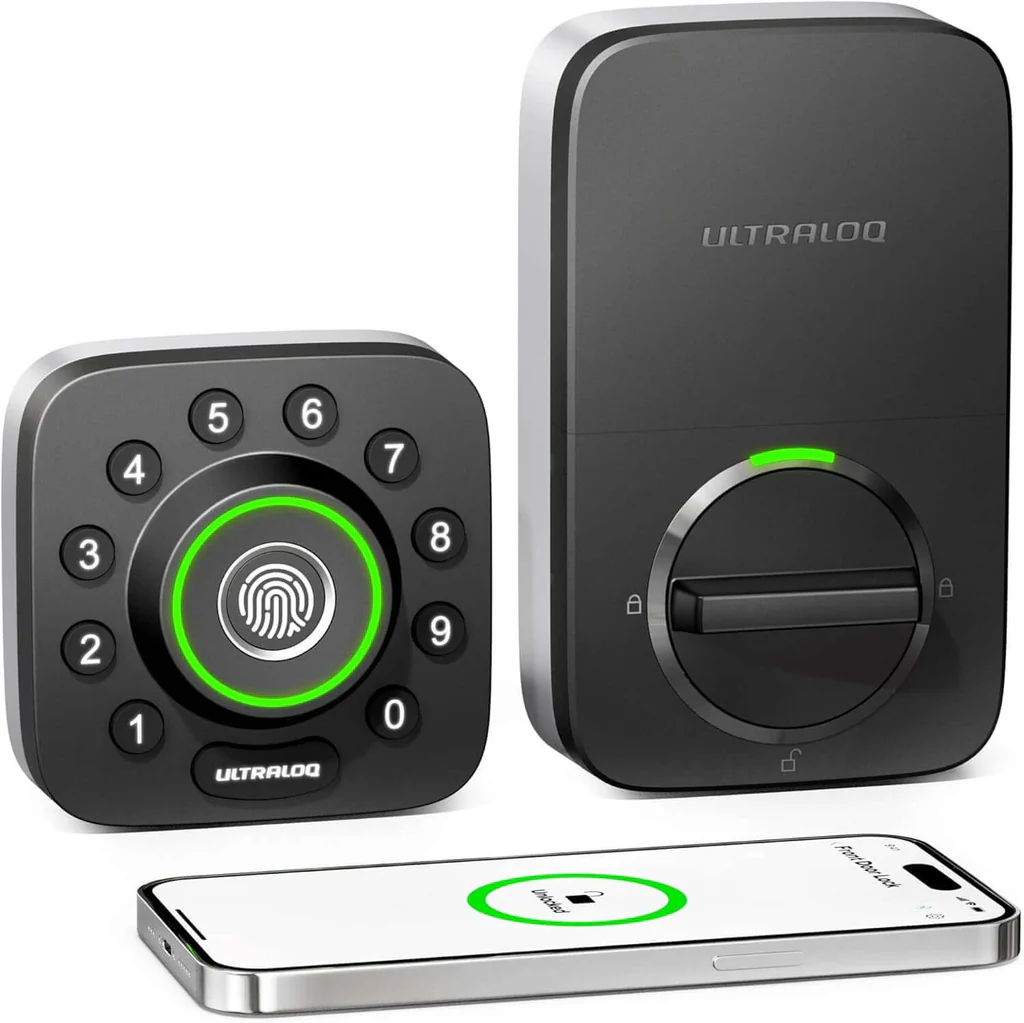
| 5 | ULTRALOQ U-Bolt Pro WiFi Smart Lock with Door Sensor, 8-in-1 Keyless Entry Door Lock with Fingerprint ID, App Remote Control, Built-in WiFi Keypad Deadbolt, Auto Unlock, IP65 Waterproof, Easy Install |
|
| 6 | Kwikset Powerbolt 250 10-Button Keypad Satin Nickel Transitional Electronic Deadbolt Door Lock, Featuring Convenient Keyless Entry, Customizable User Codes, Auto Locking |
|
| 7 | Keyless Entry Fingerprint Smart Lock with Handle & Keypad: Sifely Biometric Digital Electronic Lock with Code, Electric Deadbolt Door Knob for Front, Interior, Exterior & Bedroom Doors (Silver) |
|
| 8 | Smart Keypad Door Lock with Handle: NICE DIGI Keyless Entry Digital Lock for Front/Interior Door, Electronic Code Knob, Easy Installation |
|
| 9 | Keypad & Key Smart Door Lock, 50 User Codes, Waterproof, Auto Lock - Matte Black |
|
| 10 | TEEHO TE001 Keyless Entry Door Lock with Keypad - Smart Deadbolt Lock for Front Door with 2 Keys - Auto Lock - Easy Installation - Matte Black |
|
Which Yale Smart Lock Should You Choose?
Yale offers a range of models, and choosing the right one can feel a bit daunting. The main differences usually come down to connectivity and design. Here’s a simple breakdown of some popular options in the Assure Lock line:
| Feature | Yale Assure Lock SL (YRD256) | Yale Assure Lock 2 | Yale Assure Lock with Key |
|---|---|---|---|
| Design | Sleek, key-free touchscreen | Compact, modern design | Touchscreen with physical keyway |
| Keyless? | 100% Key-Free | 100% Key-Free or Keyed | Keyed backup |
| Connectivity | Wi-Fi/Bluetooth/Z-Wave (module) | Wi-Fi/Bluetooth (built-in) | Wi-Fi/Bluetooth/Z-Wave (module) |
| Best For | Minimalists who want a purely digital experience | Users wanting the latest tech and a smaller footprint | Those who want smart features with the peace of mind of a key |
Ultimately, the best choice depends on your comfort level. If the idea of no key at all makes you nervous, a model with a keyed backup is a great starting point. If you’re ready to go all-in on a key-free life, the sleek Assure Lock 2 or SL are fantastic options.
How to Install a Yale Smart Lock (Without Losing Your Mind)
One of the biggest hurdles for many is the installation. The good news? If you can use a screwdriver, you can probably install a Yale smart lock. It’s designed to fit standard doors and doesn’t require any new holes.
Here’s a simplified step-by-step guide:
- Remove Your Old Deadbolt: Unscrew the interior thumbturn and the two long bolts holding the deadbolt in place. Remove both the inside and outside pieces.
- Install the New Deadbolt: Slide the new Yale deadbolt into the hole on the edge of your door. Make sure it’s the right way up and secure it with the provided screws.
- Mount the Exterior Keypad: Feed the cable from the keypad through the door, underneath the deadbolt. Position the keypad so it’s straight.
- Attach the Interior Mounting Plate: Secure the mounting plate on the inside of your door with the long bolts, making sure the cable is fed through the designated opening.
- Connect the Cable and Mount the Lock: Connect the cable to the back of the interior lock assembly. Attach the assembly to the mounting plate and secure it.
- Install Batteries and the Cover: Pop in the four AA batteries and slide on the cover. The lock will begin its “handing” process to learn which way your door opens.
- Set Up in the App: Download the Yale Access app and follow the on-screen instructions to connect your lock, create a master code, and start using your new smart lock.
Pro-Tip: Before you start, check your door’s alignment. If you have to push or pull on your door to get your current deadbolt to lock smoothly, you’ll need to fix that alignment first for any smart lock to work properly.
Frequently Asked Questions (FAQ)
Here are some of the most common questions we get about Yale smart locks.
Q: Can a Yale smart lock be hacked?
A: While no connected device is 100% un-hackable, Yale uses multiple layers of security, including bank-grade encryption and secure login protocols, to make it extremely difficult for unauthorized access. It is significantly more secure than a standard lock that can be easily picked or a key that can be stolen.
Q: What happens if the batteries die on my Yale smart lock?
A: The lock gives you multiple low-battery warnings through the app and on the lock itself. If you ignore them and the batteries die completely, you can touch a 9V battery to the terminals on the bottom of the keypad to provide temporary power to enter your code. If you have a keyed model, you can always use the physical key.
Q: Do I need a Wi-Fi bridge for my Yale lock?
A: It depends on the model. Some newer models, like the Assure Lock 2, have Wi-Fi built-in. Older models often require the Yale Connect Wi-Fi Bridge to enable remote access and smart home integrations. Without Wi-Fi, the lock will still function via Bluetooth when you are nearby.
Q: How long do the batteries last in a Yale smart lock?
A: With average use, the four AA batteries will typically last between 8-12 months. Usage frequency and whether you are using Wi-Fi will affect battery life.
Q: Is a Yale smart lock compatible with Alexa, Google Home, and Apple HomeKit?
A: Yes, when connected to Wi-Fi, most Yale smart locks are compatible with all major smart home ecosystems. This allows you to lock your door or check its status using voice commands.
The Final Verdict: Is a Yale Smart Lock Worth It?
After a thorough review, the answer is a resounding yes. A Yale smart lock is more than just a gadget; it’s a genuine upgrade to your home’s security and your daily convenience. It solves real-world problems—from worrying about an unlocked door to managing access for guests—with elegant, reliable technology. The blend of Yale’s 180-year legacy in physical security with modern, user-friendly smart features creates a product that you can truly trust.
If you’re looking to step into the world of smart security, this Yale smart lock review should give you the confidence that you’re choosing a brand that offers both brains and brawn. It’s an investment in peace of mind, and that’s something you can’t put a price on.