In today’s fast-paced world, the security and convenience of our homes have become paramount. Traditional keys, once a symbol of security, often feel outdated in an era demanding smarter, more efficient solutions. This is where smart locks step in, transforming how we interact with our entryways. Among the myriad options available, the Wyze Lock Bolt carves out a significant niche, promising advanced security and unparalleled affordability. This comprehensive review will delve into what makes the Wyze Lock Bolt a standout choice, exploring its features, benefits, and how it caters to a broad spectrum of homeowners seeking modern security without breaking the bank.
What is a Smart Lock?
A smart lock is an electromechanical lock designed to perform locking and unlocking operations on a door when it receives instructions from an authorized device using a wireless protocol and cryptographic key to execute the authorization process. Far beyond the simple turn of a key, these devices integrate technology to offer enhanced security, convenience, and control over access to your property. The evolution of smart locks has seen them transform from basic keypad entry systems to sophisticated devices incorporating biometric recognition, remote access, and seamless integration with broader smart home ecosystems.
Early smart locks primarily offered keypad access, moving away from physical keys. Over time, advancements brought about Bluetooth and Wi-Fi connectivity, allowing smartphone control, and then integrated fingerprint scanners, key cards, and even facial recognition. This progression has shifted smart locks from mere security gadgets to central components of an intelligent home, prioritizing user experience and peace of mind.
Introducing the Wyze Lock Bolt
The Wyze Lock Bolt embodies the brand’s commitment to making smart home technology accessible to everyone. It represents a straightforward yet powerful solution for enhancing door security, offering a blend of keyless entry methods at a price point that challenges many competitors. Designed for simplicity and effectiveness, it’s an excellent entry point for those new to smart home security or looking for a reliable, no-nonsense upgrade.
Initially, the Wyze Lock Bolt entered the market as an ultra-affordable, Bluetooth-only deadbolt, focusing on core smart lock functionalities like fingerprint and keypad access. This original version appealed to users prioritizing local convenience and robust physical security over extensive smart home integration. However, in response to evolving user needs and technological advancements, Wyze introduced an updated version, the Lock Bolt v2, which significantly enhances its capabilities by incorporating Wi-Fi connectivity. This evolution underscores Wyze’s dedication to providing cutting-edge, affordable solutions while continuously improving its product line.
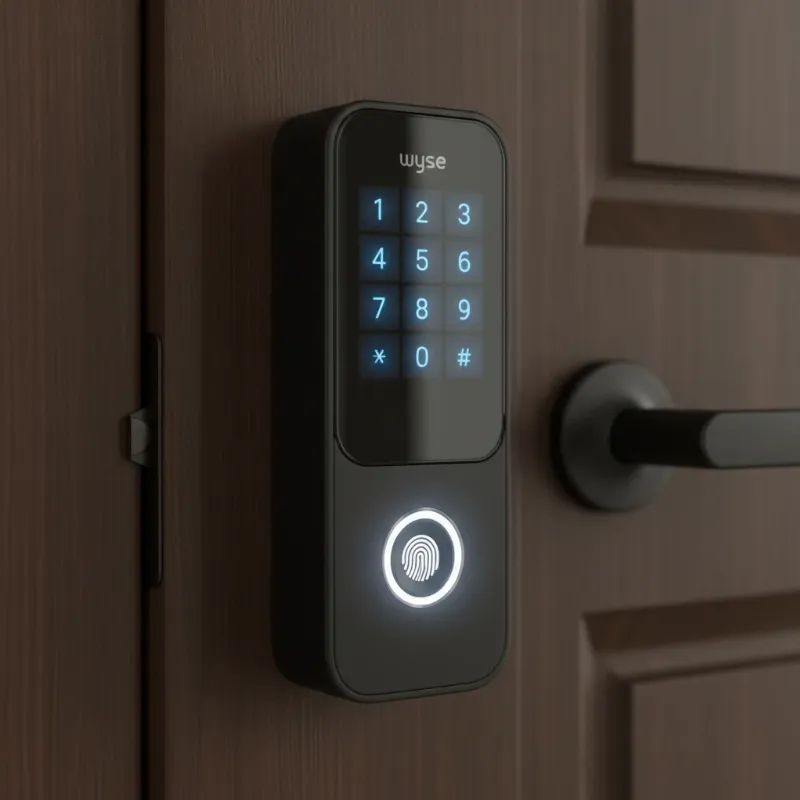 Modern matte-black Wyze Lock Bolt v2 smart deadbolt with glass touchscreen keypad and fingerprint sensor.
Key Features of the Wyze Lock Bolt
Both iterations of the Wyze Lock Bolt offer robust features designed for modern living, with the v2 expanding significantly on connectivity.
Fingerprint Recognition
|
Our Picks for the Best smart locks in 2026
As an Amazon Associate I earn from qualifying purchases.
|
||
| Num | Product | Action |
|---|---|---|
| 1 | Yale Security Assure Lock 2 Deadbolt, Black Suede Keyed Smart Entry Door Lock with Wi-Fi Connected Keypad for Code Entry and Remote Access, YRD410-WF1-BSP |

|
| 2 | Wyze Auto-Lock Bolt v2, Fingerprint Keyless Entry Smart Lock, AI Learning Scanner with Wi-Fi Front Door Lock Deadbolt, Auto-Lock, 8 Months Battery, BHMA2, IP53, Anti-Peep Keypad, Backup Keys |
|
| 3 | ULTRALOQ U-Bolt Pro WiFi Smart Lock with Door Sensor, 8-in-1 Keyless Entry Door Lock with Fingerprint ID, App Remote Control, Built-in WiFi Keypad Deadbolt, Auto Unlock, IP65 Waterproof, Easy Install |
|
| 4 | Tapo Smart Wi-Fi Deadbolt Door Lock – Keyless Tactile Buttons, Customized Access with in-App Monitoring, Auto-Lock, IP54 Weatherproof, BHMA Grade 3, Compatible with Standard Door Sizes, Tapo DL100 |
|
| 5 | Schlage Encode Smart WiFi Deadbolt Lock for Front Door - Keyless Entry with App or Touchscreen - Works with Alexa, Hey Google, & Airbnb - Create Codes for Guests - Satin Nickel Silver |
|
| 6 | Smart Door Lock with Camera Fingerprint Keyless Entry Door Lock Electronic Deadbolt with Keypad Code, App Remote Control, Auto Unlock for Front Door |
|
| 7 | TEEHO TE001 Keyless Entry Door Lock with Keypad - Smart Deadbolt Lock for Front Door with 2 Keys - Auto Lock - Easy Installation - Matte Black |
|
| 8 | Schlage Encode Smart WiFi Deadbolt Lock for Front Door - Keyless Entry with App or Touchscreen - Works with Alexa, Hey Google, & Airbnb - Create Codes for Guests - Matte Black |
|
| 9 | Smart Door Handle Lock with Keypad: Yamiry Fingerprint Smart Knob - Keyless Entry Digital Lock for Front Door - Deadbolt with APP - Generate Passcode Remotely - DIY Installation |
|
| 10 | Wyze Palm Lock, Smart Door Lock with Palm Vein Recognition, Keyless Entry Smart Locks for Front Door, Keypad, Auto Lock, Dual Battery, Wi-Fi, Works with Alexa & Google, BHMA, IP53, Mechanical Key |
|
One of the most compelling features across both versions is the integrated fingerprint reader, offering swift, keyless entry. The original Lock Bolt provided reliable fingerprint scanning for up to 50 unique prints. The Lock Bolt v2 elevates this with an “AI self-learning scanner” that continuously refines its accuracy by analyzing pressure, angle, and even minute skin shifts with each use, ensuring a more consistent and seamless experience.
Keypad Entry
Complementing the fingerprint scanner is a backlit keypad for code-based entry. The original model featured physical buttons, providing a tactile experience. The v2, however, boasts a sleek, illuminating glass touchscreen, adding a modern aesthetic and improved durability. Both versions support managing multiple PINs, including permanent, recurring, and temporary codes, making it ideal for families, guests, or service providers. The system often prevents easy-to-guess codes like “1234” for added security, and allows for obscuring your actual code by entering extra numbers before or after it.
Mechanical Key Option
A significant enhancement in the Lock Bolt v2 is the inclusion of a traditional mechanical key option. The original Wyze Lock Bolt was designed without a physical keyhole, relying solely on electronic entry and an emergency USB-C port for power. The v2, by reintroducing a mechanical key, offers an additional layer of traditional backup, addressing a common user preference for diverse entry methods.
Auto-Lock Functionality
Both versions include an auto-lock feature, which can be configured to engage automatically after a set period, typically ranging from a few seconds to up to 15 minutes. This ensures your door is always secured, even if you forget to lock it manually. The v2 further allows scheduling the lock to engage at specific times on certain days, enhancing automated home security routines.
Wyze App Integration
The Wyze app serves as the central hub for managing your Lock Bolt. The original model connected via Bluetooth, allowing local control, setting codes, adding fingerprints, and checking basic lock history when within range. The Lock Bolt v2’s integrated Wi-Fi capability dramatically expands this. It enables full remote access and monitoring, allowing you to lock or unlock your door, manage users, and view detailed activity logs from anywhere with an internet connection.
User Management and Emergency Power
Both versions provide intuitive user management, allowing you to easily set up and revoke access for up to 50 users (v2). You can create one-time passcodes that expire on a schedule, perfect for visitors. For power, both use AA batteries (4 for v1, 8 for v2), with Wyze claiming up to 12 months for v1 and 8 months for v2. Crucially, an emergency USB-C port is present on the exterior escutcheon for temporary power if the batteries die, ensuring you’re never locked out.
Wyze Lock Bolt V1 vs. V2: The Evolution of Affordable Security
The journey of the Wyze Lock Bolt from its inaugural version to the updated V2 highlights Wyze’s responsiveness to market demands and technological advancements. While both models uphold the brand’s core values of affordability and essential security, the V2 introduces pivotal upgrades that significantly broaden its appeal.
| Feature | Wyze Lock Bolt (V1) | Wyze Lock Bolt V2 |
|---|---|---|
| Connectivity | Bluetooth only | Integrated Wi-Fi (2.4GHz) |
| Remote Access | Limited (via Bluetooth only) | Full remote control and monitoring via Wi-Fi |
| Entry Methods | Fingerprint, Keypad (physical buttons) | Fingerprint (AI-enhanced), Keypad (glass touchscreen), Mechanical Key |
| Smart Home Integration | Minimal (Bluetooth-dependent) | Amazon Alexa, Google Home ecosystems |
| Design | Stylish matte-black, physical buttons | Redesigned, illuminating glass touchscreen |
| Battery Type/Life | 4 AA batteries, up to 12 months | 8 AA batteries, up to 8 months |
| Emergency Entry | USB-C port for temporary power, no mechanical key | USB-C port for temporary power, mechanical key option |
| Price (approx.) | $70 at launch | $79.98 at launch |
The most significant upgrade in the Wyze Lock Bolt v2 is undoubtedly the integrated Wi-Fi. This eliminates the range limitations of Bluetooth-only connectivity, enabling true remote management and real-time alerts from anywhere. The addition of a mechanical key slot in the v2 is another welcome change, providing a traditional fallback that many users prefer. Furthermore, the v2’s enhanced fingerprint scanner and modern touchscreen elevate both its performance and aesthetic appeal.
Unlocking the Benefits: Why Choose the Wyze Lock Bolt?
The Wyze Lock Bolt, particularly its second iteration, offers a compelling package of benefits that make it an attractive option for a wide range of homeowners.
Unmatched Affordability and Value
At its core, the Wyze Lock Bolt stands out for its exceptional value. Priced significantly lower than many competing smart locks that offer similar feature sets, it democratizes smart home security. This affordability does not come at the expense of quality, as both versions deliver robust performance and reliable functionality, making advanced security accessible to budget-conscious consumers.
Enhanced Security
With multiple keyless entry options—fingerprint and keypad—the Wyze Lock Bolt offers strong security. The v1’s lack of Wi-Fi was seen by some as a security advantage, as it was less exposed to potential online threats, relying on local Bluetooth control. The v2, while adding Wi-Fi, maintains strong security protocols and benefits from an improved fingerprint scanner. Both versions provide an activity log in the app, allowing users to track who enters and exits their home, providing an added layer of peace of mind.
Convenience at Your Fingertips
Imagine arriving home with groceries, children, or pets, and simply touching the lock to gain entry, or entering a simple code. The Wyze Lock Bolt delivers this effortless convenience. The quick and accurate fingerprint reader on both models, combined with the programmable keypad, means no more fumbling for keys. For the v2, the added Wi-Fi connectivity extends this convenience by allowing remote control, enabling you to unlock the door for a guest from across town or verify that your door is locked while you’re away.
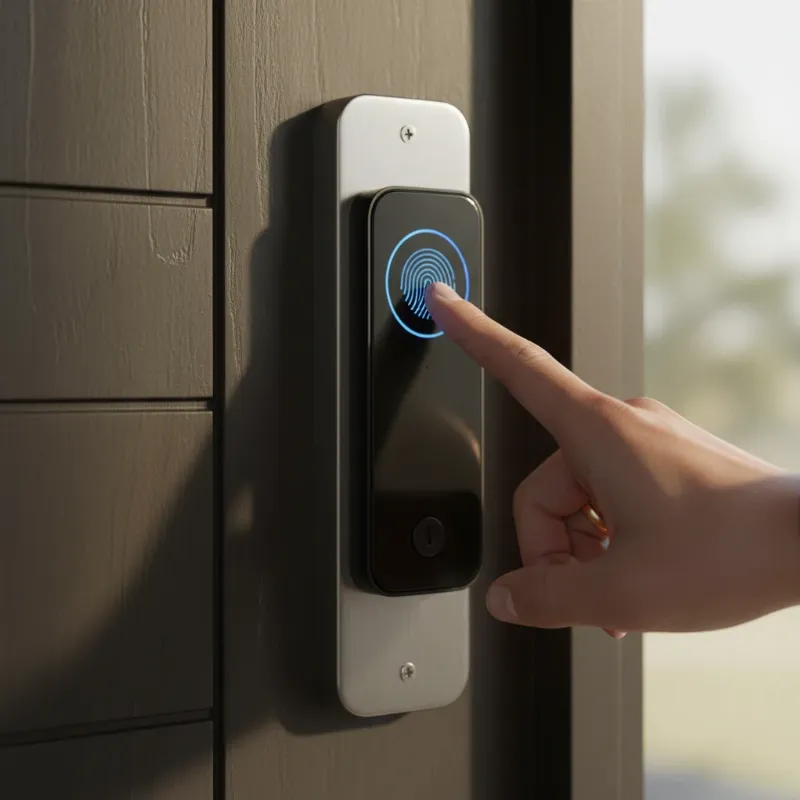 Person's finger interacting with the Wyze Lock Bolt v2 fingerprint scanner for keyless entry.
Sleek and Modern Design
Both versions feature a clean, modern aesthetic that blends seamlessly with various door styles. The matte-black finish and streamlined profile contribute to a sophisticated look. The v2’s illuminating glass touchscreen further enhances its contemporary appeal, offering a stylish upgrade that elevates the entryway of any home.
Installation and Setup: A DIY-Friendly Approach
Installing the Wyze Lock Bolt is surprisingly straightforward, designed to be a DIY project for most homeowners. If you already have a standard deadbolt, the process typically takes less than 30 minutes, even for those not particularly handy.
The lock usually comes with clear paper instructions, and the Wyze app often provides a helpful video guide. Users simply replace their existing deadbolt with the Wyze Lock Bolt, which involves attaching the exterior escutcheon to an interior mounting frame. The v2 includes a single cable connecting the interior escutcheon, which then mounts to the frame with screws. Some users noted that the screw holes on the v2’s interior escutcheon can be narrow, potentially requiring a smaller screwdriver.
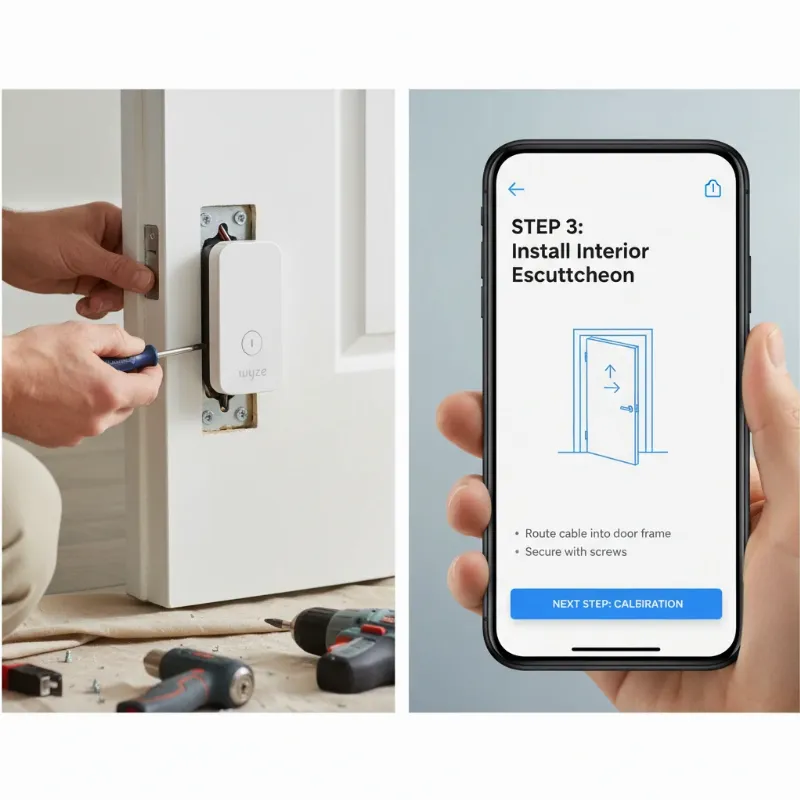 Person installing Wyze Lock Bolt interior unit while using the Wyze app on a smartphone for guidance.
Once the hardware is installed, the next step involves connecting the lock to the Wyze app. For the v1, this is done via Bluetooth. For the v2, you’ll connect via Wi-Fi. The app guides you through calibrating the lock, adding fingerprints, and setting up access codes. It even includes security features like preventing easily guessable codes. Remember to use 1.5-volt AA alkaline batteries, as specified in the instructions, for optimal performance.
Maximizing Your Wyze Lock Bolt Experience
To ensure your Wyze Lock Bolt operates flawlessly and provides optimal security, a few best practices should be followed.
Regular Maintenance
- Battery Replacement: Replace batteries regularly. For the v1, this is about every 12 months, and for the v2, around 8 months. Timely replacement prevents inconvenient lockouts.
- Cleaning: Periodically wipe down the keypad and fingerprint sensor with a soft, dry cloth to remove dust and grime, ensuring consistent performance.
- Firmware Updates: Regularly check the Wyze app for firmware updates. These updates often include performance enhancements, bug fixes, and crucial security patches that keep your lock functioning securely and efficiently.
Security Best Practices
- Strong PINs: Always use unique, strong PINs for keypad entry and avoid sharing them widely. Utilize the feature that allows adding extra digits before and after your actual code to deter prying eyes.
- Fingerprint Management: Only register fingerprints of trusted individuals. Regularly review and remove old or unauthorized fingerprints from the app.
- Temporary Codes: For visitors or service personnel, utilize the temporary or scheduled access codes, revoking them once access is no longer needed.
- App Security: Ensure your Wyze account uses a strong, unique password and consider enabling two-factor authentication for added protection.
“A smart lock is not just a gadget; it’s an intelligent guardian that brings both peace of mind and effortless control to your daily life.”
Common Questions and Troubleshooting
Even with user-friendly devices like the Wyze Lock Bolt, occasional questions or minor issues can arise. Here are some common ones and general advice for them:
- “My fingerprint isn’t consistently recognized.”
- Ensure your finger is clean and dry. Try rescanning your fingerprint in the Wyze app for improved accuracy, taking care to cover the entire sensor area. The v2’s AI-enhanced scanner is designed to improve over time, but proper initial enrollment is key.
- “The lock isn’t connecting to my phone/Wi-Fi.”
- For v1 (Bluetooth-only), ensure your phone’s Bluetooth is on and you’re within range (typically 16 feet). For v2 (Wi-Fi), verify your home Wi-Fi (2.4GHz) is stable and the lock is within range of your router. You might try restarting your router or the lock itself.
- “My lock is making loud noises.”
- The lock motor can sometimes be a bit noisy. In the v2, you can often adjust or turn off the “status and operation” volume in the Wyze app if the chimes are bothersome. Ensure the installation is correct and there are no obstructions in the deadbolt’s path.
- “What if the batteries die completely?”
- Both models include an emergency USB-C port on the exterior. You can plug in a portable power bank or a USB-C cable to temporarily power the lock and enter your code or fingerprint, gaining entry to replace the batteries. The v2 also offers a mechanical key as a backup.
Future Trends of Smart Locks with Wyze
The smart lock industry is dynamic, constantly evolving with technological advancements. Wyze is well-positioned to continue its trajectory of innovation within this space, particularly by integrating cutting-edge technologies. The Lock Bolt v2’s “AI self-learning scanner” is a prime example of how artificial intelligence is already enhancing user experience and security, making biometric authentication more reliable and responsive.
Looking ahead, we can anticipate further integration of AI for predictive security, where locks could learn patterns of activity and detect anomalies. Enhanced connectivity with other smart home devices will also likely expand, allowing for more complex and automated routines, such as lights turning on when the door unlocks. The use of blockchain technology could also emerge as a way to bolster data security and privacy for access logs. Furthermore, voice recognition and gesture control could become more common entry methods, pushing the boundaries of keyless convenience. Wyze’s commitment to affordability suggests these advancements will continue to be packaged in accessible products, making smart lock technology ever more pervasive.
Conclusion
The Wyze Lock Bolt, in both its original and updated v2 forms, presents a compelling argument for embracing smart home security. It skillfully combines robust security features with unparalleled convenience, all while maintaining an accessible price point that makes it a true “affordable security for everyone” solution. From the effortless entry provided by its fingerprint scanner and keypad to the sophisticated remote management offered by the v2’s Wi-Fi capabilities, the Wyze Lock Bolt empowers homeowners with greater control and peace of mind over their property’s access.
Choosing the Wyze Lock Bolt means opting for a modern, efficient, and user-friendly approach to securing your home, freeing you from the archaic ritual of fumbling for keys. Its thoughtful design, ease of installation, and comprehensive feature set make it a top contender for anyone looking to upgrade their home’s entry system. Ready to experience the future of home security? Explore the full range of Wyze smart lock products today and discover how effortless and secure your home can be. What aspect of smart lock technology are you most excited to integrate into your home?
Frequently Asked Questions
Is the Wyze Lock Bolt more secure than a traditional lock?
Yes, the Wyze Lock Bolt offers enhanced security compared to traditional locks. It provides multiple keyless entry methods like fingerprint and keypad, eliminating the vulnerability of lost or stolen physical keys. Additionally, features such as auto-lock and activity logs contribute to a more secure home environment, giving you more control and awareness over access.
Does the Wyze Lock Bolt have Wi-Fi connectivity?
The original Wyze Lock Bolt (v1) connects via Bluetooth only. However, the newer Wyze Lock Bolt v2 features integrated Wi-Fi (2.4GHz), allowing for full remote access, monitoring, and integration with smart home ecosystems like Amazon Alexa and Google Home. This distinction is crucial when choosing a model.
How long do the batteries typically last in the Wyze Lock Bolt?
Battery life varies between the models. The original Wyze Lock Bolt (v1), which is Bluetooth-only, can last up to 12 months on four AA batteries. The Wyze Lock Bolt v2, with its integrated Wi-Fi and more powerful features, typically offers about 8 months of battery life on eight AA batteries.
Is the Wyze Lock Bolt easy to install for a DIY enthusiast?
Yes, the Wyze Lock Bolt is designed for easy, DIY installation. If you have an existing deadbolt, the process usually takes less than 30 minutes. The Wyze app provides step-by-step guidance, including video tutorials, making the installation straightforward even for individuals with minimal handy-person experience.