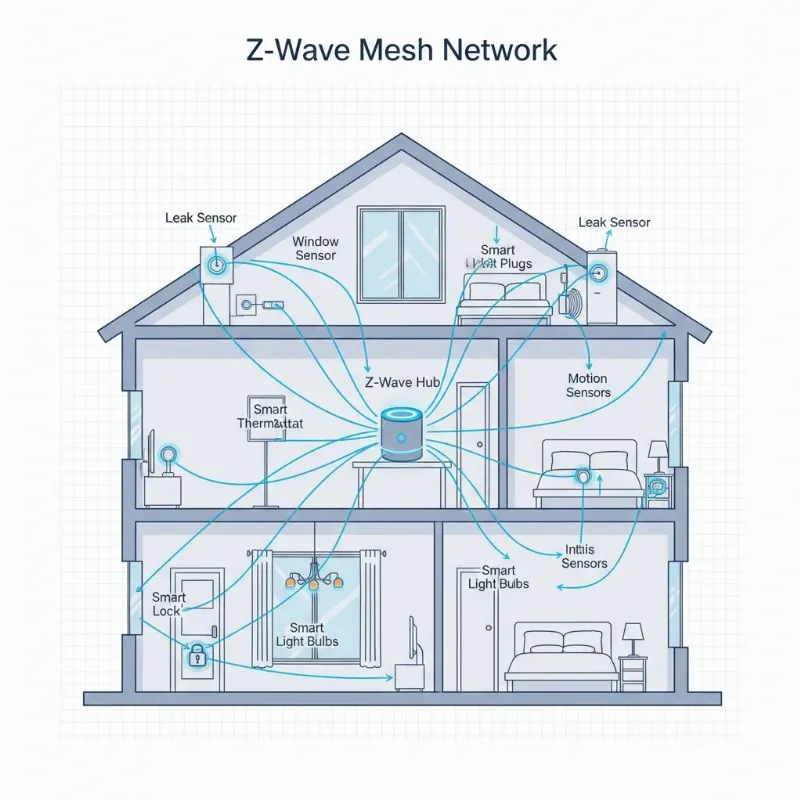
Smart locks have transformed how we secure our homes, offering unparalleled convenience and advanced features that make traditional keys seem like relics of the past. Imagine effortlessly unlocking your door with a fingerprint, a simple code, or even your voice. It’s a world of seamless access and enhanced security. However, with all this technology comes a common concern: what happens if the smart lock batteries die, leaving you unexpectedly locked out of your home? Don’t let this worry dim the appeal of smart home security. This comprehensive guide will equip you with the knowledge and solutions to handle a dead smart lock battery, ensuring you always have a way in and can enjoy the full benefits of your smart lock system.
Understanding Smart Locks and Their Power
At its core, a smart lock is an electronic-mechanical lock designed to perform locking and unlocking operations on a door when it receives authenticated instructions from an authorized device using a wireless protocol and cryptographic key. Unlike traditional locks, smart locks integrate into your smart home ecosystem, offering features like remote control, access logs, and temporary access codes. Most residential smart locks are battery-powered, typically using AA or AAA alkaline batteries, while some models feature rechargeable lithium-ion packs. The battery life usually ranges from 6 to 12 months, depending on usage frequency, environmental conditions, and the lock’s specific features.
Advantages of Smart Locks
The appeal of smart locks extends far beyond mere convenience. They offer a significant upgrade in security and lifestyle benefits. Users enjoy the unparalleled ease of keyless entry, eliminating the frustration of lost keys and bulky keychains. Many models allow for remote access management, letting you grant entry to guests or service providers from anywhere in the world. Enhanced security features include encrypted communication, tamper alerts, and detailed activity logs, providing peace of mind. Moreover, their sleek and modern designs can complement any home aesthetic, and integration with smart home systems enables advanced automations, such as lights turning on when you unlock the door.
Common Smart Lock Types on the Market
The smart lock market is diverse, offering various technologies to suit different needs and preferences. Each type brings its own set of advantages in terms of convenience and security, although the fundamental principles of power management and backup access remain critical for all.
- Fingerprint Locks: These locks use biometric technology to grant access, allowing you to unlock the door with a simple touch. They are highly convenient, as you never need to carry a key or remember a code.
- Smart Card Locks: Often seen in offices and hotels, these locks use RFID or NFC cards for entry. A quick tap of the card against the lock grants access, making them efficient for managing multiple users.
- Keypad Locks: Requiring a numerical code, keypad locks are popular for their simplicity and the ability to set multiple user codes. They are a reliable keyless option, often featuring illuminated keypads for night use.
- Facial Recognition Locks: Representing the cutting edge of biometric security, these locks use advanced cameras to scan and verify faces for access. They offer a hands-free and highly secure entry method.
- Remote Controlled Locks (Bluetooth, Wi-Fi): These locks can be controlled via a smartphone app. Bluetooth models require proximity, while Wi-Fi enabled locks allow for remote operation from anywhere with an internet connection, often integrating seamlessly with broader smart home systems.
Comparison of Popular Smart Lock Features
Understanding the different characteristics of smart locks can help you choose the best fit for your home, balancing security, convenience, and cost. While battery life is a common consideration across many types, specific features may influence overall satisfaction.
| Feature | Fingerprint Lock | Smart Card Lock | Keypad Lock | Facial Recognition Lock | Remote Controlled Lock |
|---|---|---|---|---|---|
| Security Level | High | Medium | Medium | Very High | High |
| Convenience | High | Medium | High | High | High |
| Cost | Medium | Low | Low | High | Medium |
| Best Suited For | Homes, Offices | Offices, Hotels | Homes, Offices | High-End Homes, Apartments | Homes, Rental Properties |
What Happens When Your Smart Lock Batteries Die?
It’s a scenario no one wants: you approach your door, key in your code or present your fingerprint, and nothing happens. A dead smart lock battery typically means the electronic functions—keypad, fingerprint reader, remote connectivity—cease to operate. While this can be frustrating, smart lock manufacturers anticipate this situation and build in various backup mechanisms to prevent you from being permanently locked out. Most locks will provide warnings long before they completely die, but if those are missed, backup methods are your best friend.
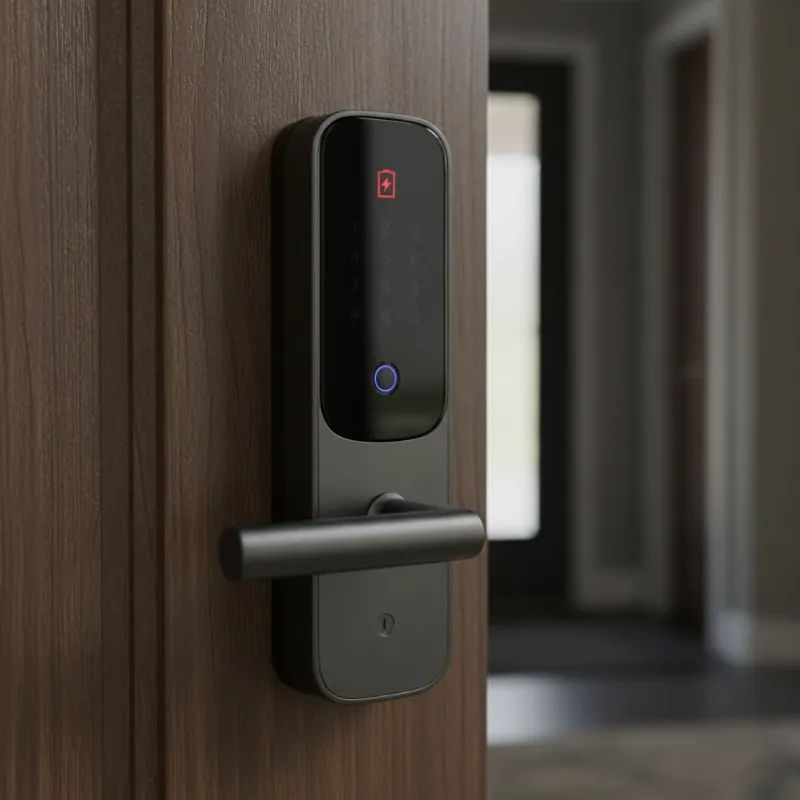 An image of a smart lock on a door with a red, flashing low-battery indicator, indicating a dead smart lock battery.
How to Know Your Smart Lock Battery is Low
Before a complete battery failure, most smart locks are designed to give you ample warning. Paying attention to these signals is your first line of defense against being locked out. Common indicators include:
- Audible Alerts: Many locks emit a distinctive series of beeps when the battery level is low.
- Visual Cues: LED indicators on the lock might change color (e.g., from green to red or amber) or flash repeatedly.
- Smartphone Notifications: If your smart lock is connected to a mobile app, you’ll likely receive push notifications or alerts indicating a low battery status.
- Slow or Delayed Response: You might notice the lock taking longer to respond to commands or the motor sounding sluggish when locking or unlocking.
These warnings are crucial. Heed them promptly by replacing or recharging your batteries to avoid an inconvenient lockout.
Immediate Solutions for a Dead Smart Lock Battery
Finding yourself locked out due to a dead smart lock battery can be stressful, but there are several common solutions to regain access. Knowing these methods in advance can turn a panic-inducing situation into a minor inconvenience.
Mechanical Key Bypass
|
Our Picks for the Best smart locks in 2026
As an Amazon Associate I earn from qualifying purchases.
|
||
| Num | Product | Action |
|---|---|---|
| 1 | ULTRALOQ U-Bolt Pro WiFi Smart Lock with Door Sensor, 8-in-1 Keyless Entry Door Lock with Fingerprint ID, App Remote Control, Built-in WiFi Keypad Deadbolt, Auto Unlock, IP65 Waterproof, Easy Install |

|
| 2 | Schlage Encode Smart WiFi Deadbolt Lock for Front Door - Keyless Entry with App or Touchscreen - Works with Alexa, Hey Google, & Airbnb - Create Codes for Guests - Matte Black |
|
| 3 | Yale Security Assure Lock 2 Deadbolt, Black Suede Keyed Smart Entry Door Lock with Wi-Fi Connected Keypad for Code Entry and Remote Access, YRD410-WF1-BSP |
|
| 4 | TEEHO TE001 Keyless Entry Door Lock with Keypad - Smart Deadbolt Lock for Front Door with 2 Keys - Auto Lock - Easy Installation - Matte Black |
|
| 5 | Wyze Palm Lock, Smart Door Lock with Palm Vein Recognition, Keyless Entry Smart Locks for Front Door, Keypad, Auto Lock, Dual Battery, Wi-Fi, Works with Alexa & Google, BHMA, IP53, Mechanical Key |
|
| 6 | Tapo Smart Wi-Fi Deadbolt Door Lock – Keyless Tactile Buttons, Customized Access with in-App Monitoring, Auto-Lock, IP54 Weatherproof, BHMA Grade 3, Compatible with Standard Door Sizes, Tapo DL100 |
|
| 7 | Wyze Auto-Lock Bolt v2, Fingerprint Keyless Entry Smart Lock, AI Learning Scanner with Wi-Fi Front Door Lock Deadbolt, Auto-Lock, 8 Months Battery, BHMA2, IP53, Anti-Peep Keypad, Backup Keys |
|
| 8 | Smart Door Lock with Camera Fingerprint Keyless Entry Door Lock Electronic Deadbolt with Keypad Code, App Remote Control, Auto Unlock for Front Door |
|
| 9 | Schlage Encode Smart WiFi Deadbolt Lock for Front Door - Keyless Entry with App or Touchscreen - Works with Alexa, Hey Google, & Airbnb - Create Codes for Guests - Satin Nickel Silver |
|
| 10 | Smart Door Handle Lock with Keypad: Yamiry Fingerprint Smart Knob - Keyless Entry Digital Lock for Front Door - Deadbolt with APP - Generate Passcode Remotely - DIY Installation |
|
The most straightforward backup method for many smart locks is a traditional physical key. Many smart locks, including popular models, incorporate a hidden keyhole, often concealed under a subtle cover or panel. Locate this key slot, insert your backup key, and turn it just as you would with a conventional lock. This mechanical override allows you to bypass the electronic system entirely.
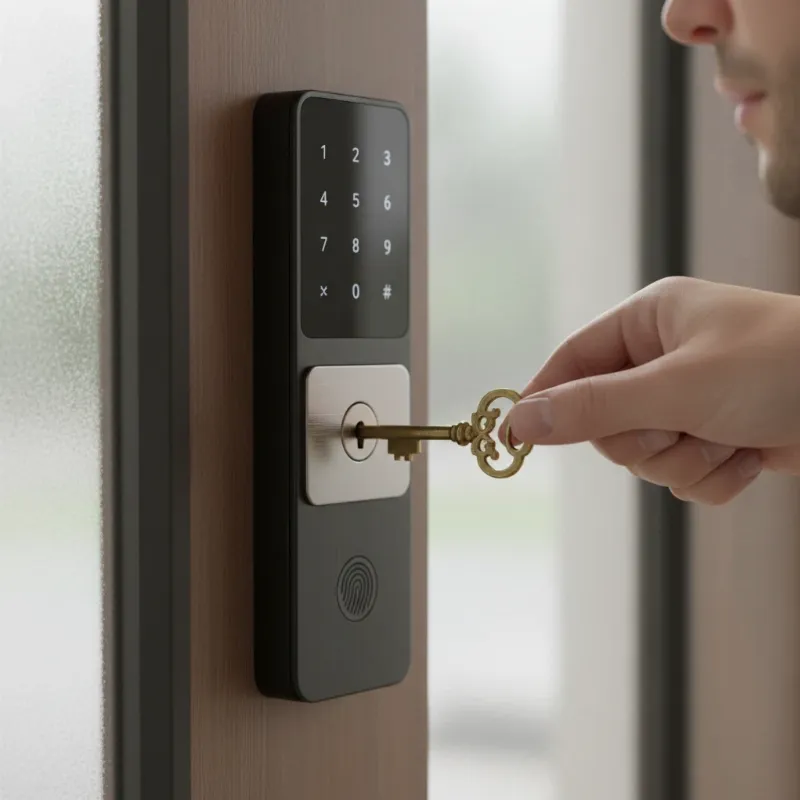 A hand using a physical key to unlock a smart lock, demonstrating a common method to open a smart lock when batteries die.
Pro Tip: Always keep a spare physical key in a secure, accessible location outside your home, such as with a trusted neighbor or in a secure lockbox. Avoid keeping it under a doormat!
Emergency Power Options
When a physical key isn’t an option or is unavailable, many smart locks offer emergency power solutions. These methods provide a temporary power boost, allowing the electronic system to function just long enough for you to enter your code or use your app.
9V Battery Jump-Start
Some smart locks feature external contact points, usually two small metal terminals located at the bottom of the lock’s exterior keypad. You can “jump-start” the lock by holding a standard 9V battery against these terminals. This temporary power supply will activate the keypad, allowing you to enter your access code and unlock the door.
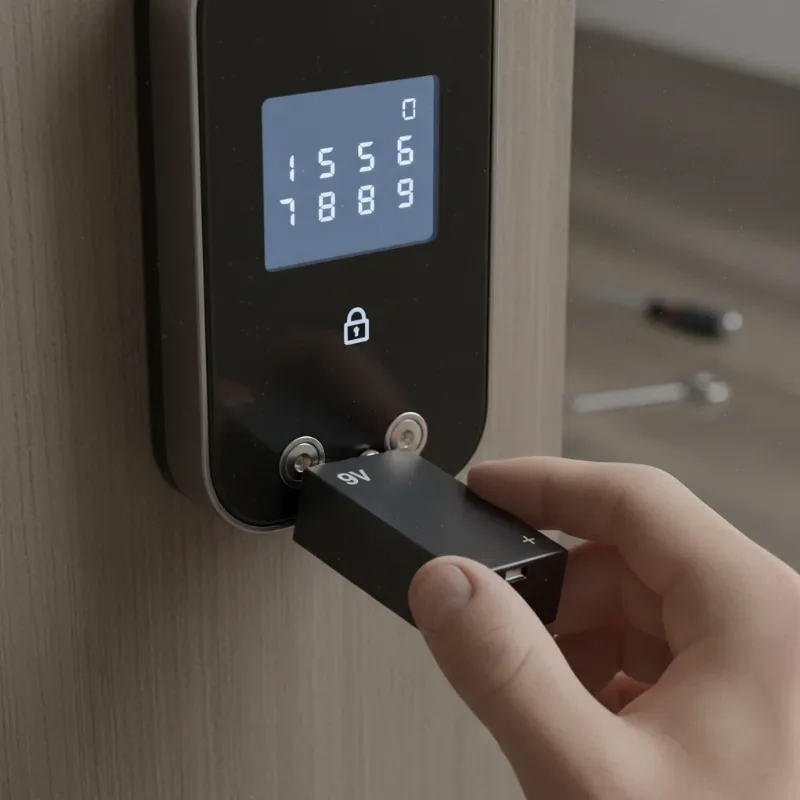 A 9V battery being used to jump-start a smart lock with external terminals, showing a method for emergency power.
Pro Tip: Keep a 9V battery in your car, purse, or an easily accessible emergency kit outside your home.
USB Power Bank
A growing number of smart locks come equipped with a micro-USB or USB-C port for emergency power. If your lock has one, you can connect a portable power bank (the kind you use for charging your smartphone) to the port. This will provide enough temporary power to operate the lock, allowing you to use your code or app to gain entry.
Pro Tip: A compact power bank with both micro-USB and USB-C cables is a versatile addition to your emergency preparedness kit.
Mobile App or Wi-Fi Unlock (If Supported)
For smart locks connected to a Wi-Fi network and a smart home hub, remote unlocking via your mobile app might still be possible if the lock maintains a minimal network connection even with low battery. Some systems allow a trusted family member or friend to unlock the door remotely if you’ve shared access. This method is less common for fully dead batteries but worth attempting if your lock model supports it.
Replacing Batteries from the Outside
In some unique designs, the battery compartment might be accessible from the outside of the lock. If this is the case for your model, you can replace the dead batteries with fresh ones to restore full functionality. Consult your lock’s manual to determine if this is an option.
When All Else Fails: Contact a Professional
If none of the above methods work, or you’re unsure how to proceed, the safest and most reliable next step is to contact the smart lock’s manufacturer for technical support or call a professional locksmith. They have specialized tools and expertise to open the lock without causing damage.
Preventing Smart Lock Lockouts: Proactive Measures
The best way to deal with a dead smart lock battery is to prevent it from happening in the first place. A few proactive habits can ensure your smart lock remains reliable and you never experience an unexpected lockout.
- Regular Battery Monitoring: Most smart lock apps display current battery levels. Make it a routine to check the battery status monthly. If your lock doesn’t have an app, pay attention to the LED indicators or audible warnings.
- Set Up Battery Replacement Reminders: Don’t wait for a low-battery alert. Replace your smart lock batteries every 6-12 months, even if they seem fine. You can sync this with regular events like daylight saving time changes to make it easy to remember.
- Use High-Quality Batteries: Invest in brand-name alkaline or lithium batteries. These often offer longer life and more consistent performance compared to generic alternatives. Avoid mixing old and new batteries, as this can lead to uneven discharge.
- Keep Emergency Backups Accessible: Always have your physical backup key stored securely outside your home. Additionally, keep a 9V battery or a charged portable power bank handy in your car or a designated emergency spot.
- Maintain Battery Contacts: Periodically clean the battery terminals inside the lock’s compartment to remove any dust or corrosion, which can hinder connectivity and efficiency.
- Adjust Energy Settings: Some smart locks allow you to adjust settings that impact battery life, such as auto-lock delays or notification frequency. Optimize these settings to balance convenience with power conservation.
- Avoid Environmental Extremes: Extreme temperatures can affect battery performance. If your lock is exposed to very hot or cold conditions, batteries might drain faster.
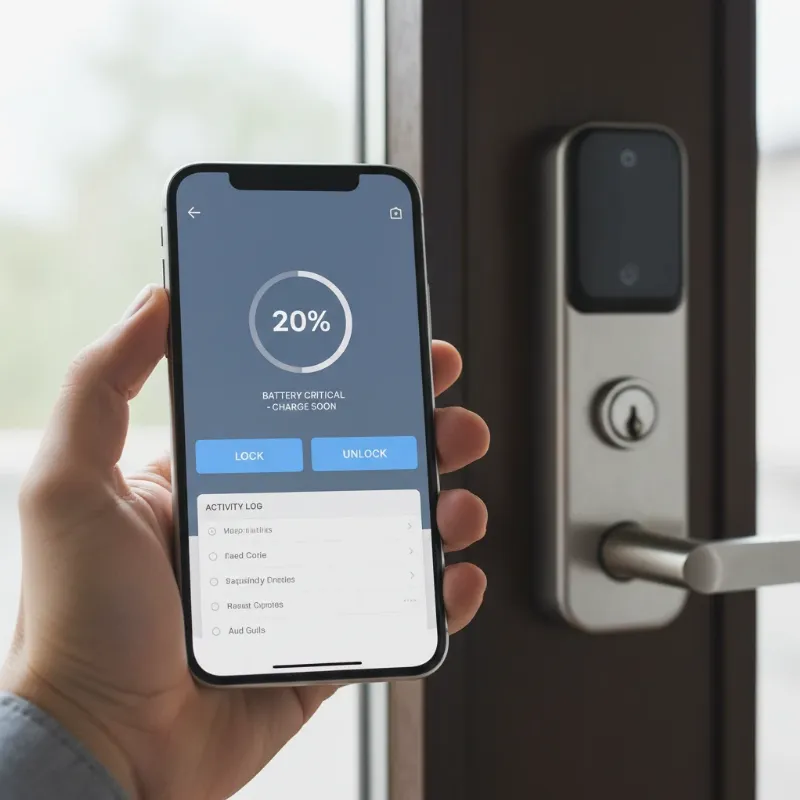 A person checking a smart lock's battery level on a smartphone app, illustrating proactive battery monitoring to prevent lockouts.
Essential Maintenance and Troubleshooting for Smart Locks
Beyond battery management, general maintenance and awareness of common issues can further enhance your smart lock experience and prevent inconvenient malfunctions.
- Regular Cleaning: Keep the keypad, fingerprint sensor, and surrounding areas clean. Dust, dirt, and grime can interfere with functionality, especially on touch-sensitive surfaces.
- Software Updates: Ensure your smart lock’s firmware and companion app are always up to date. Manufacturers often release updates that improve security, add features, and optimize battery performance.
- Troubleshooting Common Issues:
- Lock Not Responding: After checking batteries, try restarting the lock (if your model has a reset button or procedure).
- Fingerprint/Card Not Recognized: Clean the sensor or card, re-register fingerprints/cards, or check for physical damage.
- Lock Jamming: Ensure the door frame and strike plate are properly aligned. Misalignment can put stress on the lock mechanism.
- Hacking Concerns: While rare, using strong, unique passcodes, multi-factor authentication, and ensuring your home Wi-Fi is secure are crucial steps.
- Consult Your Manual: Your smart lock’s user manual is an invaluable resource for specific troubleshooting steps, battery replacement instructions, and maintenance tips unique to your model.
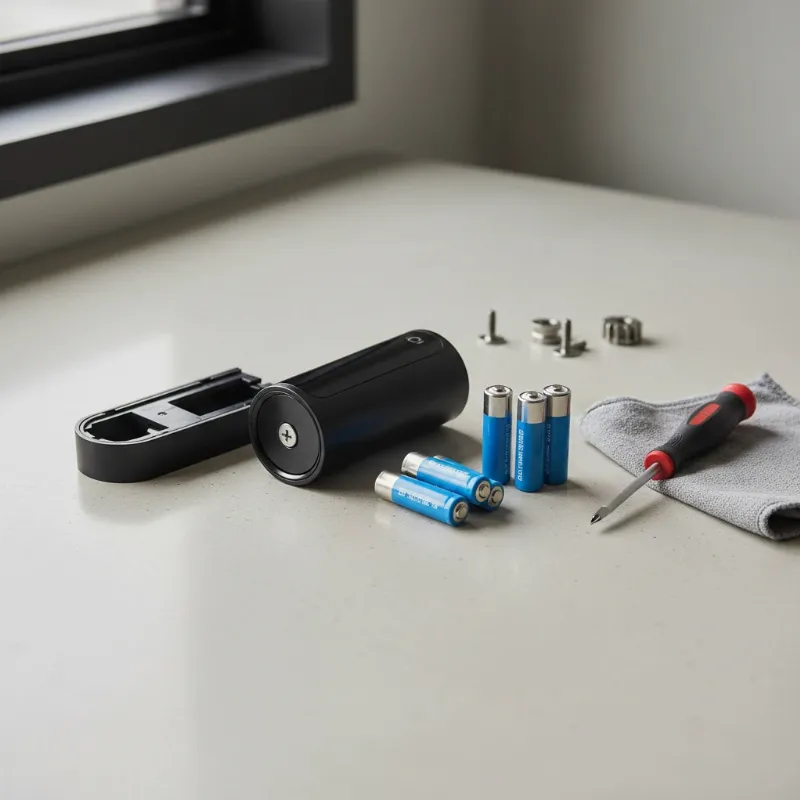 Tools for smart lock maintenance, such as a screwdriver and spare batteries, emphasizing proper care.
Future Trends in Smart Lock Technology
The smart lock landscape is continuously evolving, promising even more sophisticated features and enhanced reliability. We can expect to see deeper integration with artificial intelligence, leading to more personalized and adaptive security responses. Imagine locks that learn your routines and can identify unusual activity with greater accuracy. Connectivity with other smart home devices will become even more seamless, creating truly integrated security ecosystems where your lock, lights, and cameras work in perfect harmony. Furthermore, advanced security protocols, potentially leveraging blockchain technology, could make smart locks even more tamper-proof and resistant to digital threats. Innovations like voice recognition and gesture-based unlocking are also on the horizon, promising a future where access is not only secure but also incredibly intuitive.
“A smart lock is not merely a device; it is a comprehensive security solution that empowers you to control and monitor your home’s access with unprecedented ease.”
Conclusion
The fear of a dead smart lock battery can be daunting, but with the right knowledge and preparedness, it’s an easily manageable situation. Smart locks are engineered with multiple fail-safes—from mechanical key overrides to emergency power jump-starts—ensuring you’re never truly locked out. By understanding these backup options, paying attention to low-battery warnings, and adopting proactive maintenance habits, you can fully embrace the convenience and enhanced security that smart locks offer without apprehension.
Embrace the future of home security. Equip yourself with the knowledge to handle any situation, and let your smart lock provide the peace of mind it was designed for. Ready to explore the perfect smart lock solution for your home?
Frequently Asked Questions
Are smart locks safer than traditional locks?
Yes, smart locks generally offer enhanced security features compared to traditional locks. They often include encryption, tamper alarms, and activity logs that provide a clear record of who entered and when. While traditional locks can be picked, smart locks add layers of digital security and convenience, alongside physical robustness.
How long do smart lock batteries typically last?
Most smart lock batteries last between 6 to 12 months, though this can vary depending on the lock model, battery type (alkaline vs. lithium), brand, and frequency of use. High-traffic doors or locks with many active features (like Wi-Fi connectivity) may require more frequent battery changes.
Can I use rechargeable batteries in my smart lock?
While some smart locks are designed for rechargeable battery packs, using standard rechargeable AA/AAA batteries in models meant for alkaline batteries is generally not recommended unless explicitly stated by the manufacturer. Rechargeable batteries often have a lower voltage (1.2V vs. 1.5V for alkaline) which can affect lock performance and lifespan.
What should I do if my smart lock’s manual override key is also lost?
If your smart lock’s battery dies and you’ve also lost your physical backup key, your best course of action is to contact the lock’s manufacturer for guidance or call a certified locksmith. A locksmith has the tools and expertise to gain entry without damaging your door or the lock, and they can often rekey or replace the lock as needed.