Losing a key can trigger a cascade of anxiety, but when it’s the backup physical key to your smart lock, the concern is often amplified. Smart locks offer unparalleled convenience and advanced security features, yet the physical key remains a crucial failsafe for situations like battery failure or technical glitches. Understanding how to react swiftly and effectively after misplacing this vital key is essential to maintaining your home’s security and your peace of mind. This comprehensive guide will walk you through immediate actions, security considerations, replacement options, and preventative measures to ensure you’re always prepared.
Understanding Your Smart Lock’s Backup Key
Smart locks have revolutionized home access, offering keyless entry via codes, fingerprints, or smartphone apps. However, almost every smart lock includes a traditional keyway and a backup physical key. This isn’t an oversight; it’s a critical design choice to ensure access in scenarios where electronic components might fail. Imagine a power outage, a dead battery in your lock, or a smartphone malfunction—your physical key is the ultimate safety net. It’s the silent guardian ensuring you’re never truly locked out, regardless of technological hiccups. Therefore, its disappearance isn’t just a minor inconvenience; it’s a potential vulnerability that needs immediate attention.
Immediate Steps When Your Backup Key Goes Missing
The moment you realize your backup physical key is gone, a calm, systematic approach is your best defense. Panic can lead to overlooked solutions or hasty decisions.
Start by meticulously retracing your steps. Think about where you last used the key, places you’ve visited, and common spots like pockets, bags, or car interiors. Sometimes, it’s simply misplaced within your immediate surroundings. If your initial search yields no results, don’t immediately assume the worst.
Next, leverage your smart lock’s primary features. Can you still access your home using the keypad code, fingerprint scanner, or your smartphone app? If so, your immediate entry problem is solved, which buys you valuable time to address the lost physical key. However, if your smart lock is completely unresponsive due to a power issue, or if the backup key was your only remaining option, then securing an alternative entry becomes paramount. Check for any unlocked windows or less-used doors as a last resort, but prioritize professional help over risky self-entry methods.
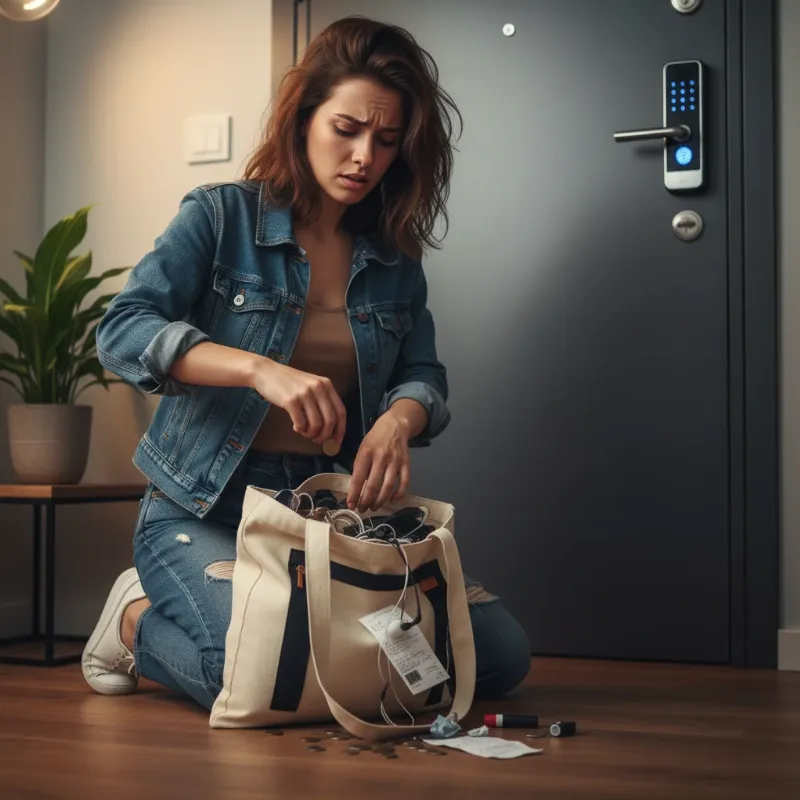 A worried person searching for a lost smart lock backup physical key, near a modern smart lock door
Assessing the Security Risks
Losing your backup physical key is more than just an inconvenience; it presents tangible security risks to your home. The level of threat depends on several factors, primarily where the key was lost and what information was associated with it.
If your lost key had any identifying information, such as your address or a keyring with a name tag, the risk escalates significantly. A malicious individual finding such a key could potentially trace it directly to your home, turning a simple loss into a direct security breach. Even without explicit identifiers, if the key was lost in an area local to your residence, the danger remains. While it’s statistically less common for burglars to use lost keys compared to other methods, the possibility still exists, and the psychological impact of knowing an unaccounted key is out there can be substantial. You may experience a lingering sense of unease, impacting your family’s feeling of safety and privacy within your own home. It is crucial to evaluate these risks honestly and act decisively to restore your peace of mind and protect your property.
Regaining Access and Replacing Your Lost Key
Once you’ve assessed the situation and secured immediate entry (if necessary), the next critical step is to regain long-term access and neutralize any security threats posed by the lost key. This often involves professional assistance.
Contacting a Locksmith
A qualified locksmith is your best resource when dealing with a lost physical key. They can provide a range of services depending on your smart lock type and your comfort level with security risks.
- Unlocking Services: If you’re locked out and other smart lock functions are unavailable, a locksmith can gain entry without damaging your door or lock.
- Rekeying: This is often a more cost-effective option than full replacement. Rekeying involves changing the internal pins of your existing lock cylinder so that it works with a new key, rendering the old, lost key useless. This is suitable if your current lock is still in good condition.
- Full Lock Replacement: In cases where the lock is old, damaged, or if you desire a significant security upgrade (e.g., to a more advanced smart lock model), replacing the entire lock might be the better choice. A locksmith can guide you through compatible options and ensure proper installation.
|
Our Picks for the Best smart locks in 2026
As an Amazon Associate I earn from qualifying purchases.
|
||
| Num | Product | Action |
|---|---|---|
| 1 | Schlage Encode Smart WiFi Deadbolt Lock for Front Door - Keyless Entry with App or Touchscreen - Works with Alexa, Hey Google, & Airbnb - Create Codes for Guests - Matte Black |

|
| 2 | Yale Security Assure Lock 2 Deadbolt, Black Suede Keyed Smart Entry Door Lock with Wi-Fi Connected Keypad for Code Entry and Remote Access, YRD410-WF1-BSP |
|
| 3 | Wyze Palm Lock, Smart Door Lock with Palm Vein Recognition, Keyless Entry Smart Locks for Front Door, Keypad, Auto Lock, Dual Battery, Wi-Fi, Works with Alexa & Google, BHMA, IP53, Mechanical Key |
|
| 4 | TEEHO TE001 Keyless Entry Door Lock with Keypad - Smart Deadbolt Lock for Front Door with 2 Keys - Auto Lock - Easy Installation - Matte Black |
|
| 5 | Schlage Encode Smart WiFi Deadbolt Lock for Front Door - Keyless Entry with App or Touchscreen - Works with Alexa, Hey Google, & Airbnb - Create Codes for Guests - Satin Nickel Silver |
|
| 6 | ULTRALOQ U-Bolt Pro WiFi Smart Lock with Door Sensor, 8-in-1 Keyless Entry Door Lock with Fingerprint ID, App Remote Control, Built-in WiFi Keypad Deadbolt, Auto Unlock, IP65 Waterproof, Easy Install |
|
| 7 | Smart Door Handle Lock with Keypad: Yamiry Fingerprint Smart Knob - Keyless Entry Digital Lock for Front Door - Deadbolt with APP - Generate Passcode Remotely - DIY Installation |
|
| 8 | Tapo Smart Wi-Fi Deadbolt Door Lock – Keyless Tactile Buttons, Customized Access with in-App Monitoring, Auto-Lock, IP54 Weatherproof, BHMA Grade 3, Compatible with Standard Door Sizes, Tapo DL100 |
|
| 9 | Smart Door Lock with Camera Fingerprint Keyless Entry Door Lock Electronic Deadbolt with Keypad Code, App Remote Control, Auto Unlock for Front Door |
|
| 10 | Wyze Auto-Lock Bolt v2, Fingerprint Keyless Entry Smart Lock, AI Learning Scanner with Wi-Fi Front Door Lock Deadbolt, Auto-Lock, 8 Months Battery, BHMA2, IP53, Anti-Peep Keypad, Backup Keys |
|
Rekeying Your Smart Lock
Many smart locks, particularly those from brands like Kwikset with “SmartKey Security” technology, offer a convenient DIY rekeying feature. If you still possess an existing functioning key (even if it’s not the lost one), you might be able to rekey the lock yourself using a special SmartKey tool and a new key blank. The process typically involves inserting the existing key, rotating it, inserting the tool, removing the old key, and then inserting and rotating the new key. However, if you’ve lost all keys, a locksmith will be needed to rekey the lock, as they have the tools and expertise to manipulate the cylinder without an existing key. This process effectively makes the lost key obsolete, restoring your home’s security.
 A professional locksmith rekeying a smart lock cylinder, showing tools and the intricate mechanism
Replacing the Entire Lock
While rekeying is often sufficient, there are instances where replacing the entire smart lock is advisable. This includes situations where the lock itself is old, has been compromised beyond simple rekeying, or if you’re taking the opportunity to upgrade to a smart lock with enhanced features and security protocols. For instance, if you’re moving from a basic smart lock to one with advanced biometric recognition or stronger encryption, a full replacement would be logical. The cost for replacement is generally higher than rekeying, ranging from $50 to $200 or more, depending on the lock’s complexity and brand. Always weigh the cost against the peace of mind and improved security a new lock can offer.
Preventing Future Key Loss and Enhancing Security
Prevention is always better than cure, especially when it comes to home security. Adopting proactive habits and leveraging smart home technology can significantly reduce the chances of losing your backup physical key again.
- Smart Key Trackers: Devices like Tile or Apple AirTag can be attached to your keys, allowing you to locate them using a smartphone app. These trackers provide real-time location data and can even emit an audible chime, making misplaced keys easy to find.
- Designated Key Storage: Establish a consistent, dedicated spot for your keys immediately upon entering your home. A key hook by the door, a decorative bowl on an entry table, or a specific drawer can help build a habit that prevents casual misplacement.
- Trusted Spare Key Holders: Entrust a spare key to a close, trusted friend, family member, or neighbor. This provides an emergency access point without compromising security, as opposed to hiding a key in an obvious outdoor spot.
- Avoid Identifying Information: Never attach your name, address, or any other identifying details to your keychains. If your keys are lost and found by someone with ill intent, this information could guide them directly to your home.
- Regularly Review Smart Lock Settings: For your smart lock’s digital access methods, regularly change passcodes and review authorized users. This practice ensures that even if a physical key is lost, your primary digital entry points remain secure.
- Consider Keyless Primary Systems: If you frequently rely on your smart lock’s digital features, consider minimizing the use of the physical key in daily operation. This reduces the chances of it being lost during your regular routine.
“A lost key is not just a lost object; it’s a gap in your home’s armor. Proactive security measures, from smart key tracking to strategic rekeying, are your best defense against potential vulnerabilities.” – Dr. Evelyn Reed, Cybersecurity & Home Security Analyst
Conclusion
Losing your smart lock’s backup physical key can undoubtedly be a stressful ordeal, but it doesn’t have to lead to a security crisis. By understanding the immediate steps to take—from thorough searching and utilizing smart lock features to consulting with professional locksmiths—you can quickly regain control and restore your home’s security. Options like rekeying or full lock replacement provide effective solutions to neutralize the threat posed by a lost key. More importantly, embracing preventative measures like smart trackers, designated key storage, and secure spare key practices empowers you to minimize the risk of future loss. Smart locks offer incredible convenience and robust protection; by managing their physical counterparts diligently, you ensure a truly secure and effortless home environment.
Don’t let a lost key compromise your home’s safety. Take action today to implement these strategies and secure your smart home. What proactive step will you take this week to enhance your key security?
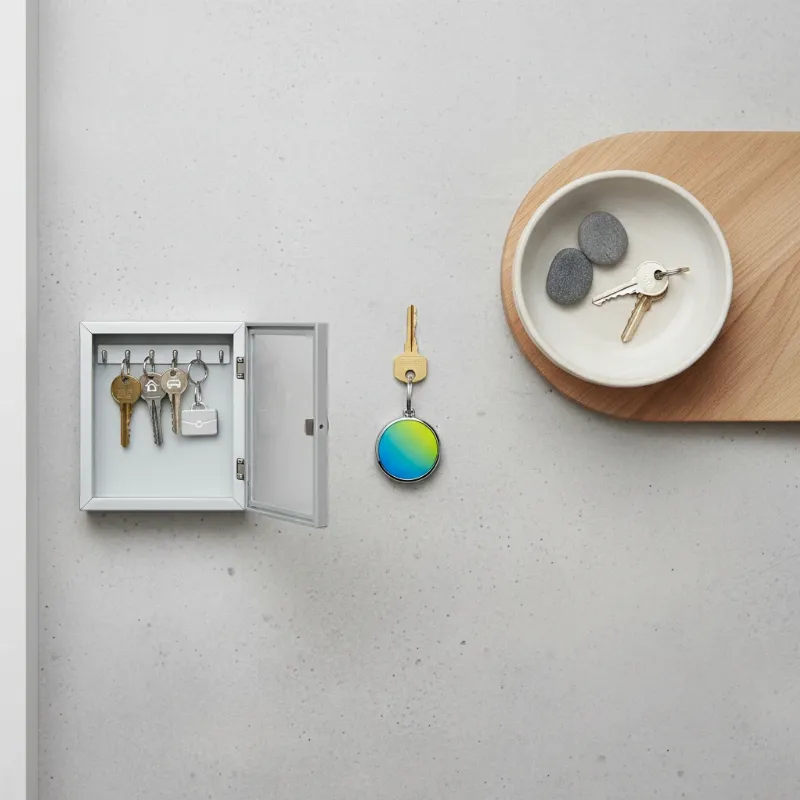 Various key management solutions including a smart key tracker, a key bowl, and a secure key cabinet
Frequently Asked Questions
Is losing a backup physical key for a smart lock a big deal?
Yes, losing a backup physical key is a significant concern. While smart locks offer digital access, the physical key serves as a crucial emergency bypass. If this key falls into the wrong hands, especially with identifying information, it can compromise your home’s security, potentially allowing unauthorized entry.
Can a locksmith rekey a smart lock without the original key?
Generally, yes. If your smart lock has a traditional cylinder, a skilled locksmith can rekey it even without the original key. They can pick the lock or disassemble the cylinder to change the internal pin configuration, making a new key work while rendering the lost key useless.
What’s the cost difference between rekeying and replacing a lock?
Rekeying a lock is typically less expensive, often ranging from $15 to $50 per lock, plus the service call fee. Replacing an entire lock is usually more costly, from $50 to $200 or more, depending on the lock’s type, brand, and installation complexity, making it a more substantial investment.