In an increasingly connected world, the idea of a “smart” device often implies constant internet access and smartphone control. However, for those seeking the convenience and enhanced security of a digital lock without the complexities or connectivity dependencies of an app, keypad smart locks offer the perfect solution. Imagine arriving home and simply tapping in a code to unlock your door, free from fumbling for keys or relying on your phone’s battery life. This article will guide you through the world of standalone keypad smart locks, highlighting their benefits, how they work, and revealing the top 5 models that deliver reliable keyless entry without ever needing a smartphone.
What Are Keypad Smart Locks (No Smartphone Needed)?
Keypad smart locks that don’t require a smartphone are electronic door locks primarily operated by a numerical keypad, designed for straightforward, physical interaction. Unlike their fully integrated “smart home” counterparts, these locks function autonomously, meaning they do not rely on Wi-Fi, Bluetooth, or any smartphone application for their core operations, programming, or daily use. They provide a digital upgrade to traditional locks, offering modern convenience without compromising on simplicity or increasing digital vulnerabilities.
They stand apart from app-controlled smart locks by prioritizing direct keypad access and local programming. This distinct focus eliminates the need for network connectivity, offering a robust and reliable security solution for users who prefer a less tech-dependent approach. Choosing these locks means embracing efficiency and a reduced learning curve, making them ideal for a wide range of homeowners, rental properties, or even side entrances where complex smart home integration isn’t desired or practical.
Why Choose a Keypad Smart Lock Without a Smartphone?
Opting for a keypad smart lock that operates independently of a smartphone brings a host of compelling advantages, combining modern convenience with traditional reliability. These locks cater to a desire for simplicity and direct control, offering a secure entry solution without the potential drawbacks of constant connectivity.
Firstly, convenience and simplicity are paramount. You gain effortless keyless entry, allowing you to discard bulky keychains and enter your home with a simple code. This is particularly beneficial for families, guests, or service providers, as multiple unique codes can be easily managed directly on the lock. There’s no need to worry about a dead phone battery or a lost internet connection interfering with your ability to unlock your door.
Secondly, these locks often provide enhanced security. Many models feature robust construction, anti-peeping code input (where extra digits can be entered before or after the actual code to confuse onlookers), and automatic re-locking mechanisms. Since they don’t rely on network communication, they inherently face fewer remote hacking vulnerabilities compared to Wi-Fi or Bluetooth-enabled devices. This focused approach on local security ensures a strong line of defense for your property.
Thirdly, reliability is a key benefit. Without dependence on a home network or internet service, these locks are less susceptible to connectivity issues, signal drops, or power outages that might affect app-controlled smart locks. Their simpler operation often translates to longer battery life, providing consistent performance and peace of mind. Moreover, the absence of extensive data logging or cloud storage through an app contributes to greater privacy, as your entry and exit data remains localized and out of the digital ether. Finally, they are often a cost-effective choice, delivering essential smart lock features without the premium price tag associated with advanced connectivity and integration.
Top 5 Keypad Smart Locks (No Smartphone Needed)
For those prioritizing straightforward keypad access and independence from smartphone apps, these five models stand out as reliable and secure choices. Each offers a unique blend of features, catering to various needs while ensuring consistent keyless entry.
1. Schlage BE365 V CAM Camelot Keypad Deadbolt
|
Our Picks for the Best smart locks in 2026
As an Amazon Associate I earn from qualifying purchases.
|
||
| Num | Product | Action |
|---|---|---|
| 1 | Smart Door Handle Lock with Keypad: Yamiry Fingerprint Smart Knob - Keyless Entry Digital Lock for Front Door - Deadbolt with APP - Generate Passcode Remotely - DIY Installation |

|
| 2 | TEEHO TE001 Keyless Entry Door Lock with Keypad - Smart Deadbolt Lock for Front Door with 2 Keys - Auto Lock - Easy Installation - Matte Black |
|
| 3 | Smart Door Lock with Camera Fingerprint Keyless Entry Door Lock Electronic Deadbolt with Keypad Code, App Remote Control, Auto Unlock for Front Door |
|
| 4 | Wyze Palm Lock, Smart Door Lock with Palm Vein Recognition, Keyless Entry Smart Locks for Front Door, Keypad, Auto Lock, Dual Battery, Wi-Fi, Works with Alexa & Google, BHMA, IP53, Mechanical Key |
|
| 5 | ULTRALOQ U-Bolt Pro WiFi Smart Lock with Door Sensor, 8-in-1 Keyless Entry Door Lock with Fingerprint ID, App Remote Control, Built-in WiFi Keypad Deadbolt, Auto Unlock, IP65 Waterproof, Easy Install |
|
| 6 | Schlage Encode Smart WiFi Deadbolt Lock for Front Door - Keyless Entry with App or Touchscreen - Works with Alexa, Hey Google, & Airbnb - Create Codes for Guests - Satin Nickel Silver |
|
| 7 | Schlage Encode Smart WiFi Deadbolt Lock for Front Door - Keyless Entry with App or Touchscreen - Works with Alexa, Hey Google, & Airbnb - Create Codes for Guests - Matte Black |
|
| 8 | Tapo Smart Wi-Fi Deadbolt Door Lock – Keyless Tactile Buttons, Customized Access with in-App Monitoring, Auto-Lock, IP54 Weatherproof, BHMA Grade 3, Compatible with Standard Door Sizes, Tapo DL100 |
|
| 9 | Yale Security Assure Lock 2 Deadbolt, Black Suede Keyed Smart Entry Door Lock with Wi-Fi Connected Keypad for Code Entry and Remote Access, YRD410-WF1-BSP |
|
| 10 | Wyze Auto-Lock Bolt v2, Fingerprint Keyless Entry Smart Lock, AI Learning Scanner with Wi-Fi Front Door Lock Deadbolt, Auto-Lock, 8 Months Battery, BHMA2, IP53, Anti-Peep Keypad, Backup Keys |
|
The Schlage BE365 V CAM Camelot Keypad Deadbolt is a popular choice for homeowners seeking robust security and traditional aesthetics without any smart features. This lock is designed for pure keypad functionality, meaning it has no app, no Wi-Fi, and no Bluetooth connectivity, offering complete independence from smart home ecosystems. It supports up to 19 unique, user-defined access codes, allowing for customized entry for family members, friends, or service personnel.
This model is celebrated for its ease of installation, often requiring just a screwdriver, and its durable construction that meets ANSI Grade 2 security standards. Its timeless Camelot trim design blends seamlessly with various home styles, providing a classic look that belies its electronic capabilities. While it may not offer advanced features like remote access or activity logs, its strength lies in its reliable, no-frills security and straightforward operation, making it an excellent option for those who simply want a secure, keyless entry point.
2. Kwikset Powerbolt 250 Keypad Lock
The Kwikset Powerbolt 250 Keypad Lock offers a strong combination of convenience and enhanced security features in a standalone package. This electronic deadbolt provides keyless entry through its backlit 10-button keypad and does not require a smartphone app for daily operation or programming. It allows for the creation of up to 25 customizable user codes, making it versatile for households with multiple users or guest access needs.
A standout feature is Kwikset’s patented SmartKey Security, which protects against advanced lock-picking and bumping techniques, and also allows you to re-key the lock yourself in seconds to any KW1 key. The Powerbolt 250 includes useful functions like an adjustable auto-lock feature (from 30 seconds to 10 minutes) and a vacation mode that disables the keypad for extended periods of absence. Its robust security and user-friendly features make it a solid option for homeowners looking for a reliable, app-free keypad solution, though its matte finish might show fingerprints easily.
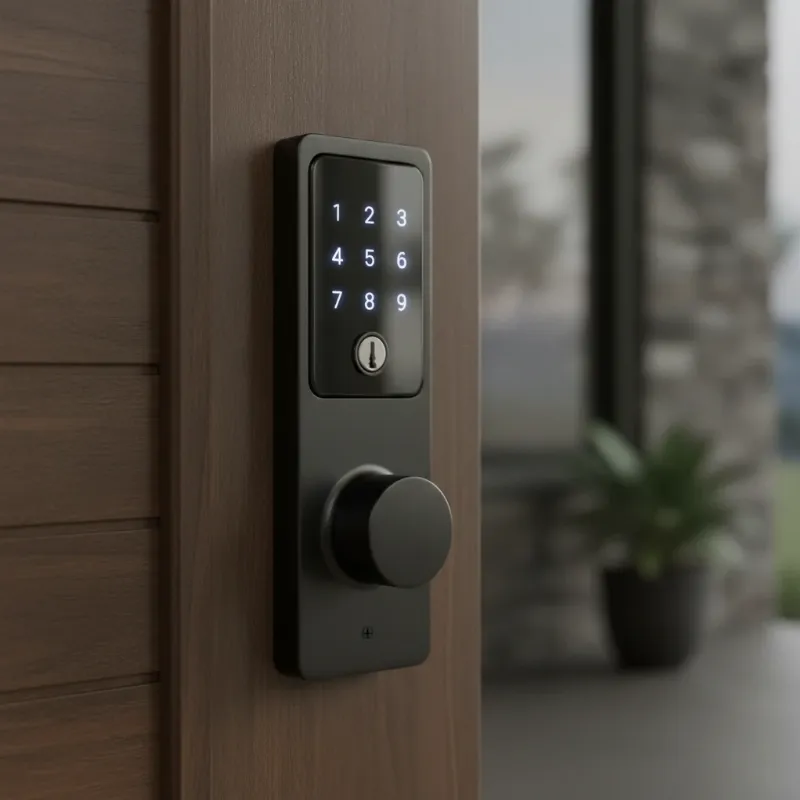 A close-up of a modern keypad smart lock integrated into a residential door, showing the illuminated numerical pad for keyless entry without a smartphone.
3. Philips Standalone Deadbolt Smart Door Lock (1000 Series)
The Philips 1000 Series Standalone Deadbolt Smart Door Lock brings an innovative twist to the “no smartphone needed” category. What makes this lock particularly unique is its ability to generate one-time PIN codes without the need for Wi-Fi or Bluetooth connectivity for the lock itself. This feature is incredibly useful for granting temporary access to guests or service providers, even if you’re not physically near the lock to program it.
While an accompanying app (Philips Home Access) can be used to generate these offline one-time codes, the lock functions entirely without network connection for daily use and basic code programming. It boasts a long battery life, often lasting up to a year on four AA batteries, and includes an auto-lock feature for added peace of mind. The Philips 1000 Series offers a sleek design with a touchscreen keypad, providing a modern aesthetic alongside its robust security and convenient offline temporary code functionality.
4. TEEHO TE001 Keypad Deadbolt
For those seeking an affordable yet functional keypad smart lock, the TEEHO TE001 Keypad Deadbolt is an excellent budget-friendly choice. This lock provides reliable keyless entry through its sturdy button keypad, completely bypassing the need for smartphone integration. It allows users to program up to 20 unique access codes, along with the option for one-time use codes, making it flexible for various household needs and guest access.
The TEEHO TE001 also includes essential security features such as an adjustable auto-lock function, ensuring your door is always secured after a set period. Its durable aluminum alloy construction and IP54 weather resistance make it suitable for outdoor use, standing up to various environmental conditions. This lock delivers straightforward functionality and practical security features without the added cost or complexity of connected smart home systems, making it a strong contender for basic, reliable keyless access.
5. Gatehouse Keypad Electronic Deadbolt Lock
The Gatehouse Keypad Electronic Deadbolt Lock offers a simple and secure solution for keyless entry without any dependence on smartphone apps or connectivity. This lock focuses on core functionality, providing an easy-to-use keypad for daily access and straightforward programming directly on the unit. Users can assign up to 6 distinct access codes, making it ideal for smaller households or situations where fewer unique entries are required.
A notable feature is its ability to create temporary, one-time entry codes, which are perfect for single-use access for deliveries or short-term guests. The keypad is LED-illuminated, ensuring visibility and ease of use even in low-light conditions. Additionally, a low battery indicator provides a timely alert when power is diminishing, preventing unexpected lockouts. The Gatehouse lock is a reliable, no-frills option for those who value simplicity, essential security, and complete independence from digital ecosystems.
Comparison Table of Keypad Smart Locks
| Feature | Schlage BE365 V CAM | Kwikset Powerbolt 250 | Philips 1000 Series | TEEHO TE001 | Gatehouse Keypad |
|---|---|---|---|---|---|
| Access Methods | Keypad, Key | Keypad, Key | Keypad, Key | Keypad, Key | Keypad, Key |
| Smartphone App | No | No (for daily use) | No (for daily use) | No | No |
| User Codes | Up to 19 | Up to 25 | Multiple | Up to 20 | Up to 6 |
| Temporary Codes | No | Yes | Yes (via app/offline) | Yes | Yes |
| Auto-Lock | Yes | Yes | Yes | Yes | Yes |
| Security Grade | ANSI Grade 2 | SmartKey Security | N/A | IP54 | N/A |
| Keypad Type | Button | Button | Touchscreen | Button | Button |
| Battery Life | ~2 years | ~1 year | ~1 year | ~1 year | ~1 year |
| Ideal For | Basic reliability | DIY re-keying | Rental properties | Budget-conscious | Simple access |
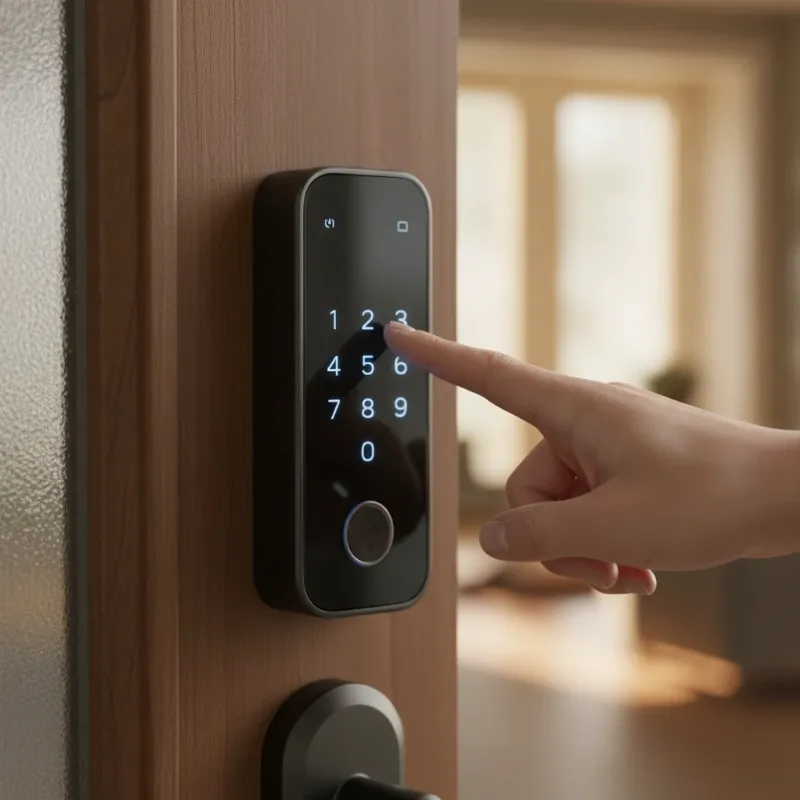 A person's hand pressing a number on a keypad smart lock, demonstrating the simple and direct keyless entry method for a door.
How to Choose the Right Keypad Smart Lock (No Smartphone Needed)
Selecting the perfect keypad smart lock involves evaluating your specific needs and priorities to ensure you get a device that offers the right blend of security, convenience, and functionality. Since you’re specifically looking for a lock that doesn’t require a smartphone, your focus will be on the physical and operational aspects of the lock itself.
First, consider security features. Look for models that adhere to ANSI (American National Standards Institute) grades, with Grade 2 or 1 offering higher resistance to forced entry. Features like anti-peeping code input, which allows you to enter random digits before or after your actual code, can prevent code theft. Always ensure there’s a reliable physical key backup in case of electronic failure or battery depletion. The number of code capacity and management options is also crucial; determine how many permanent user codes you need and whether temporary or one-time codes are a priority for guests or service providers.
Next, think about the keypad type. Do you prefer physical buttons, which can offer tactile feedback and may be easier to use with gloves, or a sleek touchscreen? Consider if backlighting is important for visibility in low-light conditions. Durability and weather resistance are vital, especially for exterior doors; look for locks with IP ratings if they will be exposed to the elements. Ease of installation and compatibility with your existing door hardware are also important factors, with many models designed for DIY installation on standard doors. Finally, prioritize battery life and a low battery indicator as these are your primary indicators of maintenance needs in a non-connected lock. A longer battery life means less frequent maintenance, and a clear warning ensures you’re never locked out unexpectedly.
Tips for Using and Maintaining Your Keypad Smart Lock
Even without smartphone connectivity, proper usage and maintenance are key to ensuring the longevity and optimal performance of your keypad smart lock. Adhering to a few simple practices can significantly enhance your security and the convenience these devices offer.
A crucial tip is to regularly change your access codes, especially master codes and those given to temporary users who no longer need access. This practice minimizes the risk of unauthorized entry over time. Secondly, keep the keypad clean from dirt, grime, and smudges, as these can wear down the buttons or reveal frequently used numbers, compromising your code’s secrecy.
Thirdly, replace batteries preventatively rather than waiting for them to fully deplete. Most keypad smart locks provide a low battery warning, often through a visual indicator or an audible alert. Heed these warnings and replace batteries promptly, typically every 6-12 months, to avoid being locked out. Always have your physical key backup readily accessible but stored securely, separate from the lock, for emergency situations. Lastly, never share your master code with anyone, and instruct users on best practices, such as clearing keypad smudges or performing anti-peeping input, to maintain the highest level of security.
Future Trends in Keypad Smart Locks (Without Connectivity)
While the “no smartphone needed” philosophy inherently limits certain “smart” integrations, the innovation in standalone keypad smart locks continues to evolve, focusing on enhancing their core strengths. Future trends in this segment are less about ubiquitous connectivity and more about refining the direct user experience, improving local security, and maximizing self-sufficiency.
We can anticipate advancements in improved battery efficiency, leading to even longer intervals between battery replacements, further solidifying their reliability. More sophisticated offline code generation methods, building on solutions like the Philips 1000 Series, could become more widespread, allowing for dynamic code management without direct network communication for the lock itself. There will also likely be a continued focus on enhanced physical security and tamper alerts, making the locks more robust against physical attacks and providing localized warnings for attempted breaches.
Furthermore, we might see the development of more durable and weather-resistant designs, broadening their application to more exposed environments like gates or sheds. The integration of biometric technology that is entirely local, such as fingerprint readers that store data on the device without cloud sync, could offer another layer of convenient, app-free access. These developments underscore a commitment to making standalone keypad smart locks even more secure, user-friendly, and self-reliant, catering to a market that values simplicity and robust local control.
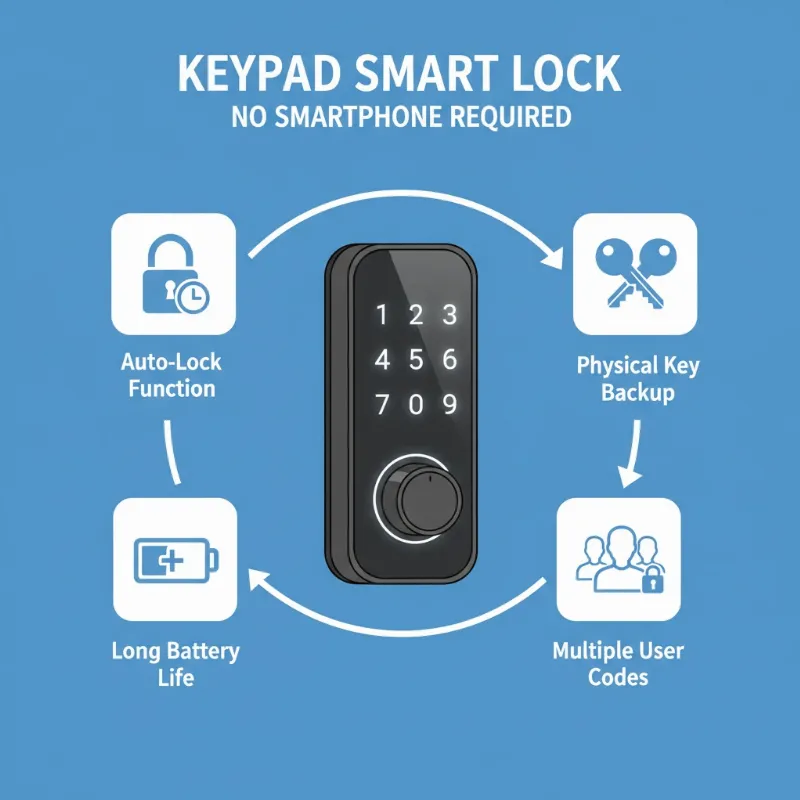 An illustrative diagram showing key features of a standalone keypad smart lock, such as auto-lock, physical key access, and long battery life.
Conclusion
Keypad smart locks that operate without the need for a smartphone offer an unparalleled blend of modern convenience, robust security, and unwavering reliability for those who prioritize simplicity. They eliminate the hassle of traditional keys and the complexities of network-dependent smart devices, providing a straightforward and highly effective keyless entry solution. By focusing on direct keypad input and local programming, these locks ensure consistent performance, enhanced privacy, and freedom from connectivity concerns.
Whether you’re looking to streamline daily access for your family, manage entry for guests, or simply upgrade your home’s security without embracing full smart home integration, there’s a standalone keypad smart lock perfect for your needs. From the durable Schlage BE365 to the innovative Philips 1000 Series, these locks empower you with control right at your fingertips. Embrace the future of secure, effortless access without ever needing your phone—discover the perfect keypad smart lock for your home today and experience the peace of mind it brings. What are you waiting for to simplify your daily entry?
Frequently Asked Questions
Are keypad smart locks without a smartphone secure?
Yes, keypad smart locks that don’t rely on smartphones offer robust security. They often feature high ANSI security ratings, multiple user codes, anti-peeping technology, and automatic locking mechanisms. Crucially, by operating offline, they circumvent the potential cybersecurity vulnerabilities associated with internet-connected devices, focusing security on the physical lock and access codes.
How do I change codes on a keypad lock without an app?
Changing codes on a keypad lock without an app is typically done directly on the lock’s keypad using a specific master code or programming sequence provided in the user manual. Each lock model has its own unique set of steps for adding, modifying, or deleting user codes, ensuring that full control remains localized to the device itself.
What happens if the battery dies on a keypad smart lock?
Most keypad smart locks are designed with fail-safes for battery depletion. They usually include a physical key override, allowing you to unlock the door with a traditional key. Many models also feature a low-battery indicator (visual or audible) to alert you well in advance, and some even have a 9V battery terminal for emergency power to operate the keypad temporarily.
Can I give temporary access codes to guests or service providers?
Yes, many standalone keypad smart locks allow you to program temporary or one-time use codes directly on the keypad. For example, the Philips 1000 Series even offers an innovative way to generate offline one-time PINs via an app, which can then be used on the lock without the lock itself needing a connection. This feature is perfect for providing limited access to visitors without compromising your main codes.
