The debate between traditional keys and modern smart locks has intensified as technology reshapes our homes. While conventional locks offer a familiar sense of security, they often fall short in convenience and advanced features. Enter smart locks, bringing keyless entry, remote access, and seamless integration with smart home ecosystems. But what if you could embrace this innovation without the hassle of a complete lock overhaul? SwitchBot offers a compelling answer: a retrofit smart lock designed to transform almost any existing deadbolt into a connected, intelligent entry point in a matter of seconds.
What is a Smart Lock?
At its core, a smart lock is an electromechanical device that enables keyless operation and remote control of your door. Unlike traditional locks that rely solely on physical keys, smart locks leverage various technologies such as Bluetooth, Wi-Fi, fingerprint recognition, numerical keypads, or even facial recognition to grant or deny access. They often integrate with smartphone apps, allowing users to monitor activity, manage access permissions, and secure their homes from virtually anywhere.
The SwitchBot Lock Concept: Retrofit Revolution
SwitchBot’s approach to smart home security is unique and highly appealing: a non-invasive retrofit solution. Instead of replacing your entire deadbolt mechanism, the SwitchBot Lock attaches directly over your existing lock on the interior side of your door. This ingenious design means you retain your original keys, avoid complex installations, and can easily remove the device if needed, making it ideal for renters or those hesitant about permanent modifications. The promise is simple: turn any conventional lock smart, quickly and effortlessly.
The evolution of the SwitchBot Lock lineup—from the original model to the Lock Pro and the latest Lock Ultra—showcases a commitment to refinement and user experience. Each iteration builds upon the last, enhancing speed, reliability, and functionality while maintaining the core retrofit principle.
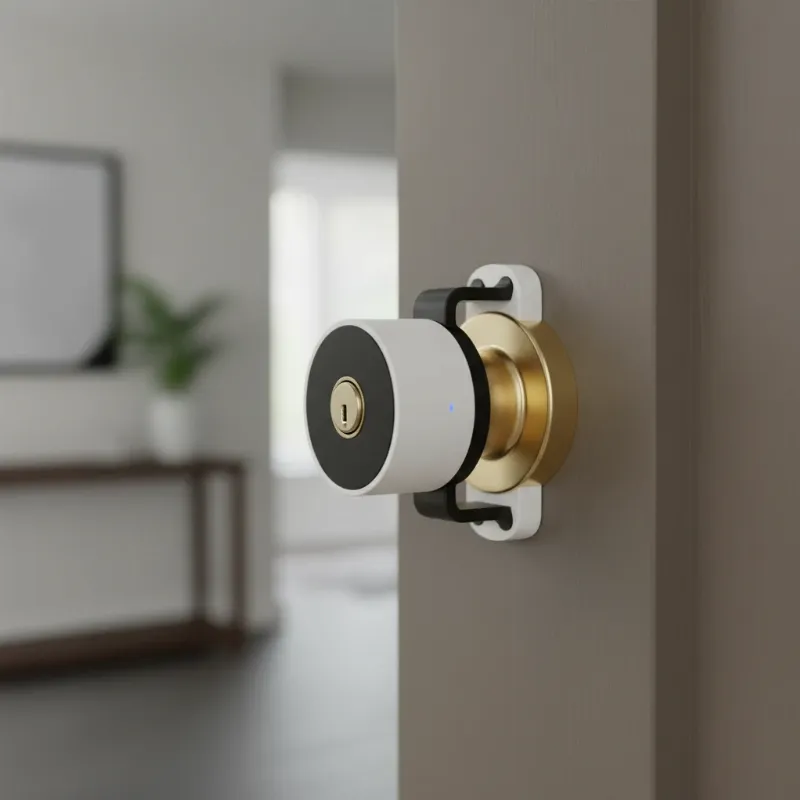 SwitchBot Lock mounted over an interior deadbolt, showing easy retrofit installation process.
Key Features and Benefits of SwitchBot Smart Locks
SwitchBot Locks offer a range of features designed to enhance both security and convenience for the modern homeowner.
Effortless Installation
|
Our Picks for the Best smart locks in 2026
As an Amazon Associate I earn from qualifying purchases.
|
||
| Num | Product | Action |
|---|---|---|
| 1 | Wyze Auto-Lock Bolt v2, Fingerprint Keyless Entry Smart Lock, AI Learning Scanner with Wi-Fi Front Door Lock Deadbolt, Auto-Lock, 8 Months Battery, BHMA2, IP53, Anti-Peep Keypad, Backup Keys |

|
| 2 | ULTRALOQ U-Bolt Pro WiFi Smart Lock with Door Sensor, 8-in-1 Keyless Entry Door Lock with Fingerprint ID, App Remote Control, Built-in WiFi Keypad Deadbolt, Auto Unlock, IP65 Waterproof, Easy Install |
|
| 3 | Schlage Encode Smart WiFi Deadbolt Lock for Front Door - Keyless Entry with App or Touchscreen - Works with Alexa, Hey Google, & Airbnb - Create Codes for Guests - Matte Black |
|
| 4 | Smart Door Lock with Camera Fingerprint Keyless Entry Door Lock Electronic Deadbolt with Keypad Code, App Remote Control, Auto Unlock for Front Door |
|
| 5 | Tapo Smart Wi-Fi Deadbolt Door Lock – Keyless Tactile Buttons, Customized Access with in-App Monitoring, Auto-Lock, IP54 Weatherproof, BHMA Grade 3, Compatible with Standard Door Sizes, Tapo DL100 |
|
| 6 | Smart Door Handle Lock with Keypad: Yamiry Fingerprint Smart Knob - Keyless Entry Digital Lock for Front Door - Deadbolt with APP - Generate Passcode Remotely - DIY Installation |
|
| 7 | Schlage Encode Smart WiFi Deadbolt Lock for Front Door - Keyless Entry with App or Touchscreen - Works with Alexa, Hey Google, & Airbnb - Create Codes for Guests - Satin Nickel Silver |
|
| 8 | Yale Security Assure Lock 2 Deadbolt, Black Suede Keyed Smart Entry Door Lock with Wi-Fi Connected Keypad for Code Entry and Remote Access, YRD410-WF1-BSP |
|
| 9 | Wyze Palm Lock, Smart Door Lock with Palm Vein Recognition, Keyless Entry Smart Locks for Front Door, Keypad, Auto Lock, Dual Battery, Wi-Fi, Works with Alexa & Google, BHMA, IP53, Mechanical Key |
|
| 10 | TEEHO TE001 Keyless Entry Door Lock with Keypad - Smart Deadbolt Lock for Front Door with 2 Keys - Auto Lock - Easy Installation - Matte Black |
|
Perhaps the most significant advantage of SwitchBot Locks is their straightforward installation. The original model uses strong adhesive, while the Lock Ultra continues this easy-mount philosophy. This means no drilling, no complex wiring, and no need for a locksmith. You simply attach the device over your existing thumb-turn deadbolt, and your traditional lock instantly gains smart capabilities. Crucially, you can still use your physical keys, providing a familiar backup.
Diverse Unlock Methods
SwitchBot smart locks provide multiple ways to access your home, moving beyond the traditional key. You can use the intuitive SwitchBot app on your smartphone to lock or unlock your door with a tap. When paired with optional accessories like the Keypad Touch or the Keypad Vision, you unlock even more possibilities:
- PIN Codes: Create temporary or permanent numerical passcodes for family, friends, or service providers.
- Fingerprint Recognition: Gain entry with a quick touch of your registered fingerprint (Keypad Touch/Vision).
- NFC Cards: Use an NFC card for a tap-to-unlock experience.
- Facial Recognition: The advanced Keypad Vision offers secure 3D facial recognition, allowing entry simply by looking at the keypad.
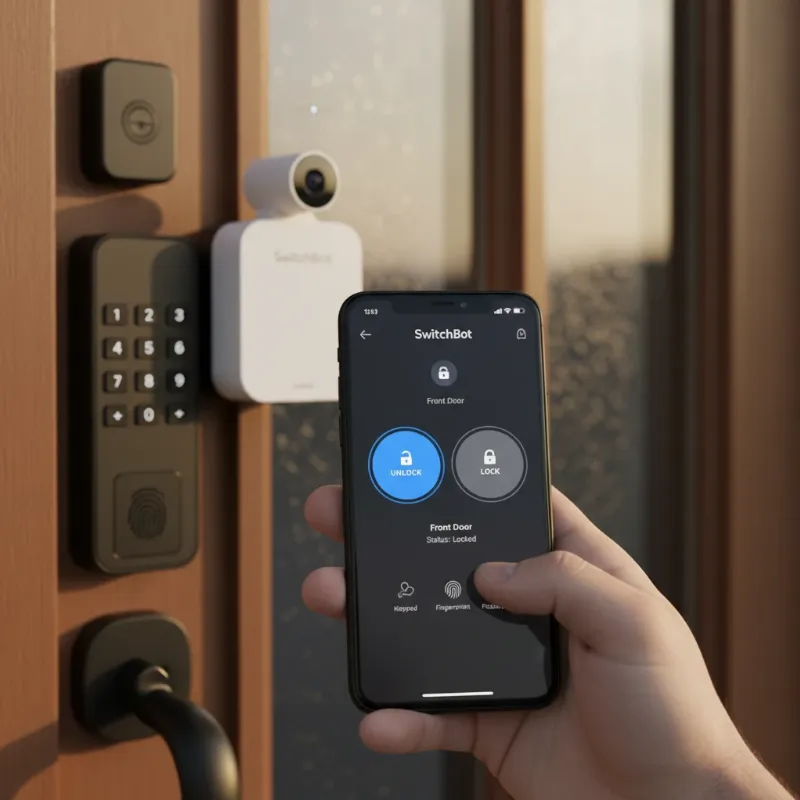 Person using a smartphone app to unlock a SwitchBot smart lock, highlighting diverse access methods.
Enhanced Security
Despite their non-invasive nature, SwitchBot Locks prioritize security. Features include activity logs that track every lock and unlock event, giving you a clear overview of who accessed your home and when. Tamper alerts can notify you of any attempts to interfere with the lock. The Lock Ultra, in particular, boasts a robust 6-layer security system and AES-128 encryption, safeguarding your data and ensuring reliable operation.
Smart Home Integration
For a truly connected home, SwitchBot Locks seamlessly integrate with popular smart home ecosystems. While the locks primarily communicate via Bluetooth, adding a SwitchBot Hub (such as the Hub Mini Matter, Hub 2, or Hub 3) extends functionality to Wi-Fi. This hub enables remote access from anywhere, voice control via Amazon Alexa and Google Assistant, and compatibility with IFTTT. The Lock Ultra and its accompanying hubs also support Matter, future-proofing your smart home setup.
Convenience & Remote Access
Imagine never fumbling for keys again. SwitchBot Locks offer unparalleled convenience. Auto-lock features can secure your door automatically after a set period or when the door closes. A separate “re-lock” option can engage immediately after unlocking, even if the door hasn’t been opened. With a SwitchBot Hub, you can remotely check your door status and lock or unlock it from miles away, providing peace of mind whether you’re at work or on vacation.
Battery Life & Emergency Power
SwitchBot understands the importance of reliable power. The Lock Pro operates on four AA batteries, typically lasting about a year. The Lock Ultra takes this a step further with a rechargeable main battery, a backup battery, and an emergency power option, virtually eliminating the worry of being locked out due to a dead battery.
A Closer Look at SwitchBot Lock Models
SwitchBot has refined its smart lock offerings through several generations, each bringing improvements and catering to different user needs.
SwitchBot Lock (Original)
The pioneering model established the foundation for SwitchBot’s retrofit philosophy. It’s a simple, adhesive-mounted device that instantly converts a standard thumb-turn deadbolt into a smart lock without any hardware changes. Its primary appeal lies in its extreme ease of installation and non-permanent nature.
SwitchBot Lock Pro
The Lock Pro marked a step towards a more integrated solution. While still a retrofit, it requires replacing the interior escutcheon, resulting in a more permanent fixture with increased torque for smoother operation. However, its design is notably bulkier, protruding significantly from the door, which some users might find less aesthetically pleasing. Installation, though generally manageable, involves tiny hex-head bolts that can be tricky to handle. This model is well-regarded for its responsive operation and detailed activity logging through the app.
SwitchBot Lock Ultra
The latest iteration, the Lock Ultra, represents a significant leap forward. It addresses some of the aesthetic and functional criticisms of its predecessors. The Ultra is slimmer, faster, and quieter than the Pro, boasting a more premium feel with its robust construction and rounded knob. A major improvement is its enhanced auto-calibration feature, which prevents the de-calibration issues sometimes experienced with earlier models. The Lock Ultra features a comprehensive battery system with a rechargeable main battery and multiple backup options. Furthermore, it’s designed for near-universal compatibility, fitting 99.9% of existing locks, and even includes aesthetic wood grain stickers for better blending with your door decor.
Comparing Keypads: Touch vs. Vision
To fully leverage the capabilities of SwitchBot Locks, users often pair them with a Keypad accessory, offering more diverse entry methods.
SwitchBot Keypad Touch
The Keypad Touch is a robust accessory offering multiple keyless entry options. It combines a numeric keypad with a high-tech fingerprint reader. Weatherproofed with an IP65 rating, it can withstand outdoor elements. Users can program up to 100 fingerprints, 100 PIN codes (including 10 emergency passcodes), and 100 NFC cards. PINs and fingerprints can be configured for permanent, temporary, or one-time use. Powered by two 3-volt batteries, it boasts an impressive battery life of up to two years.
SwitchBot Keypad Vision
The Keypad Vision is SwitchBot’s most advanced keypad, building upon the strengths of the Keypad Touch by introducing cutting-edge 3D facial recognition. This feature allows for secure and swift entry by simply looking at the keypad, even in low light, thanks to technology designed to resist spoofing attempts with photos or videos. It is rechargeable with a 5000mAh battery that lasts a full year. The Keypad Vision is slightly larger than the Keypad Touch, accommodating its camera and advanced sensors. A thoughtful addition is its integrated button that can function as a doorbell for the Lock Ultra, making it a versatile entry solution.
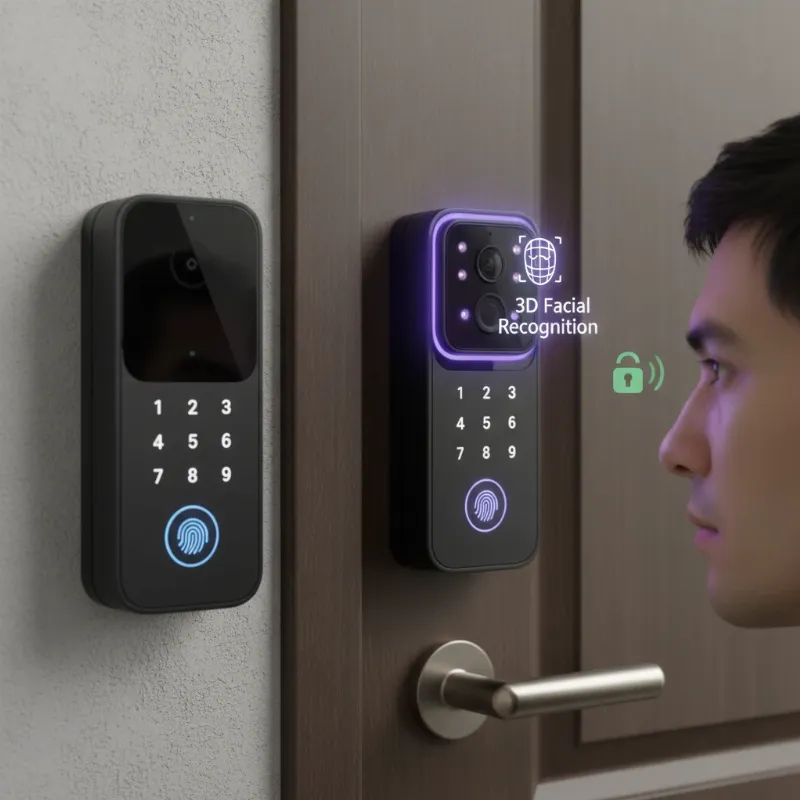 SwitchBot Keypad Vision displaying facial recognition, showcasing advanced secure entry methods.
| Feature | SwitchBot Keypad Touch | SwitchBot Keypad Vision |
|---|---|---|
| Unlock Methods | PIN, Fingerprint, NFC | PIN, Fingerprint, NFC, 3D Facial Recognition |
| Power | 2x 3V batteries (up to 2 years) | Rechargeable 5000mAh battery (up to 1 year) |
| Design | Compact, lightweight | Larger/wider to accommodate camera, robust |
| Weatherproofing | IP65 | IP65 |
| Additional Features | Backlit buttons, tamper alerts | Doorbell function for Lock Ultra, customizable trigger |
| Compatibility | Lock Pro, Lock Ultra | Lock Pro, Lock Ultra |
How to Choose the Right SwitchBot Lock for You
Selecting the ideal SwitchBot Lock depends on your specific needs and preferences.
- Existing Lock Type: SwitchBot boasts broad compatibility, but it’s always wise to check their compatibility guide. The Ultra is designed for near-universal fit.
- Desired Features: Do you need basic app control, or are advanced features like facial recognition (Keypad Vision) or fingerprint access (Keypad Touch/Vision) crucial?
- Aesthetic Preferences: If a discreet design is paramount, the slimmer Lock Ultra might be a better fit than the bulkier Lock Pro. The Ultra also offers cosmetic stickers to blend with your door.
- Budget: The original SwitchBot Lock offers the most economical entry into smart locking, while the Ultra and its Keypad Vision accessory represent a more premium investment for advanced features.
- Smart Home Ecosystem: If you’re invested in Alexa, Google Assistant, or Matter, ensure you factor in the need for a SwitchBot Hub for seamless integration.
Tips for Using and Maintaining Your SwitchBot Smart Lock
To ensure your SwitchBot Lock operates reliably and securely for years to come, consider these maintenance tips:
- Battery Management: For models using disposable batteries, check them regularly and replace them proactively. For the Lock Ultra, monitor its rechargeable battery via the app and top it up as needed.
- Software Updates: Keep the SwitchBot app and lock firmware updated to benefit from the latest features, performance enhancements, and crucial security patches.
- PIN and Access Management: Regularly review and update PIN codes, especially for temporary users. Consider using one-time PINs when appropriate. Never share your primary access credentials.
- Environmental Considerations: While keypads are often weatherproofed, ensuring the main lock unit (which is on the interior) is protected from extreme temperature fluctuations or moisture is vital for longevity.
- Calibration (Lock Pro): If you experience issues with the Lock Pro, recalibrate it via the app. The Lock Ultra’s auto-calibration feature largely mitigates this concern.
- Troubleshooting: Familiarize yourself with the user manual for common issues. For persistent problems, SwitchBot’s customer support can provide assistance.
The Future of Smart Locks: SwitchBot’s Vision
The smart lock market is constantly evolving, and SwitchBot is at the forefront, pushing boundaries with innovations like 3D facial recognition. The future will likely see even deeper integration of artificial intelligence for predictive security and personalized access. Expect seamless connectivity with an ever-expanding array of smart home devices, allowing for sophisticated automation routines. Enhanced security protocols, possibly incorporating blockchain technology, could further fortify smart locks against emerging threats. SwitchBot’s commitment to user-friendly design and broad compatibility suggests a future where smart door access is not just a luxury, but an accessible and reliable standard for every home.
Conclusion
SwitchBot Locks offer a transformative solution for anyone looking to upgrade their home security and convenience without the complexities of traditional smart lock installations. By allowing you to turn virtually any existing lock smart in seconds, SwitchBot empowers homeowners and renters alike to embrace keyless entry, remote control, and advanced access management. Whether you opt for the versatile Lock Pro or the refined Lock Ultra with its innovative Keypad Vision, you’re investing in a system that blends modern technology with everyday practicality.
“A truly smart home begins at the door. SwitchBot doesn’t just offer a lock; it provides a gateway to peace of mind and effortless living.”
Embrace the future of home security today. Ready to explore the possibilities for your home?
Frequently Asked Questions
Is the SwitchBot Lock as secure as a traditional deadbolt?
SwitchBot Locks add a layer of digital security and convenience on top of your existing mechanical deadbolt, which itself provides physical security. Features like AES-128 encryption, tamper alerts, and activity logs enhance the overall security posture. While the physical strength of your existing deadbolt remains, the added smart features provide advanced monitoring and control that traditional locks lack.
Does the SwitchBot Lock work with all types of doors?
SwitchBot Locks are designed to be highly compatible with a vast majority of existing deadbolts, particularly those with a thumb-turn on the interior side. The Lock Ultra, in particular, boasts compatibility with 99.9% of locks, and SwitchBot even offers 3D-printed adapters for unique cylinder types. However, it’s always recommended to check their official compatibility guide to ensure a perfect fit for your specific door and lock type.
