The world of home security has transformed dramatically, moving far beyond traditional keys and deadbolts. Smart locks stand at the forefront of this evolution, offering unparalleled convenience and advanced protective capabilities. Yet, the true potential of these devices is only realized when their robust security features are fully understood and actively enabled. This comprehensive guide will walk you through the crucial security functionalities of smart locks, helping you create an impenetrable barrier around your home.
What Are Smart Locks?
Smart locks are innovative electromechanical locking devices designed to provide keyless entry and enhanced control over door access. They connect to your home network, allowing you to lock or unlock your door remotely, manage user access, and monitor entry and exit activities from anywhere in the world. From their humble beginnings as simple keypad devices, smart locks have rapidly evolved, integrating sophisticated technologies like biometric scanners, advanced encryption, and seamless smart home ecosystem integration to offer a new dimension of security and convenience.
Different types of smart locks cater to various needs and preferences, each leveraging distinct technologies for operation. These include Bluetooth-enabled locks for proximity-based control, Wi-Fi locks for remote access, fingerprint locks offering biometric authentication, key card locks for easy user management, keypad locks relying on PIN codes, and even cutting-edge facial recognition locks for ultimate hands-free security. This diversity ensures there’s a smart lock solution for nearly every home, each bringing its own set of security considerations.
The Superior Advantages of Smart Locks
Smart locks offer a compelling array of benefits that go far beyond the simplicity of keyless entry, fundamentally enhancing your home’s security and your peace of mind.
Firstly, their convenience and ease of use translate directly into improved security protocols. Imagine managing access without ever duplicating a physical key or worrying about lost keys compromising your home. You can grant temporary access to guests or service providers with unique, time-limited codes, which automatically expire, eliminating the security risk associated with traditional key handovers.
Secondly, smart locks deliver enhanced security through multiple layers of protection. They often feature robust data encryption to safeguard communications, offer immediate intrusion alerts for unauthorized access attempts, and meticulously record detailed access histories. This means you always know who entered and when, providing invaluable insights into your home’s security status.
Moreover, smart features allow for seamless integration with your existing smart home system. Linking your smart lock with security cameras, motion sensors, or even voice assistants creates a unified defense network. You can configure automated scenarios, such as lights turning on if an unusual entry is detected, or check the lock status with a simple voice command, adding both convenience and an extra layer of vigilance. Their modern and diverse designs also mean you don’t have to compromise on aesthetics for advanced protection.
Popular Smart Lock Types on the Market
The market for smart locks is rich with innovation, offering various technologies to secure your home. Understanding each type’s security implications is key to making an informed choice.
Fingerprint Locks utilize biometric authentication, allowing you to unlock your door with a simple touch. Their primary advantage is the uniqueness of a fingerprint, making it extremely difficult to duplicate or guess. These locks often boast rapid recognition speeds and high accuracy. However, potential drawbacks include the need for a clean sensor, which can be affected by dirt or moisture, and the rare possibility of sensor malfunction. Leading brands are continuously improving sensor technology to minimize these issues, making them highly secure for family homes and private offices.
Key Card Locks grant access via RFID or NFC cards. These are particularly advantageous in environments where access needs to be frequently managed or revoked, such as corporate offices, rental properties, or hotels. Should a card be lost or stolen, its access permissions can be instantly disabled from the system, a significant security upgrade over lost physical keys. Their main disadvantage is that cards can be misplaced, but easy revocation mitigates this risk.
Keypad Locks rely on numerical PIN codes for entry, offering a straightforward keyless solution. The security of a keypad lock heavily depends on the strength and secrecy of the codes used. Features like “anti-peep” or “random number” functions enhance security by requiring users to input extra digits before or after their actual code, preventing casual observers from discerning the real PIN. These locks are versatile and widely adopted in residential and commercial settings.
Facial Recognition Locks represent the pinnacle of touchless biometric security. These advanced systems scan and verify facial features for access, offering an extremely high level of security and convenience. They eliminate the need for physical interaction or remembering codes, making them ideal for high-end residential applications. However, their sophisticated technology typically comes with a higher price point, and performance can sometimes be affected by lighting conditions.
Remote Control Locks operate via Bluetooth for short-range smartphone control or Wi-Fi for long-distance remote management. Wi-Fi locks are particularly powerful, allowing homeowners to lock/unlock doors, receive real-time notifications, and manage access from anywhere with an internet connection. Their security hinges on robust encryption and a secure home network. While incredibly convenient, they are dependent on network connectivity and battery life, necessitating diligent monitoring.
Comparison Table: Smart Lock Types and Their Security Aspects
| Feature | Fingerprint Lock | Key Card Lock | Keypad Lock | Facial Recognition Lock | Remote Control Lock |
|---|---|---|---|---|---|
| Security Level | High | Medium | Medium-High | Very High | High |
| Convenience | High | Medium | High | High | High |
| Cost | Medium | Low | Low | High | Medium |
| Best For | Families, Offices | Offices, Hotels | Families, Offices | High-Security Residences | Families, Rental Properties |
| Key Security Feature | Biometric Uniqueness | Revocable Access | PIN Management | Advanced Biometrics | Remote Monitoring & Control |
Guide to Choosing the Right Smart Lock for Your Needs
Selecting the ideal smart lock is a crucial decision for your home’s security, requiring careful consideration of your specific circumstances and priorities. Start by identifying your usage needs. What type of door do you have? What level of security are you comfortable with, and what is your budget? For instance, a high-traffic family home might benefit from robust biometric options, while a rental property might prioritize remote management and temporary access codes.
Next, research reputable brands known for their commitment to security. Established manufacturers often invest heavily in encryption, anti-tamper mechanisms, and regular software updates to counter emerging threats. Compare features and specifications of various products, paying close attention to encryption standards (e.g., AES 128-bit), the types of authentication offered (biometric, multi-factor), and any certifications from security organizations.
Reading reviews from users and experts is invaluable, especially those that highlight real-world performance, security vulnerabilities, or customer service responsiveness. Finally, always check the warranty and technical support policies. A strong support system is vital for receiving timely firmware updates and assistance with any security-related issues that might arise.
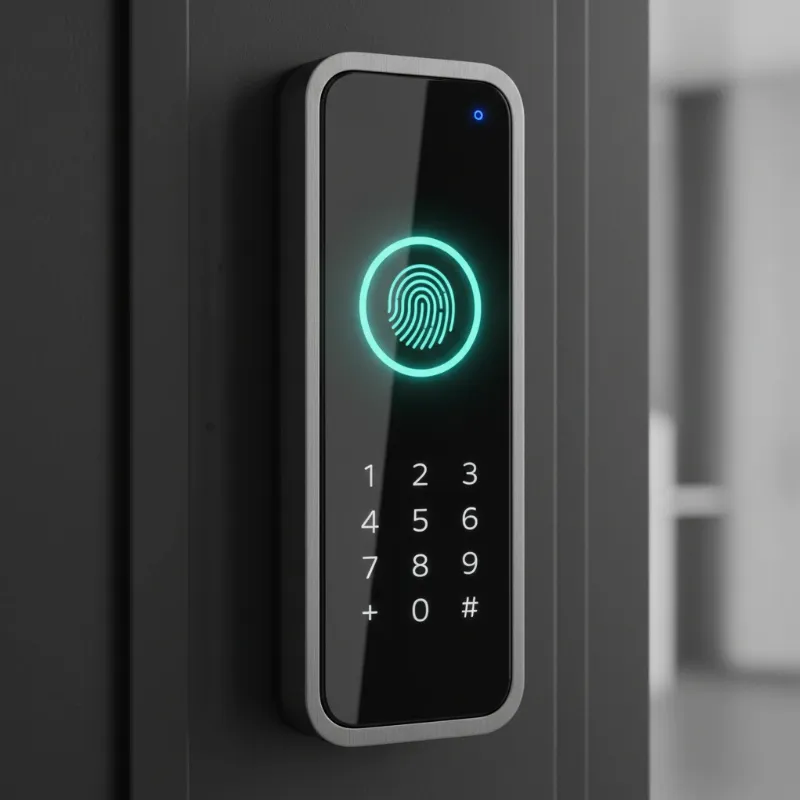 A close-up of a modern smart lock showcasing various security features like a fingerprint reader and a keypad.
Tips for Proper Smart Lock Usage and Maintenance
Maximizing the security and longevity of your smart lock involves a commitment to ongoing best practices. Regular battery replacement or monitoring is paramount. Most smart locks will provide low battery alerts, either via their companion app or through audible beeps. Addressing these prompts immediately prevents unexpected lockouts and ensures continuous operation. Many modern locks also feature an emergency power port, often USB-C, allowing you to temporarily power the device with a portable battery pack if it runs out of juice.
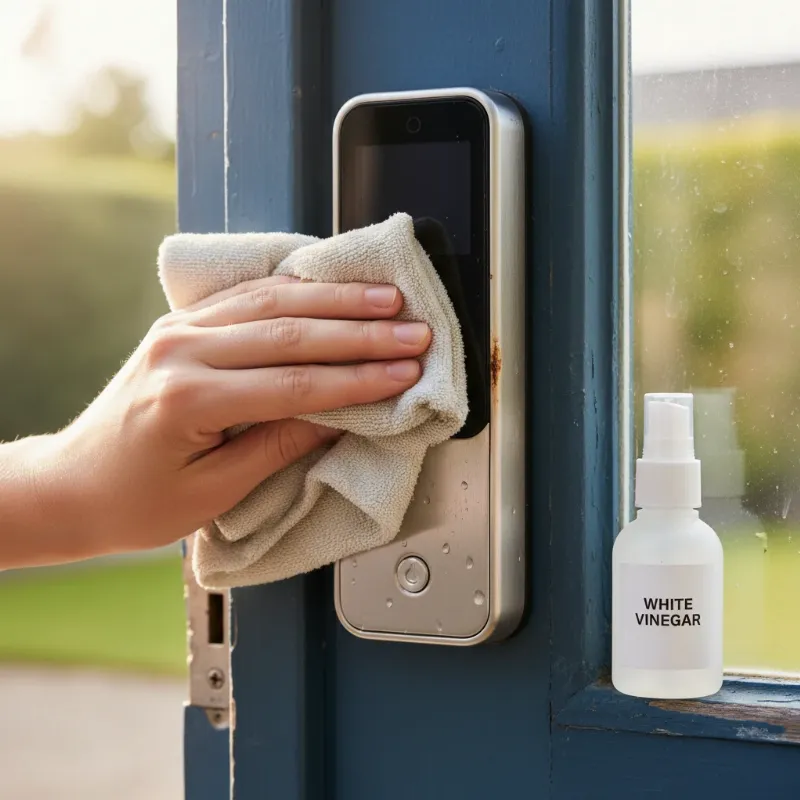
Regular cleaning of your smart lock, especially biometric sensors and keypads, is essential to maintain optimal performance and prevent potential security issues. Dust, grime, or smudges can hinder fingerprint recognition or obscure keypad numbers, leading to errors or making your PIN easier to discern.
Perhaps the most critical maintenance task is frequent software and firmware updates. Smart locks are IoT devices that rely on software, and manufacturers regularly release updates to patch security vulnerabilities and introduce new features. Enabling automatic updates or manually checking for them through your lock’s app ensures your device has the latest protections against cyber threats.
Critically, never share your passwords, PINs, or key cards indiscriminately. Manage access responsibly through your smart lock’s app, creating unique codes for each user and setting time-limited permissions for temporary guests. Revoke access immediately when it is no longer needed. If you ever suspect a code or card has been compromised, change it immediately. If you encounter any operational issues or suspect a security breach, contact your smart lock provider promptly for expert guidance.
Common Smart Lock Issues and Troubleshooting
While smart locks generally provide reliable security, users may occasionally encounter issues. Knowing how to troubleshoot common problems, especially those with security implications, is essential.
One frequent complaint is the lock not recognizing a fingerprint or key card. This can be caused by dirt, moisture, or sensor damage. Ensuring the sensor is clean and your finger is dry often resolves the issue. If the problem persists, re-registering your fingerprint or checking the key card for damage might be necessary. Failure to gain access can be a frustrating security vulnerability, so a reliable alternative entry method is crucial.
A dead smart lock battery is another common concern that can lead to being locked out. Fortunately, most smart locks are designed with backup options, such as a physical key override, a 9V battery terminal for temporary power, or a USB-C port for emergency charging. Familiarize yourself with your specific lock’s backup methods and heed low battery warnings in the companion app or on the device itself.
A lock jamming or becoming unresponsive can stem from mechanical issues, loose parts, or electronic malfunctions. If your lock physically jams, do not force it. Consult your lock’s manual or contact technical support, as improper handling could damage the mechanism further or compromise its physical integrity.
The most concerning issue is the rare event of a smart lock being compromised or “hacked.” While reputable brands implement strong encryption and security protocols, no system is entirely foolproof. If you suspect unauthorized access, immediately change all PINs and passwords, enable two-factor authentication, check access logs for suspicious activity, and contact the manufacturer’s support. Ensure your home Wi-Fi network is secure with a strong password and updated router firmware, as this is often the gateway for potential digital attacks.
Future Trends in Smart Lock Technology
The landscape of smart lock technology is continuously evolving, promising even more sophisticated security features in the years to come. One of the most significant trends is the integration of artificial intelligence (AI). AI will enable smart locks to learn user behavior patterns, differentiating between routine access and unusual activity. This could lead to more intelligent anomaly detection, where the lock can autonomously identify and flag potential security threats based on deviations from learned habits, providing proactive protection.
We can also expect enhanced connectivity with other smart home devices, moving towards truly unified security ecosystems. Imagine a scenario where your smart lock communicates seamlessly with your smart doorbell, security cameras, and even lighting system. If an unauthorized entry attempt occurs, not only does the lock trigger an alarm, but cameras begin recording, lights flash, and a message is sent to your local authorities, all without your direct intervention. This creates a multi-layered defense that is more resilient and responsive.
The use of blockchain technology is another exciting frontier for smart lock security. Blockchain could provide an immutable, decentralized ledger for access logs and digital key management, making it virtually impossible for unauthorized parties to tamper with entry records or cryptographic keys. This would significantly boost data integrity and overall system trustworthiness. Furthermore, expect to see the development of new, innovative authentication methods beyond current biometrics. This could include advanced voice recognition systems that verify identity based on unique vocal patterns or even subtle gesture recognition technology, offering even greater convenience and security for future homes.
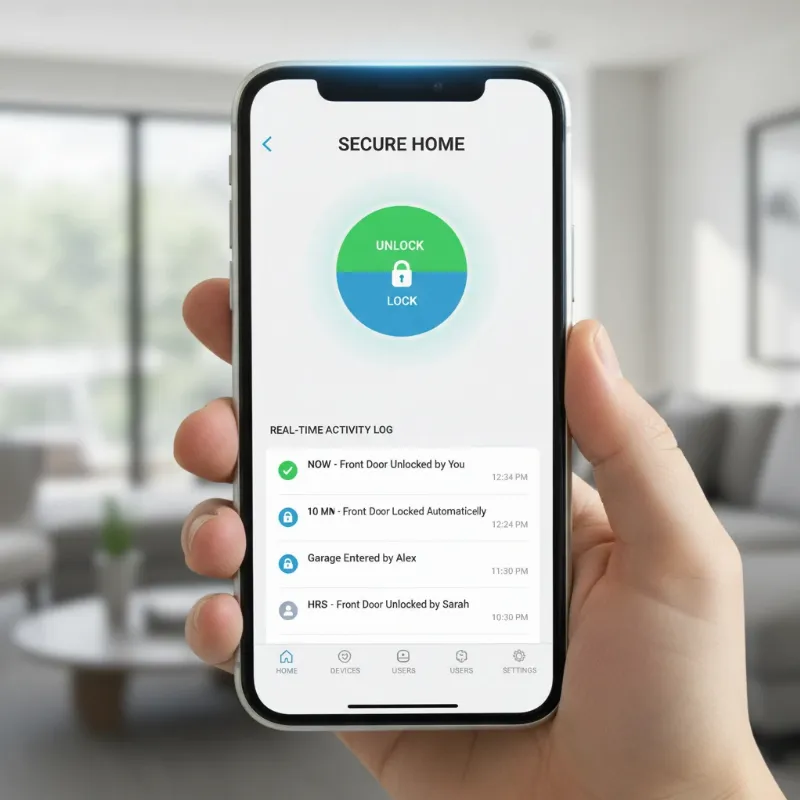 A smartphone screen displaying a smart lock monitoring app with activity logs and remote control options.
Conclusion
Smart locks are undeniably a cornerstone of modern home security, blending cutting-edge technology with everyday convenience. By actively enabling and meticulously managing their advanced security features—from strong access codes and biometric authentication to crucial firmware updates and real-time monitoring—you transform your smart lock into a formidable defense. These devices are more than just a means of entry; they are intelligent guardians that offer unparalleled control and comprehensive protection for your property and loved ones. Embrace the future of home security by leveraging every available feature and maintaining vigilant practices.
“A smart lock is not merely a gadget; it’s an intelligent guardian at your threshold, constantly learning and adapting to keep your sanctuary safe.”
Are you ready to truly empower your smart lock and experience the highest level of home security?
Frequently Asked Questions
Are smart locks safer than traditional locks?
|
Our Picks for the Best smart locks in 2026
As an Amazon Associate I earn from qualifying purchases.
|
||
| Num | Product | Action |
|---|---|---|
| 1 | ULTRALOQ U-Bolt Pro WiFi Smart Lock with Door Sensor, 8-in-1 Keyless Entry Door Lock with Fingerprint ID, App Remote Control, Built-in WiFi Keypad Deadbolt, Auto Unlock, IP65 Waterproof, Easy Install |

|
| 2 | Schlage Encode Smart WiFi Deadbolt Lock for Front Door - Keyless Entry with App or Touchscreen - Works with Alexa, Hey Google, & Airbnb - Create Codes for Guests - Matte Black |
|
| 3 | Schlage Encode Smart WiFi Deadbolt Lock for Front Door - Keyless Entry with App or Touchscreen - Works with Alexa, Hey Google, & Airbnb - Create Codes for Guests - Satin Nickel Silver |
|
| 4 | Smart Door Handle Lock with Keypad: Yamiry Fingerprint Smart Knob - Keyless Entry Digital Lock for Front Door - Deadbolt with APP - Generate Passcode Remotely - DIY Installation |
|
| 5 | Smart Door Lock with Camera Fingerprint Keyless Entry Door Lock Electronic Deadbolt with Keypad Code, App Remote Control, Auto Unlock for Front Door |
|
| 6 | Wyze Auto-Lock Bolt v2, Fingerprint Keyless Entry Smart Lock, AI Learning Scanner with Wi-Fi Front Door Lock Deadbolt, Auto-Lock, 8 Months Battery, BHMA2, IP53, Anti-Peep Keypad, Backup Keys |
|
| 7 | TEEHO TE001 Keyless Entry Door Lock with Keypad - Smart Deadbolt Lock for Front Door with 2 Keys - Auto Lock - Easy Installation - Matte Black |
|
| 8 | Tapo Smart Wi-Fi Deadbolt Door Lock – Keyless Tactile Buttons, Customized Access with in-App Monitoring, Auto-Lock, IP54 Weatherproof, BHMA Grade 3, Compatible with Standard Door Sizes, Tapo DL100 |
|
| 9 | Yale Security Assure Lock 2 Deadbolt, Black Suede Keyed Smart Entry Door Lock with Wi-Fi Connected Keypad for Code Entry and Remote Access, YRD410-WF1-BSP |
|
| 10 | Wyze Palm Lock, Smart Door Lock with Palm Vein Recognition, Keyless Entry Smart Locks for Front Door, Keypad, Auto Lock, Dual Battery, Wi-Fi, Works with Alexa & Google, BHMA, IP53, Mechanical Key |
|
Generally, yes, smart locks can be significantly safer than traditional locks. While no lock is 100% impervious, smart locks offer layers of digital security such as encryption, multi-factor authentication, and remote monitoring capabilities that mechanical locks simply cannot provide. They also eliminate common vulnerabilities like lost physical keys.
How often should I change my smart lock codes?
It’s recommended to change your smart lock access codes every few months, or immediately if you suspect that someone unauthorized has gained access to them. For temporary users like service providers, ensure their codes are set to expire automatically, or revoke them promptly after their access is no longer needed.
What should I do if my smart lock runs out of battery?
Most smart locks come equipped with backup options. Common solutions include a physical key override, a hidden 9V battery terminal, or a USB-C port for emergency charging with a power bank. Always know your specific lock’s backup method and pay attention to low-battery alerts to avoid being locked out.
Can smart locks be hacked?
While advanced encryption makes direct hacking difficult for reputable brands, like any internet-connected device, smart locks can be susceptible to cyber threats if not properly secured. The primary vulnerabilities often lie with weak Wi-Fi network security, easily guessable PINs, or outdated firmware, rather than the lock’s core technology itself.
Is two-factor authentication necessary for smart locks?
Enabling two-factor authentication (2FA) is highly recommended for your smart lock’s companion app or linked accounts. 2FA adds an essential layer of security by requiring a second form of verification (like a code from your phone) beyond just a password, making it significantly harder for unauthorized individuals to gain access, even if they somehow obtain your password.