Let’s be honest, we’ve all had that moment. You’re halfway to work, or maybe just settled into bed, and that nagging thought hits you: “Did I lock the front door?” It’s a universal feeling of vulnerability. Smart locks promise to erase that anxiety forever, offering convenience and control right from your smartphone. But with this new power comes a new question, and it’s a big one. As we connect our homes’ most critical security point to the internet, we must address the growing Smart Lock Data Privacy Concerns. It’s a valid worry, and today, we’re going to tackle it head-on, so you can make an informed decision with confidence.
How Do Smart Locks Actually Work? The Tech Behind the Trust
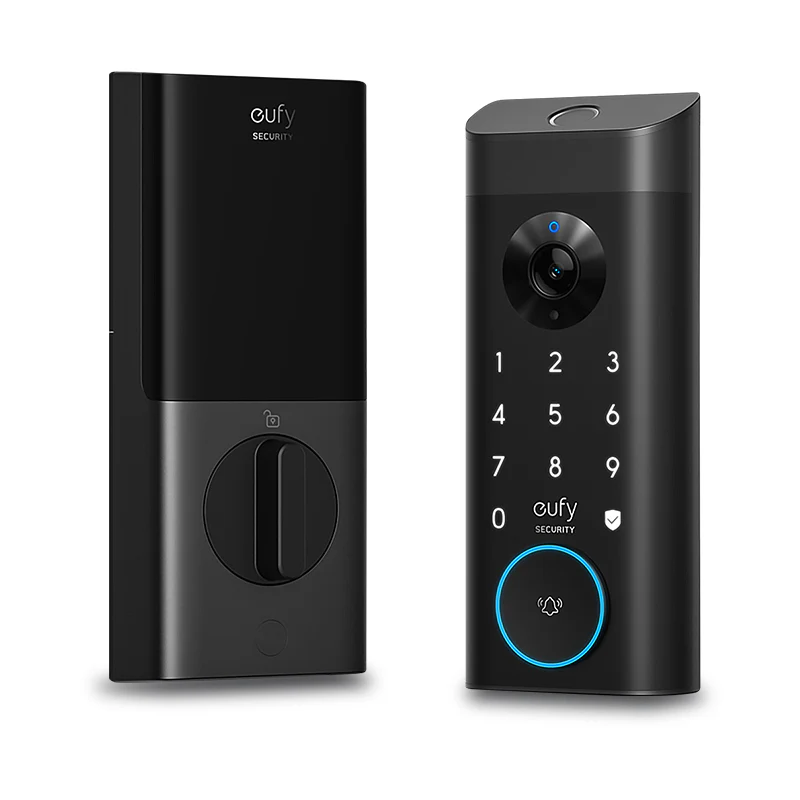
Before we dive into the nitty-gritty of privacy, it helps to understand what’s happening behind the scenes. Think of a smart lock not as a single gadget, but as a mini-system. At its core, it’s a high-quality, traditional deadbolt infused with a “brain.” This brain allows it to communicate and receive commands.
This communication generally happens in one of a few ways:
- Bluetooth: This is like a short, secret digital handshake between your phone and your lock. It’s low-energy and only works when you’re nearby (typically within 30 feet). This is great for auto-unlocking as you approach your door.
- Wi-Fi: A Wi-Fi connection links your lock directly to your home’s internet router. This is the magic that lets you lock or unlock your door from anywhere in the world—whether you’re at the office or on vacation.
- Z-Wave or Zigbee: These are other low-power wireless languages that smart devices use to talk to each other. They typically require a central “hub” (like a Samsung SmartThings or Amazon Echo Plus) to translate their signals and connect to the internet.
No matter the connection type, the process is similar: you send a command from an app, that command is verified, and the lock’s motor physically turns the deadbolt. Simple on the surface, but the security of that entire process is what we’re here to discuss.
Addressing the Elephant in the Room: Your Smart Lock Data Privacy Concerns
So, what are the real risks? When people talk about smart lock data privacy concerns, they’re usually worried about a few key areas. Let’s break them down, separate the myths from reality, and give you the knowledge to protect yourself.
What Data Are We Talking About, Anyway?
First, let’s clarify what data your smart lock is even collecting. It’s not recording your conversations or watching you. The data is typically limited to:
- Access Logs: A timestamped history of every time the door is locked or unlocked, and by whom (e.g., “Jane’s phone unlocked at 3:15 PM,” “Guest code used at 4:00 PM”).
- User Information: The names and permissions you assign to different users (e.g., family members, a dog walker).
- Device Status: Information about battery life and connectivity.
This data is valuable for convenience, but in the wrong hands, it could reveal patterns about when you are and aren’t home. That’s why protecting it is paramount.
How Could This Data Be Compromised?
The primary concern isn’t that a Hollywood-style hacker is going to magically open your door from a van down the street. The real-world risks are often more mundane, but just as serious.
- A Weak Link in Your Own Security: The most common vulnerability is often us. Using a weak, easily guessable password for your smart lock app account (like “Password123”) is like leaving a key under the doormat.
- Unsecured Home Wi-Fi: If your lock connects via Wi-Fi, it’s only as secure as your network. An unprotected or poorly secured Wi-Fi network could potentially be an entry point for someone to intercept data.
- Company Data Breaches: This is a big one. The company that makes your smart lock stores some of your account data on their servers. If that company suffers a data breach, your information could be exposed. This is why choosing a reputable brand with a strong security track record is non-negotiable.
A Note on Security: It’s crucial to understand that not all smart locks are created equal. A cheap, no-name brand might cut corners on encryption and security protocols, leaving you and your data far more exposed than a trusted brand that invests heavily in cybersecurity.
What Makes a Smart Lock Truly Secure? A Checklist for Peace of Mind
Now for the good news. Reputable smart lock manufacturers are acutely aware of these privacy concerns and have built in multiple layers of protection. When you’re shopping for a smart lock or evaluating your current one, here’s what to look for.
- End-to-End Encryption: This is the absolute gold standard. Look for locks that use AES 128-bit or 256-bit encryption. In simple terms, this is the same level of encryption used by banks and governments to protect their data. It scrambles your information into unreadable code as it travels between your phone, the lock, and the company’s servers.
- Two-Factor Authentication (2FA): You use this for your email and banking, and you should demand it for your home’s front door. 2FA requires a second form of verification (like a code sent to your phone) in addition to your password, making it exponentially harder for an unauthorized person to access your account.
- Regular Firmware Updates: Technology is always evolving, and so are security threats. A good manufacturer will regularly push out updates to your lock’s software (its “firmware”) to patch any potential vulnerabilities. Make sure you enable auto-updates or check for them regularly in the app.
- A Clear and Transparent Privacy Policy: The company should be upfront about what data they collect, why they collect it, and how they protect it. If you can’t easily find or understand their privacy policy, that’s a red flag.
- A Strong Physical Build: Let’s not forget that a smart lock is still a lock. It should have a high-quality, drill-resistant, and pick-resistant physical deadbolt. Look for ANSI/BHMA ratings (Grade 1 being the best) to ensure its physical security is as strong as its digital security.
|
Our Picks for the Best Smartlocks in 2026
As an Amazon Associate I earn from qualifying purchases.
|
||
| Num | Product | Action |
|---|---|---|
| 1 | Smart Keypad Door Lock with Handle: NICE DIGI Keyless Entry Digital Lock for Front/Interior Door, Electronic Code Knob, Easy Installation |

|
| 2 | Keyless Entry Fingerprint Smart Lock with Handle & Keypad: Sifely Biometric Digital Electronic Lock with Code, Electric Deadbolt Door Knob for Front, Interior, Exterior & Bedroom Doors (Silver) |
|
| 3 | TEEHO TE001 Keyless Entry Door Lock with Keypad - Smart Deadbolt Lock for Front Door with 2 Keys - Auto Lock - Easy Installation - Matte Black |
|
| 4 | Schlage Encode Plus Smart Wi-Fi Lock for Front Door, Keyless Entry Deadbolt, Unlock with Apple Watch, Built-in WiFi and App Control, Easy Install, Alexa & Apple HomeKit Compatible, Matte Black |
|
| 5 | Keypad & Key Smart Door Lock, 50 User Codes, Waterproof, Auto Lock - Matte Black |
|
| 6 | Yale Security Assure Lock 2 Deadbolt, Black Suede Keyed Smart Entry Door Lock with Wi-Fi Connected Keypad for Code Entry and Remote Access, YRD410-WF1-BSP |
|
| 7 | Keypad Smart Door Lock with Knob, Yamiry Keyless Entry Digital Lock with Handle, Fingerprint Electronic Knob for Front Door, Generate Passcode Remotely, Easy Installation |
|
| 8 | ULTRALOQ U-Bolt Pro WiFi Smart Lock with Door Sensor, 8-in-1 Keyless Entry Door Lock with Fingerprint ID, App Remote Control, Built-in WiFi Keypad Deadbolt, Auto Unlock, IP65 Waterproof, Easy Install |
|
| 9 | Kwikset Powerbolt 250 10-Button Keypad Satin Nickel Transitional Electronic Deadbolt Door Lock, Featuring Convenient Keyless Entry, Customizable User Codes, Auto Locking |
|
| 10 | Schlage Encode Smart WiFi Deadbolt Lock for Front Door - Keyless Entry with App or Touchscreen - Works with Alexa, Hey Google, & Airbnb - Create Codes for Guests - Satin Nickel Silver |
|
By prioritizing these features, you can significantly mitigate the risks associated with smart lock data privacy concerns and enjoy the convenience without the worry.
Expert Insight
“The biggest mistake I see homeowners make is focusing entirely on the ‘smart’ and forgetting about the ‘lock’,” notes David Chen, a Certified Residential Security Specialist. “Military-grade encryption is fantastic, but it means very little if the deadbolt itself can be kicked in easily. You need a holistic approach where robust digital security is built upon a foundation of formidable physical strength.”
Integrating Your Lock into a Smart Home Ecosystem Securely
One of the best parts of a smart lock is connecting it to your other smart home devices, like Amazon Alexa or Google Home. Asking your voice assistant to “lock the front door” as you head to bed is a game-changer.
When you do this, you’re essentially giving one system permission to talk to another. To keep this connection secure:
- Use Strong, Unique Passwords: Use a different, strong password for your smart lock account, your Amazon/Google account, and your Wi-Fi network. A password manager can be a lifesaver here.
- Review Permissions: When you link the accounts, be mindful of what permissions you’re granting.
- Keep All Devices Updated: This includes your smart lock, your phone, and your smart speakers or hubs. Every update can contain critical security patches.
Frequently Asked Questions (FAQ)
Q: Can my smart lock be hacked?
A: While no connected device is 100% un-hackable, high-quality smart locks from reputable brands are extremely difficult to hack. They use advanced encryption and security measures. The most likely “hack” comes from weak user passwords or an unsecured home network, not a direct brute-force attack on the lock itself.
Q: Do smart locks store my data on the lock itself?
A: Generally, no. The lock itself stores very little sensitive information. Most of your data, like user accounts and access logs, is stored in a secure, encrypted cloud server managed by the manufacturer. This is why choosing a trustworthy brand is so important.
Q: Is Bluetooth or Wi-Fi more secure for a smart lock?
A: Both can be highly secure if implemented correctly with strong encryption. Bluetooth has a much shorter range, which limits the potential for remote attacks. Wi-Fi offers the convenience of remote access from anywhere but relies on the security of your home network. The best choice depends on your needs.
Q: What happens to my smart lock if the power or internet goes out?
A: Your smart lock will still function as a normal lock. You can always use the physical key that came with it. If it’s a Bluetooth-only model, it will also continue to work as long as your phone and the lock have battery power, as it doesn’t rely on the internet.
Q: How do I best protect myself from smart lock data privacy concerns?
A: The best strategy is layered. Start by choosing a reputable brand with a proven track record. Use a strong, unique password and enable two-factor authentication. Keep your lock’s firmware and app updated. Finally, ensure your home Wi-Fi network is secured with a strong password.
The Key Takeaway: Convenience and Security Can Coexist
The move to a smarter, more connected home is exciting, but it’s wise to proceed with awareness. Valid smart lock data privacy concerns shouldn’t scare you away from the incredible convenience and peace of mind this technology offers. Instead, they should empower you to be a smarter consumer. By understanding how the technology works, choosing a high-quality product, and practicing good digital hygiene, you can confidently secure your home and your data, enjoying the best of both worlds. It’s time to stop worrying if you locked the door and start living a little smarter.