Ever had that sinking feeling halfway to work? Did I lock the front door? It’s a universal moment of panic that can sour your entire day. For years, the only solution was to turn the car around. But today, we live in a world where peace of mind is just a tap away on your smartphone. Welcome to the era of the smart lock.
Making the leap to keyless entry can feel a bit daunting with all the options out there. That’s why we’ve put together the ultimate Smart Lock Brand Comparison Chart and a comprehensive guide to help you navigate the choices. Think of us as your friendly neighborhood tech expert, here to cut through the jargon and help you find the perfect digital gatekeeper for your home. Let’s ditch the keys and unlock a new level of convenience and security.
Why Bother with a Smart Lock Anyway?
Before we dive into brands and models, let’s talk about the “why.” Is a smart lock just a fancy gadget or a genuine upgrade to your home’s security and your lifestyle? I’d argue strongly for the latter.
- Unmatched Convenience: Imagine your arms are full of groceries. Instead of fumbling for keys, your door unlocks automatically as you approach. Or, let the dog walker in while you’re on vacation thousands of miles away. That’s not science fiction; that’s a standard feature.
- Enhanced Security: Forget worrying about lost or stolen keys. With a smart lock, you can grant temporary access to guests, contractors, or cleaners with unique codes that expire. Plus, most smart locks automatically lock behind you, so the door is never accidentally left open.
- A Detailed Activity Log: Ever wonder what time the kids really got home? A smart lock keeps a 24/7 digital log of every time the door is locked or unlocked, and by whom. It’s a simple, powerful tool for staying in the know.
Decoding the Tech: What Makes a Smart Lock “Smart”?
At its core, a smart lock is a combination of a traditional, sturdy deadbolt and modern wireless technology. The magic lies in how it communicates. The main “languages” they speak are:
Bluetooth
Think of Bluetooth as a short-range, personal handshake. It allows your phone to talk directly to your lock when you’re nearby (typically within 30 feet). It’s very power-efficient, which is great for battery life, but it doesn’t allow for remote access when you’re away from home.
Wi-Fi
This is your connection to the outside world. A Wi-Fi-enabled smart lock connects directly to your home’s router, allowing you to control and monitor it from anywhere with an internet connection. Some locks have Wi-Fi built-in, while others require a small plug-in bridge or connect module.
Z-Wave and Zigbee
These are low-power mesh network protocols popular in the broader smart home world. They don’t connect directly to your phone but rather to a central smart home hub (like a Samsung SmartThings or Hubitat). This is a great option for serious smart home enthusiasts who want all their devices to work together seamlessly.
The Main Event: Our Smart Lock Brand Comparison Chart
Alright, it’s time to meet the key players. This smart lock brand comparison chart is designed to give you a bird’s-eye view of what some of the top brands offer. Remember, this is a starting point—each brand has multiple models with varying features.
| Feature | August | Schlage | Yale | Wyze | Level Lock |
|---|---|---|---|---|---|
| Key Differentiator | Retrofit design; keeps your keys | Durability & built-in alarm | Versatile designs & integrations | Extreme value for the price | Invisible, minimalist design |
| Connectivity | Bluetooth, Wi-Fi (via bridge) | Wi-Fi, Z-Wave, Zigbee, Bluetooth | Wi-Fi, Z-Wave, Bluetooth | Bluetooth, Wi-Fi (via gateway) | Bluetooth |
| Control Methods | App, Voice, Auto-Unlock, Keypad | Keypad, App, Key, Voice | Keypad, App, Key, Voice | Keypad, App, Fingerprint, Key | App, Voice, Touch, Key Card, Key |
| Smart Home | Alexa, Google, HomeKit, IFTTT | Alexa, Google Home | Alexa, Google, HomeKit (w/ module) | Alexa, Google Home | Alexa, HomeKit |
| Power Source | CR123 Batteries | AA Batteries | AA Batteries | AA Batteries | CR2 Battery |
| Best For | Renters & easy installation | All-around security & reliability | Smart home enthusiasts | Budget-conscious buyers | Design-focused homeowners |
How Do I Choose the Right Smart Lock for My Home?
Seeing all those options on the smart lock brand comparison chart can be overwhelming. The “best” lock isn’t a one-size-fits-all answer. It’s the one that best fits your door, your tech, and your life. Let’s break down the decision.
First, What Kind of Door Do You Have?
This sounds basic, but it’s the most important first step. You need a standard deadbolt that operates smoothly. If your door sticks or you have to jiggle the key to get it to turn, a smart lock motor will struggle and burn out its battery. Fix the door alignment before you install a smart lock.
Second, Think About Your Tech Ecosystem
Are you an Apple household, a Google Assistant fan, or is Alexa your go-to? Make sure the lock you choose plays nicely with the smart home system you already use. Seamless integration is what transforms a cool gadget into a truly helpful part of your home.
Third, Who Needs Access and How?
Consider everyone who uses your door.
- For kids who might lose a key, a keypad is a lifesaver.
- For an elderly parent, a simple fingerprint scanner might be easiest.
- For houseguests or Airbnb renters, the ability to create temporary digital keys is non-negotiable.
“A common mistake I see is clients focusing only on the high-tech connectivity while ignoring the physical robustness of the lock itself,” notes David Chen, a high-tech locksmith and security consultant. “Your smart lock is still a lock. It needs to be strong enough to resist physical attacks. Always check its ANSI/BHMA security grade—Grade 1 is the best.”
Finally, Consider Battery Life and Backup Plans
What happens if the batteries die? Don’t worry, you won’t be locked out. Every smart lock has a backup plan. Most have a traditional keyhole, and many keypad models allow you to temporarily power the lock by touching a 9V battery to terminals on the bottom.
|
Our Picks for the Best Smartlocks in 2025
As an Amazon Associate, we earn from qualifying purchases.
|
||
| Num | Product | Action |
|---|---|---|
| 1 | ULTRALOQ U-Bolt Pro WiFi Smart Lock with Door Sensor, 8-in-1 Keyless Entry Door Lock with Fingerprint ID, App Remote Control, Built-in WiFi Keypad Deadbolt, Auto Unlock, IP65 Waterproof, Easy Install |

|
| 2 | Keypad Smart Door Lock with Knob, Yamiry Keyless Entry Digital Lock with Handle, Fingerprint Electronic Knob for Front Door, Generate Passcode Remotely, Easy Installation |
|
| 3 | Schlage Encode Smart WiFi Deadbolt Lock for Front Door - Keyless Entry with App or Touchscreen - Works with Alexa, Hey Google, & Airbnb - Create Codes for Guests - Satin Nickel Silver |
|
| 4 | Kwikset Powerbolt 250 10-Button Keypad Satin Nickel Transitional Electronic Deadbolt Door Lock, Featuring Convenient Keyless Entry, Customizable User Codes, Auto Locking |
|
| 5 | Smart Keypad Door Lock with Handle: NICE DIGI Keyless Entry Digital Lock for Front/Interior Door, Electronic Code Knob, Easy Installation |
|
| 6 | TEEHO TE001 Keyless Entry Door Lock with Keypad - Smart Deadbolt Lock for Front Door with 2 Keys - Auto Lock - Easy Installation - Matte Black |
|
| 7 | Yale Security Assure Lock 2 Deadbolt, Black Suede Keyed Smart Entry Door Lock with Wi-Fi Connected Keypad for Code Entry and Remote Access, YRD410-WF1-BSP |
|
| 8 | Keyless Entry Fingerprint Smart Lock with Handle & Keypad: Sifely Biometric Digital Electronic Lock with Code, Electric Deadbolt Door Knob for Front, Interior, Exterior & Bedroom Doors (Silver) |
|
| 9 | Schlage Encode Plus Smart Wi-Fi Lock for Front Door, Keyless Entry Deadbolt, Unlock with Apple Watch, Built-in WiFi and App Control, Easy Install, Alexa & Apple HomeKit Compatible, Matte Black |
|
| 10 | Keypad & Key Smart Door Lock, 50 User Codes, Waterproof, Auto Lock - Matte Black |
|
Smart Lock Installation: DIY or Call a Pro?
This is a very common question. The good news is that most smart locks are designed for easy DIY installation. If you can use a screwdriver, you can probably install one in under 30 minutes.
A quick DIY checklist:
- Remove Your Old Deadbolt: Just a few screws on the interior side of the door.
- Install the New Deadbolt: Slide the new bolt into the door edge and screw it in place.
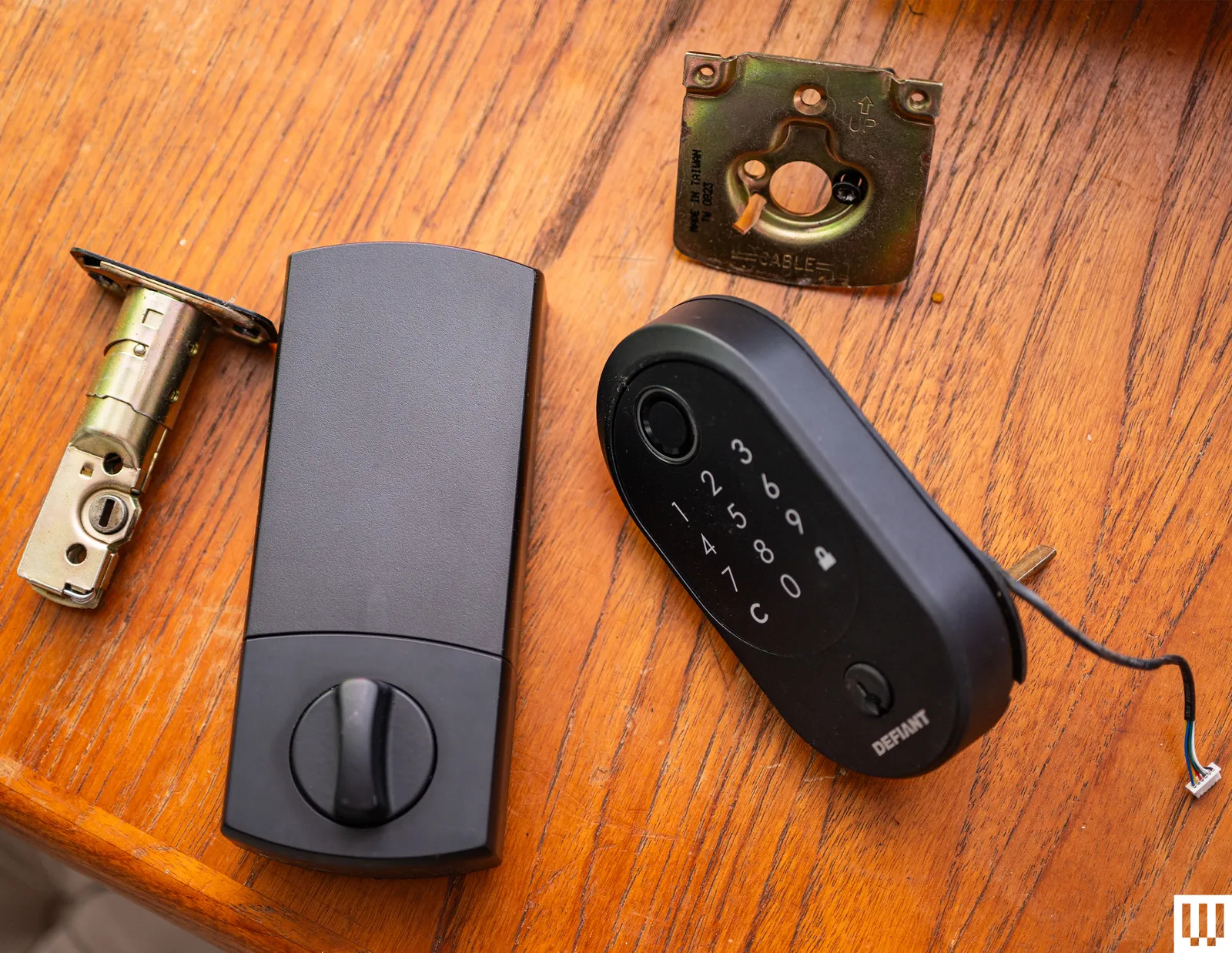
- Mount the Exterior and Interior Assemblies: This is the main part of the lock. Follow the instructions carefully to connect the pieces through the door.
- Install Batteries and a Cover: Pop in the batteries and attach the final cover.
- Calibrate and Connect: Use the manufacturer’s app to calibrate the lock (teaching it which way is locked and unlocked) and connect it to your phone.
However, there are times when calling a professional is the smart move. You should call a pro if your door is misaligned, the deadbolt hole needs to be re-drilled, or you’re simply not comfortable with the process.
Frequently Asked Questions (FAQ)
Q: Are smart locks safe from being hacked?
A: Reputable brands use advanced encryption standards, like AES 128-bit or 256-bit, which are similar to what banks use. While no system is 100% impenetrable, the risk of a digital break-in is extremely low compared to a physical one, like lock-picking an old, traditional lock. Always use a strong, unique password for your account.
Q: What happens if the power or my Wi-Fi goes out?
A: Your smart lock will still function perfectly. Since they are battery-powered, a power outage has no effect. If your Wi-Fi is down, you’ll lose remote access, but you can still operate the lock via Bluetooth with your phone, the keypad, or a physical key.
Q: How long do smart lock batteries typically last?
A: This varies by model and usage, but you can generally expect anywhere from 6 to 12 months from a set of standard AA batteries. All smart lock apps will give you low-battery warnings well in advance, so you’ll have plenty of time to change them.
Q: Can I install a smart lock if I’m a renter?
A: Yes! This is a great use case. Look for “retrofit” models like the August Wi-Fi Smart Lock. These install on the inside of your door, over the existing hardware. You don’t change the exterior lock, and you can still use your original keys. When you move out, you can remove it in minutes and take it with you.
Q: Is one brand from the smart lock brand comparison chart clearly better than the others?
A: Not necessarily. The “best” brand depends on your specific needs. Schlage is renowned for its physical security, Level for its invisible design, August for its ease of installation on existing locks, and Wyze for its incredible value. Use the chart to identify which brand’s philosophy aligns best with your priorities.
The Key to a Smarter, Safer Home
Upgrading to a smart lock is one of the most practical and impactful additions you can make to your home. It’s more than just a gadget; it’s a tool that provides real, everyday peace of mind. That frantic, mid-commute panic of “Did I lock the door?” can be replaced by the calm certainty of checking an app and tapping a button.
We hope this guide and the smart lock brand comparison chart have demystified the process and empowered you to make a confident choice. It’s time to step into a more secure, convenient, and key-free future. Share your experience and let us know which smart lock you chose to protect your home.