Let’s be honest, we’ve all had that mini heart-attack moment. You’re at work, your phone buzzes, and it’s a motion alert from your front door camera. Is it the package you’ve been waiting for, or something more concerning? You can see the person, but what if it’s a friend who needs to drop something off, or a family member who forgot their key? This is where learning How To Integrate Smart Lock With Security Camera transforms your smart home from a collection of cool gadgets into a truly intelligent security system. It’s the difference between just seeing what’s happening at your door and being able to do something about it, from anywhere in the world.
Why Should You Integrate Your Smart Lock and Camera?
Before we dive into the nuts and bolts, let’s talk about the “why.” Why go through the trouble? Think of your smart lock and your security camera as two talented solo musicians. They’re great on their own, but when they play together, they create a symphony of security and convenience.
- Ultimate Contextual Awareness: You don’t just get an alert that your door was unlocked. You get an alert with a video clip or snapshot showing who unlocked it. Was it your child coming home from school using their code? Or the dog walker at their scheduled time? This visual confirmation is pure peace of mind.
- True Remote Access: A friend arrives early while you’re stuck in traffic. With an integrated system, you can see them on your camera, have a quick chat through the two-way audio, and unlock the door for them right from your phone. No more hiding spare keys under the mat (which, by the way, is a security nightmare).
- Airtight Security Logging: Every event is tied to a visual record. If someone tries to tamper with your lock, not only will you get an alert, but your camera will already be recording, capturing crucial evidence. It creates a seamless log of who came and went, and when.
The Pre-Flight Checklist: What You Need Before You Start
Jumping straight into the integration process without the right gear is like trying to build a puzzle with missing pieces. You’ll just end up frustrated. Before you try to figure out how to integrate smart lock with security camera, let’s make sure you have the essentials.
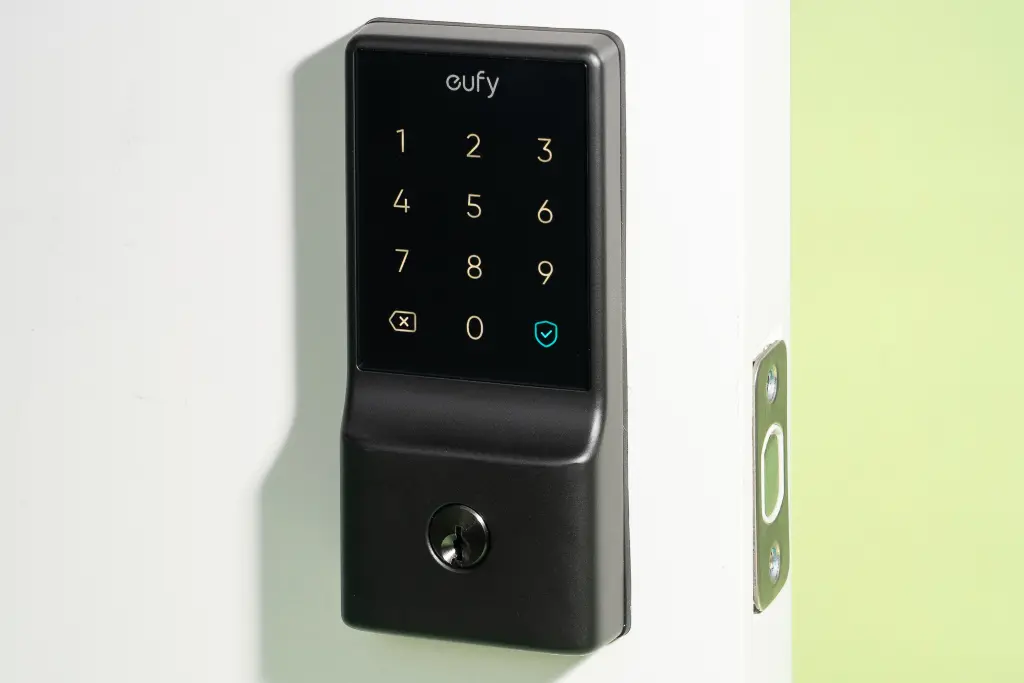
- A Wi-Fi Enabled Smart Lock: Not all smart locks are created equal. While Bluetooth-only models are great for when you’re at home, you need a lock that can connect to your home’s Wi-Fi (either natively or through a Wi-Fi bridge) to be controlled from anywhere. This is the non-negotiable first step.
- A Compatible Smart Security Camera: Similarly, your camera needs to be part of an ecosystem that allows for integrations. Brands that have both locks and cameras, like Ring or Wyze, are often the easiest to pair. Other cameras that work with major smart home hubs are also great candidates.
- A Stable Wi-Fi Network: This is the backbone of your entire smart home. A weak or spotty Wi-Fi signal will lead to lag, missed commands, and a whole lot of headaches. Make sure your signal is strong at both your door and your camera’s location.
- A Smart Home Hub or Platform: This is the conductor of our security symphony. It’s the central brain that allows your lock and camera to talk to each other. The most common ones are:
- Amazon Alexa
- Google Home / Google Assistant
- Apple HomeKit
- Samsung SmartThings
- IFTTT (If This Then That)
|
Our Picks for the Best Smartlocks in 2026
As an Amazon Associate I earn from qualifying purchases.
|
||
| Num | Product | Action |
|---|---|---|
| 1 | Schlage Encode Smart WiFi Deadbolt Lock for Front Door - Keyless Entry with App or Touchscreen - Works with Alexa, Hey Google, & Airbnb - Create Codes for Guests - Satin Nickel Silver |

|
| 2 | Keypad & Key Smart Door Lock, 50 User Codes, Waterproof, Auto Lock - Matte Black |
|
| 3 | Smart Keypad Door Lock with Handle: NICE DIGI Keyless Entry Digital Lock for Front/Interior Door, Electronic Code Knob, Easy Installation |
|
| 4 | Kwikset Powerbolt 250 10-Button Keypad Satin Nickel Transitional Electronic Deadbolt Door Lock, Featuring Convenient Keyless Entry, Customizable User Codes, Auto Locking |
|
| 5 | TEEHO TE001 Keyless Entry Door Lock with Keypad - Smart Deadbolt Lock for Front Door with 2 Keys - Auto Lock - Easy Installation - Matte Black |
|
| 6 | Keyless Entry Fingerprint Smart Lock with Handle & Keypad: Sifely Biometric Digital Electronic Lock with Code, Electric Deadbolt Door Knob for Front, Interior, Exterior & Bedroom Doors (Silver) |
|
| 7 | Schlage Encode Plus Smart Wi-Fi Lock for Front Door, Keyless Entry Deadbolt, Unlock with Apple Watch, Built-in WiFi and App Control, Easy Install, Alexa & Apple HomeKit Compatible, Matte Black |
|
| 8 | ULTRALOQ U-Bolt Pro WiFi Smart Lock with Door Sensor, 8-in-1 Keyless Entry Door Lock with Fingerprint ID, App Remote Control, Built-in WiFi Keypad Deadbolt, Auto Unlock, IP65 Waterproof, Easy Install |
|
| 9 | Yale Security Assure Lock 2 Deadbolt, Black Suede Keyed Smart Entry Door Lock with Wi-Fi Connected Keypad for Code Entry and Remote Access, YRD410-WF1-BSP |
|
| 10 | Keypad Smart Door Lock with Knob, Yamiry Keyless Entry Digital Lock with Handle, Fingerprint Electronic Knob for Front Door, Generate Passcode Remotely, Easy Installation |
|
How to Integrate Smart Lock With Security Camera: 3 Core Methods
Alright, you’ve got your gear and you’re ready to go. The good news is that you don’t need to be a tech wizard to make this happen. The process generally falls into one of three categories, ranging from super simple to a bit more hands-on.
Method 1: The “Walled Garden” Ecosystem
This is by far the easiest and most reliable method. It involves buying a smart lock and a security camera from the same brand that are designed to work together out of the box. Think of brands like Ring (with their Ring Video Doorbells and compatible smart locks) or August (which pairs well with many doorbell cameras).
- Install Both Devices: Follow the manufacturer’s instructions to physically install your smart lock and your security camera.
- Use the Native App: Download the brand’s specific app (e.g., the Ring app, the August app).
- Add Both Devices: Add both the lock and the camera to your account within the same app.
- Link Them: The app will almost always have a simple, built-in function to link the devices. It might be under “Device Settings” or “Linked Devices.” A few taps, and you’re done. The app handles all the complicated stuff in the background.
The beauty of this method is its simplicity and reliability. Because the devices were made for each other, the integration is seamless.
Method 2: Using a Smart Home Hub (Alexa, Google, HomeKit)
This is the most common and versatile method, especially if you have devices from different brands. Here, you use a central hub like an Amazon Echo or Google Nest Hub to act as a translator between your lock and camera.
- Connect Your Lock to the Hub: Open your hub’s app (e.g., the Alexa app). Go to “Devices” -> “Add Device” and follow the steps to link your smart lock’s account. You’ll need to enable the corresponding “Skill” or “Action.”
- Connect Your Camera to the Hub: Do the exact same thing for your security camera. Find its brand, link your account, and authorize the connection.
- Create a Routine: This is where the magic happens. In the Alexa or Google Home app, look for “Routines.” Here, you can create rules.
- The Trigger (The “When”): You can set a trigger, like “When my Front Door Camera detects a person.”
- The Action (The “Then”): You can then add an action, such as “Show the Front Door Camera feed on my Echo Show” or “Announce ‘Someone is at the front door’.”
While you often can’t have a camera’s motion trigger an unlock action directly for security reasons, you can create routines that bring the camera feed to you, allowing you to manually unlock with a voice command or a tap in the app. For example, you can say, “Alexa, show me the front door,” and then, “Alexa, unlock the front door.”
Method 3: IFTTT (If This Then That) for Customization
IFTTT is a free web service that creates “applets” to connect services that don’t normally talk to each other. It’s a bit more advanced, but it unlocks powerful, custom automations.
- Create an IFTTT Account: It’s free and easy to sign up.
- Connect Your Services: Connect your smart lock’s account and your camera’s account to IFTTT.
- Create an Applet:
- The “If This”: Choose your camera as the trigger. The trigger could be “motion detected” or “person detected.”
- The “Then That”: Choose your smart lock as the action. A word of caution: For security, most lock manufacturers do not allow an IFTTT action to unlock the door. However, you can create other useful applets, such as “If the front door is unlocked, tell my Wyze Cam to record a clip.”
A Note on Security: As David Chen, a Certified Smart Home Security Specialist, often advises, “The convenience of integration should never compromise the core principles of security. Always enable two-factor authentication on all your smart home accounts. A clever automation is wonderful, but a secure foundation is essential.”
So, What Can You Actually Do With This Setup?
Once you’ve mastered how to integrate smart lock with security camera, you unlock a new level of home management.
- Vet Your Visitors: See a delivery person on your camera? Unlock the door for them to place a package inside and lock it right after they leave.
- Automate Guest Access: Create a temporary code for an Airbnb guest or a house sitter. Your system can send you a video notification the first time that code is used, so you know they’ve arrived safely.
- Keep Tabs on the Kids: Get a snapshot or video clip sent to your phone when your child uses their code to unlock the door after school. It’s a simple, non-intrusive way to know they’re home safe.
Frequently Asked Questions
Q: Do all smart locks work with all security cameras?
A: Absolutely not. Compatibility is the most important factor. Always check if the lock and camera can integrate through a common platform like Alexa, Google Home, or if they are from the same brand ecosystem before you buy.
Q: Is it safe to connect my lock and camera to the internet?
A: Yes, provided you take basic security precautions. Use strong, unique passwords for your accounts, enable two-factor authentication (2FA), and keep your device’s firmware updated. Reputable brands use strong encryption to protect your data.
Q: What happens if my Wi-Fi goes out?
A: Your integration will temporarily stop working. However, your smart lock itself will not fail. Most smart locks still allow you to use the physical key, the keypad, or a direct Bluetooth connection from your phone when you’re nearby.
Q: Will this integration drain my smart lock’s battery faster?
A: Yes, features that rely on Wi-Fi will use more power than basic Bluetooth or keypad functions. It’s a trade-off for the added convenience. Most smart locks will give you plenty of warning when the batteries are running low.
Q: Can I integrate more than one camera with my smart lock?
A: Yes. Using a smart home hub, you can create routines and automations involving multiple devices. For example, you could have both a front door camera and a driveway camera work in tandem with your front door lock.
The Future Is at Your Fingertips
Learning how to integrate smart lock with security camera is more than just a tech project; it’s a fundamental upgrade to your home’s security and your daily convenience. It bridges the gap between seeing and doing, giving you complete control and unparalleled peace of mind. You’re no longer just a passive observer of your home’s security—you’re the active, empowered director. So go ahead, connect your devices, and unlock a smarter, safer home.