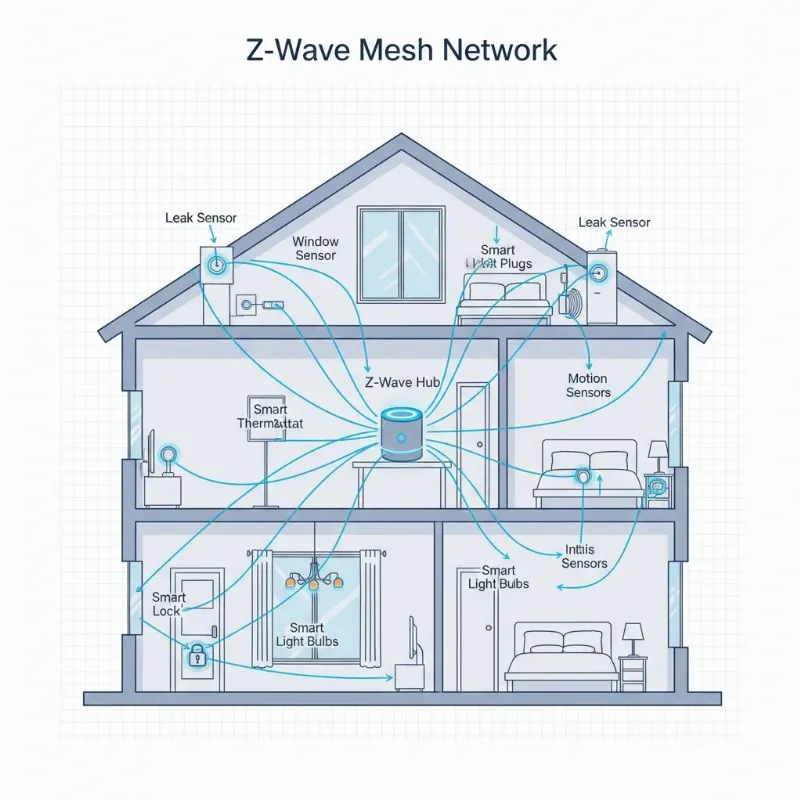
Imagine a home where your front door doesn’t just lock itself, but actively participates in your daily routines, adapting to your schedule and enhancing your security with intelligent precision. This isn’t science fiction; it’s the power of smart lock automation, and at its heart lies a versatile platform called IFTTT (If This Then That). For over a decade, smart lock technology has evolved, offering unparalleled convenience and peace of mind. By integrating your smart lock with IFTTT, you can unlock a new realm of control, transforming simple devices into a seamlessly interconnected home security system.
What is a Smart Lock?
A smart lock is an electromechanical lock designed to perform locking and unlocking operations on a door when it receives instructions from an authorized device using a wireless protocol and cryptographic key to execute the authorization process. Unlike traditional locks, smart locks offer a range of access methods, from keypads and fingerprints to smartphone apps and voice commands. These advanced locks are a cornerstone of modern smart homes, providing not only security but also unprecedented convenience. They have evolved significantly, moving from basic Bluetooth models to sophisticated systems integrating Wi-Fi, Z-Wave, and even AI for enhanced functionality.
Popular Types of Smart Locks
The market offers a diverse array of smart locks, each catering to different preferences and security needs.
- Bluetooth Smart Locks: These locks connect directly to your smartphone via Bluetooth, typically requiring you to be within a short range to operate them.
- Wi-Fi Smart Locks: Offering remote access, Wi-Fi locks connect to your home’s Wi-Fi network, allowing you to control and monitor your door from anywhere in the world via a smartphone app.
- Fingerprint Smart Locks: Utilizing biometric technology, these locks grant access with a simple touch of a registered fingerprint, eliminating the need for keys or codes.
- Keypad Smart Locks: Access is granted by entering a unique numerical code on a built-in keypad, perfect for guests or service providers.
- RFID/NFC Smart Locks: These locks use key cards or fobs for entry, often found in offices or hotels, but also available for residential use.
- Facial Recognition Smart Locks: Representing the cutting edge, these locks use advanced cameras and AI to identify authorized users through facial scans.
|
Our Picks for the Best smart locks in 2026
As an Amazon Associate I earn from qualifying purchases.
|
||
| Num | Product | Action |
|---|---|---|
| 1 | Smart Door Handle Lock with Keypad: Yamiry Fingerprint Smart Knob - Keyless Entry Digital Lock for Front Door - Deadbolt with APP - Generate Passcode Remotely - DIY Installation |

|
| 2 | TEEHO TE001 Keyless Entry Door Lock with Keypad - Smart Deadbolt Lock for Front Door with 2 Keys - Auto Lock - Easy Installation - Matte Black |
|
| 3 | ULTRALOQ U-Bolt Pro WiFi Smart Lock with Door Sensor, 8-in-1 Keyless Entry Door Lock with Fingerprint ID, App Remote Control, Built-in WiFi Keypad Deadbolt, Auto Unlock, IP65 Waterproof, Easy Install |
|
| 4 | Wyze Palm Lock, Smart Door Lock with Palm Vein Recognition, Keyless Entry Smart Locks for Front Door, Keypad, Auto Lock, Dual Battery, Wi-Fi, Works with Alexa & Google, BHMA, IP53, Mechanical Key |
|
| 5 | Wyze Auto-Lock Bolt v2, Fingerprint Keyless Entry Smart Lock, AI Learning Scanner with Wi-Fi Front Door Lock Deadbolt, Auto-Lock, 8 Months Battery, BHMA2, IP53, Anti-Peep Keypad, Backup Keys |
|
| 6 | Schlage Encode Smart WiFi Deadbolt Lock for Front Door - Keyless Entry with App or Touchscreen - Works with Alexa, Hey Google, & Airbnb - Create Codes for Guests - Satin Nickel Silver |
|
| 7 | Schlage Encode Smart WiFi Deadbolt Lock for Front Door - Keyless Entry with App or Touchscreen - Works with Alexa, Hey Google, & Airbnb - Create Codes for Guests - Matte Black |
|
| 8 | Yale Security Assure Lock 2 Deadbolt, Black Suede Keyed Smart Entry Door Lock with Wi-Fi Connected Keypad for Code Entry and Remote Access, YRD410-WF1-BSP |
|
| 9 | Tapo Smart Wi-Fi Deadbolt Door Lock – Keyless Tactile Buttons, Customized Access with in-App Monitoring, Auto-Lock, IP54 Weatherproof, BHMA Grade 3, Compatible with Standard Door Sizes, Tapo DL100 |
|
| 10 | Smart Door Lock with Camera Fingerprint Keyless Entry Door Lock Electronic Deadbolt with Keypad Code, App Remote Control, Auto Unlock for Front Door |
|
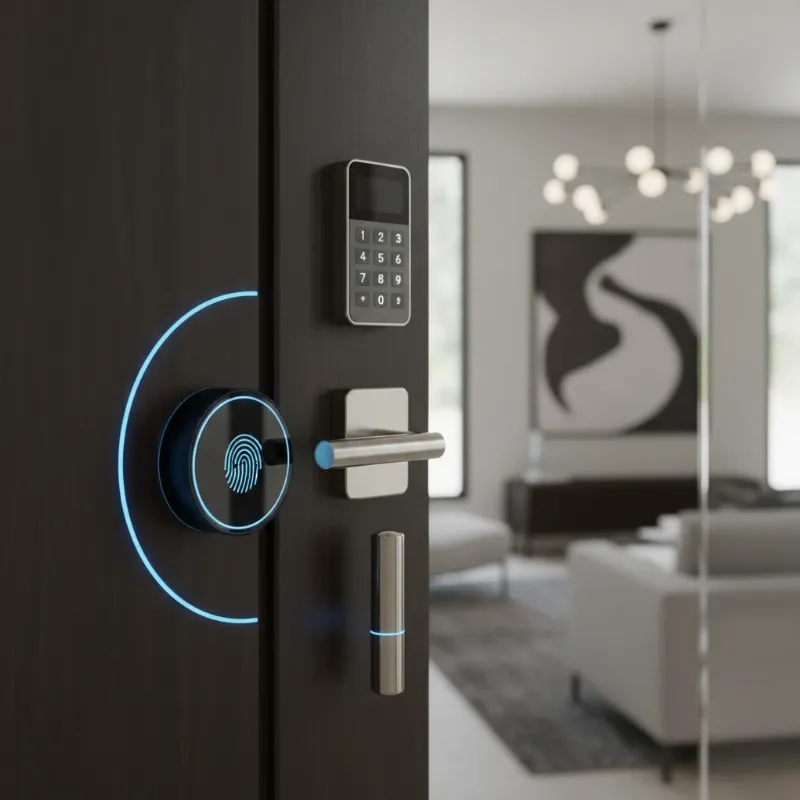 Diverse smart lock types including fingerprint, keypad, and Bluetooth models on a modern door.
The IFTTT Ecosystem: Connecting Your Smart Lock
IFTTT, which stands for “If This Then That,” is a free web-based service that allows users to create powerful automated workflows, known as “Applets,” between various internet-connected devices and services that might not otherwise communicate directly. It acts as a digital bridge, enabling your smart lock to interact with other smart home devices, web services, and even your smartphone’s features. The core principle is simple: if a specific “trigger” event occurs (e.g., “If I leave home”), then a predefined “action” will follow (e.g., “Then lock my smart door”). This seemingly simple logic unlocks a world of complex and highly personalized automations for your smart lock.
How IFTTT Works with Smart Locks
To automate your smart lock with IFTTT, you first need to connect your smart lock’s service to your IFTTT account. Once connected, you can create Applets where your smart lock can act as either the “This” (trigger) or the “That” (action). For instance, an Applet might be: “If [Time] is 10:00 PM (This), then [Kwikset Smart Lock] Lock my door (That).” This seamless integration brings enhanced security, convenience, and a personalized smart home experience right to your doorstep.
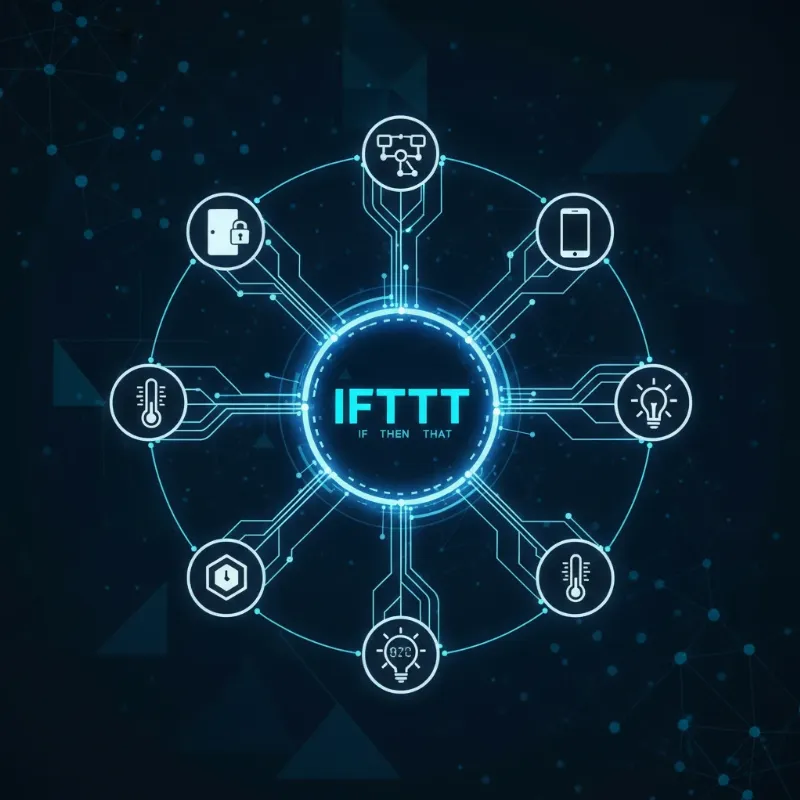 IFTTT logo connecting a smart lock icon to various smart home devices and services.
Unleashing the Potential: Powerful IFTTT Automations for Smart Locks
Automating your smart lock with IFTTT goes far beyond basic locking and unlocking. It integrates your door into a larger, more responsive smart home ecosystem, reacting intelligently to various triggers and creating a truly intuitive living experience. By leveraging IFTTT, you can elevate your home’s security and convenience to unprecedented levels.
Enhanced Security Automations
- Scheduled Auto-Locking: Never forget to lock your door again. Set an Applet to automatically lock your door every night at a specific time, ensuring your home is secure while you sleep.
- Geofencing for Locking/Unlocking: Use your smartphone’s location to trigger actions. When the last family member leaves a predefined geofence, your smart lock can automatically secure itself. Conversely, it can unlock when you arrive home, offering a hands-free entry experience.
- Intruder Alerts: If your smart lock detects an unauthorized attempt to open the door, an IFTTT Applet can immediately send you a mobile notification, an email alert, or even trigger other security devices like smart lights to flash.
- Temporary Access Management: Create temporary access codes through your smart lock’s app. You can then use IFTTT to notify you when a specific code is used to unlock the door, perfect for tracking cleaning services or deliveries.
Unparalleled Convenience Automations
- Integration with Smart Lighting: When your smart lock unlocks after sunset, an Applet can simultaneously turn on your entryway lights, providing a welcoming and safe return. When it locks at night, lights can automatically dim or turn off.
- Thermostat Adjustment Upon Entry/Exit: Link your smart lock to your smart thermostat. As you leave and your door locks, IFTTT can tell your thermostat to adjust to an energy-saving temperature. When you unlock to return, it can pre-warm or pre-cool your home.
- Voice Control Enhancements: While many smart locks offer direct voice assistant integration, IFTTT can add layers of customization. For locks not natively supported by a specific voice assistant, you can create an Applet where a custom voice command (e.g., “Hey Google, secure the house”) triggers your smart lock to lock.
- Guest Access Management: For rental properties or when hosting guests, you can automate access. For example, if a calendar event for a guest check-in is approaching, IFTTT could trigger your smart lock to enable a pre-set guest code for a specific period.
“A smart home is more than just connected devices; it’s about creating an intelligent ecosystem that anticipates your needs and responds proactively. IFTTT transforms your smart lock into an active participant in this vision.” – Emily Chen, Smart Home Architect
Crafting Your First IFTTT Applet for Your Smart Lock
Creating an IFTTT Applet is a straightforward process, built on the “If This Then That” logic. Here’s a general guide to setting up your first automation for your smart lock:
- Sign Up or Log In to IFTTT: If you don’t have an account, create one at ifttt.com or via the IFTTT mobile app.
- Connect Your Smart Lock Service: Navigate to the “Explore” tab or search for your specific smart lock brand (e.g., Kwikset, August, Ultraloq). Connect the service by authorizing IFTTT to access your smart lock account. You may also need to connect other services you wish to integrate, like “Date & Time” or “Location.”
- Start a New Applet: Click on “Create” to begin building a new automation.
- Define the “If This” (Trigger):
- Click “Add” next to “If This.”
- Search for and select the service that will initiate the action. For instance, select “Date & Time” for a scheduled lock, or “Location” for geofencing.
- Choose a specific trigger from the available options (e.g., “Every day at,” “You enter an area,” “Your smart lock is unlocked by a specific person”).
- Configure any necessary details for the trigger (e.g., time, location radius).
- Define the “Then That” (Action):
- Click “Add” next to “Then That.”
- Search for and select your smart lock’s service (e.g., Kwikset Smart Lock, August Home).
- Choose the desired action (e.g., “Lock my door,” “Unlock my door” – note that unlocking is often restricted for security reasons or requires specific workarounds like virtual switches).
- Select the specific smart lock device if you have multiple.
- Review and Finish: Give your Applet a descriptive title, then click “Continue” and “Finish” to activate it.
Practical Example: Auto-Lock at Night
Let’s walk through an example: Automatically locking your door at 10:00 PM every night.
- If This: Date & Time service, trigger “Every day at,” set time to 10:00 PM.
- Then That: Kwikset Smart Lock service, action “Lock my door,” select your Kwikset device.
This simple Applet ensures your door is always secured as you wind down for the night.
Choosing the Right Smart Lock for IFTTT Automation
When selecting a smart lock, compatibility with IFTTT should be a key consideration if you intend to create custom automations. Many leading brands actively support IFTTT, offering a wide range of triggers and actions.
Key Brands and Their IFTTT Integration
- Kwikset Smart Locks: Kwikset offers robust IFTTT integration, allowing for scheduled auto-locking, triggering notifications based on lock activity, and connecting with other smart home devices like lights and thermostats.
- August Home Smart Locks: August is well-known for its IFTTT capabilities, enabling alerts, adjusting smart lighting and thermostats based on lock activity, and logging entry/exit events. Their Wi-Fi Smart Locks often require no additional bridge for integration.
- Ultraloq Smart Locks: Ultraloq devices also integrate with IFTTT, offering applets for scheduled locking, button-press unlocking, and email notifications for lock activity.
- SwitchBot Locks: These innovative locks can integrate with IFTTT, particularly when paired with a SwitchBot Hub, allowing them to trigger other services based on lock status changes (locked, unlocked, door opened/closed).
- Yale Smart Locks: As part of the wider smart home ecosystem, many Yale smart locks, especially those under the August/Yale umbrella, support IFTTT for enhanced automation and control.
Compatibility Table: Smart Locks and IFTTT Features
| Feature / Lock Type | Kwikset | August | Ultraloq | SwitchBot | Yale |
|---|---|---|---|---|---|
| Direct IFTTT Integration | Yes | Yes | Yes | Yes (with Hub) | Yes |
| Scheduled Locking | Yes | Yes | Yes | Yes | Yes |
| Geofence Locking/Unlocking | Yes | Yes | Yes | Yes | Yes |
| Activity Notifications | Yes | Yes | Yes | Yes | Yes |
| Integration w/ Lights | Yes | Yes | Yes | Yes | Yes |
| Integration w/ Thermostats | Yes | Yes | Yes | Yes | Yes |
| Remote Locking/Unlocking | Yes | Yes | Yes | Yes | Yes |
| Virtual Switch Compatibility | Yes | Yes | Yes | Yes | Yes |
Note: While many locks support unlocking via IFTTT, some brands or specific applets may restrict direct unlocking for security reasons, sometimes requiring a voice command or a virtual switch workaround for this action.
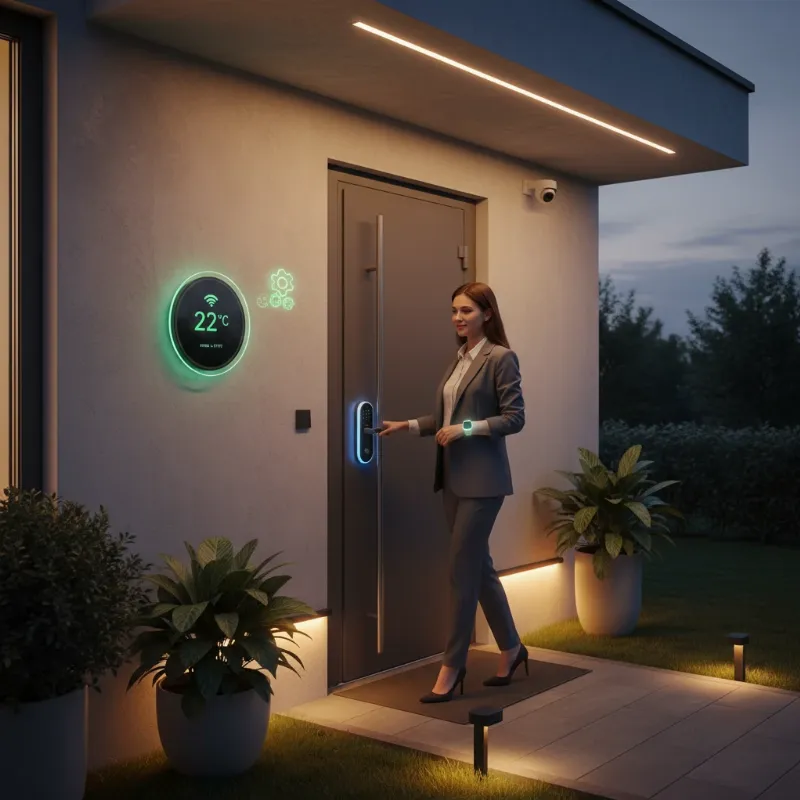 Woman entering a smart home with lights on and door unlocking, showcasing IFTTT automation.
Optimizing Your IFTTT Smart Lock Experience
To get the most out of your IFTTT-enabled smart lock, consider these tips for seamless operation and robust security. Automation is about making your life easier and safer, and a little planning goes a long way.
Maintenance and Best Practices
- Regular Battery Checks: Smart locks, especially those relying on Wi-Fi or Z-Wave, consume battery power. Set a reminder or use a smart home system to alert you when battery levels are low, ensuring your lock always functions as expected. Some IFTTT Applets can even notify you of low battery status.
- Firmware and App Updates: Keep your smart lock’s firmware and the accompanying smartphone app up to date. Manufacturers regularly release updates that improve security, add new features, and enhance compatibility with platforms like IFTTT.
- Strong Passwords and Account Security: Your IFTTT account and smart lock app are gateways to your home. Use strong, unique passwords and enable two-factor authentication wherever possible to prevent unauthorized access.
- Review Applets Periodically: As your smart home evolves, your automation needs might change. Regularly review your IFTTT Applets to ensure they are still serving their purpose efficiently and that there are no outdated or redundant automations running.
Troubleshooting Common IFTTT Smart Lock Issues
Even with careful setup, you might encounter occasional issues. Here are some common problems and their solutions:
- Applet Not Firing:
- Check Service Connection: Ensure both your smart lock service and the trigger service (e.g., Location, Date & Time) are properly connected and authorized in IFTTT. Reconnecting them can often resolve glitches.
- Review Trigger Conditions: Double-check the “If This” conditions. Is the time correct? Is your geofence accurate? Is the expected event actually occurring?
- Polling vs. Realtime: Be aware that some IFTTT triggers are “polling” (check every 5-60 minutes), not “realtime.” If your Applet isn’t immediate, it might be a polling trigger. IFTTT Pro/Pro+ offers faster polling for custom Applets.
- Lock Not Responding:
- Internet/Bluetooth Connection: Verify your smart lock has a stable connection to your home Wi-Fi or Bluetooth, depending on its type. A weak signal can prevent commands from being received.
- Smart Lock App Functionality: Ensure your smart lock can be controlled directly through its native app. If it’s not working there, the issue lies with the lock itself, not IFTTT.
- Unlocking Restrictions: For security reasons, some smart lock brands or IFTTT may have limitations on directly unlocking doors via certain Applets. If you encounter this, consider using a voice command as an intermediary (e.g., “Alexa, trigger unlock door”) or implementing a virtual switch through a compatible hub (like SmartThings or Hubitat) that IFTTT can then toggle.
The Future of Smart Lock Automation with IFTTT
The world of smart home technology is constantly evolving, and smart locks, combined with automation platforms like IFTTT, are at the forefront of this innovation. The future promises even more sophisticated, secure, and seamlessly integrated experiences.
Emerging Trends
- Advanced AI Integration: Expect smart locks to leverage AI more extensively, learning your patterns and preferences to anticipate your needs. Imagine a lock that knows when you’re likely to forget your keys and sends a timely reminder, or adjusts its sensitivity based on neighborhood activity reports.
- Enhanced Interoperability: While IFTTT already bridges many devices, future developments will likely see even deeper and more intuitive connections between disparate smart home ecosystems. This could involve more standardized protocols or even more powerful, AI-driven middleware platforms.
- Blockchain for Security: Blockchain technology could be used to create immutable logs of access events, further enhancing the security and trustworthiness of smart lock systems, particularly for sensitive applications or shared properties.
- Biometric Innovations: Beyond fingerprints and facial recognition, future smart locks might incorporate even more advanced biometrics like gait analysis or iris scanning for even more secure and seamless access.
- Contextual Automations: Imagine smart locks that react not just to “If This,” but to “If This AND That AND also considering these other factors.” This multi-layered contextual awareness will lead to incredibly smart and personalized automations, such as locking the door if no one is home AND the weather forecast predicts heavy rain AND it’s past sunset.
Conclusion
Automating your smart lock with IFTTT is a powerful step towards a smarter, more secure, and incredibly convenient home. From setting up simple auto-locking schedules to crafting complex routines that integrate with your lights, thermostat, and even your personal calendar, IFTTT empowers you to customize your home security like never before. It bridges the gap between different devices, allowing them to work in harmony and adapt to your lifestyle. By embracing this technology, you’re not just installing a lock; you’re upgrading your entire home experience, making it more intuitive, responsive, and secure.
Are you ready to transform your smart lock into an intelligent guardian and personal assistant for your home? The world of IFTTT automation is waiting.
Frequently Asked Questions
Is automating my smart lock with IFTTT secure?
Yes, automating your smart lock with IFTTT is generally secure, provided you follow best practices. IFTTT uses encrypted connections, and you authorize specific actions for your smart lock, maintaining control over what can be automated. Always use strong passwords and enable two-factor authentication for both your smart lock app and IFTTT account to maximize security.
Do all smart locks work with IFTTT?
While many popular smart lock brands like Kwikset, August, Ultraloq, and Yale offer direct integration with IFTTT, not all smart locks are natively compatible. It’s crucial to check for IFTTT compatibility when purchasing a smart lock. Even if not directly supported, sometimes a smart home hub (like SmartThings) can act as an intermediary, allowing IFTTT to control the lock through the hub.
How many IFTTT Applets can I create for free?
IFTTT offers a free tier that typically allows users to create a limited number of custom Applets (often up to three). If you wish to create more personalized automations or access features like faster polling for certain triggers, IFTTT offers a paid “Pro” subscription that provides unlimited custom Applets and enhanced capabilities. You can still use an unlimited number of pre-made Applets created by others on the free tier.
Can I unlock my door remotely using IFTTT?
Yes, you can configure IFTTT to unlock your door remotely. However, for security reasons, some smart lock brands or IFTTT may implement restrictions, sometimes requiring an extra layer of confirmation (e.g., a voice command via a smart assistant) or a specific workaround like a virtual switch in a smart home hub. Always prioritize security when setting up unlocking automations.
What are some creative IFTTT automations for smart locks?
Beyond basic locking/unlocking, creative automations include: notifying you when your children arrive home from school and unlock the door with their unique code; automatically turning off your smart thermostat and lights when your smart lock registers you leaving the house; flashing smart lights if an unauthorized attempt is made to unlock the door; or even logging all door activity to a Google Sheet for a comprehensive security record.