Smart locks have transformed home security, offering unparalleled convenience and peace of mind. Among their most popular features, fingerprint recognition stands out, allowing seamless entry without fumbling for keys or remembering complex codes. However, the true power of this technology lies in its correct setup. An improperly enrolled fingerprint can lead to frustrating access denials or, worse, security vulnerabilities. This comprehensive guide will walk you through the precise steps and best practices to add a fingerprint to your smart lock, ensuring reliable performance and robust security for your home.
Understanding Your Smart Lock’s Fingerprint Technology
At its core, a smart lock with a fingerprint sensor uses advanced biometric technology to identify authorized users. These sensors typically fall into two main categories: optical and capacitive. Optical sensors create an image of your fingerprint, while capacitive sensors use electrical current to detect the ridges and valleys of your unique print. Regardless of the technology, the goal is the same: to capture a detailed, accurate representation of your fingerprint during enrollment so that subsequent scans for entry are swift and precise. This intricate process highlights why proper initial setup isn’t just a suggestion—it’s essential for optimal functionality and to maintain the high level of security you expect from your smart lock.
Preparing for Fingerprint Enrollment
Before you begin the actual enrollment process, a few preparatory steps can significantly impact the success and accuracy of your fingerprint setup. Starting with a clean slate ensures the best possible scan and reduces the likelihood of errors.
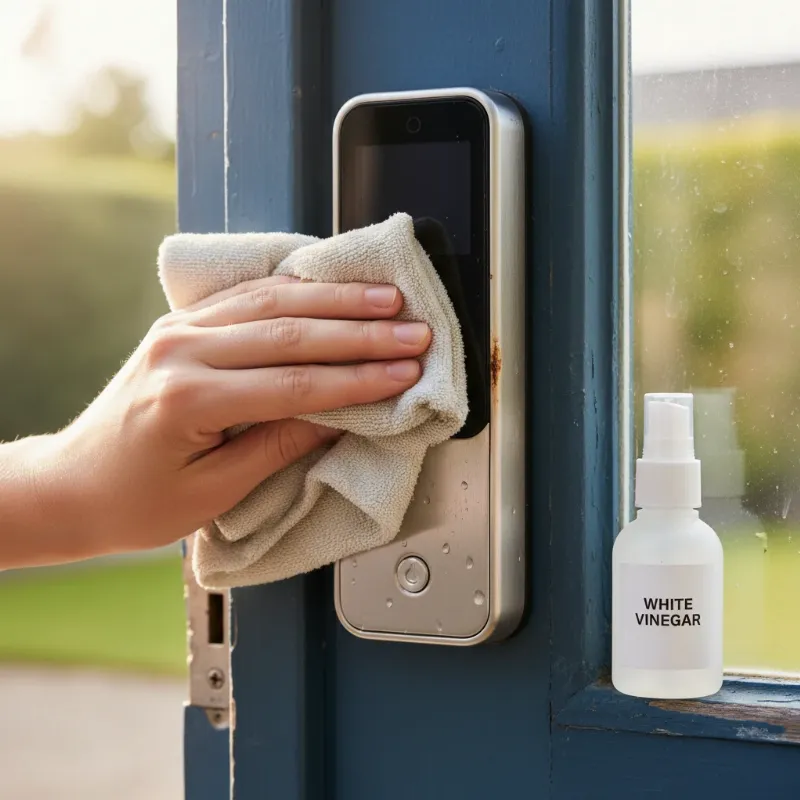
First, gather all necessary items: your smartphone with the smart lock’s companion app installed and connected, and ensure your smart lock is powered on and within range of your home network, if applicable. Next, confirm that you have administrator access to the smart lock through its app or directly on the device. This is crucial as only administrators can add new users and their biometric data. Finally, ensure both your hands and the smart lock’s fingerprint sensor are clean and dry. Dirt, oils, or moisture can interfere with the sensor’s ability to capture an accurate scan, leading to enrollment failures or poor recognition later on. A soft, dry cloth can be used to gently wipe the sensor surface.
Step-by-Step Guide: Adding a Fingerprint to Your Smart Lock
Adding a fingerprint to your smart lock is typically a straightforward process guided by its companion mobile application. While specific steps may vary slightly between brands and models, the general workflow remains consistent. Following these instructions carefully will help you achieve a successful and secure setup.
Most modern smart locks rely on a mobile app for user management. Start by opening your smart lock’s companion app on your smartphone and ensure it’s connected to your lock. Within the app, navigate to the “Member Management,” “Access Management,” or “User” section. Here, you’ll typically find an option to “Add Fingerprint” or “Enroll Biometric Data.” Select this option and follow the on-screen prompts provided by the app, which will guide you through the enrollment.
The most critical part of the process is performing the scan on the physical lock. You will be instructed to place your finger on the fingerprint sensor multiple times, often around six instances, lifting and repositioning it slightly between each scan. This multi-angle approach allows the lock to capture a comprehensive image of your fingerprint, accounting for slight variations in placement during daily use. Ensure your entire fingerprint pad covers the sensor each time, and hold it still for a second or two until you hear a beep or receive a visual confirmation. Once all scans are successfully registered, the app will usually confirm “Set successfully” or “Added successfully.” Tap “OK” or “Save” to finalize and store the fingerprint.
Best Practices for Accurate Fingerprint Recognition
Achieving consistently accurate fingerprint recognition goes beyond just the initial enrollment. Employing best practices during both setup and daily use can significantly enhance your smart lock’s performance and your overall experience. These tips ensure that your lock recognizes your fingerprint reliably every time.
Firstly, always ensure your fingers and the sensor are clean and dry. Moisture, dirt, or even natural skin oils can obscure your fingerprint pattern, leading to misreads. During enrollment, aim for full coverage of the sensor and try to vary the angle slightly with each scan to capture a broader dataset of your fingerprint. It’s highly recommended to register multiple fingers from both hands, such as both index fingers and thumbs. This provides backup access in case one hand is occupied, injured, or if a specific finger becomes difficult to read. For consistent daily recognition, try to place your finger on the sensor in a similar way each time, covering the maximum surface area. If you have dry or cracked skin, lightly moistening your finger can sometimes improve recognition. For children under 12, fingerprint access may not be ideal due to constant changes in their finger patterns as they grow.
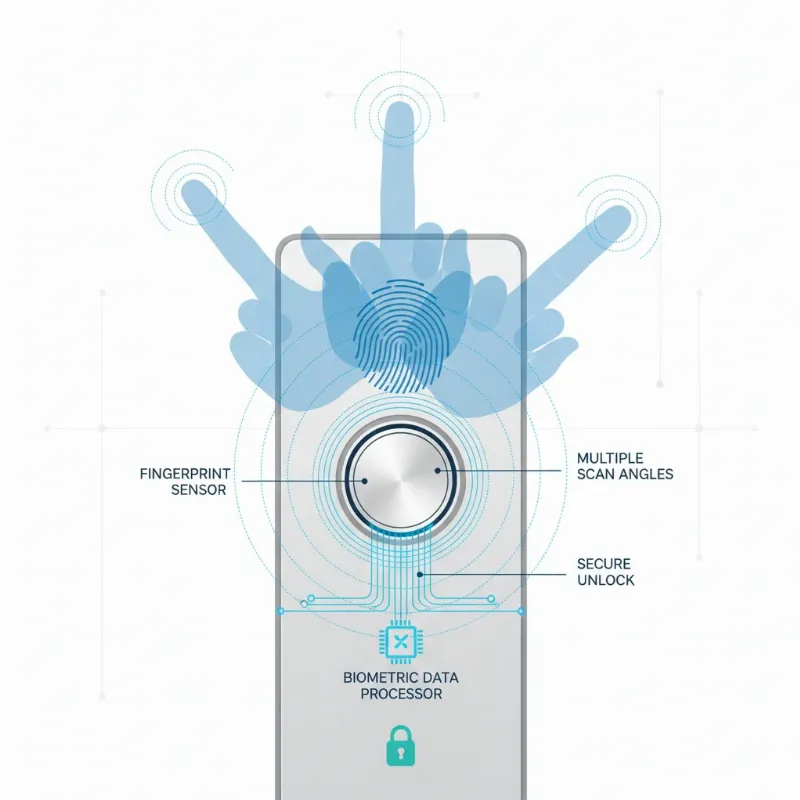 Diagram showing different angles of a finger being scanned on a smart lock sensor for comprehensive data capture.
Troubleshooting Common Fingerprint Enrollment Issues
Even with careful preparation, you might encounter issues during fingerprint enrollment or subsequent use. Knowing how to troubleshoot these common problems can save you time and frustration, quickly restoring your smart lock’s optimal functionality. Identifying the root cause is the first step toward a quick resolution.
One frequent issue is the smart lock failing to recognize a fingerprint that was seemingly enrolled successfully. This often points to an incomplete or poor-quality scan during setup. The best solution is to delete the existing fingerprint from the app and re-enroll it, paying extra attention to the best practices mentioned earlier, such as varying angles and ensuring full sensor coverage. If you receive “enrollment failed” errors repeatedly, double-check that your fingers and the sensor are spotless. Low battery levels on the smart lock can also impede sensor performance, so ensure your lock has sufficient power. Regularly check for and install any available firmware updates for your smart lock and updates for its companion app, as these often include performance improvements and bug fixes for the fingerprint sensor. If all else fails, consulting your smart lock’s user manual or contacting customer support for your specific brand can provide tailored solutions.
Enhancing Smart Lock Security Beyond Fingerprints
While fingerprint recognition offers a robust layer of security, a holistic approach to smart lock safety involves combining it with other measures. Relying on a single access method, no matter how advanced, can sometimes leave gaps. Integrating multiple security features ensures comprehensive protection.
Consider combining fingerprint access with other methods like secure passcodes, RFID cards, or even facial recognition where available. This multi-factor authentication approach adds significant redundancy. Regularly update your smart lock’s firmware and its companion mobile application to patch any security vulnerabilities and ensure you have the latest features. It’s also critical to use strong, unique passwords for your smart lock app and any connected smart home platforms. Periodically review the access logs provided by your smart lock app; these logs show who entered and when, allowing you to monitor activity and detect any unusual patterns. Implementing these additional security layers elevates your smart lock from a convenient entry device to a truly comprehensive home security solution.
The Future of Biometric Smart Locks: AI Integration and Beyond
The evolution of smart lock technology is continuous, with exciting advancements on the horizon, particularly in biometric recognition. The future promises even more secure, intelligent, and seamless access experiences. These innovations are set to redefine how we interact with our home security systems.
One significant trend is the deeper integration of artificial intelligence (AI). AI can enhance fingerprint recognition algorithms, making them more adaptive, accurate, and resistant to spoofing, even in challenging conditions like worn fingerprints or minor injuries. AI could also enable predictive maintenance, alerting you to potential lock issues before they arise. Furthermore, we can expect smart locks to become even more interconnected with other smart home devices, forming a cohesive security ecosystem. Imagine your lock not only recognizing your fingerprint but also adjusting lighting and temperature as you enter, or triggering security cameras if an unrecognized attempt is made. Concepts like blockchain technology are also being explored to create unalterable records of access, significantly boosting transparency and trust in digital access management. The possibilities extend to novel features like voice recognition or even gesture-based unlocking, pushing the boundaries of convenience and security further than ever before.
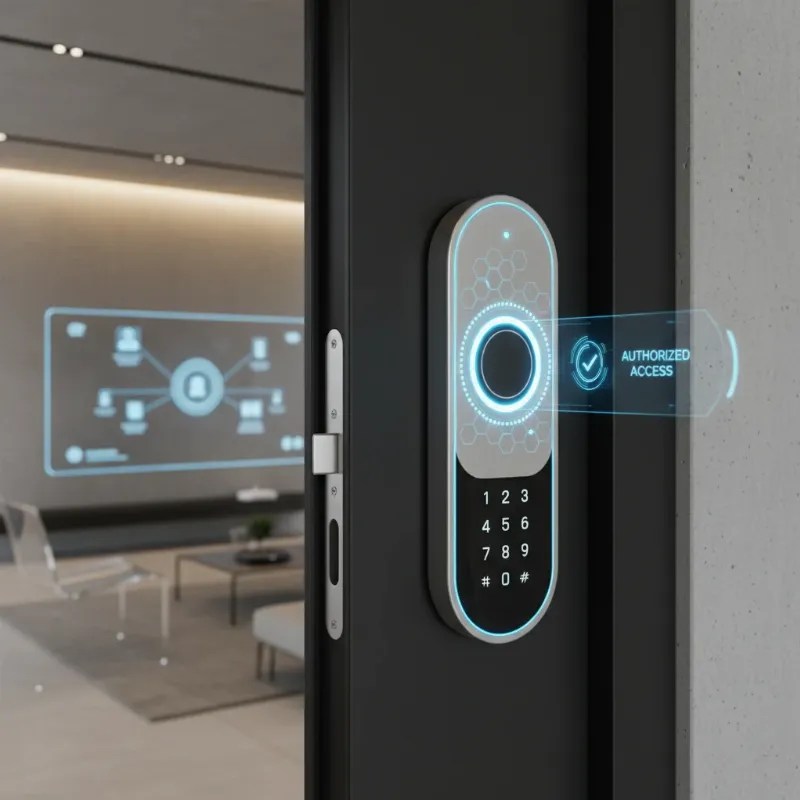 Futuristic smart lock integrating AI and other smart home devices for enhanced security and convenience.
Conclusion
Successfully adding a fingerprint to your smart lock is a fundamental step in harnessing the full potential of this incredible technology. By following the correct enrollment procedures and adhering to best practices, you ensure both the unparalleled convenience of keyless entry and the robust security your home deserves. From cleaning the sensor to performing multiple scans from varied angles, each detail contributes to a reliable and frustration-free experience. Embrace the future of home security by mastering your smart lock’s fingerprint function, knowing that your entry is swift, secure, and always at your fingertips. Ready to unlock the full potential of your smart home? Explore our website for more insights into advanced smart lock solutions.
Frequently Asked Questions
Is fingerprint access more secure than traditional keys?
|
Our Picks for the Best smart locks in 2026
As an Amazon Associate I earn from qualifying purchases.
|
||
| Num | Product | Action |
|---|---|---|
| 1 | Yale Security Assure Lock 2 Deadbolt, Black Suede Keyed Smart Entry Door Lock with Wi-Fi Connected Keypad for Code Entry and Remote Access, YRD410-WF1-BSP |

|
| 2 | Wyze Palm Lock, Smart Door Lock with Palm Vein Recognition, Keyless Entry Smart Locks for Front Door, Keypad, Auto Lock, Dual Battery, Wi-Fi, Works with Alexa & Google, BHMA, IP53, Mechanical Key |
|
| 3 | Smart Door Lock with Camera Fingerprint Keyless Entry Door Lock Electronic Deadbolt with Keypad Code, App Remote Control, Auto Unlock for Front Door |
|
| 4 | ULTRALOQ U-Bolt Pro WiFi Smart Lock with Door Sensor, 8-in-1 Keyless Entry Door Lock with Fingerprint ID, App Remote Control, Built-in WiFi Keypad Deadbolt, Auto Unlock, IP65 Waterproof, Easy Install |
|
| 5 | Schlage Encode Smart WiFi Deadbolt Lock for Front Door - Keyless Entry with App or Touchscreen - Works with Alexa, Hey Google, & Airbnb - Create Codes for Guests - Matte Black |
|
| 6 | Schlage Encode Smart WiFi Deadbolt Lock for Front Door - Keyless Entry with App or Touchscreen - Works with Alexa, Hey Google, & Airbnb - Create Codes for Guests - Satin Nickel Silver |
|
| 7 | TEEHO TE001 Keyless Entry Door Lock with Keypad - Smart Deadbolt Lock for Front Door with 2 Keys - Auto Lock - Easy Installation - Matte Black |
|
| 8 | Tapo Smart Wi-Fi Deadbolt Door Lock – Keyless Tactile Buttons, Customized Access with in-App Monitoring, Auto-Lock, IP54 Weatherproof, BHMA Grade 3, Compatible with Standard Door Sizes, Tapo DL100 |
|
| 9 | Wyze Auto-Lock Bolt v2, Fingerprint Keyless Entry Smart Lock, AI Learning Scanner with Wi-Fi Front Door Lock Deadbolt, Auto-Lock, 8 Months Battery, BHMA2, IP53, Anti-Peep Keypad, Backup Keys |
|
| 10 | Smart Door Handle Lock with Keypad: Yamiry Fingerprint Smart Knob - Keyless Entry Digital Lock for Front Door - Deadbolt with APP - Generate Passcode Remotely - DIY Installation |
|
Yes, in many ways, fingerprint access can be more secure than traditional keys. Keys can be lost, stolen, or duplicated without your knowledge. Fingerprints, being unique biometric identifiers, are much harder to replicate or compromise. Smart locks also often include encryption, tamper alarms, and access logs, providing layers of security that mechanical keys lack.
How many fingerprints can a smart lock store?
The number of fingerprints a smart lock can store varies significantly by model and brand, but most consumer-grade smart locks can store between 20 and 100 unique fingerprints. High-end or commercial models might offer even greater capacity, sometimes up to 200 or more. Always check the product specifications for exact figures.
What if my finger is wet or dirty?
If your finger is wet or dirty, the fingerprint sensor may struggle to read your print accurately, leading to access denial. It’s always best to ensure your finger is clean and dry before attempting to unlock your smart lock. If unavoidable, gently wipe your finger, or consider using an alternative registered finger or another access method like a passcode.
Can children use fingerprint smart locks?
Children can use fingerprint smart locks, but it’s generally recommended for those over 12 years old. Younger children’s fingerprints are still developing and changing, which can lead to unreliable recognition and frequent re-enrollment. For younger family members, passcodes or RFID cards might be more consistent and convenient options.