The quest for a smarter, more secure home often begins at the front door. Smart locks have revolutionized how we access and protect our properties, moving beyond traditional keys to offer unparalleled convenience and advanced security features. Among the myriad options available on platforms like Amazon, Hornbill and Sifely have emerged as popular choices, frequently ranking among best sellers. But how do these two prominent brands stack up against each other when it comes to performance, features, and overall value? Let’s unlock the details to help you make an informed decision for your home.
What Are Smart Locks?
Smart locks represent a significant leap forward from conventional locking mechanisms. At their core, a smart lock is an electromechanical lock designed to perform locking and unlocking operations when it receives instructions from an authorized device using a wireless protocol and cryptographic key to execute the authorization process. This means no more fumbling for keys or worrying about lost spares; your smartphone, fingerprint, or a simple code can grant access.
The evolution of smart locks has been rapid, from early Bluetooth-only models to today’s sophisticated systems integrating Wi-Fi, biometric scanners, and even artificial intelligence. These devices often include a physical keypad, fingerprint reader, or RFID card access, providing multiple layers of entry options beyond a traditional key. They are typically powered by batteries and managed through a dedicated mobile application, offering homeowners unprecedented control and insight into their property’s access.
Key Advantages of Smart Locks
Upgrading to a smart lock offers a wealth of benefits that enhance both daily living and overall home security. The most immediate advantage is unmatched convenience and ease of use. Imagine returning home with arms full of groceries and unlocking your door with a single touch of your finger or a quick keypad entry, eliminating the need for physical keys. Remote access control allows you to lock or unlock your door from anywhere using your smartphone, perfect for letting in guests, delivery services, or family members when you’re away.
Enhanced security is another critical benefit. Many smart locks feature advanced encryption, anti-peep keypads that deter shoulder surfing, and real-time access logs that record who enters and exits your home and when. Automated alerts can notify you of suspicious activity or attempted forced entry, providing an immediate layer of protection. Furthermore, features like auto-locking ensure your door is always secured, even if you forget to lock it on your way out.
Beyond security, smart locks offer intelligent features that seamlessly integrate with modern smart home ecosystems. Compatibility with voice assistants like Amazon Alexa and Google Assistant allows for hands-free operation, while integration with other smart devices can trigger actions like turning on lights when the door unlocks. Finally, the modern and diverse designs of smart locks add a contemporary aesthetic to any home, blending advanced technology with sleek, unobtrusive hardware.
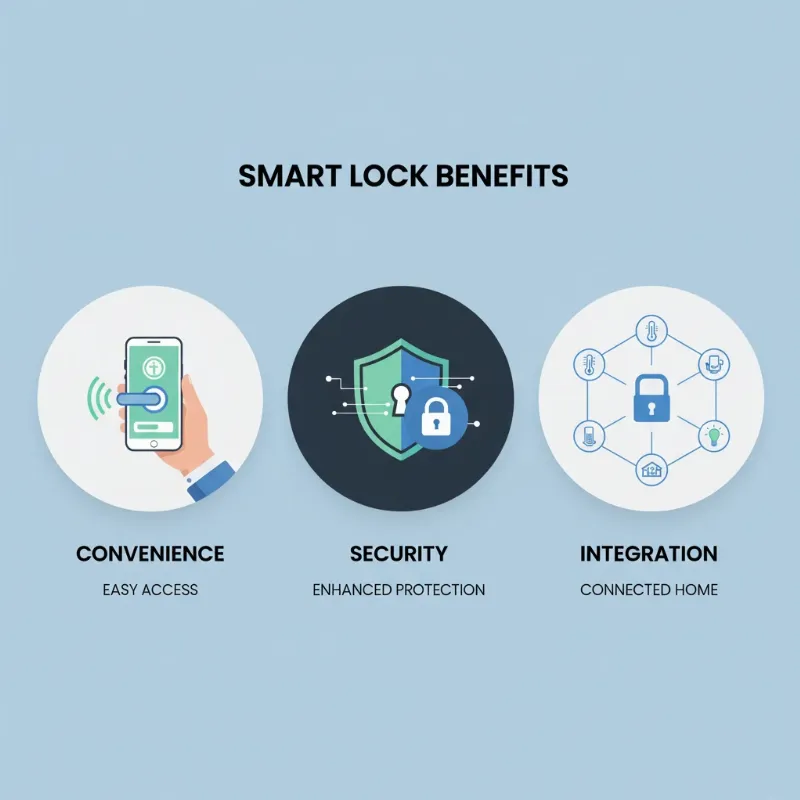 Illustrating the key benefits of smart locks including convenience, security, and smart home integration
Popular Smart Lock Types in the Market
The diversity in smart lock technology means there’s a solution for almost every need and preference. Understanding the different types is crucial for choosing the right fit for your home.
Fingerprint Locks
Fingerprint locks offer swift and secure biometric access. Users simply place their finger on a scanner, and the lock grants entry in a fraction of a second.
- Pros: Extremely convenient, highly secure as fingerprints are unique, no need to remember codes or carry cards. Both Hornbill and Sifely emphasize rapid fingerprint recognition, often boasting unlock times under 0.3 seconds. Sifely can store over 100 fingerprints, while Hornbill also supports a large number of biometric entries.
- Cons: Can sometimes be affected by dirty or wet fingers, and in rare cases, scanner accuracy can vary with age or certain conditions.
- Application: Ideal for families, offices, and residential use where multiple authorized users need quick, keyless entry.
|
Our Picks for the Best smart locks in 2026
As an Amazon Associate I earn from qualifying purchases.
|
||
| Num | Product | Action |
|---|---|---|
| 1 | Tapo Smart Wi-Fi Deadbolt Door Lock – Keyless Tactile Buttons, Customized Access with in-App Monitoring, Auto-Lock, IP54 Weatherproof, BHMA Grade 3, Compatible with Standard Door Sizes, Tapo DL100 |

|
| 2 | Smart Door Handle Lock with Keypad: Yamiry Fingerprint Smart Knob - Keyless Entry Digital Lock for Front Door - Deadbolt with APP - Generate Passcode Remotely - DIY Installation |
|
| 3 | Smart Door Lock with Camera Fingerprint Keyless Entry Door Lock Electronic Deadbolt with Keypad Code, App Remote Control, Auto Unlock for Front Door |
|
| 4 | Wyze Palm Lock, Smart Door Lock with Palm Vein Recognition, Keyless Entry Smart Locks for Front Door, Keypad, Auto Lock, Dual Battery, Wi-Fi, Works with Alexa & Google, BHMA, IP53, Mechanical Key |
|
| 5 | Schlage Encode Smart WiFi Deadbolt Lock for Front Door - Keyless Entry with App or Touchscreen - Works with Alexa, Hey Google, & Airbnb - Create Codes for Guests - Satin Nickel Silver |
|
| 6 | ULTRALOQ U-Bolt Pro WiFi Smart Lock with Door Sensor, 8-in-1 Keyless Entry Door Lock with Fingerprint ID, App Remote Control, Built-in WiFi Keypad Deadbolt, Auto Unlock, IP65 Waterproof, Easy Install |
|
| 7 | TEEHO TE001 Keyless Entry Door Lock with Keypad - Smart Deadbolt Lock for Front Door with 2 Keys - Auto Lock - Easy Installation - Matte Black |
|
| 8 | Yale Security Assure Lock 2 Deadbolt, Black Suede Keyed Smart Entry Door Lock with Wi-Fi Connected Keypad for Code Entry and Remote Access, YRD410-WF1-BSP |
|
| 9 | Schlage Encode Smart WiFi Deadbolt Lock for Front Door - Keyless Entry with App or Touchscreen - Works with Alexa, Hey Google, & Airbnb - Create Codes for Guests - Matte Black |
|
| 10 | Wyze Auto-Lock Bolt v2, Fingerprint Keyless Entry Smart Lock, AI Learning Scanner with Wi-Fi Front Door Lock Deadbolt, Auto-Lock, 8 Months Battery, BHMA2, IP53, Anti-Peep Keypad, Backup Keys |
|
Key Card Locks (RFID/IC Cards)
Key card locks utilize RFID or IC cards for tap-to-unlock access, similar to hotel room keys.
- Pros: Convenient for guests or temporary access, easy to issue and revoke cards.
- Cons: Cards can be lost or stolen, requiring replacement.
- Application: Commonly used in offices, rental properties like Airbnbs, and some residential settings for streamlined guest management. Both Hornbill and Sifely support IC card access, making them suitable for these scenarios.
Keypad Locks (Passcode)
Keypad locks rely on numerical passcodes entered on a digital touch screen or physical button pad.
- Pros: Simple, widely understood, easy to share temporary codes. Hornbill features an OLED touchscreen keypad, while Sifely offers a standard keypad. Both brands implement anti-peep code modes to enhance security by allowing random digits to be entered before or after the actual code.
- Cons: Codes can be forgotten or potentially compromised if observed.
- Application: A versatile option for almost any door, favored for its balance of security and convenience.
Facial Recognition Locks
Facial recognition locks use advanced cameras to identify authorized individuals, offering a completely hands-free and highly secure entry method.
- Pros: Ultimate hands-free convenience, high security, sophisticated technology.
- Cons: Generally the most expensive option, can be sensitive to lighting conditions or facial changes, and may have higher power consumption. While not a primary feature across all models, some high-end smart locks are adopting this technology. Neither Hornbill nor Sifely are widely known for offering facial recognition as a standard feature in their best-selling models on Amazon, typically focusing on fingerprint and keypad entry.
- Application: High-security residential properties and luxury smart homes.
Remote Control Locks (Bluetooth, Wi-Fi)
These locks allow control via a smartphone app. Bluetooth connectivity provides local control, while Wi-Fi (often requiring a separate gateway/hub) enables remote management from anywhere with an internet connection.
- Pros: Full control from a smartphone, real-time activity logs, ability to generate temporary codes remotely. Both Hornbill and Sifely offer Bluetooth out of the box, with an optional Wi-Fi gateway for remote access and smart home integration with Alexa or Google Assistant.
- Cons: Wi-Fi features often require an additional purchase (gateway), reliance on battery power and network connectivity.
- Application: Essential for rental properties, monitoring home access, and integration into comprehensive smart home systems.
Comparison Table: Hornbill vs. Sifely
To provide a clearer picture, here’s a direct comparison of common features found in top-selling smart locks from Hornbill and Sifely.
| Feature | Hornbill Smart Locks | Sifely Smart Locks |
|---|---|---|
| Security | High (Fingerprint, Passcode, Key Fob, Physical Key, App) | High (Fingerprint, Passcode, Key Fob, Physical Key, App) |
| Fingerprint Speed | < 0.3 seconds | < 0.3 seconds |
| Unlock Methods | Fingerprint, Passcode, IC Card, App (Bluetooth/Wi-Fi), Key | Fingerprint, Passcode, Key Fob, App (Bluetooth/Wi-Fi), Key |
| Connectivity | Bluetooth (Wi-Fi via Gateway, sold separately) | Bluetooth (Wi-Fi via Gateway, sold separately) |
| Smart Home Integration | Alexa, Google Assistant (with Gateway) | Alexa, Google Assistant (with Gateway) |
| Battery Life | 6-8 months (approx.) | Up to 1 year (approx.) |
| Durability | Aluminum alloy, IP65 waterproof, temperature resistant | Durable build, designed for various environments |
| Installation | Easy, DIY-friendly with detailed instructions | Easy, DIY-friendly with Phillips screwdriver |
| User Capacity | 300+ Fingerprints & Guest Passcodes, 1000+ IC Cards | 100+ Fingerprints, 200+ Passcodes |
| Remote Access | Yes, with Wi-Fi Gateway | Yes, with Wi-Fi Gateway |
| App Features | Real-time access records, temporary codes | Real-time access logs, temporary codes |
| Suitability | Residential, Airbnb, Offices | Residential, Airbnb, Offices |
| Typical Price Point | Mid-range (often under $100 for basic models) | Mid-range (often under $100 for basic models) |
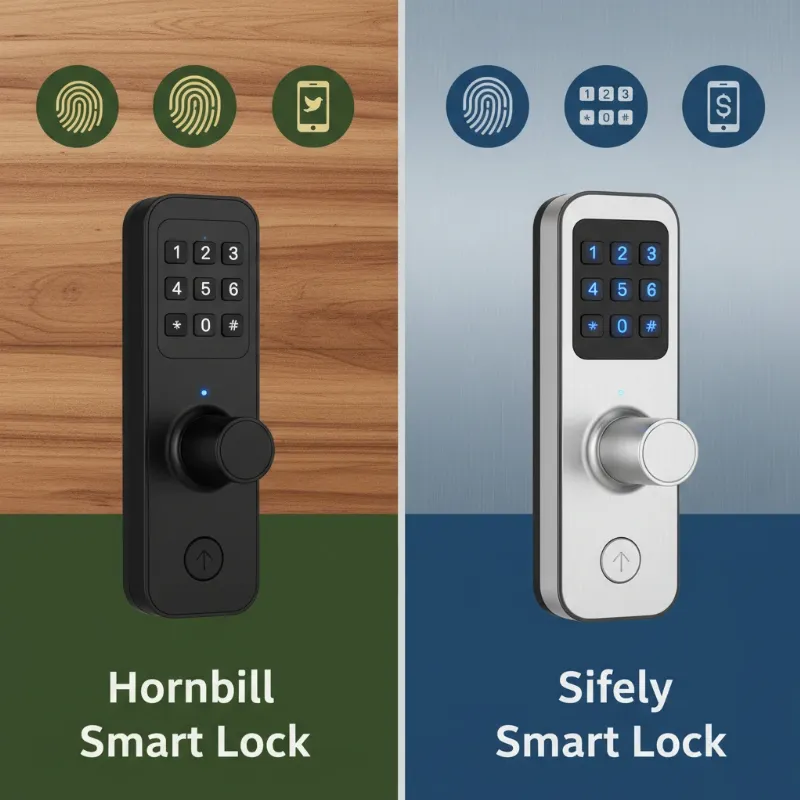 A side-by-side graphical comparison of Hornbill and Sifely smart locks, highlighting their features.
How to Choose the Right Smart Locks for Your Home
Selecting the perfect smart lock involves more than just picking a brand; it requires a thoughtful assessment of your specific needs. Here’s how to navigate the options:
- Define Your Usage Needs: Consider the type of door (wood, metal), desired security level, and who will be using the lock. Do you need multiple guest codes for a rental property, or primarily biometric access for your family? Your lifestyle will dictate the essential features.
- Research Reputable Brands: While Hornbill and Sifely are strong contenders, explore other well-known brands like Yale, Samsung, or Philips, which also offer diverse smart lock solutions. Checking independent reviews and expert opinions can provide valuable insights.
- Compare Features and Specifications: Look closely at unlocking methods (fingerprint, keypad, app, key card, physical key), connectivity options (Bluetooth, Wi-Fi, Zigbee, Z-Wave), battery life, and integration with smart home ecosystems (Alexa, Google Assistant). Pay attention to material quality and weatherproofing, especially for exterior doors.
- Read User and Expert Reviews: Real-world experiences from other users and detailed analyses from technology experts can highlight practical advantages and potential drawbacks not always evident in product descriptions. These reviews often cover installation ease, app functionality, and long-term reliability.
- Check Warranty and Support: A robust warranty and accessible customer service are crucial for any electronic device. Understand the warranty period, what it covers, and how to get technical assistance if needed.
“A smart lock is not just a gadget; it’s an investment in your peace of mind. Choose one that seamlessly integrates with your life, not just your door.”
Tips for Using and Maintaining Smart Locks Correctly
To ensure your smart lock functions optimally and maintains its security over time, proper usage and maintenance are key.
- Replace Batteries Regularly: Most smart locks operate on AA batteries, which typically last 6-12 months. Pay attention to low-battery alerts from the lock or its accompanying app. It’s a good practice to replace all batteries annually, even if not fully depleted, to prevent unexpected lockouts.
- Clean the Lock Frequently: Dust, grime, and environmental factors can affect the performance of keypads and fingerprint sensors. Gently wipe down the exterior of your smart lock with a soft, damp cloth. Avoid harsh chemicals or abrasive materials that could damage the finish or electronic components.
- Update Software Regularly: Manufacturers often release software (firmware) updates to improve performance, add new features, and patch security vulnerabilities. Ensure your lock’s app is updated and check for any firmware updates recommended by the manufacturer.
- Practice Strong Password Hygiene: For keypad locks, use complex, non-sequential passcodes. If sharing codes, ensure they are temporary and revoked when no longer needed. Avoid sharing your master admin code with anyone. For fingerprint locks, ensure all authorized fingerprints are accurately registered.
- Contact Support for Issues: If you encounter persistent problems or malfunctions, do not attempt complex repairs yourself. Consult the user manual or contact the manufacturer’s customer support for professional assistance.
Common Smart Lock Issues and Their Solutions
Even the most advanced smart locks can encounter occasional glitches. Knowing how to troubleshoot common problems can save you time and frustration.
- Lock Not Recognizing Fingerprints: This is often due to a dirty sensor, wet fingers, or improper fingerprint registration. Clean the sensor, ensure your finger is dry, and try re-registering your fingerprint if the issue persists. Environmental factors like extreme cold can also affect some sensors.
- Lock with Low or Dead Battery: The most frequent culprit for smart lock malfunctions. Most locks provide low-battery warnings. If the battery dies completely, nearly all smart locks include a backup physical key or emergency power options (e.g., a micro-USB port or external 9V battery contacts) to get you inside.
- Lock Jammed or Unresponsive: This could be a mechanical issue or a software glitch. First, ensure the door frame and strike plate are aligned correctly, as misalignment can prevent the bolt from extending or retracting smoothly. If it’s electronic, a simple battery removal and reinsertion (a “hard reset”) can sometimes resolve temporary software issues.
- Concern About Hacking: While smart locks are designed with security in mind, no system is entirely impervious. Ensure you use strong, unique passcodes, enable two-factor authentication if available, and keep your software updated. Avoid public Wi-Fi networks when managing your lock remotely. If you suspect unauthorized access, change all codes immediately and review access logs.
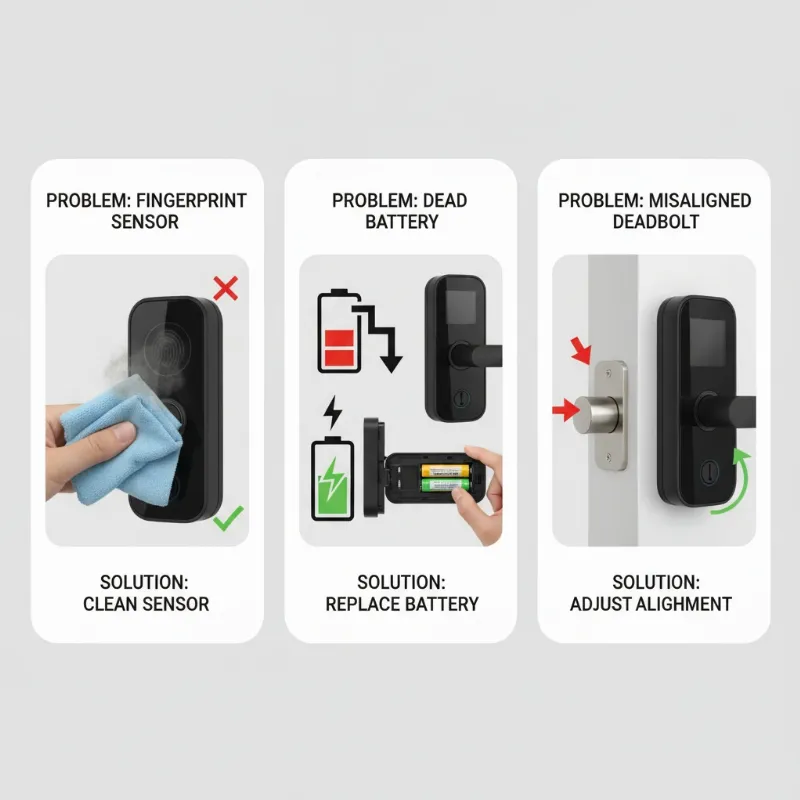 A graphic illustrating common smart lock issues and their solutions, like a finger on a dirty sensor and a battery icon.
Future Trends in Smart Locks
The smart lock industry is continuously innovating, promising even more sophisticated and integrated security solutions in the years to come.
- Integration of Artificial Intelligence (AI): AI is expected to enhance smart locks by enabling more intelligent anomaly detection, learning user habits to anticipate needs, and improving biometric recognition accuracy. AI could also power predictive maintenance, alerting users to potential issues before they become problems.
- Enhanced Connectivity with Smart Home Ecosystems: Future smart locks will offer even more seamless integration with broader smart home systems, allowing for complex automation routines. Imagine your lock knowing when you arrive home, disarming your security system, adjusting the thermostat, and turning on your preferred lighting, all automatically.
- Blockchain Technology for Security: Leveraging blockchain could provide an unalterable, decentralized record of access events, significantly enhancing security and transparency. This could revolutionize how temporary access is granted and managed, offering unparalleled trust and traceability.
- New Biometric and Contactless Unlocking Features: Beyond fingerprints and facial recognition, we might see the adoption of voice recognition, gait analysis, or even gesture control for unlocking doors. Ultra-wideband (UWB) technology, already appearing in some devices, promises more precise proximity unlocking, knowing exactly when you’re approaching your door to unlock it just in time.
Conclusion
Hornbill and Sifely both offer compelling smart lock solutions that bring modern convenience and enhanced security to your doorstep. Both brands excel in providing multiple access methods, including fast fingerprint recognition and app control, and are designed for straightforward installation. While Sifely boasts a slightly longer battery life, Hornbill often matches it in build quality and smart home integration (with a gateway). Ultimately, the choice between them often comes down to specific model features and personal aesthetic preferences, as their core functionalities are quite comparable for the average homeowner.
Embracing smart lock technology is a definitive step towards a more secure, convenient, and interconnected home. By understanding the available options and considering your individual needs, you can select a smart lock that not only protects your property but also enriches your daily life. Ready to upgrade your home’s entry experience? Explore the diverse range of smart locks available and discover the perfect fit for your smart living.
Frequently Asked Questions
Are smart locks generally more secure than traditional locks?
Yes, smart locks generally offer superior security compared to traditional locks. They provide multiple layers of protection, including advanced encryption for digital access, real-time activity logs, and anti-tamper alarms. Many also feature anti-peep keypads and biometric authentication, which are significantly harder to compromise than a physical key. Additionally, the ability to grant and revoke temporary access digitally eliminates the risk associated with lost or copied physical keys.
How difficult is it to install a Hornbill or Sifely smart lock?
Both Hornbill and Sifely smart locks are designed for DIY installation, typically requiring only a Phillips screwdriver and no specialized tools. They come with detailed instructions and often installation videos, making the process accessible for most homeowners. The installation usually involves replacing your existing deadbolt, and many users report completing the setup in 15-30 minutes. However, ensuring your door’s measurements and existing boreholes match the lock’s specifications is crucial for a smooth installation.
What is the typical battery life for Hornbill and Sifely smart locks?
The battery life for both Hornbill and Sifely smart locks is generally impressive, though it can vary based on usage frequency and specific features enabled (e.g., Wi-Fi connectivity consumes more power). Hornbill locks typically offer a battery life of 6-8 months, while Sifely locks often boast up to one year of battery life. Both brands usually provide low-battery alerts well in advance, and most models include emergency backup power options or a physical key for access if batteries completely die.
