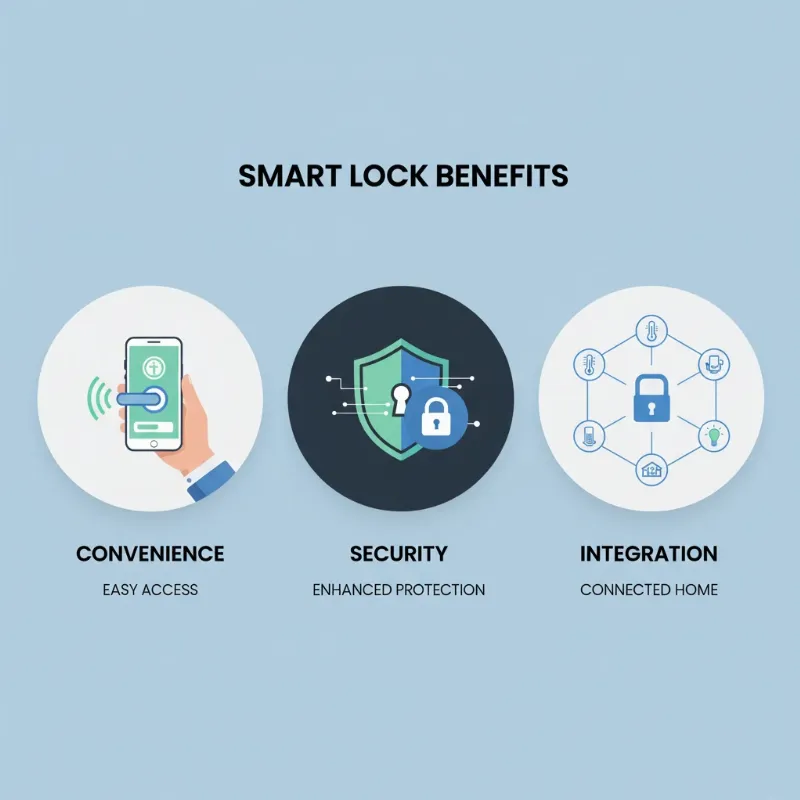
In an era where home security meets cutting-edge technology, smart locks have revolutionized how we protect our spaces. From fumbling with keys to enjoying seamless entry, the evolution of door access has been nothing short of remarkable. For over a decade, as the Admin of SmartLocksPro.com, I’ve witnessed the rapid advancement of this technology, observing firsthand how smart locks deliver unparalleled convenience and security to modern homes. But when it comes to the two most popular keyless entry methods—fingerprint and keypad locks—which truly offers the most convenience?
Understanding Smart Locks: A Brief Overview
Smart locks are innovative devices that replace traditional mechanical locks with electronic mechanisms, allowing keyless entry and enhanced control over access to your property. They represent a significant leap forward from the days of physical keys, offering homeowners a more flexible and secure way to manage their front doors. The journey of smart locks has seen them evolve from basic keycard systems to sophisticated devices integrated with artificial intelligence and biometric recognition.
These intelligent devices typically connect to your home’s network via Bluetooth, Wi-Fi, or Z-Wave, enabling features like remote locking/unlocking, real-time activity logs, and integration with broader smart home ecosystems. The primary appeal lies in their ability to eliminate the hassle of physical keys while enhancing overall home security and management.
The Appeal of Fingerprint Smart Locks
Fingerprint smart locks leverage biometric technology, transforming your unique fingerprint into a digital key. This method provides an incredibly personalized and secure way to access your home. When you approach the door, a quick touch of your finger to the scanner grants entry, eliminating the need to search for keys or recall complex codes. It’s a truly hands-free experience that many find incredibly appealing.
The convenience of fingerprint locks is rooted in their immediacy. Imagine arriving home with arms full of groceries or children, only needing a single touch to unlock your door. There’s no fumbling, no forgotten PINs, just instant access. Furthermore, most fingerprint systems allow easy management of multiple users through a connected app, enabling you to grant or revoke access for family members or trusted individuals with a simple tap. While highly convenient, some older or less advanced fingerprint readers might occasionally experience false rejections, requiring multiple attempts.
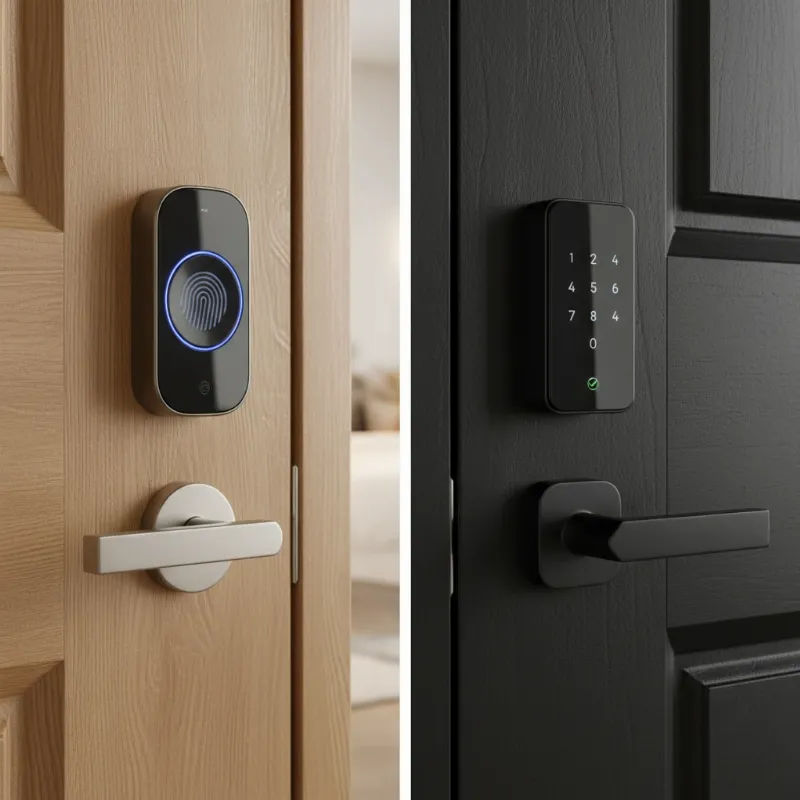 A side-by-side comparison of a sleek fingerprint smart lock and a modern keypad smart lock on two contrasting wooden doors.
The Practicality of Keypad Smart Locks
Keypad smart locks operate on a numerical code system, where users enter a predefined PIN on a digital keypad to gain entry. This method offers a straightforward and highly flexible approach to keyless access. The primary convenience of keypad locks stems from the ease of sharing access. You can generate unique, temporary codes for guests, dog walkers, or service providers, and even set specific timeframes for their validity. This eliminates the need to cut and distribute physical keys or worry about their return.
For households with multiple occupants or frequent visitors, keypad locks provide excellent control without personalizing each individual’s biometric data. Codes can be changed regularly for enhanced security, and you never have to worry about losing a physical key. However, the convenience is tied to memory; forgetting a code can be frustrating, and the repetitive pressing of certain digits can lead to wear and tear on the keypad, potentially indicating common numbers to an intruder.
Fingerprint vs. Keypad: A Head-to-Head Convenience Battle
When directly comparing the convenience of fingerprint and keypad smart locks, both offer distinct advantages depending on your specific needs and lifestyle.
| Feature | Fingerprint Locks | Keypad Locks |
|---|---|---|
| Convenience | High (Instant, Hands-Free) | High (Code Sharing, No Physical Key) |
| Access Speed | Very Fast (Single Touch) | Fast (Requires Code Input) |
| User Memory | Not Required | Required (Memorize PINs) |
| Guest Access | Requires biometric enrollment | Easy (Share Temporary PINs) |
| Security | Very High (Unique Biometrics) | High (Changeable PINs, but susceptible to observation) |
| Cost | Generally Higher | Generally Lower |
| Power Dependency | Yes (Batteries, potential for lockout without override) | Yes (Batteries, potential for lockout without override) |
For daily personal use, especially when your hands are full, fingerprint locks often win in terms of sheer speed and effortlessness. Just a touch, and you’re in. There’s no mental recall needed, which can be a significant advantage during busy mornings or late-night arrivals. However, for situations involving guests, service personnel, or temporary access, keypad locks offer superior convenience due to the simplicity of sharing and managing numerical codes. Providing a temporary PIN is far quicker and less intrusive than enrolling someone’s fingerprint.
“Smart locks are not just about security; they are about reimagining daily convenience. The choice between fingerprint and keypad often comes down to personal interaction preference: instant biometric recognition or flexible code management.”
While fingerprint locks offer unmatched personalization, keypad locks provide adaptable entry for a broader range of users without needing physical presence for enrollment.
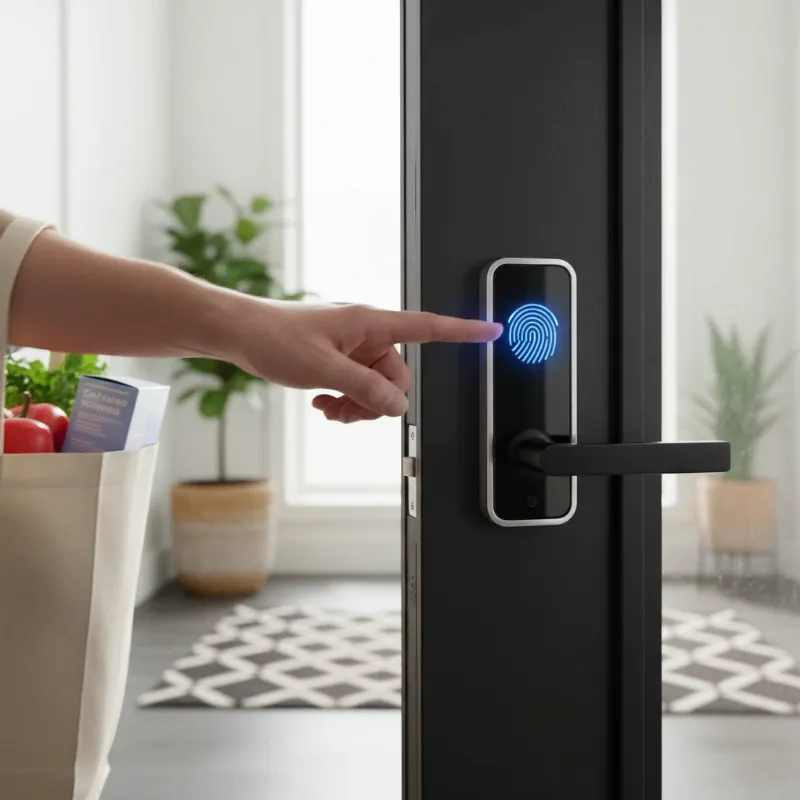 A person quickly unlocking a smart door lock with a fingerprint scan while holding groceries.
Choosing the Right Smart Lock for Your Home
Selecting the ideal smart lock involves more than just comparing fingerprint and keypad options; it’s about aligning the technology with your unique lifestyle and priorities. Consider these factors:
- Lifestyle & Users: If you live alone or with a small, consistent household and value speed and hands-free access above all, a fingerprint lock might be your best bet. For larger families, frequent guests, or rental properties, the flexible code management of a keypad lock could be more convenient.
- Security Priorities: Both types offer enhanced security over traditional locks. Fingerprint locks provide unique biometric authentication, making physical replication nearly impossible. Keypad locks, while secure with strong, frequently changed PINs, can be vulnerable to observation or guessing if not managed carefully. Many high-end smart locks offer both fingerprint and keypad access for maximum flexibility.
- Budget: Generally, fingerprint locks tend to have a higher initial cost due to the advanced biometric scanning technology. Keypad locks often present a more budget-friendly entry point into smart home security.
- Technical Comfort: Both require some level of technical comfort for setup and management via smartphone apps. Ensure the chosen brand offers intuitive interfaces and reliable customer support.
- Existing Smart Home Ecosystem: Consider how the lock integrates with other smart devices you own (e.g., Google Home, Amazon Alexa, Apple HomeKit). Seamless integration enhances overall convenience.
Maintaining Your Smart Lock for Optimal Performance
Regardless of whether you choose a fingerprint or keypad smart lock, proper maintenance is crucial for ensuring its longevity, reliability, and continued convenience.
- Battery Management: Most smart locks are battery-powered. Pay attention to low battery alerts and replace batteries proactively. Many models offer a physical key override or external power terminals for emergency access, but it’s best not to rely on these.
- Software Updates: Regularly update the lock’s firmware via its companion app. These updates often include security patches, performance enhancements, and new features.
- Cleaning: Keep the fingerprint scanner or keypad clean and free from dirt and smudges to ensure accurate recognition and prevent key patterns from becoming visible.
- Secure Your Codes: If using a keypad lock, change your PINs periodically, avoid obvious combinations, and never share them with strangers. Consider enabling “scramble code” features if available, where you can enter random digits before or after your actual code to deter shoulder surfing.
- Backup Access: Always know how to use the mechanical key override, if available, or any external battery jump-start options in case of power failure or technical issues.
- Contact Support When Needed: Don’t hesitate to reach out to the manufacturer or a qualified technician if you encounter persistent problems.
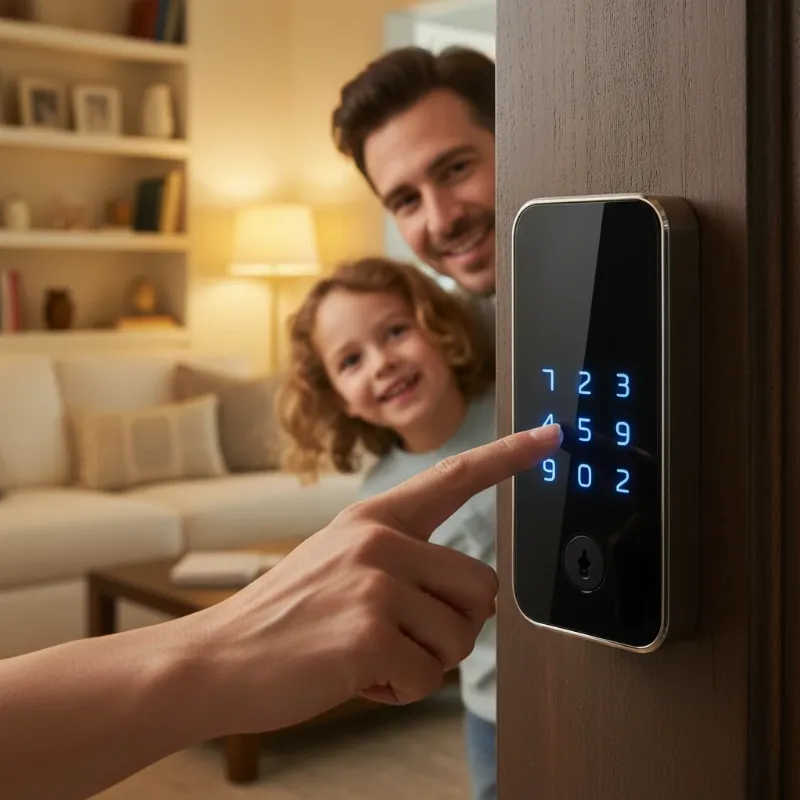 A family member entering a code on a keypad smart lock for guest access.
Smart Locks: A Comprehensive Guide from A to Z
What Are Smart Locks?
|
Our Picks for the Best smart locks in 2026
As an Amazon Associate I earn from qualifying purchases.
|
||
| Num | Product | Action |
|---|---|---|
| 1 | Smart Door Handle Lock with Keypad: Yamiry Fingerprint Smart Knob - Keyless Entry Digital Lock for Front Door - Deadbolt with APP - Generate Passcode Remotely - DIY Installation |

|
| 2 | ULTRALOQ U-Bolt Pro WiFi Smart Lock with Door Sensor, 8-in-1 Keyless Entry Door Lock with Fingerprint ID, App Remote Control, Built-in WiFi Keypad Deadbolt, Auto Unlock, IP65 Waterproof, Easy Install |
|
| 3 | Wyze Palm Lock, Smart Door Lock with Palm Vein Recognition, Keyless Entry Smart Locks for Front Door, Keypad, Auto Lock, Dual Battery, Wi-Fi, Works with Alexa & Google, BHMA, IP53, Mechanical Key |
|
| 4 | TEEHO TE001 Keyless Entry Door Lock with Keypad - Smart Deadbolt Lock for Front Door with 2 Keys - Auto Lock - Easy Installation - Matte Black |
|
| 5 | Schlage Encode Smart WiFi Deadbolt Lock for Front Door - Keyless Entry with App or Touchscreen - Works with Alexa, Hey Google, & Airbnb - Create Codes for Guests - Satin Nickel Silver |
|
| 6 | Schlage Encode Smart WiFi Deadbolt Lock for Front Door - Keyless Entry with App or Touchscreen - Works with Alexa, Hey Google, & Airbnb - Create Codes for Guests - Matte Black |
|
| 7 | Wyze Auto-Lock Bolt v2, Fingerprint Keyless Entry Smart Lock, AI Learning Scanner with Wi-Fi Front Door Lock Deadbolt, Auto-Lock, 8 Months Battery, BHMA2, IP53, Anti-Peep Keypad, Backup Keys |
|
| 8 | Yale Security Assure Lock 2 Deadbolt, Black Suede Keyed Smart Entry Door Lock with Wi-Fi Connected Keypad for Code Entry and Remote Access, YRD410-WF1-BSP |
|
| 9 | Smart Door Lock with Camera Fingerprint Keyless Entry Door Lock Electronic Deadbolt with Keypad Code, App Remote Control, Auto Unlock for Front Door |
|
| 10 | Tapo Smart Wi-Fi Deadbolt Door Lock – Keyless Tactile Buttons, Customized Access with in-App Monitoring, Auto-Lock, IP54 Weatherproof, BHMA Grade 3, Compatible with Standard Door Sizes, Tapo DL100 |
|
Smart locks are electromechanical locking devices designed to perform locking and unlocking operations on a door when they receive instructions from an authorized device using a wireless protocol and cryptographic key to execute the authorization process. Unlike traditional locks that rely solely on physical keys, smart locks offer multiple methods of entry, integrate with smart home systems, and provide enhanced monitoring capabilities. They represent a significant advancement in home security, blending convenience with advanced technology to offer homeowners unprecedented control over their property access.
The Superior Advantages of Smart Locks
Smart locks offer a host of benefits that go far beyond what traditional locks can provide, enhancing both convenience and security.
- Convenience and Ease of Use: The primary draw of smart locks is keyless entry. Whether through a fingerprint, a numerical code, a smartphone app, or even voice commands, you can unlock your door without fumbling for physical keys. Remote access management allows you to lock/unlock your door from anywhere, grant temporary access, and receive notifications.
- Enhanced Security: Many smart locks come with advanced security features like tamper alarms that alert you to forced entry attempts, automatic locking when the door closes, and real-time activity logs that track who enters and exits your home and when. Data encryption protects communication between the lock and your device, making it much harder for unauthorized access.
- Smart Features Integration: Modern smart locks seamlessly integrate with other smart home devices and platforms, such as smart speakers, security cameras, and lighting systems. This allows for automation, such as turning on lights when the door unlocks or disarming your alarm system upon entry, creating a truly connected and intuitive home experience.
- Modern and Diverse Design: Smart locks are available in a wide array of styles and finishes, complementing any home aesthetic. From sleek, minimalist designs to more robust, traditional looks, there’s a smart lock to match every preference.
Popular Types of Smart Locks on the Market
The smart lock market offers diverse options, each employing different technologies to grant access.
- Fingerprint Locks: These locks use biometric scanners to read and authenticate unique fingerprints.
- Pros: Extremely convenient (instant, hands-free access), highly secure (unique biometric data), easy user management via app.
- Cons: Higher cost, potential for false rejections, power dependency, some privacy concerns.
- Ideal for: High-traffic residential homes, secure rooms where quick, personal access is paramount.
- Keypad Locks: Require a numerical code or PIN entered on a digital keypad.
- Pros: Excellent for guest management (temporary codes), no physical keys, generally more affordable, easy to change codes.
- Cons: Codes can be forgotten, susceptible to shoulder surfing or smudging, require memory.
- Ideal for: Families, rental properties, offices, and homes needing flexible access for multiple individuals.
- Card Access Locks (RFID/NFC): Unlock with a swipe or tap of a card or fob.
- Pros: Fast, easy to distribute and revoke access cards, durable.
- Cons: Cards can be lost or stolen, still a physical item to carry.
- Applications: Commonly found in hotels, corporate offices, and apartments.
- Facial Recognition Locks: Utilize advanced cameras to scan and authenticate facial features.
- Pros: