Best Smart Locks for Renters (2026)
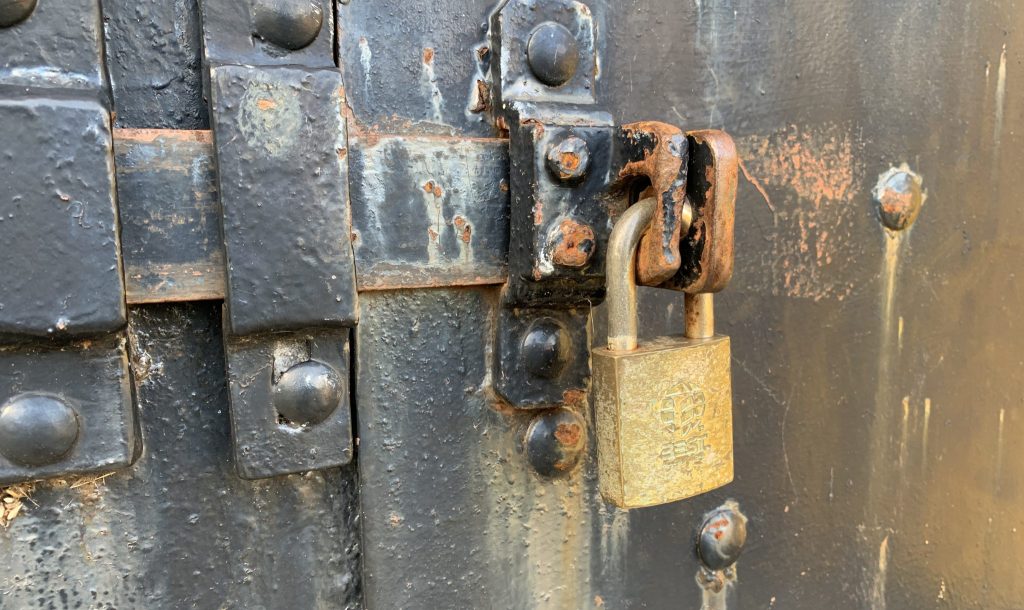
Quick Verdict: The best smart locks for renters in 2026 install without modifying the door, leave the exterior and your keys untouched, and come off cleanly when you move. The SwitchBot Lock Pro is our top pick for its no-screws adhesive install, while the August Wi-Fi Smart Lock is the most polished retrofit with built-in Wi-Fi and Airbnb support. The Yale Approach, Aqara U200, Level Lock+, and budget Wyze Lock Bolt round out strong options for apartments.
| Award | Smart Lock | Best For | Install / Reversibility | Price Tier |
|---|---|---|---|---|
| Best Overall | SwitchBot Lock Pro | No-tools, no-trace install | 3M adhesive over thumb-turn; fully reversible | Budget (around $100) |
| Best Polished Retrofit | August Wi-Fi Smart Lock | Built-in Wi-Fi and Airbnb | Over deadbolt; reversible | Mid (around $150–$230) |
| Best Brand-Name Option | Yale Approach | Interior-only retrofit | Inside of door; reversible | Mid (around $130–$180) |
| Best for Shared Apartments | Aqara U200 | Multiple individual codes | Retrofit-friendly; reversible | Mid–Premium (around $250–$270) |
| Best Hidden Design | Level Lock+ | Invisible, landlord-friendly look | Inside deadbolt cavity; reversible | Premium (around $300+) |
| Best Budget | Wyze Lock Bolt | Inexpensive keyless entry | Replaces deadbolt; reversible | Budget (around $70) |
How We Picked the Best Smart Locks for Renters
We researched these models from a pool of expert recommendations across smart-home, apartment, and renter-focused guides. All specifications below come from manufacturer documentation and those sourced reviews — we have not personally installed or stress-tested every lock. We list real pros and honest cons.
Our selection criteria:
- No-modification install — We prioritized locks that don’t require drilling new holes or changing the exterior, so you stay within a typical lease.
- Reversibility — How cleanly the lock comes off and how easily you can restore the original hardware when you move.
- Keeps your keys — Retrofit picks leave your existing key cylinder and keys untouched, which landlords usually require.
- Guest access — Code or app sharing for roommates, cleaners, and visitors.
- Honest trade-offs — Adhesive mounts depend on surface; full-replacement locks need you to keep the original deadbolt to reinstall later.
Best Overall — SwitchBot Lock Pro
Best for: Renters who want a smart lock with no screws, no drilling, and no trace.
The SwitchBot Lock Pro is the most renter-friendly smart lock when “no tools whatsoever” is the requirement: it mounts to your existing thumb-turn using industrial-strength 3M adhesive. Sourced reviews highlight fast fingerprint unlock (around 0.4s average with the add-on keypad) and a clamp-on install that leaves zero trace, making it a top pick for renters and Airbnb hosts. Listed around $100, it is also one of the most affordable options. Remote control and voice assistants require the SwitchBot hub.
- No-screws 3M adhesive install — leaves no trace when you move
- Affordable (around $100)
- Fast fingerprint unlock with the add-on keypad
- Keeps your existing keys and exterior
- Remote control and voice assistants need the SwitchBot hub (sold separately)
- Adhesive needs a clean, compatible interior surface
Best Polished Retrofit — August Wi-Fi Smart Lock
Best for: Renters who want built-in Wi-Fi, auto-unlock, and short-term-rental support.
The August Wi-Fi Smart Lock (4th Gen) mounts over your existing deadbolt’s interior, leaving the exterior and your keys unchanged. It has built-in Wi-Fi, reliable auto-unlock geofencing, native Airbnb integration, and works with Alexa, Google, and Apple Home. Sourced data lists the 4th Gen around $230 and the earlier model often near $149. It is fully reversible, so you can restore the original thumb-turn when you leave.
- Retrofit install keeps your keys and exterior — reversible
- Built-in Wi-Fi and reliable auto-unlock geofencing
- Native Airbnb integration for hosts
- Works with Alexa, Google, and Apple Home
- No keypad in the box — guest codes need the keypad accessory
- Auto-unlock can occasionally misfire on phone GPS
Best Brand-Name Option — Yale Approach
Best for: Renters who want an established lock brand in a retrofit form.
The Yale Approach installs only on the inside of the door, preserving the exterior look, and is Yale’s take on the renter-friendly retrofit style. It requires Wi-Fi for remote access and offers an optional keypad accessory for external codes. As a reversible interior install from a major brand with good app support, it is a safe choice for apartments.
- Interior-only install preserves the exterior — reversible
- Backed by an established lock brand
- Optional keypad accessory for guest codes
- Wi-Fi for remote access
- Remote access requires Wi-Fi (confirm whether a bridge is needed)
- External keypad is a separate purchase
Best for Shared Apartments — Aqara U200
Best for: Roommates who each need their own access code or fingerprint.
The Aqara U200 is a strong choice for shared apartments because it supports multiple individual access codes and fingerprints, plus NFC and offline passwords — so each roommate gets their own credential and you can revoke any one of them. It is retrofit-friendly and connects via Matter-over-Thread to Apple Home (with Home Key), Google, Alexa, and SmartThings. Confirm fit with your deadbolt before buying.
- Individual codes and fingerprints for each roommate
- Built-in keypad and fingerprint reader
- Matter-over-Thread across all major ecosystems
- Retrofit-friendly and reversible
- Rechargeable battery life (about six months) trails AA-powered locks
- Confirm fit with your specific deadbolt
Best Hidden Design — Level Lock+
Best for: Renters who want a smart lock a landlord might not even notice.
The Level Lock+ fits its electronics inside the deadbolt cavity, so it looks like an ordinary deadbolt from both sides — a discreet choice for rentals where you’d rather not advertise a smart lock. It supports Apple Home Key and custom NFC cards. Because it replaces more of the deadbolt than a thumb-turn-only retrofit, keep your original deadbolt to reinstall when you leave, and confirm fit first.
- Hidden design — indistinguishable from a standard deadbolt
- Apple Home Key and NFC card support
- Reversible if you keep the original deadbolt
- No built-in keypad; add-on keypad costs extra
- Replaces more hardware than thumb-turn retrofits — confirm fit and keep originals
Best Budget — Wyze Lock Bolt
Best for: Renters who want inexpensive keyless entry and can swap the deadbolt back later.
The Wyze Lock Bolt is a budget keyless deadbolt with a fingerprint scanner and keypad, listed around $70. It replaces the deadbolt rather than mounting over the thumb-turn, so keep your original deadbolt to reinstall when you move. It is Bluetooth-based, so full remote control typically needs a separate gateway. For renters who can do a simple deadbolt swap, it is the cheapest fast-fingerprint option.
- Very affordable (around $70)
- Fast fingerprint scanner plus keypad
- Reversible if you keep the original deadbolt
- Replaces the deadbolt — needs a (reversible) swap, not just a thumb-turn mount
- Bluetooth-based — remote control usually needs a separate gateway
Renter Smart Lock Buying Guide
Check Your Lease First
Most leases prohibit changing the exterior lock or re-keying without permission, but interior retrofit locks that leave the cylinder and keys untouched usually fall outside that restriction. When in doubt, ask your landlord — and favor adhesive or thumb-turn-mount locks that leave no holes. Keep any original hardware you remove so you can restore it at move-out.
Retrofit vs. Deadbolt-Replacement Locks
Retrofit locks (SwitchBot, August, Nuki, Yale Approach) mount over the interior thumb-turn and don’t touch the exterior — the safest choice for renters. Deadbolt-replacement locks (Wyze Lock Bolt and most keypad deadbolts) swap the whole deadbolt; they’re still reversible if you keep the original, but they require a bit more work and landlord comfort.
No-Drill and Adhesive Installs
The SwitchBot Lock Pro’s 3M adhesive mount is the gold standard for “leave no trace” — no screws, no holes. Screw-mounted retrofit plates (August, Yale Approach) are also easily reversible, leaving only small screw marks on the interior. Both are far more rental-friendly than replacing the exterior hardware.
Sharing Access with Roommates and Guests
For shared apartments, prioritize locks with individual codes or app keys you can grant and revoke per person — the Aqara U200 stores many individual credentials, and August/SwitchBot let you share app access. This is cleaner than handing out copies of a single code and lets you remove access when a roommate moves out.
Power and Backups
Renter-friendly locks still need a backup plan. Keep your physical keys (retrofit locks don’t disable them) and note whether the lock has an emergency power option if the battery dies. Adhesive-mounted locks should be checked periodically to ensure the mount stays secure.
Frequently Asked Questions
What is the best smart lock for renters in 2026?
The SwitchBot Lock Pro is the best overall for renters because it mounts with 3M adhesive — no screws, no holes — and leaves no trace when you move. For a more polished retrofit with built-in Wi-Fi, the August Wi-Fi Smart Lock is excellent.
Can I install a smart lock in an apartment without permission?
Interior retrofit locks that leave the exterior cylinder and your keys untouched usually fall outside lease restrictions on changing locks, but rules vary — check your lease and ask your landlord if unsure. Adhesive and thumb-turn-mount locks that leave no holes are the safest bet.
Will I lose my deposit by installing a smart lock?
You’re unlikely to if you choose a no-trace retrofit (like the adhesive SwitchBot Lock Pro) or keep all original hardware to reinstall at move-out. The risk comes from drilling new holes or replacing the exterior, which renter-friendly retrofit locks avoid.
Do renter smart locks keep my existing keys?
Retrofit locks (SwitchBot, August, Nuki, Yale Approach) keep your existing key cylinder and keys. Deadbolt-replacement locks like the Wyze Lock Bolt swap the deadbolt, so keep the original to restore later. Either way, you stay able to give the landlord working keys.
What is the best smart lock for shared apartments?
The Aqara U200 is the best for shared apartments because each roommate can have their own code or fingerprint, and you can revoke any individual credential. App-based sharing on the August and SwitchBot locks also works well for roommates.
Can I take the smart lock with me when I move?
Yes. Every pick here is reversible — adhesive and thumb-turn retrofits come off cleanly, and deadbolt-replacement locks can be swapped back if you kept the original. You can reinstall your smart lock at your next place.
Final Verdict
The SwitchBot Lock Pro is the best smart lock for renters thanks to its no-screws adhesive install and clean removal. The August Wi-Fi Smart Lock is the more polished retrofit with built-in Wi-Fi and Airbnb support, while the Yale Approach adds a trusted brand name. Roommates should look at the Aqara U200 for individual credentials, design-conscious renters at the hidden Level Lock+, and budget shoppers at the Wyze Lock Bolt.
Always check your lease and confirm compatibility before you buy.
Last updated: June 2026
See our main guide: Best Smart Locks. Related: Best Retrofit Smart Locks and Best Smart Locks with a Keypad.