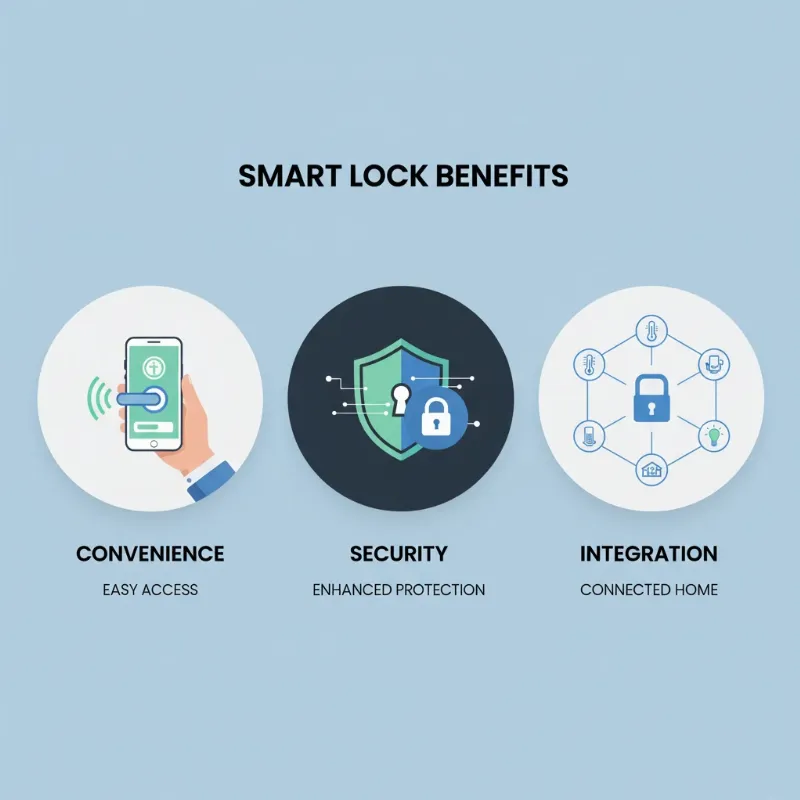
In today’s fast-paced business world, traditional keys often feel like a relic of the past. Imagine a world where you never have to worry about lost keys, unauthorized duplicates, or complicated access schedules. For small businesses and offices, this isn’t a distant dream; it’s the reality offered by smart locks. These advanced security solutions are transforming how businesses manage access, enhance security, and streamline daily operations, paving the way for a more efficient and protected workplace.
What Are Smart Locks?
Smart locks are innovative electromechanical locking devices that offer keyless access and enhanced control over your business premises. Unlike traditional locks that rely solely on physical keys, smart locks integrate technology to provide multiple entry methods and advanced management capabilities. They blend robust mechanical security with digital access technology, where the locking mechanism is triggered electronically. This means greater flexibility and improved security for any small business or office.
Common types of smart locks include:
- Bluetooth-enabled locks: Connect directly to a smartphone app for local control.
- Wi-Fi-enabled locks: Offer remote management and real-time alerts via cloud platforms.
- Fingerprint locks: Utilize biometric recognition for quick, secure access.
- Keypad locks: Allow entry via PIN codes, easily managed and updated.
- RFID/NFC card locks: Provide access using proximity cards or fobs, ideal for employee batches.
- Facial recognition locks: The most advanced biometric option, offering high-security, touchless entry.
The evolution of smart lock technology has moved rapidly, from basic digital keypads to sophisticated systems capable of integrating with comprehensive smart office ecosystems.
The Superior Advantages of Smart Locks for Businesses
Upgrading to smart locks offers a multitude of benefits that extend far beyond simply opening and closing a door. For small businesses and offices, these advantages translate into increased security, operational efficiency, and peace of mind.
- Convenience and Ease of Use: Say goodbye to bulky keyrings. Smart locks offer multiple keyless entry options, including PINs, fingerprints, and smartphone access. This simplifies entry for employees and provides flexibility for guests or delivery personnel. Remote access management allows you to unlock doors or grant temporary access from anywhere, anytime.
- Enhanced Security: Smart locks come equipped with advanced security features that far surpass traditional locks. Data encryption protects access codes from hacking attempts, while features like automatic locking ensure your doors are never accidentally left unsecured. Many systems also provide intrusion alerts and detailed audit trails, logging every entry and exit for improved accountability.
- Intelligent Features: Modern smart locks can integrate seamlessly with other smart office systems, from lighting and thermostats to surveillance cameras. Voice control integration with platforms like Alexa or Google Assistant adds another layer of convenience. This interconnectedness allows for automated security routines and a more cohesive smart environment.
- Modern and Diverse Design: Beyond functionality, smart locks offer a sleek, contemporary aesthetic that can elevate the look of your office. With various finishes and styles available, you can choose a lock that complements your business’s design while providing cutting-edge security.
Popular Types of Smart Locks for Commercial Use
Choosing the right smart lock for your business involves understanding the different technologies available and how they align with your specific security needs and operational workflows. Each type offers a unique blend of security, convenience, and cost-effectiveness.
Fingerprint Locks
These locks use biometric scanning to grant access only to registered fingerprints.
- Advantages: Highly secure, extremely convenient (no keys or codes to remember), quick entry. Excellent for internal office doors or high-security areas where individual access control is paramount.
- Disadvantages: Can be affected by dirt, moisture, or cuts on fingers. Initial setup for multiple users can be time-consuming. Potentially higher cost than basic keypad locks.
- Notable Brands: Ultraloq, Lockly, Eufy often feature strong fingerprint recognition.
|
Our Picks for the Best smart locks in 2026
As an Amazon Associate I earn from qualifying purchases.
|
||
| Num | Product | Action |
|---|---|---|
| 1 | Schlage Encode Smart WiFi Deadbolt Lock for Front Door - Keyless Entry with App or Touchscreen - Works with Alexa, Hey Google, & Airbnb - Create Codes for Guests - Satin Nickel Silver |

|
| 2 | Wyze Palm Lock, Smart Door Lock with Palm Vein Recognition, Keyless Entry Smart Locks for Front Door, Keypad, Auto Lock, Dual Battery, Wi-Fi, Works with Alexa & Google, BHMA, IP53, Mechanical Key |
|
| 3 | Yale Security Assure Lock 2 Deadbolt, Black Suede Keyed Smart Entry Door Lock with Wi-Fi Connected Keypad for Code Entry and Remote Access, YRD410-WF1-BSP |
|
| 4 | ULTRALOQ U-Bolt Pro WiFi Smart Lock with Door Sensor, 8-in-1 Keyless Entry Door Lock with Fingerprint ID, App Remote Control, Built-in WiFi Keypad Deadbolt, Auto Unlock, IP65 Waterproof, Easy Install |
|
| 5 | Smart Door Lock with Camera Fingerprint Keyless Entry Door Lock Electronic Deadbolt with Keypad Code, App Remote Control, Auto Unlock for Front Door |
|
| 6 | Tapo Smart Wi-Fi Deadbolt Door Lock – Keyless Tactile Buttons, Customized Access with in-App Monitoring, Auto-Lock, IP54 Weatherproof, BHMA Grade 3, Compatible with Standard Door Sizes, Tapo DL100 |
|
| 7 | Schlage Encode Smart WiFi Deadbolt Lock for Front Door - Keyless Entry with App or Touchscreen - Works with Alexa, Hey Google, & Airbnb - Create Codes for Guests - Matte Black |
|
| 8 | Wyze Auto-Lock Bolt v2, Fingerprint Keyless Entry Smart Lock, AI Learning Scanner with Wi-Fi Front Door Lock Deadbolt, Auto-Lock, 8 Months Battery, BHMA2, IP53, Anti-Peep Keypad, Backup Keys |
|
| 9 | TEEHO TE001 Keyless Entry Door Lock with Keypad - Smart Deadbolt Lock for Front Door with 2 Keys - Auto Lock - Easy Installation - Matte Black |
|
| 10 | Smart Door Handle Lock with Keypad: Yamiry Fingerprint Smart Knob - Keyless Entry Digital Lock for Front Door - Deadbolt with APP - Generate Passcode Remotely - DIY Installation |
|
RFID/NFC Card Locks
Access is granted by tapping a proximity card or fob against the lock’s reader.
- Advantages: Fast entry, easy to issue and revoke access cards, ideal for managing a large number of employees or visitors. Cards can also be integrated into existing employee ID badges.
- Disadvantages: Cards can be lost or stolen, requiring replacement. Less secure if cards are not managed properly.
- Applications: Commonly used in hotels, larger offices, and facilities with frequent personnel changes.
Keypad Locks
Users enter a numerical code to unlock the door.
- Advantages: Eliminates physical keys, codes can be easily changed remotely or locally, simple to use. Many models offer anti-peep technology to prevent code theft.
- Disadvantages: Codes can be forgotten or shared. Fingerprint smudges on touchscreens could potentially reveal digits.
- Applications: Versatile for most small businesses, providing a solid balance of security and convenience.
Facial Recognition Locks
These locks scan and verify an individual’s face to grant access.
- Advantages: Extremely high security, touchless operation, fast and convenient. Can store a large number of user profiles.
- Disadvantages: Highest cost among smart lock types. Performance might be affected by lighting conditions or facial changes (e.g., masks, new glasses).
- Applications: Best suited for executive offices, high-security data centers, or premium retail spaces where top-tier security and cutting-edge technology are desired. Lockly Visage is a prominent example.
Smartphone-Controlled Locks (Bluetooth, Wi-Fi)
These locks are controlled via a smartphone app, utilizing Bluetooth for local connection or Wi-Fi for remote access.
- Advantages: Ultimate remote management capabilities, real-time activity logs, temporary access sharing. High convenience as most people always have their phones.
- Disadvantages: Reliance on smartphone battery. Wi-Fi models consume more power. Bluetooth models require proximity for control.
- Applications: Perfect for businesses needing flexible access control, such as co-working spaces or offices with fluctuating staff. Yale Assure Lock 2 and August Smart Lock Pro are strong contenders.
Smart Lock Comparison for Businesses
| Feature | Fingerprint Lock | RFID/NFC Card Lock | Keypad Lock | Facial Recognition Lock | Smartphone-Controlled Lock |
|---|---|---|---|---|---|
| Security Level | High | Medium | Medium | Very High | High |
| Convenience | High | High | High | Very High | Very High |
| Cost | Medium | Low-Medium | Low-Medium | High | Medium |
| Ideal For | High-security areas, private offices | General office entry, employee access | Main entrances, common areas | Executive suites, sensitive data zones | Remote management, flexible access needs |
| Credential Loss Risk | Low (physical attribute) | Medium (card can be lost) | Medium (code can be shared/forgotten) | Very Low (physical attribute) | Low (phone security) |
| Integration with Smart Office | Varies by model | Varies by model | Varies by model | Varies by model | High |
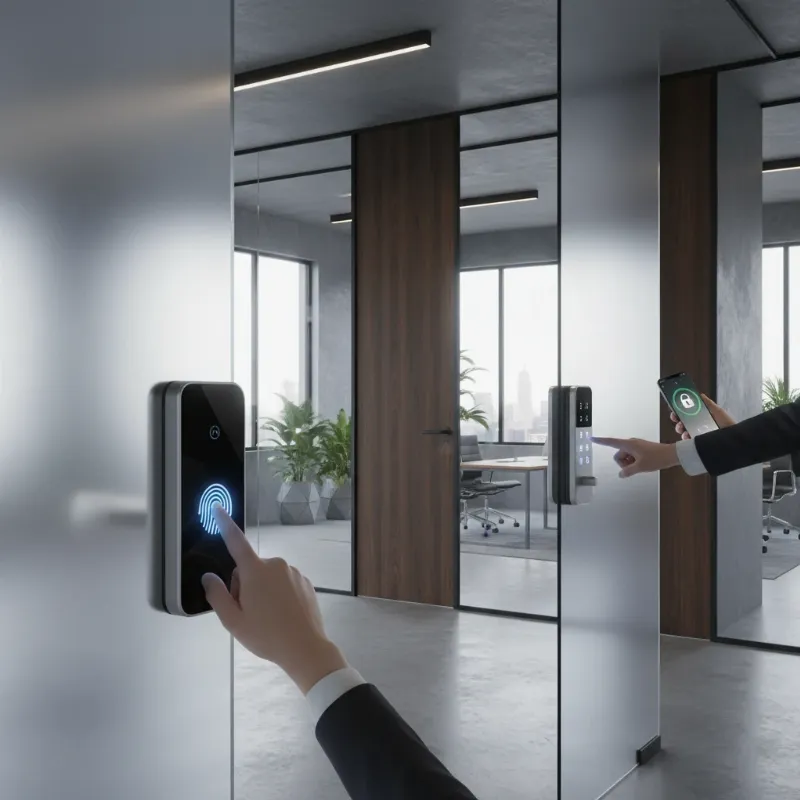 A diverse range of smart lock types, including a fingerprint reader, a keypad, and a smartphone app interface, shown on different office doors.
How to Choose the Right Smart Lock for Your Business
Selecting the best smart lock requires careful consideration of your business’s unique needs. Here are key factors to guide your decision:
- Assess Your Usage Needs: Consider the type of door (internal, external, high-traffic, low-traffic), the number of users, and the required level of security. Do you need temporary access for contractors, or strict, permanent access for employees?
- Research Reputable Brands: Focus on brands known for commercial-grade durability, robust security features, and reliable customer support. Leading manufacturers include Philips, Yale, Samsung, Schlage, and Ultraloq.
- Compare Features and Specifications: Look beyond the basics. Consider connectivity options (Bluetooth, Wi-Fi, Zigbee, Z-Wave), battery life, integration capabilities with your existing smart office ecosystem, audit trail features, and physical durability ratings (ANSI/BHMA Grade 1 or 2 are ideal for commercial use).
- Read Reviews: User and expert reviews can provide valuable insights into real-world performance, installation challenges, and long-term reliability. Look for feedback specific to business environments.
- Check Warranty and Support: A strong warranty and responsive technical support are crucial for commercial installations. Ensure the provider offers clear guidance and assistance for any issues that may arise.
Tips for Using and Maintaining Smart Locks
Proper usage and regular maintenance are vital to ensure your smart locks operate reliably and maintain optimal security for years to come.
- Regular Battery Replacement: For battery-powered models, monitor battery levels and replace them proactively to avoid unexpected lockouts. Most locks provide low-battery alerts.
- Routine Cleaning: Keep keypads, fingerprint sensors, and camera lenses clean to ensure accurate operation. Use a soft, dry cloth and avoid harsh chemicals that could damage the electronics.
- Software Updates: Regularly update the lock’s firmware and associated smartphone apps. Updates often include security patches, bug fixes, and new features that enhance performance and protection.
- Secure Access Management: Never share master codes or administrative credentials. Assign unique access codes or biometrics to each employee and revoke them immediately upon termination.
- Professional Assistance: If you encounter persistent issues or complex technical problems, contact your lock provider or a certified locksmith specializing in smart lock systems.
Common Smart Lock Issues and Troubleshooting
Even with robust technology, smart locks can occasionally experience glitches. Knowing how to address common problems can save time and frustration.
- Fingerprint Not Recognized: This often occurs due to dirt, moisture, or minor injuries on the finger. Ensure the sensor is clean and try re-registering the fingerprint if the problem persists. Some sensors might require a firmer press.
- Dead Battery: The most common issue. Most smart locks will provide warnings before the battery completely drains. If it dies, use a physical key override (if available) or connect an external power source (like a 9V battery) to temporarily power the lock and gain entry.
- Lock Jamming: Check for physical obstructions in the door frame or bolt. Ensure the door is properly aligned and the lock mechanism moves freely. Sometimes, a loose screw or misaligned strike plate can cause this.
- Hacking Concerns: While rare for commercial-grade locks with strong encryption, ensure your Wi-Fi network is secure, use strong, unique passwords for all associated apps and accounts, and keep firmware updated. Multi-factor authentication adds an extra layer of defense.
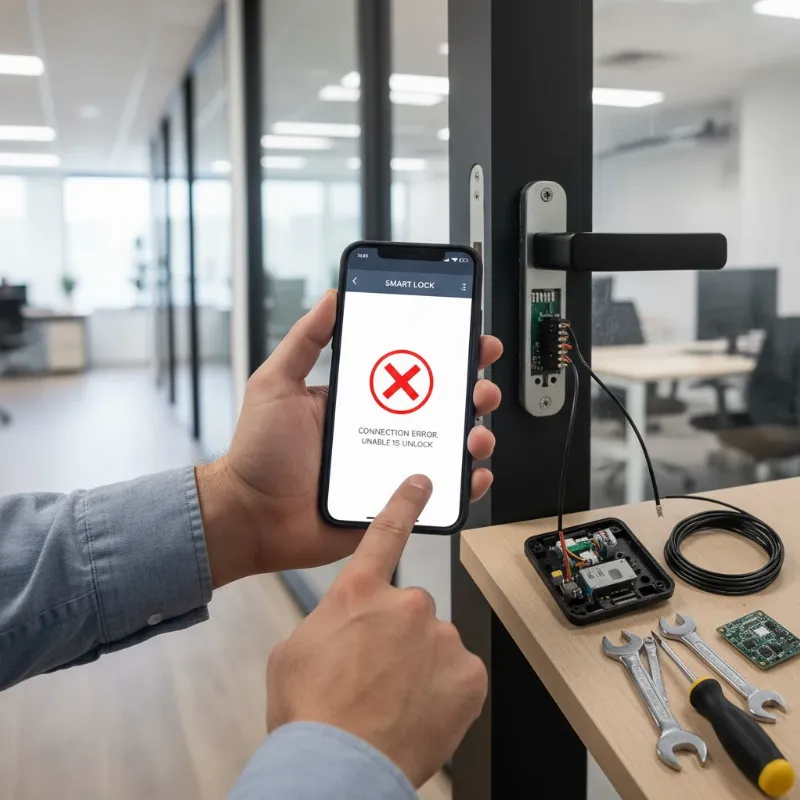 A person troubleshooting a smart lock, looking at a smartphone app, with a partially disassembled lock on a door and tools nearby.
The Future Trends of Smart Locks in Business
The landscape of smart lock technology is continuously evolving, promising even more sophisticated and integrated solutions for businesses.
- Artificial Intelligence (AI) Integration: AI will enhance security by learning access patterns, identifying anomalies, and providing predictive insights into potential security threats. AI could enable more nuanced facial recognition and adaptive security protocols.
- Deeper Smart Office Ecosystem Integration: Smart locks will become even more integral to the broader smart office, seamlessly communicating with climate control, lighting, and internal communication systems to create fully automated environments. For example, unlocking the door could automatically turn on lights and adjust the thermostat.
- Blockchain for Enhanced Security: Blockchain technology could be utilized to create immutable, decentralized ledgers of access events, making audit trails more secure and tamper-proof, and enhancing data privacy.
- Advanced Biometrics and Touchless Access: Expect to see wider adoption of palm vein recognition, voice authentication, and advanced gesture-based controls, offering even greater convenience and hygiene, particularly relevant in future health-conscious environments.
Conclusion
Smart locks are more than just a convenience; they are a critical component of modern business security, offering unparalleled control, flexibility, and protection. By moving beyond traditional keys, businesses can embrace a future where security is smarter, simpler, and more robust. The ability to remotely manage access, monitor entry logs, and integrate with intelligent office systems empowers small businesses to operate with greater efficiency and confidence.
Investing in the right smart lock system is a proactive step towards safeguarding your assets, ensuring employee safety, and streamlining your daily operations. Embrace the power of intelligent security to build a more secure and efficient workplace today. Explore our range of smart lock solutions tailored for businesses and discover how you can revolutionize your office security.
Frequently Asked Questions
Are smart locks more secure than traditional locks for commercial use?
Yes, high-quality commercial smart locks are generally more secure than traditional locks. They utilize advanced encryption, offer multiple authentication methods like biometrics and PINs, and provide detailed audit trails. This combination makes unauthorized access significantly more difficult to achieve and detect compared to physical keys, which can be easily lost, stolen, or duplicated.
Can smart locks work without an internet connection?
Many commercial smart locks can operate offline using local credentials stored in the lock itself, especially those relying on Bluetooth or specific local networks. While remote management features like real-time alerts or remote unlocking typically require an internet connection (Wi-Fi or cellular gateway), the basic locking and unlocking functions can often continue even if your internet goes down.
What happens if a smart lock’s battery dies?
Most smart locks are designed with fail-safe mechanisms. They will typically provide low-battery warnings well in advance. If the battery completely dies, many commercial smart locks include a physical key override, allowing you to use a traditional key for entry. Some also feature external terminals for connecting a 9V battery to provide temporary power and unlock the door.
How do I manage access for different employees or visitors?
Smart lock systems for businesses often come with robust management software or apps. These platforms allow administrators to easily add or remove users, assign unique access codes, fingerprints, or cards, and set specific access schedules (e.g., employees only during business hours). Temporary access can also be granted for visitors or contractors, expiring automatically after a set period.
Are smart locks compatible with existing office doors?
Most commercial smart locks are designed to be compatible with standard door preparations and can often replace existing deadbolts or lever handles. They are available in various formats, including cylindrical, mortise, and deadbolt designs. However, it’s always recommended to check the lock’s specifications and your door’s dimensions to ensure proper fit and functionality, or consult with a professional installer.