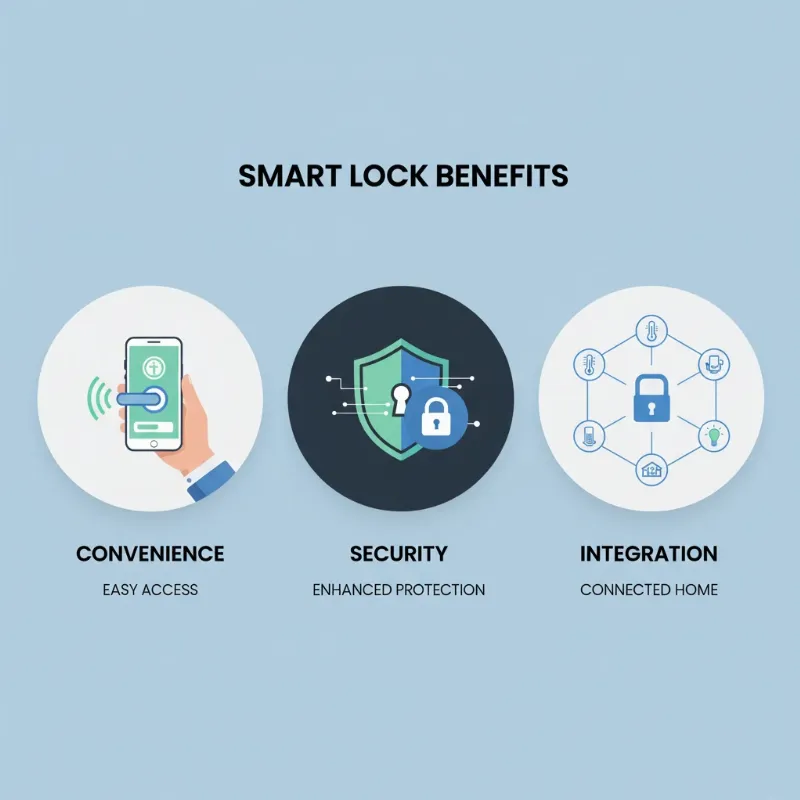
Stepping into a smarter home often begins at the front door. Imagine simply telling your voice assistant to lock or unlock your entry, or having your door automatically secure itself as you leave for the day. For users deeply integrated into the Google Home or Amazon Alexa ecosystems, selecting the right smart lock is crucial for achieving this blend of convenience, security, and automation. This comprehensive guide will navigate the world of smart locks, highlighting models and features that excel with your preferred voice assistant, ensuring your home is both secure and effortlessly connected.
What Are Smart Locks?
Smart locks represent a significant evolution from traditional deadbolts, integrating advanced technology to offer keyless entry and remote access. At their core, smart locks are electronic and mechanical locking devices that work with an authorized user’s authentication to grant access to a property. Unlike conventional locks that rely solely on physical keys, smart locks leverage various technologies such as Bluetooth, Wi-Fi, Z-Wave, or Matter to communicate with smartphones, smart home hubs, and crucially, voice assistants like Google Assistant and Amazon Alexa.
The evolution of smart locks has seen them move from simple keypad entry to sophisticated systems offering fingerprint recognition, proximity-based auto-unlock, and even facial recognition. For Google Home and Alexa users, the defining characteristic is their ability to integrate seamlessly, allowing for voice commands to manage access, check door status, and become an integral part of broader smart home routines.
Superior Advantages of Smart Locks
Smart locks offer a multitude of benefits that extend far beyond simply locking and unlocking a door. When paired with Google Home or Alexa, these advantages are amplified, creating a truly intelligent and secure entryway.
One of the most compelling benefits is hands-free convenience. Picture yourself arriving home with arms full of groceries or a child, only to remember you need to unlock the door. With a compatible smart lock, a simple voice command like “Alexa, lock the front door” or “Hey Google, unlock the back door” can grant or deny access without you needing to fumble for keys or even touch a keypad. This eliminates the worry of lost keys and provides effortless entry and exit.
Enhanced security is another paramount advantage. Modern smart locks are equipped with advanced encryption to protect your data and offer features like tamper alerts, which notify you of any attempted forced entry. Many models provide a detailed activity log, allowing you to track who enters and exits your home and when. For instance, you can receive alerts on your smartphone if a child arrives home from school or if a service provider enters at a scheduled time. Features like auto-lock ensure your door is never left unsecured, automatically engaging after a set period.
The intelligent features and seamless integration with smart home systems truly elevate the experience. Your smart lock becomes a central component of your connected home. You can create automated routines through Google Home or Alexa, such as having your lights turn on, thermostat adjust, or security system disarm the moment your smart lock detects your arrival and unlocks. This level of automation not only adds convenience but also enhances energy efficiency and overall home security. Beyond functionality, smart locks boast modern and diverse designs, allowing them to complement any home aesthetic, from traditional to contemporary.
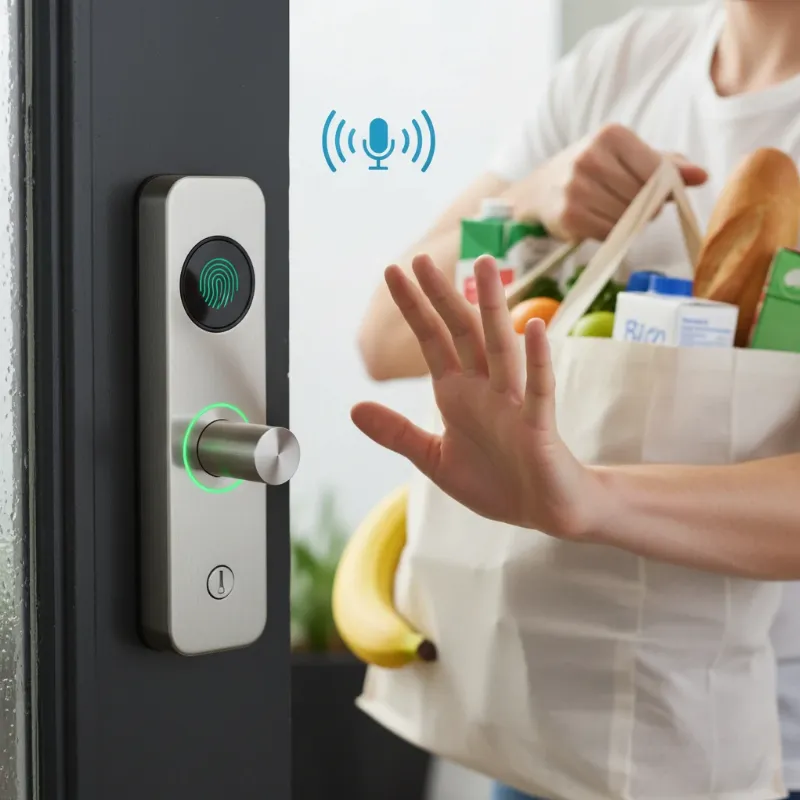 A person unlocking a smart door lock with voice command while holding groceries.
Popular Smart Lock Types on the Market
The smart lock market is diverse, offering various technologies and unlocking methods. Understanding these types is key to choosing a lock that perfectly suits your lifestyle and integrates flawlessly with your Google Home or Alexa setup.
- Fingerprint Locks: These locks utilize biometric scanners to recognize authorized fingerprints for entry. They offer a high level of convenience and security, eliminating the need for keys or codes. When integrated with Google Home or Alexa, you might still use voice commands for locking or checking status, but physical unlocking remains a swift touch of your finger. Models like the Ultraloq Bolt Fingerprint are popular for this feature.
- Key Card/NFC Locks: Primarily found in commercial settings or rental properties, these locks grant access via an RFID or NFC-enabled card or fob. Some advanced consumer locks, such as the Aqara U400, support Apple Home Key, allowing you to tap your iPhone or Apple Watch for entry. While direct voice unlocking with these might be limited, their integration with Google/Alexa focuses on monitoring and remote management.
- Keypad/Passcode Locks: This is one of the most common types, featuring a numeric keypad where users enter a unique code for entry. They offer the flexibility of creating temporary codes for guests or service providers. Locks like the Yale Assure Lock 2 or Schlage Encode are popular keypad options and integrate extensively with Google Home and Alexa for voice control over locking, unlocking (often with a PIN verification), and status checks.
- Facial Recognition Locks: Representing the cutting edge of smart lock technology, these locks use facial scanning for hands-free, high-security access. While less common and generally more expensive, models like the Lockly Visage provide a futuristic entry experience. Their integration with voice assistants can extend to status checks and potentially unlocking with a secure voice PIN.
- Remote Control Locks (Bluetooth & Wi-Fi): These locks can be controlled via a smartphone app, often using Bluetooth for close-range operation and Wi-Fi for remote access from anywhere. Many popular models, including the August Wi-Fi Smart Lock, offer built-in Wi-Fi or utilize a Wi-Fi bridge/module for full remote functionality. This direct Wi-Fi connectivity is crucial for seamless Google Home and Alexa integration, enabling robust voice commands and remote management without an additional hub.
Comparison Table of Smart Lock Types
Choosing the best smart lock means weighing different factors. This table compares the most popular types, helping you align features with your priorities, especially when considering Google Home and Alexa compatibility.
| Feature | Fingerprint Lock | Key Card Lock | Keypad Lock | Facial Recognition Lock | Remote Control Lock (Wi-Fi) |
|---|---|---|---|---|---|
| Security Level | High | Medium | Medium-High | Very High | High |
| Convenience | Very High (hands-free) | Medium (needs card) | High (code entry) | Very High (hands-free) | High (app/voice control) |
| Cost | Medium-High | Low-Medium | Low-Medium | Very High | Medium-High |
| Suitability | Family homes, offices | Offices, hotels, rentals | Homes, rentals, businesses | Luxury homes, high-security | All homes, rentals |
| Google/Alexa Compatibility | High (for status/lock) | Medium (monitoring) | Very High (full control) | High (for status/lock) | Very High (full control) |
| Primary Unlocking Method | Fingerprint | NFC/Card | PIN Code | Facial Scan | App, Voice |
Guide to Choosing the Right Smart Lock for Google Home and Alexa Users
Selecting the ideal smart lock for your Google Home or Alexa-powered smart home involves careful consideration of your specific needs and priorities. With so many options available, a structured approach ensures you make an informed decision.
1. Define Your Usage Needs and Preferences:
Begin by assessing your household’s requirements. What type of door do you have (standard deadbolt, handle set)? What level of security are you comfortable with (basic, enhanced, commercial-grade)? Consider your budget range, as smart locks vary significantly in price. Do you frequently have guests or service providers who need temporary access? This will influence whether you need robust guest code management features.
2. Prioritize Google Home and Alexa Compatibility:
This is paramount. Ensure the smart lock explicitly states compatibility with both Google Assistant and Amazon Alexa. Look for “Works with Google Assistant” and “Works with Alexa” badges. Check if the lock offers direct Wi-Fi connectivity or requires a bridge/hub for voice assistant integration. Direct Wi-Fi models (like Schlage Encode) simplify setup, while others (like some Yale Assure Lock 2 configurations) might use modules for connectivity. Consider Matter over Thread support, as this emerging standard promises even more seamless cross-platform integration, beneficial for both ecosystems. The Aqara U400, for example, supports Matter over Thread.
3. Explore Reputable Brands:
Focus on established brands known for reliability and customer support. Popular choices that consistently offer strong Google Home and Alexa integration include:
- Yale: Known for the Assure Lock series and the Nest x Yale collaboration, offering robust features and diverse connectivity options.
- August: Praised for its retrofit design, allowing you to keep your existing key, and strong voice assistant integration.
- Schlage: Offers high-security options with built-in Wi-Fi for straightforward setup.
- Ultraloq: Known for versatile unlocking methods, including fingerprint and keypads, often with good weather resistance.
- Kwikset: Provides user-friendly options with direct Wi-Fi connectivity.
- Eufy: Offers feature-rich locks, often with fingerprint recognition and reliable Wi-Fi.
4. Compare Features and Specifications:
Beyond basic locking, consider advanced features that enhance convenience and security.
- Unlock Methods: Do you prefer keypad codes, fingerprint access, app control, auto-unlock via geofencing, or traditional keys as a backup?
- Connectivity: Wi-Fi (built-in or bridge), Bluetooth, Z-Wave, or Matter? Wi-Fi is often preferred for remote control and direct voice assistant integration.
- Security Ratings: Look for ANSI Grade 1 certification for the highest level of residential security.
- Battery Life and Alerts: How long do batteries last, and does the lock provide low-battery warnings?
- Activity Logs and Notifications: Can you monitor entry/exit history and receive real-time alerts?
- DoorSense Technology: Some locks, like August, can tell you if your door is ajar.
5. Read User and Expert Reviews:
Always consult reviews from both experts and everyday users. This provides valuable insights into real-world performance, ease of installation, app stability, and the responsiveness of Google Home and Alexa commands. Look for mentions of any recurring issues or exceptional experiences.
6. Check Warranty and Technical Support:
A good warranty and accessible technical support are vital. Smart locks are electronic devices; knowing that the manufacturer stands behind their product and offers assistance when needed provides peace of mind.
“A smart lock is more than just a gadget; it’s a foundational element of your smart home security, empowering you with control and knowledge of your home’s entry points.”
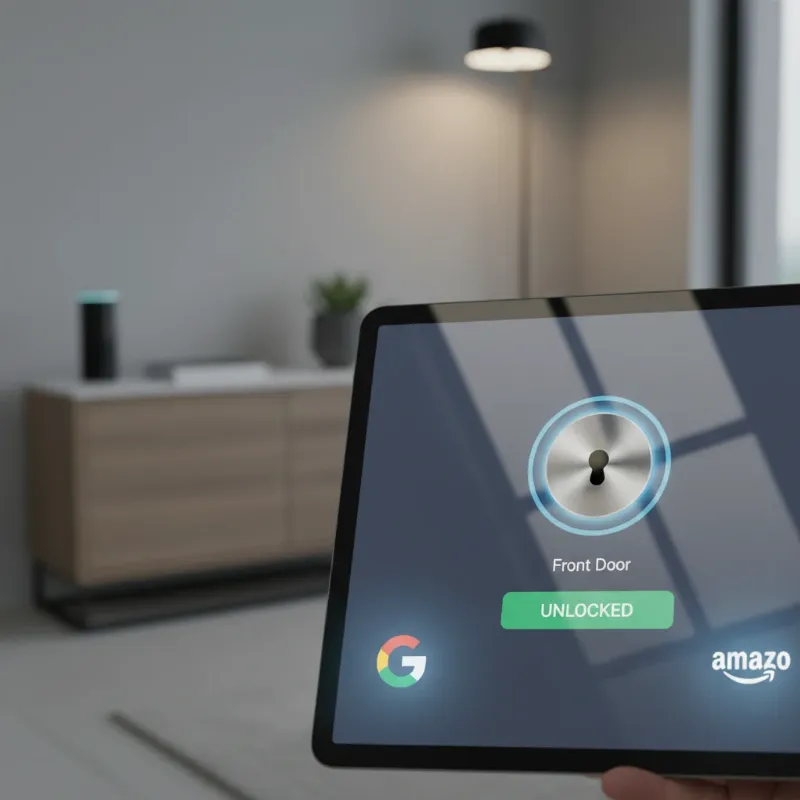 Smart lock interacting with Google Assistant and Amazon Alexa logos, representing compatibility.
Tips for Proper Smart Lock Usage and Maintenance
To ensure your smart locks operate reliably and securely within your Google Home and Alexa ecosystem, proper usage and routine maintenance are essential.
First and foremost, replace batteries regularly. Most smart locks will provide low-battery warnings, often through the companion app and sometimes directly on the lock itself. Ignoring these alerts can lead to your lock losing power, potentially leaving you locked out or compromising its security features. Depending on usage and model, plan to replace batteries every 6-12 months.
Clean your lock frequently to prevent dirt and grime buildup, especially on keypads, fingerprint readers, or touchscreens. Use a soft, damp cloth and avoid harsh chemicals that could damage the finish or electronic components. Pay particular attention to moving parts to ensure smooth operation.
Keep the smart lock’s software updated. Manufacturers frequently release firmware updates that improve performance, add new features, and, most importantly, patch security vulnerabilities. Enable automatic updates in the lock’s app or regularly check for new versions to ensure your device has the latest protections.
Never share passcodes or e-keys carelessly. Treat your smart lock access credentials with the same caution as physical keys. If you grant temporary access, revoke it promptly once it’s no longer needed. Avoid creating simple, easily guessable codes. For voice unlocking via Alexa or Google Assistant, most systems require a secure PIN, which adds a vital layer of security against unauthorized voice commands.
Finally, contact the manufacturer or a qualified technician if you encounter persistent issues. Attempting complex repairs yourself could void your warranty or further damage the lock. Professional assistance ensures your smart lock remains secure and fully functional.
Common Smart Lock Issues and How to Resolve Them
Even the most advanced smart locks can encounter occasional glitches. Knowing how to troubleshoot common problems can save you time and frustration, keeping your Google Home and Alexa integrations running smoothly.
- Lock Not Recognizing Fingerprint/Passcode: If your fingerprint isn’t recognized, ensure your finger is clean and dry. Try re-registering your fingerprint in the app. For passcodes, double-check that you’re entering the correct sequence. Sometimes, a quick restart of the lock (by temporarily removing and reinserting batteries) can resolve minor software hiccups.
- Smart Lock Not Responding to Voice Commands: First, verify that your smart lock is properly linked to your Google Home or Alexa account within their respective apps. Check your Wi-Fi connection, as a weak signal can disrupt communication. Ensure your voice assistant device (Echo, Google Nest Hub) is online and can hear you clearly. Often, unlinking and relinking the smart lock skill or service in the Alexa/Google Home app can resolve connectivity issues.
- Lock Battery Drains Quickly: Frequent use, poor Wi-Fi signal (causing the lock to constantly search for a connection), or cold weather can all shorten battery life. Ensure your Wi-Fi router is within a reasonable range of the lock. Consider using high-quality alkaline or lithium batteries, as recommended by the manufacturer. If drainage is excessively fast, it might indicate a hardware issue requiring professional attention.
- Smart Lock is “Jammed” or Not Operating Smoothly: This can often be due to misalignment of the door or strike plate, or internal mechanical issues. Check if your door closes and latches smoothly without the smart lock. If there’s resistance, you might need to adjust the door frame or the strike plate. Never force a smart lock; if the issue persists after checking alignment, it’s best to contact customer support.
- Concerns About Hacking or Security Breaches: While smart locks are generally very secure, no technology is entirely immune. Ensure your Wi-Fi network is secured with a strong password. Always keep your smart lock’s firmware updated to patch any known vulnerabilities. Use complex passcodes and unique voice PINs for voice unlocking. Opt for locks from reputable brands that prioritize encryption and security in their design.
Future Trends in Smart Locks
The landscape of smart home technology is constantly evolving, and smart locks are at the forefront of this innovation. The future promises even more intelligent, secure, and seamlessly integrated locking solutions.
One of the most exciting trends is the integration of artificial intelligence (AI). Future smart locks may incorporate AI to learn user habits, anticipate needs, and adapt security protocols in real-time. Imagine a lock that learns your family’s routine and suggests optimal locking schedules or recognizes unusual activity patterns, proactively alerting you. AI could also enhance biometric recognition, making fingerprint and facial scans even faster and more reliable, even in challenging conditions.
Enhanced connectivity with other smart home devices will continue to expand. With the rise of universal standards like Matter, smart locks will effortlessly communicate with an even broader range of devices, from smart thermostats and lighting to security cameras and even smart appliances. This will enable more complex and intuitive automation scenarios, such as turning off all lights, setting the alarm, and adjusting the temperature the moment the door is locked for the night.
The adoption of blockchain technology for increased security is another emerging possibility. Blockchain could create immutable records of access events, making them incredibly difficult to tamper with and providing an unparalleled level of transparency and auditability for home access. This could be particularly valuable for vacation rentals or shared living spaces.
We can also expect the development of new and intuitive unlocking features. While voice and fingerprint are popular today, future locks might incorporate advanced voice recognition that distinguishes authorized users not just by voice command but by unique voiceprints. Gesture-based unlocking, where a specific hand motion or pattern near the lock grants access, could also emerge, offering a discreet and novel way to enter. The goal is to make home access not only secure but also genuinely effortless and integrated into our daily lives.
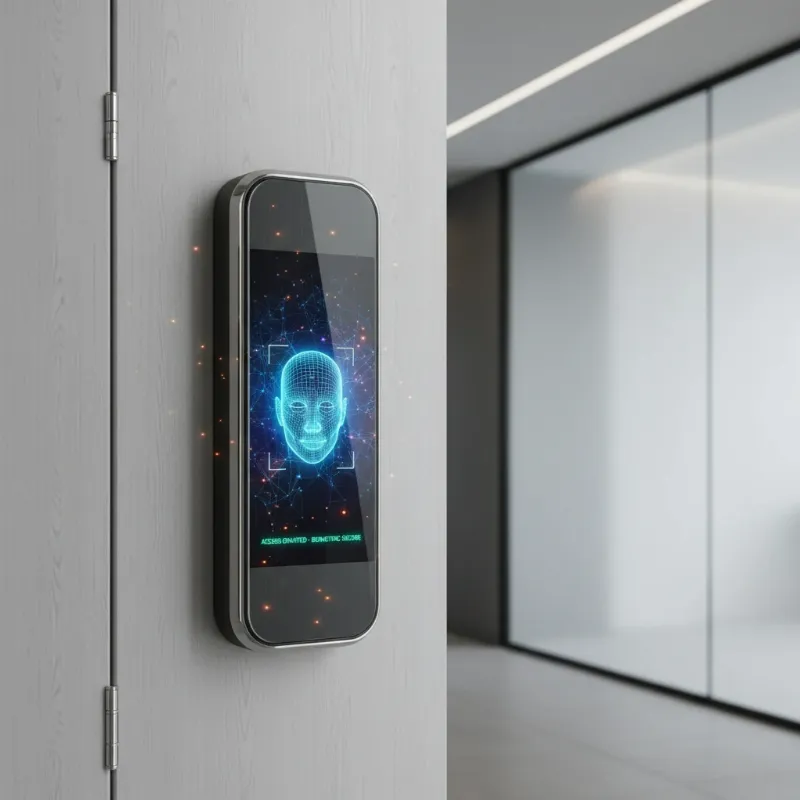 A conceptual image of a futuristic smart lock with AI features and advanced biometric recognition.
Conclusion
Smart locks have undeniably transformed how we interact with our homes, offering a powerful blend of security and unparalleled convenience. For users of Google Home and Amazon Alexa, the ability to control access with a simple voice command or integrate your entryway into broader smart home routines is a game-changer. From the robust security of an ANSI Grade 1 certified deadbolt to the effortless charm of fingerprint entry, the market offers a diverse range of options tailored to every need.
Embracing smart lock technology means stepping into a future where lost keys are a forgotten worry, and home security is intelligently managed and always within reach. By choosing a smart lock that integrates seamlessly with your preferred voice assistant, you’re not just upgrading a door; you’re enhancing your entire smart living experience.
Ready to secure your home with intelligence and convenience? Explore our curated selection of smart locks optimized for Google Home and Alexa integration on SmartLocksPro.com today!
Frequently Asked Questions
Are smart locks safer than traditional locks?
|
Our Picks for the Best smart locks in 2026
As an Amazon Associate I earn from qualifying purchases.
|
||
| Num | Product | Action |
|---|---|---|
| 1 | Schlage Encode Smart WiFi Deadbolt Lock for Front Door - Keyless Entry with App or Touchscreen - Works with Alexa, Hey Google, & Airbnb - Create Codes for Guests - Matte Black |

|
| 2 | Schlage Encode Smart WiFi Deadbolt Lock for Front Door - Keyless Entry with App or Touchscreen - Works with Alexa, Hey Google, & Airbnb - Create Codes for Guests - Satin Nickel Silver |
|
| 3 | TEEHO TE001 Keyless Entry Door Lock with Keypad - Smart Deadbolt Lock for Front Door with 2 Keys - Auto Lock - Easy Installation - Matte Black |
|
| 4 | Yale Security Assure Lock 2 Deadbolt, Black Suede Keyed Smart Entry Door Lock with Wi-Fi Connected Keypad for Code Entry and Remote Access, YRD410-WF1-BSP |
|
| 5 | Smart Door Handle Lock with Keypad: Yamiry Fingerprint Smart Knob - Keyless Entry Digital Lock for Front Door - Deadbolt with APP - Generate Passcode Remotely - DIY Installation |
|
| 6 | Wyze Auto-Lock Bolt v2, Fingerprint Keyless Entry Smart Lock, AI Learning Scanner with Wi-Fi Front Door Lock Deadbolt, Auto-Lock, 8 Months Battery, BHMA2, IP53, Anti-Peep Keypad, Backup Keys |
|
| 7 | Smart Door Lock with Camera Fingerprint Keyless Entry Door Lock Electronic Deadbolt with Keypad Code, App Remote Control, Auto Unlock for Front Door |
|
| 8 | Tapo Smart Wi-Fi Deadbolt Door Lock – Keyless Tactile Buttons, Customized Access with in-App Monitoring, Auto-Lock, IP54 Weatherproof, BHMA Grade 3, Compatible with Standard Door Sizes, Tapo DL100 |
|
| 9 | Wyze Palm Lock, Smart Door Lock with Palm Vein Recognition, Keyless Entry Smart Locks for Front Door, Keypad, Auto Lock, Dual Battery, Wi-Fi, Works with Alexa & Google, BHMA, IP53, Mechanical Key |
|
| 10 | ULTRALOQ U-Bolt Pro WiFi Smart Lock with Door Sensor, 8-in-1 Keyless Entry Door Lock with Fingerprint ID, App Remote Control, Built-in WiFi Keypad Deadbolt, Auto Unlock, IP65 Waterproof, Easy Install |
|
Generally, yes. Modern smart locks offer enhanced security features like tamper alarms, activity logs, and robust encryption that traditional locks lack. Many also come with ANSI Grade 1 certifications, indicating the highest residential security standards. Voice control features, when secured with a PIN, add another layer of protection by preventing unauthorized voice access.
Do I need a smart home hub for Alexa or Google Home compatible smart locks?
It depends on the smart lock. Many newer smart locks, particularly those with built-in Wi-Fi (like the Schlage Encode or August Wi-Fi Smart Lock), can connect directly to your home network and integrate with Alexa or Google Home without a separate hub. Other locks might use Bluetooth or Z-Wave and may require a compatible bridge or hub to enable remote access and voice assistant functionality.
Can I still use a physical key with a smart lock?
Most smart locks offer a mechanical key override as a backup. This ensures you can always access your home even if the smart lock’s batteries die or there’s a technical malfunction. Models like the Yale Assure Lock 2 often come in both key-free and keyed versions to suit user preference.
What is Matter over Thread, and why is it important for smart locks?
Matter over Thread is a new universal smart home connectivity standard designed to create more reliable, secure, and interoperable smart home devices. For smart locks, it means easier setup, faster response times, and seamless compatibility across different smart home ecosystems like Google Home, Alexa, and Apple HomeKit, often without needing a separate hub for each platform.
How long do smart lock batteries typically last?
Battery life varies significantly based on usage, model, and connectivity type (Wi-Fi drains faster). On average, you can expect smart lock batteries to last between 6 to 12 months. Most locks provide low-battery alerts well in advance, both on the lock itself and through their companion apps, giving you ample time to replace them.