Let’s be honest, we’ve all had that moment. You’re halfway to work, or maybe just settled into bed, and that nagging feeling hits you: Did I lock the front door? It’s a universal anxiety that can ruin a perfectly good morning or a peaceful night. But what if that worry could be a thing of the past? Finding the Best Smart Lock For Home Security 2025 is about more than just convenience; it’s about reclaiming your peace of mind with cutting-edge technology. It’s about upgrading your first line of defense from a simple piece of metal to an intelligent guardian for your home.
In this guide, we’re going to demystify the world of smart locks. We’ll cut through the technical jargon and talk about what really matters for you and your family’s safety. Think of me as your personal security consultant, here to walk you through everything from the core technology to the nitty-gritty of installation, ensuring you have the confidence to make the right choice.
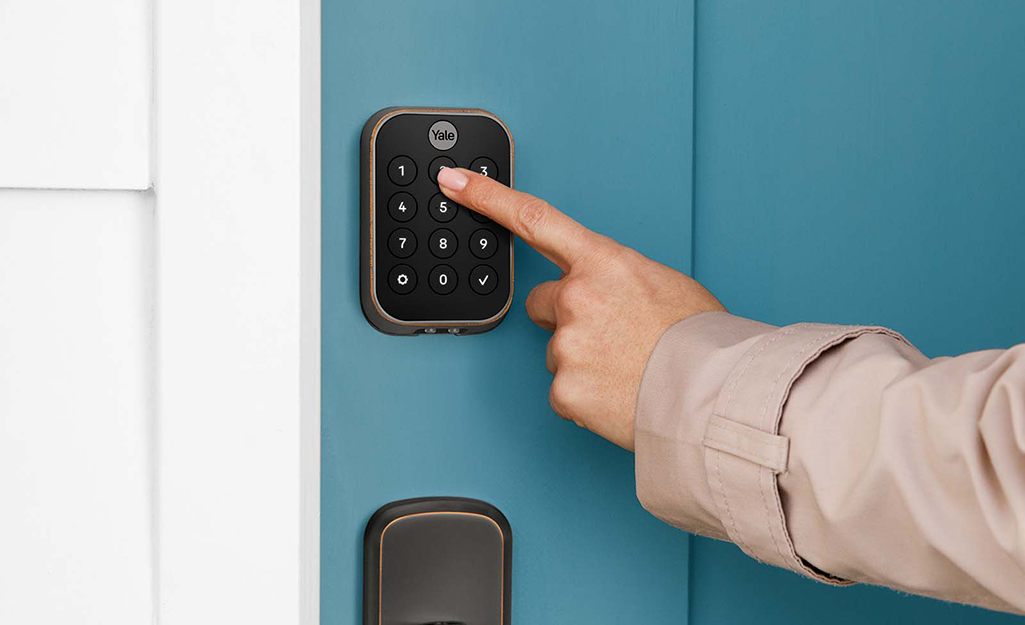
What’s Really Under the Hood of a Smart Lock?
Before we dive into the latest models, it’s helpful to understand what makes these gadgets tick. A smart lock isn’t just a lock with a battery. It’s a fusion of time-tested mechanical security and modern digital intelligence. At its core, it still has a physical deadbolt—that sturdy bolt of metal that secures your door. The “smart” part is how you control that bolt.
The journey started with simple electronic keypads but has since exploded into a sophisticated ecosystem of connectivity. Today’s locks use protocols like Bluetooth to talk to your phone when you’re nearby and Wi-Fi to connect to your home network, allowing you to control and monitor them from anywhere on the planet. This blend of physical strength and digital access is what makes them so powerful.
The Different Flavors of Smart Locks: Which One is for You?
Not all smart locks are created equal. They generally fall into a few key categories based on how you interact with them. Understanding these differences is the first step in finding your perfect match.
The Keypad Crusaders
These are the most familiar type. You simply punch in a numeric code to unlock the door.
- Pros: No phone or key needed. You can create temporary codes for guests, dog walkers, or contractors and then delete them later. It’s a game-changer for managing access.
- Cons: Someone could potentially see your code. Also, the keypads on cheaper models can wear out, revealing your most frequently used numbers.
The Biometric Wizards
These locks use your unique biological traits, most commonly your fingerprint.
- Pros: Incredibly fast and secure. Your fingerprint is unique, so there are no codes to forget or keys to lose. It feels futuristic, and frankly, it’s just plain cool.
- Cons: Can be more expensive. Wet or dirty fingers can sometimes cause read errors, though the technology is getting better every year.
The Bluetooth & Wi-Fi Champions
These locks are all about connectivity. They use your smartphone as the key.
- Bluetooth Locks: These connect directly to your phone when it’s within range (usually about 30 feet). They are great for “geofencing,” where the door can automatically unlock as you approach and lock behind you as you leave.
- Wi-Fi Locks: These connect to your home’s Wi-Fi network, either directly or through a small bridge that plugs into an outlet. This is what gives you true remote access—letting you lock or unlock your door from your office, the beach, or anywhere with an internet connection.
How to Choose the Best Smart Lock for Home Security 2025
With so many options, choosing the right lock can feel overwhelming. Let’s break it down into a simple checklist of what you should be looking for. The best smart lock for home security 2025 will tick most, if not all, of these boxes.
- Security Grade: Look for an ANSI/BHMA Grade. Grade 1 is the highest certification for residential security, meaning it has withstood rigorous tests for brute force attacks like kicking, prying, and drilling. Grade 2 is also very secure and suitable for most homes. Never settle for a lock without a grade rating.
- Connectivity: Decide if you need remote access. If you just want keyless entry when you’re at home, a Bluetooth-only model is fine and often has better battery life. If you want to check your door’s status from work or let a friend in while you’re on vacation, you’ll need a Wi-Fi-enabled lock.
- Power Source: Most smart locks run on standard AA batteries. Check the manufacturer’s estimated battery life—it typically ranges from 6 to 12 months. A good lock will give you plenty of low-battery warnings, both on the device and through a phone app. Some even have a backup option, like terminals to touch a 9V battery to for emergency power.
- Smart Home Integration: Do you use Alexa, Google Assistant, or Apple HomeKit? Make sure the lock you choose is compatible with your preferred ecosystem. This allows for voice commands like, “Hey Google, lock the front door,” and integration into smart home routines.
- User Access Management: A key benefit is creating multiple user “keys.” Look for a lock that lets you easily create, share, and delete access codes or digital keys. Advanced features include scheduling access, so a cleaner’s code only works on Tuesdays between 10 AM and 2 PM.
|
Our Picks for the Best Smartlocks in 2026
As an Amazon Associate I earn from qualifying purchases.
|
||
| Num | Product | Action |
|---|---|---|
| 1 | Schlage Encode Plus Smart Wi-Fi Lock for Front Door, Keyless Entry Deadbolt, Unlock with Apple Watch, Built-in WiFi and App Control, Easy Install, Alexa & Apple HomeKit Compatible, Matte Black |

|
| 2 | Keyless Entry Fingerprint Smart Lock with Handle & Keypad: Sifely Biometric Digital Electronic Lock with Code, Electric Deadbolt Door Knob for Front, Interior, Exterior & Bedroom Doors (Silver) |
|
| 3 | Keypad Smart Door Lock with Knob, Yamiry Keyless Entry Digital Lock with Handle, Fingerprint Electronic Knob for Front Door, Generate Passcode Remotely, Easy Installation |
|
| 4 | Keypad & Key Smart Door Lock, 50 User Codes, Waterproof, Auto Lock - Matte Black |
|
| 5 | Kwikset Powerbolt 250 10-Button Keypad Satin Nickel Transitional Electronic Deadbolt Door Lock, Featuring Convenient Keyless Entry, Customizable User Codes, Auto Locking |
|
| 6 | ULTRALOQ U-Bolt Pro WiFi Smart Lock with Door Sensor, 8-in-1 Keyless Entry Door Lock with Fingerprint ID, App Remote Control, Built-in WiFi Keypad Deadbolt, Auto Unlock, IP65 Waterproof, Easy Install |
|
| 7 | Schlage Encode Smart WiFi Deadbolt Lock for Front Door - Keyless Entry with App or Touchscreen - Works with Alexa, Hey Google, & Airbnb - Create Codes for Guests - Satin Nickel Silver |
|
| 8 | TEEHO TE001 Keyless Entry Door Lock with Keypad - Smart Deadbolt Lock for Front Door with 2 Keys - Auto Lock - Easy Installation - Matte Black |
|
| 9 | Smart Keypad Door Lock with Handle: NICE DIGI Keyless Entry Digital Lock for Front/Interior Door, Electronic Code Knob, Easy Installation |
|
| 10 | Yale Security Assure Lock 2 Deadbolt, Black Suede Keyed Smart Entry Door Lock with Wi-Fi Connected Keypad for Code Entry and Remote Access, YRD410-WF1-BSP |
|
“A common mistake I see is clients focusing solely on the ‘smart’ features and forgetting the ‘lock’ part. The best smart lock combines robust, military-grade digital encryption like AES-256 with a Grade 1 or 2 certified physical deadbolt. One without the other is a critical vulnerability.”
— David Chen, Certified Locksmith and Home Security Integrator
A Simple Guide to Installing Your Smart Lock
Worried you need to be a DIY expert to install one? You might be surprised. Most smart locks are designed to fit into the standard holes of your existing deadbolt.
- Remove Your Old Deadbolt: This usually involves just a few screws on the interior side of your door. Remove the interior thumb-turn assembly, the exterior keypad/keyhole, and the deadbolt itself from the side of the door.
- Install the New Bolt: Slide the new smart deadbolt into the hole on the edge of your door and screw it in place. Make sure it can extend and retract smoothly.
- Mount the Exterior Keypad/Scanner: Feed the data cable through the door hole and position the exterior part of the lock.
- Attach the Interior Assembly: Connect the data cable to the interior housing, mount it to the door with the provided screws, and insert the batteries.
- Calibrate and Connect: Follow the app’s instructions to connect the lock to your phone via Bluetooth or Wi-Fi. The app will typically run a calibration process to learn the locked and unlocked positions of your door.
And that’s it! For most people, the process takes less than 30 minutes with just a single screwdriver.
Unlocking a World of Convenience and Security
Upgrading isn’t just about ditching your keys. It’s about a fundamental shift in how you interact with your home’s security.
- Total Control: Get alerts on your phone whenever the door is locked or unlocked. You’ll always know who is coming and going, whether it’s the kids coming home from school or a package being delivered.
- No More Lost Keys: Never worry about a lost or stolen key falling into the wrong hands. Simply revoke digital access or change a code in seconds.
- Enhanced Security: Features like auto-lock ensure your door is never left unlocked by accident. You can set it to automatically lock after a specified time, from 30 seconds to 5 minutes.
Frequently Asked Questions
Q: Can smart locks be hacked?
A: While no connected device is 100% un-hackable, reputable smart locks use advanced encryption, like 128-bit or 256-bit AES, which is the same standard used by banks and governments. The risk is extremely low. The most common vulnerability is a weak Wi-Fi password, so ensure your home network is secure.
Q: What happens if the power or my Wi-Fi goes out?
A: This is a common concern! Since most smart locks are battery-powered, a power outage won’t affect them. If your Wi-Fi goes down, you won’t be able to control the lock remotely, but you can still use Bluetooth with your phone, the physical keypad, or your fingerprint. And nearly all smart locks still come with a traditional key as a final backup.
Q: How long do the batteries really last in a smart lock?
A: It depends on usage, but most models last between 6 and 12 months on a single set of AA batteries. Your companion app will give you ample warning when the batteries are getting low, so you’ll have weeks to replace them before they run out.
Q: What’s the most secure type of entry: code, fingerprint, or phone?
A: From a pure security standpoint, a fingerprint (biometrics) is the most secure, as it’s unique to you and cannot be easily replicated or stolen. However, modern keypad and phone-based systems with strong encryption are also exceptionally secure for residential use.
Q: Do I need to buy a whole new lock, or can I convert my existing one?
A: There are two types. A full replacement involves removing your entire deadbolt. There are also “conversion” kits that fit over your existing interior thumb-turn, essentially motorizing your current deadbolt. These are often easier to install and allow you to keep your original keys.
The Final Turn: Your Key to a Smarter, Safer Home
Choosing the best smart lock for home security 2025 is one of the most impactful upgrades you can make for your home. It’s that rare investment that pays dividends in both tangible security and intangible peace of mind. The days of fumbling for keys in the rain or that sinking feeling of an unlocked door are over. You’re not just buying a gadget; you’re investing in control, awareness, and a profound sense of security. It’s time to embrace the future and give yourself and your family the protection and convenience you deserve.