The evolution of smart lock technology has brought unprecedented convenience and security to homes and businesses alike. From simple keyless entry to advanced smart home integration, these devices are redefining how we protect our spaces. However, a fundamental decision often arises when choosing a smart lock: should you opt for a battery-powered or a hardwired system? Each power source comes with its own set of advantages and considerations, impacting everything from installation to long-term reliability and functionality.
Understanding these distinctions is crucial for making an informed choice that aligns with your security needs, lifestyle, and property infrastructure. This guide will delve deep into both battery-powered and hardwired smart locks, exploring their mechanisms, benefits, drawbacks, installation processes, and what the future holds for these innovative security solutions.
What Are Smart Locks?
Smart locks are electronic locking mechanisms that offer advanced functionalities beyond traditional mechanical locks. They leverage various technologies, such as Bluetooth, Wi-Fi, Z-Wave, or Zigbee, to enable keyless entry and remote control. Instead of relying solely on a physical key, users can unlock doors using PIN codes, fingerprint scans, facial recognition, smartphone apps, or even voice commands. These devices integrate seamlessly into modern smart home ecosystems, providing enhanced control and monitoring capabilities directly from a mobile device.
Types of Smart Locks Based on Power Source
Smart locks primarily draw power from two main sources:
- Battery-Powered Smart Locks: These locks operate using standard disposable batteries (like AA or AAA) or rechargeable battery packs. They are independent of your home’s electrical wiring.
- Hardwired Smart Locks: These systems are directly connected to your property’s electrical system, receiving a continuous power supply. They often include a battery backup for uninterrupted operation during power outages.
|
Our Picks for the Best smart locks in 2026
As an Amazon Associate I earn from qualifying purchases.
|
||
| Num | Product | Action |
|---|---|---|
| 1 | Schlage Encode Smart WiFi Deadbolt Lock for Front Door - Keyless Entry with App or Touchscreen - Works with Alexa, Hey Google, & Airbnb - Create Codes for Guests - Satin Nickel Silver |

|
| 2 | Smart Door Handle Lock with Keypad: Yamiry Fingerprint Smart Knob - Keyless Entry Digital Lock for Front Door - Deadbolt with APP - Generate Passcode Remotely - DIY Installation |
|
| 3 | Wyze Auto-Lock Bolt v2, Fingerprint Keyless Entry Smart Lock, AI Learning Scanner with Wi-Fi Front Door Lock Deadbolt, Auto-Lock, 8 Months Battery, BHMA2, IP53, Anti-Peep Keypad, Backup Keys |
|
| 4 | Yale Security Assure Lock 2 Deadbolt, Black Suede Keyed Smart Entry Door Lock with Wi-Fi Connected Keypad for Code Entry and Remote Access, YRD410-WF1-BSP |
|
| 5 | Tapo Smart Wi-Fi Deadbolt Door Lock – Keyless Tactile Buttons, Customized Access with in-App Monitoring, Auto-Lock, IP54 Weatherproof, BHMA Grade 3, Compatible with Standard Door Sizes, Tapo DL100 |
|
| 6 | Schlage Encode Smart WiFi Deadbolt Lock for Front Door - Keyless Entry with App or Touchscreen - Works with Alexa, Hey Google, & Airbnb - Create Codes for Guests - Matte Black |
|
| 7 | ULTRALOQ U-Bolt Pro WiFi Smart Lock with Door Sensor, 8-in-1 Keyless Entry Door Lock with Fingerprint ID, App Remote Control, Built-in WiFi Keypad Deadbolt, Auto Unlock, IP65 Waterproof, Easy Install |
|
| 8 | Wyze Palm Lock, Smart Door Lock with Palm Vein Recognition, Keyless Entry Smart Locks for Front Door, Keypad, Auto Lock, Dual Battery, Wi-Fi, Works with Alexa & Google, BHMA, IP53, Mechanical Key |
|
| 9 | TEEHO TE001 Keyless Entry Door Lock with Keypad - Smart Deadbolt Lock for Front Door with 2 Keys - Auto Lock - Easy Installation - Matte Black |
|
| 10 | Smart Door Lock with Camera Fingerprint Keyless Entry Door Lock Electronic Deadbolt with Keypad Code, App Remote Control, Auto Unlock for Front Door |
|
While most residential smart locks are battery-powered, hardwired solutions are more common in commercial settings where continuous operation and robust integration are paramount.
The Superior Advantages of Smart Locks
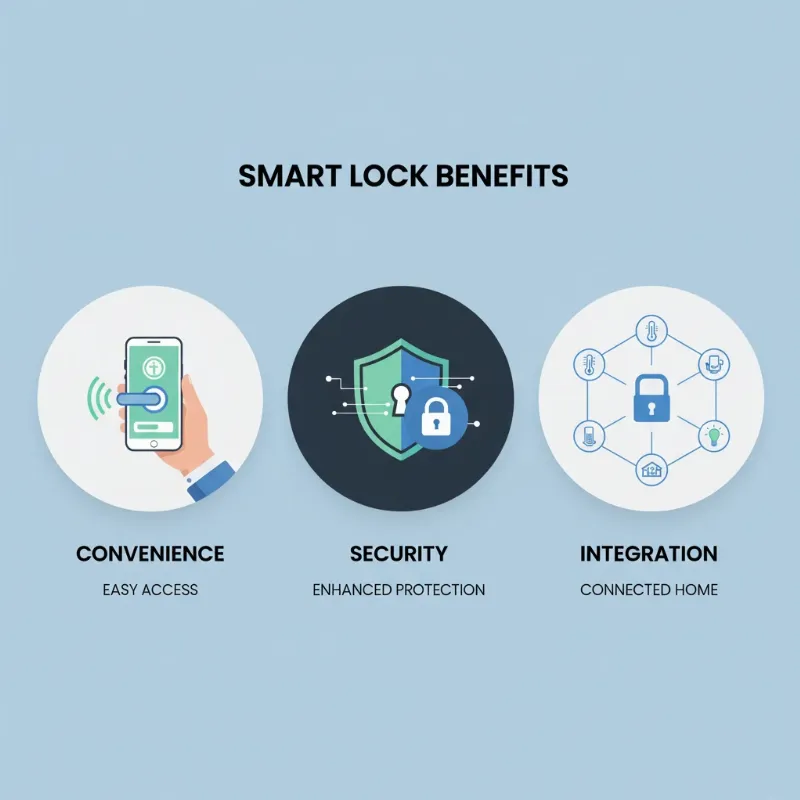
Smart locks offer a host of benefits that significantly enhance security, convenience, and control over traditional locking systems. These advantages cater to the demands of modern living, providing peace of mind and streamlined access management.
Convenience and Ease of Use
Imagine arriving home with arms full of groceries and simply unlocking your door with a tap on your smartphone or a quick fingerprint scan. Smart locks eliminate the need for physical keys, preventing lockouts and frantic searches. They allow for remote access management, enabling you to lock or unlock your door from anywhere, grant temporary access codes to guests or service providers, and monitor entry and exit times through a mobile app. This level of control is particularly beneficial for managing rental properties or simply ensuring your family’s safety.
Enhanced Security
Beyond mere convenience, smart locks bolster your home’s security. Many models feature advanced encryption protocols to protect wireless communications, making them resistant to digital hacking attempts. Built-in tamper alarms can alert you instantly via your smartphone if someone attempts to force entry or manipulate the lock. The absence of a traditional keyhole on some models also reduces vulnerability to conventional lock-picking or bumping techniques. Furthermore, smart locks maintain a detailed activity log, providing a clear record of who entered and exited your property and when, adding an extra layer of oversight.
Smart Features and Integration
Smart locks are designed to be part of a larger interconnected home ecosystem. They can integrate with smart home hubs like Amazon Alexa, Google Home, or Apple HomeKit, allowing for voice-controlled locking and unlocking. You can set up automated routines, such as having your doors lock automatically when your security system is armed or when you leave a certain geofenced area. This interoperability transforms your home security from a standalone device into a responsive, intelligent system that adapts to your daily life.
Modern and Diverse Design
Smart locks are available in a wide array of styles and finishes, ensuring they complement any architectural aesthetic. From sleek, minimalist keypads to traditional-looking deadbolts with hidden smart technology, there’s a design to suit every preference. This blend of cutting-edge technology and attractive design makes smart locks a valuable addition to any modern home.
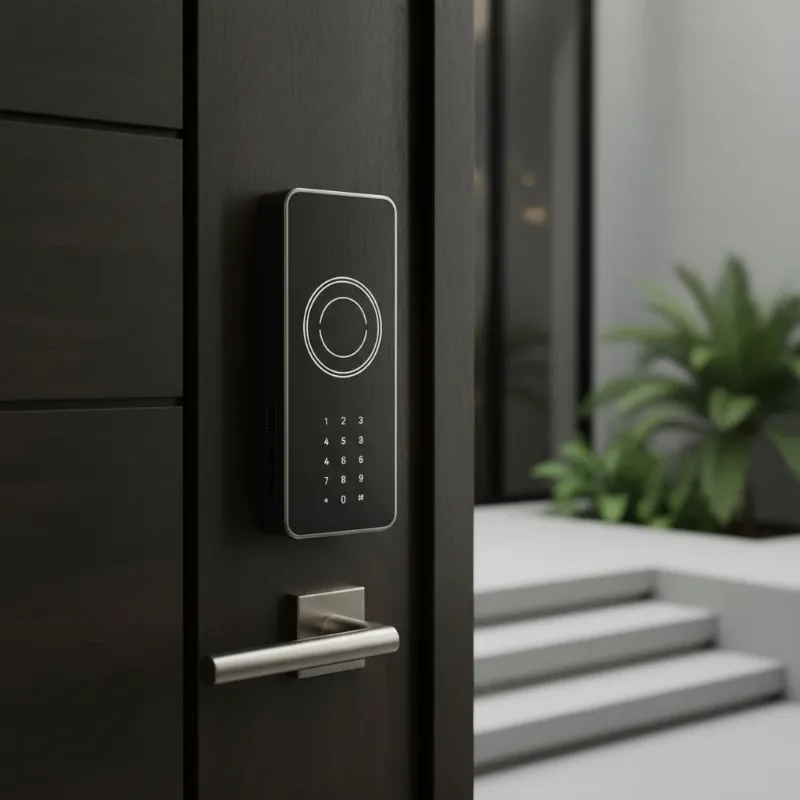 A sleek, modern smart lock with a minimalist design on a contemporary front door, highlighting aesthetics and technology.
Popular Smart Lock Types on the Market
The smart lock market offers a diverse range of products, each utilizing different technologies for authentication and control. Understanding these types can help you identify the best fit for your specific security and convenience requirements.
Fingerprint Locks
Advantages: Fingerprint locks offer unparalleled convenience and high security. Unlocking is quick and effortless, requiring only a touch. Since fingerprints are unique, they are incredibly difficult to replicate, providing a robust layer of biometric security. These locks are ideal for busy households where multiple users need frequent access without memorizing codes or carrying keys.
Disadvantages: Performance can sometimes be affected by environmental factors like dirt, moisture, or extreme temperatures on the sensor or finger. Some users may also have privacy concerns regarding biometric data storage.
Key Card Locks
Advantages: Key card locks are highly convenient, especially in multi-user environments like offices, hotels, or rental properties. Access can be easily granted and revoked, and lost cards can be quickly deactivated without rekeying the entire lock. They offer a simple, tactile way to gain entry.
Disadvantages: Cards can be lost or stolen, similar to physical keys, though their electronic nature allows for easier management. They also rely on the lock’s power to function, meaning a dead battery could render them useless without a backup.
Keypad Locks
Advantages: Keypad locks provide keyless entry using a numerical code, eliminating the need for physical keys. They are straightforward to install and manage, allowing homeowners to set multiple user codes and easily change them as needed. Temporary codes are excellent for guests or service personnel.
Disadvantages: PINs can be forgotten, observed by others (“shoulder surfing”), or worn down on the keypad over time, potentially revealing frequently used numbers. It’s crucial to use strong, unique codes and change them regularly.
Facial Recognition Locks
Advantages: Representing the cutting edge of smart lock technology, facial recognition locks offer hands-free, seamless entry. They provide an extremely high level of security by identifying unique facial features, making unauthorized access virtually impossible. These locks are highly convenient, as you simply approach the door for recognition.
Disadvantages: Facial recognition technology is often the most expensive option. Performance can be impacted by lighting conditions, facial changes (like new glasses or extreme angles), and the technology’s processing speed. Privacy concerns regarding biometric data are also a significant consideration for some users.
Smartphone-Controlled Locks (Bluetooth, Wi-Fi)
Advantages: These locks offer immense flexibility, allowing you to control and monitor your door from anywhere via a smartphone app. Features include remote locking/unlocking, activity logs, and virtual key sharing. Bluetooth models are energy-efficient for short-range control, while Wi-Fi models offer full remote access.
Disadvantages: Reliance on smartphone functionality means a dead phone battery or poor network connectivity can hinder access. Wi-Fi models typically consume more battery power than Bluetooth-only versions, requiring more frequent battery changes for battery-powered units.
Comparing Smart Lock Power Options: Battery-Powered vs. Hardwired
When choosing a smart lock, one of the most critical decisions revolves around its power source. Both battery-powered and hardwired smart locks offer distinct advantages and disadvantages that cater to different needs and property types.
| Feature | Battery-Powered Smart Locks | Hardwired Smart Locks |
|---|---|---|
| Power Supply | Disposable (AA/AAA) or rechargeable batteries | Continuous electrical connection to home wiring |
| Installation | Easy DIY, no electrical wiring needed, fits standard doors | Complex, often requires professional electrician, wiring integration |
| Cost (Initial) | Generally lower | Higher (due to professional installation and wiring) |
| Cost (Ongoing) | Battery replacement costs (every 6-12 months) | Minimal (electricity consumption), no battery replacement |
| Reliability | Reliable, but dependent on battery life; low-battery alerts are common | Highly reliable, continuous power supply |
| Power Outage | Remains functional (keypad, Bluetooth, physical key override) | Can become inoperable unless equipped with battery backup or generator |
| Connectivity | Wi-Fi drains batteries faster; Bluetooth/Thread more efficient | Robust and stable |
| Maintenance | Regular battery checks and replacement | Minimal power-related maintenance |
| Flexibility | Highly portable, easy to move or upgrade | Less flexible, permanent installation |
| Best For | Residential homes, renters, DIY enthusiasts, existing doors | Commercial properties, new constructions, high-traffic areas |
How to Choose the Right Smart Lock for Your Needs
Selecting the perfect smart lock involves more than just picking the most advanced model. It requires a thoughtful assessment of your specific needs, the characteristics of your door, and your budget.
Determine Your Usage Needs
Consider who will be using the lock and how frequently. Do you need remote access to grant entry to visitors or monitor your home while away? Are you looking for keyless convenience for daily use? If you frequently have guests or require timed access, a lock with robust virtual key management and activity logging features will be essential. For a high-traffic entry, a hardwired option might provide more consistent reliability, while a battery-powered lock suits less frequent use or easier installation.
Assess Your Door Type and Compatibility
Not all smart locks fit every door. Measure your door’s thickness, backset (distance from the door edge to the center of the bore hole), and bore hole size. Most smart locks are designed for standard door dimensions, but custom or older doors may require specific models or even minor modifications. Also, consider your door material; while wooden doors are generally easy to work with, metal, aluminum, or uPVC doors might require specialized tools and professional installation expertise.
Research Reputable Brands and Features
Investigate well-known and trusted brands in the smart lock industry such as Philips, Yale, Samsung, Schlage, August, and Xiaomi. These manufacturers typically offer extensive customer support, reliable hardware, and regular software updates. Compare features like biometric options, keypad designs, connectivity types (Wi-Fi, Bluetooth, Z-Wave), smart home ecosystem compatibility, and emergency backup access methods (physical key, 9V battery jumpstart).
Read Reviews and Check Warranty
Always consult user reviews and expert opinions to gauge real-world performance, reliability, and potential issues. Pay close attention to feedback regarding battery life, app stability, and customer service. Additionally, understand the warranty and return policies offered by both the manufacturer and the retailer. A comprehensive warranty provides assurance and protects your investment against defects or malfunctions.
Tips for Using and Maintaining Smart Locks Correctly
Proper usage and regular maintenance are crucial for ensuring the longevity, reliability, and optimal security of your smart lock. Following these tips will help you maximize your smart lock’s performance and prevent unexpected issues.
- Replace or Recharge Batteries Regularly: For battery-powered models, monitor low-battery alerts and replace disposable batteries annually or as recommended by the manufacturer. If using rechargeable batteries, adhere to the recommended charging schedule. Wi-Fi-enabled locks typically drain batteries faster than Bluetooth-only models.
- Keep it Clean: Regularly wipe down your smart lock’s exterior, especially keypads and fingerprint sensors, to prevent dirt and grime buildup from affecting functionality. Use a soft, dry cloth and avoid harsh chemicals.
- Update Software and Firmware: Smart lock manufacturers frequently release software and firmware updates to enhance security, add new features, and fix bugs. Ensure your lock’s software is always up-to-date to benefit from the latest protections and improvements.
- Strengthen Security Practices: Use strong, unique PIN codes and enable two-factor authentication if available. Avoid sharing access codes indiscriminately, and revoke temporary access codes promptly when no longer needed. Always have a physical backup key stored in a safe, accessible location outside your home for emergencies.
- Integrate with Your Smart Home Wisely: While smart home integration offers great convenience, ensure that your entire ecosystem is secure. Use strong passwords for all connected devices and your Wi-Fi network.
Common Smart Lock Issues and Troubleshooting
Even with careful selection and maintenance, smart locks can encounter occasional glitches. Knowing how to diagnose and address common problems can save you time and frustration.
- Lock Not Recognizing Fingerprint/Code: This can be due to dirty sensors, worn-out fingerprints (for biometric), or incorrect code entry. Clean the sensor, re-enter the code carefully, or try another registered fingerprint.
- Dead Batteries: The most common issue for battery-powered locks. Look for low-battery indicators or alerts. Most smart locks have a physical key override or emergency power terminals (e.g., 9V battery jumpstart points) to provide temporary power for entry.
- Lock Not Responding/Jammed: Check for physical obstructions in the deadbolt path or misalignment between the lock and strike plate. Ensure all screws are properly tightened. A stiff door that doesn’t close smoothly can also prevent the bolt from extending fully.
- Connectivity Problems (Wi-Fi/Bluetooth): If your remote access or app control isn’t working, check your home’s Wi-Fi signal strength and router. For Bluetooth, ensure your phone is within range. Restarting your router or the smart lock itself can often resolve minor connectivity issues.
- Hacking Concerns: While rare, cyber threats are a possibility with any connected device. Choose reputable brands known for robust encryption and security. Keep firmware updated and use a strong, unique Wi-Fi password. If you suspect a breach, change all relevant passwords and contact the manufacturer’s support.
“A smart lock is not just a device; it is a comprehensive security solution for your home, requiring a mindful approach to both its technology and its physical environment.” – Nguyễn Văn An, Cybersecurity Expert
The Future Trends of Smart Locks
The landscape of smart lock technology is continuously evolving, promising even more advanced features and deeper integration into our daily lives. The future of smart locks is poised to deliver enhanced convenience, security, and connectivity.
Integration of Artificial Intelligence (AI)
Future smart locks will likely incorporate more sophisticated AI algorithms. This could mean more intelligent facial recognition that adapts to appearance changes, predictive locking/unlocking based on learned routines, or even advanced anomaly detection to identify unusual access patterns that might indicate a security threat. AI could also personalize user experiences, adjusting settings automatically based on individual preferences.
Deeper Smart Home Connectivity
Expect even more seamless integration with broader smart home ecosystems. This includes enhanced interoperability with other security devices like cameras and alarms, smart lighting, and climate control systems. Smart locks may become central hubs for home automation, orchestrating complex routines that respond to your presence or absence in real-time.
Blockchain Technology for Enhanced Security
The distributed ledger technology of blockchain could be leveraged to create tamper-proof records of access events and secure credential management. This would provide an unprecedented level of transparency and immutability, making smart locks even more resistant to hacking and data manipulation, particularly in commercial and multi-user environments.
Advanced Authentication Methods
Beyond current biometrics, future smart locks might employ more innovative authentication methods, such as voice recognition with liveness detection to prevent spoofing, gait analysis to recognize individuals by their walking patterns, or even gesture control. These advancements aim to make access both more secure and effortlessly intuitive.
Conclusion
Choosing between battery-powered and hardwired smart locks involves weighing installation flexibility against continuous power reliability. Battery-powered locks offer ease of installation and operation during power outages, making them ideal for most residential settings. Hardwired systems, while requiring professional setup, provide uninterrupted power and are often preferred for high-traffic or commercial environments where constant connectivity is paramount.
Regardless of your choice, smart locks represent a significant upgrade in home security and convenience. By understanding their functionalities, selecting a reputable brand, and practicing diligent maintenance, you can leverage these intelligent devices to create a safer, more connected home. Embrace the future of security and transform your entry experience with the right smart lock.
Are you ready to enhance your home’s security and convenience with a smart lock that perfectly fits your lifestyle?
Frequently Asked Questions
Are smart locks safer than traditional locks?
Yes, in most cases, smart locks offer enhanced security compared to traditional locks. They are resistant to common physical attacks like picking and bumping, and provide features such as remote monitoring, activity logs, and instant tamper alerts. While cyber vulnerabilities exist, reputable brands employ strong encryption and regular updates to mitigate these risks.
Can I still use my smart lock if the power goes out?
Most battery-powered smart locks will continue to function normally during a power outage as they operate independently of your home’s electrical grid. Features like keypad entry, fingerprint scanning, and Bluetooth access typically remain operational. Hardwired locks may cease to work unless they are equipped with a battery backup or connected to an emergency generator.
How long do smart lock batteries typically last?
The battery life of a smart lock varies significantly based on usage frequency, battery type, and connectivity method. On average, standard alkaline batteries in a Bluetooth-enabled lock can last between 12 to 18 months. Wi-Fi enabled locks tend to consume more power, potentially requiring battery changes every 3 to 6 months. Always check manufacturer specifications for expected battery life.