Stepping into the world of smart home security can feel like navigating a maze, with countless options promising convenience and enhanced safety. Two titans stand out in this evolving landscape: August and Yale. As an Admin for SmartLocksPro.com with over a decade of experience in smart lock technology, I’ve seen these brands innovate and adapt, continually pushing the boundaries of what a lock can do. This comprehensive guide will dissect the offerings of August and Yale, providing you with the insights needed to determine which smart lock brand best fits your home and lifestyle.
What Are Smart Locks?
Smart locks represent a significant leap from traditional deadbolts, integrating advanced technology to offer keyless entry, remote access, and enhanced security features. They connect to your home network, allowing you to control and monitor your door from anywhere using a smartphone app. From basic Bluetooth-enabled models to sophisticated systems with biometric scanners and AI integration, smart locks streamline access, improve convenience, and provide peace of mind in our increasingly connected world.
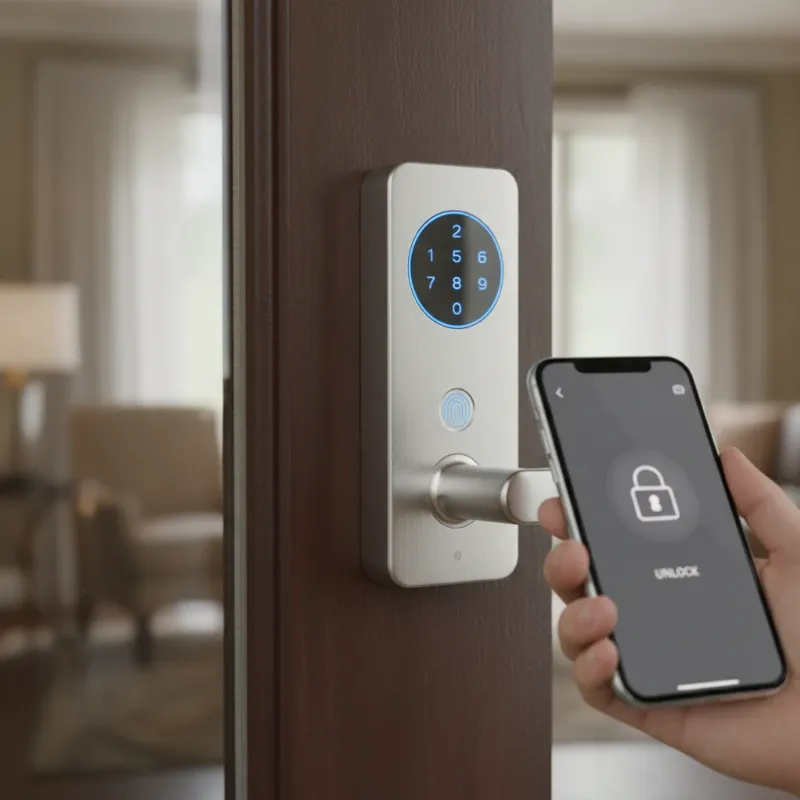 A sleek modern smart lock on a wooden door, showing keyless entry features.
August Smart Locks: A Deep Dive
August Home, founded in San Francisco in 2012, has carved a niche by focusing on smart locks that retrofit over existing deadbolts, preserving the exterior aesthetic of your door. This approach makes August locks particularly appealing to renters or those who prefer not to alter their existing door hardware significantly. August was acquired by ASSA ABLOY, the same parent company as Yale Home, bringing centuries of locking experience to its innovative products.
Key Features of August Smart Locks
August smart locks are celebrated for their user-friendly design and robust feature set:
- DoorSense: This proprietary technology detects whether your door is open or closed, not just locked or unlocked, providing a crucial layer of security and accuracy for auto-lock features.
- Auto-Lock and Auto-Unlock: Using geofencing and Bluetooth, August locks can automatically unlock as you approach your door and lock behind you after a set period, offering hands-free convenience.
- Virtual Keys: Easily send temporary or recurring access to friends, family, or service providers via the August app.
- Mobile App Management: Control your lock, view activity logs, and receive real-time notifications from your smartphone.
- Broad Smart Home Integration: August locks seamlessly integrate with major smart home ecosystems, including Amazon Alexa, Google Assistant, and Apple HomeKit, allowing for voice control and advanced automation.
|
Our Picks for the Best smart locks in 2026
As an Amazon Associate I earn from qualifying purchases.
|
||
| Num | Product | Action |
|---|---|---|
| 1 | Smart Door Handle Lock with Keypad: Yamiry Fingerprint Smart Knob - Keyless Entry Digital Lock for Front Door - Deadbolt with APP - Generate Passcode Remotely - DIY Installation |

|
| 2 | TEEHO TE001 Keyless Entry Door Lock with Keypad - Smart Deadbolt Lock for Front Door with 2 Keys - Auto Lock - Easy Installation - Matte Black |
|
| 3 | Schlage Encode Smart WiFi Deadbolt Lock for Front Door - Keyless Entry with App or Touchscreen - Works with Alexa, Hey Google, & Airbnb - Create Codes for Guests - Matte Black |
|
| 4 | Tapo Smart Wi-Fi Deadbolt Door Lock – Keyless Tactile Buttons, Customized Access with in-App Monitoring, Auto-Lock, IP54 Weatherproof, BHMA Grade 3, Compatible with Standard Door Sizes, Tapo DL100 |
|
| 5 | Wyze Palm Lock, Smart Door Lock with Palm Vein Recognition, Keyless Entry Smart Locks for Front Door, Keypad, Auto Lock, Dual Battery, Wi-Fi, Works with Alexa & Google, BHMA, IP53, Mechanical Key |
|
| 6 | Wyze Auto-Lock Bolt v2, Fingerprint Keyless Entry Smart Lock, AI Learning Scanner with Wi-Fi Front Door Lock Deadbolt, Auto-Lock, 8 Months Battery, BHMA2, IP53, Anti-Peep Keypad, Backup Keys |
|
| 7 | Smart Door Lock with Camera Fingerprint Keyless Entry Door Lock Electronic Deadbolt with Keypad Code, App Remote Control, Auto Unlock for Front Door |
|
| 8 | Yale Security Assure Lock 2 Deadbolt, Black Suede Keyed Smart Entry Door Lock with Wi-Fi Connected Keypad for Code Entry and Remote Access, YRD410-WF1-BSP |
|
| 9 | Schlage Encode Smart WiFi Deadbolt Lock for Front Door - Keyless Entry with App or Touchscreen - Works with Alexa, Hey Google, & Airbnb - Create Codes for Guests - Satin Nickel Silver |
|
| 10 | ULTRALOQ U-Bolt Pro WiFi Smart Lock with Door Sensor, 8-in-1 Keyless Entry Door Lock with Fingerprint ID, App Remote Control, Built-in WiFi Keypad Deadbolt, Auto Unlock, IP65 Waterproof, Easy Install |
|
Popular August Models
August offers a streamlined lineup, with the August Wi-Fi Smart Lock being its most robust and popular option. This model features built-in Wi-Fi, eliminating the need for a separate bridge for remote access. Older models like the August Smart Lock Pro and Smart Lock + Connect typically require an August Connect Wi-Fi Bridge for remote functionality.
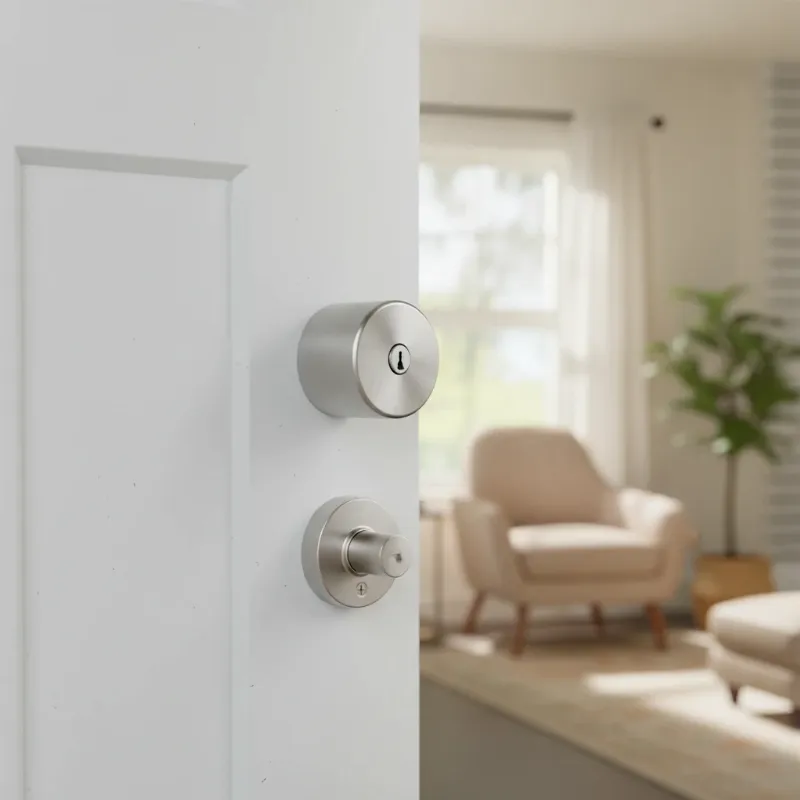 An August Wi-Fi Smart Lock, cylindrical design, installed on the interior of a door.
Pros of August Smart Locks
- Easy Installation: Designed for DIY installation, August locks typically install over your existing deadbolt in under 15 minutes, requiring only a screwdriver.
- Sleek Design: Their internal-only mechanism maintains the exterior appearance of your door, making them ideal for those with HOA restrictions or specific aesthetic preferences.
- Robust Feature Set: DoorSense, auto-lock/unlock, and detailed activity logs provide advanced control and security.
- Compatibility: Works with a wide range of single-cylinder deadbolts.
- Existing Keys: You can continue to use your original physical keys as a backup.
Cons of August Smart Locks
- Price: August smart locks can be on the pricier side compared to some alternatives.
- Battery Life: The Wi-Fi Smart Lock, in particular, has a shorter battery life (3-6 months) due to continuous Wi-Fi connectivity.
- Connectivity Issues: Some users have reported occasional connectivity problems with the August app.
- Limited Entry Methods: Primarily relies on smartphone access or an optional keypad, without a built-in keypad or touchscreen on the lock itself.
Yale Smart Locks: A Comprehensive Look
Yale, with a legacy stretching back to the 19th century, brings a deep-rooted history in lock manufacturing to the smart lock market. Known for robust and reliable traditional locks, Yale’s smart lock offerings often emphasize security, durability, and diverse entry options. As part of ASSA ABLOY, Yale leverages extensive expertise to produce smart locks that cater to a broad range of consumer needs.
Key Features of Yale Smart Locks
Yale smart locks are distinguished by their robust construction and versatile access methods:
- Multiple Entry Options: Depending on the model, Yale locks offer keypads for PIN codes, touchscreens, and often a traditional key override for physical backup.
- Robust Build Quality: Drawing on Yale’s long history, their smart locks are often lauded for their durable construction.
- Remote Access & Monitoring: Through the Yale Access app (or Yale Secure for some HomeKit models), users can lock/unlock doors remotely, manage access, and view activity logs.
- Broad Smart Home Integration: Yale locks integrate with various smart home platforms, including Amazon Alexa, Google Assistant, Apple HomeKit, and Samsung SmartThings, with many models offering optional modules for Z-Wave or Zigbee.
- Emergency Power: Many keyless Yale models include terminals for a 9V battery to temporarily power the lock if the internal batteries die, ensuring you’re never locked out.
Popular Yale Models
The Yale Assure Lock series, including the Assure Lock SL (key-free touchscreen) and Assure Lock 2 (available with keypad or touchscreen, and keyed options), are among Yale’s most popular smart locks. These models offer a range of connectivity options (Bluetooth, Wi-Fi, Z-Wave, Matter) often through swappable modules.
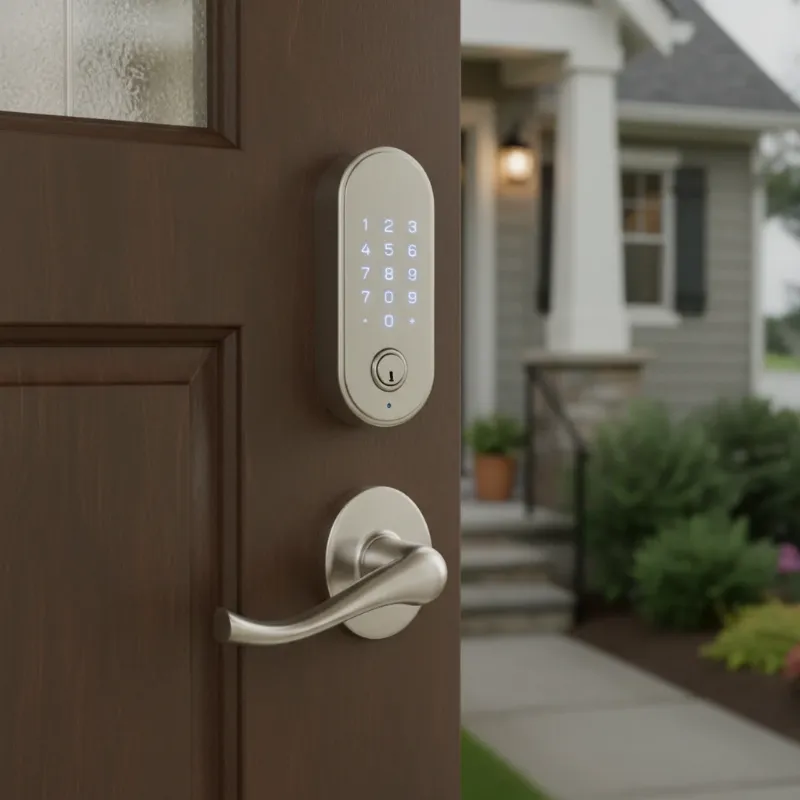 A Yale Assure Lock with an illuminated keypad, replacing a traditional deadbolt on a door.
Pros of Yale Smart Locks
- Diverse Entry Methods: Options for keypads, touchscreens, and physical keys cater to different preferences, with some models even offering fingerprint sensors.
- Enhanced Security: Many Yale locks feature tamper alarms and some models have received British Standard Kitemark certification, signifying rigorous security testing.
- Physical Key Backup: Keyed models provide a traditional backup, offering peace of mind for those accustomed to physical keys.
- Durable Design: Built with a focus on longevity and robust security, reflecting Yale’s heritage.
- Flexible Connectivity: Support for multiple communication protocols (Wi-Fi, Bluetooth, Z-Wave, Zigbee, Matter) provides versatility for smart home integration.
Cons of Yale Smart Locks
- More Complex Installation: Yale locks often require full deadbolt replacement, which can be more involved and may necessitate professional installation.
- External Design Changes: Replacing the entire deadbolt alters the exterior appearance of your door.
- App Performance: Some users report that the Yale Access app can be slow to load.
- Wi-Fi Bridge Requirement: Some Yale models may require a Wi-Fi bridge or smart module for remote access, though newer models integrate Wi-Fi directly.
- DoorSense Sensor Aesthetics: The external DoorSense sensor on some Yale models may not match the lock’s finish.
Head-to-Head Comparison: August vs. Yale
When pitting August against Yale, several key distinctions emerge that can guide your decision.
Installation & Design
- August: Excels in ease of installation, retrofitting over your existing deadbolt. This means your exterior door hardware remains unchanged, making it ideal for renters or those who prioritize aesthetic consistency.
- Yale: Typically requires a full deadbolt replacement, which can be more complex and time-consuming. While this offers a fresh, integrated look, it might be a deterrent for those seeking minimal changes.
Security Features
Both brands prioritize security, offering encrypted communication and activity logs.
- August: Leverages DoorSense to confirm the door’s actual status (open/closed) before locking.
- Yale: Many models feature robust physical construction and tamper alarms. Some Yale locks have achieved British Standard Kitemark certification for electronic manipulation assessments. Yale often provides a traditional key override, which some users find more reassuring than August’s reliance on physical keys that are part of the original deadbolt.
Connectivity & Smart Home Integration
- August: Offers strong Bluetooth connectivity, with the August Wi-Fi Smart Lock featuring built-in Wi-Fi. It integrates seamlessly with Amazon Alexa, Google Assistant, and Apple HomeKit.
- Yale: Provides a wider array of connectivity options, including Wi-Fi, Bluetooth, Z-Wave, Zigbee, and Matter modules. This versatility allows it to integrate with virtually any smart home ecosystem, often with strong ties to Nest products.
User Experience & App Functionality
- August: Known for its intuitive and feature-rich app, offering auto-unlock, guest management, and activity monitoring.
- Yale: The Yale Access app offers similar functionalities, including remote control and guest codes. However, some users have reported the app can be slow to load.
Power & Battery Life
- August: Battery life for Wi-Fi models is around 3-6 months (using CR123 batteries), while other models using AA batteries can last longer. Low battery notifications are sent via the app and email.
- Yale: Battery life typically ranges from 6 months (Wi-Fi models) to one year (Bluetooth models), using AA batteries. Yale also offers a convenient 9V battery backup option on keyless models for emergencies.
Price
- August: Generally positioned at a mid to high-end price point, especially for its Wi-Fi-enabled models.
- Yale: Offers a range of prices, with some entry-level models being more affordable, while feature-rich, Wi-Fi enabled, or biometric models can match or exceed August’s pricing.
Comparison Table: August vs. Yale
| Feature | August Smart Locks | Yale Smart Locks |
|---|---|---|
| Installation | Retrofit over existing deadbolt | Full deadbolt replacement (more involved) |
| Exterior Appearance | Maintains existing hardware | Replaces exterior hardware (keypad/touchscreen) |
| Key Access | Virtual keys, phone, optional keypad, original physical key | Keypad, touchscreen, traditional key override, phone, optional fingerprint |
| Connectivity | Bluetooth (Wi-Fi with bridge/built-in) | Bluetooth, Wi-Fi, Z-Wave, Zigbee, Matter (via modules) |
| Smart Home | Alexa, Google Assistant, HomeKit | Alexa, Google Assistant, HomeKit, SmartThings, Nest |
| Security Features | DoorSense, auto-lock/unlock, activity log | Tamper alarms, secure keypad, DoorSense, activity log |
| Battery Life | 3-12 months (AA/CR123), model dependent | 6-12 months (AA), model dependent, 9V backup on some |
| Price | Mid to high-end | Mid to high-end |
| Best For | Renters, easy installation, minimal exterior change, Apple HomeKit users | Homeowners, robust security, diverse entry methods, comprehensive smart home integration |
Choosing the Right Smart Lock for Your Home
Selecting the perfect smart lock involves more than just picking a brand; it’s about aligning the technology with your specific needs.
- Assess Your Current Door Setup: Do you want to keep your existing deadbolt and keys, or are you open to a full replacement? August shines for retrofit installations, while Yale offers integrated full-lock solutions.
- Desired Entry Methods: How do you and your family prefer to unlock the door? If smartphone-centric access and auto-unlock are priorities, August is strong. If keypads, touchscreens, or traditional keys offer more comfort, Yale provides broader options.
- Smart Home Ecosystem: Consider your current smart home devices. Both integrate well with major platforms, but Yale’s ties with Nest can be a deciding factor for Google Home users.
- Security Priorities: While both are secure, Yale’s reputation for robust physical security and certifications may appeal to those prioritizing traditional lock strength, whereas August’s DoorSense adds an extra layer of door status awareness.
- Budget: While both have premium offerings, explore models from each brand to find one that fits your financial comfort zone.
Tips for Using and Maintaining Smart Locks Correctly
To ensure the longevity and optimal performance of your smart lock, regardless of brand, follow these maintenance tips:
- Replace Batteries Regularly: Smart locks are battery-powered, and consistent power is crucial. Pay attention to low-battery notifications and replace all batteries simultaneously with fresh, non-rechargeable alkaline batteries.
- Keep Software Updated: Firmware updates often include security patches and performance improvements. Enable automatic updates or check for them periodically via the app.
- Clean Gently: Use a soft, damp cloth for cleaning. Avoid harsh chemicals or abrasive materials that could damage the finish or electronic components.
- Secure Your Network: A strong, secure Wi-Fi network is the backbone of your smart lock’s connectivity. Use strong passwords and consider a guest network for visitors.
- Share Access Wisely: Be mindful when sharing virtual keys or access codes. Grant temporary access only when necessary and revoke it promptly.
Common Issues When Using Smart Locks and How to Troubleshoot Them
Even the most advanced smart locks can encounter occasional hiccups. Here are some common issues and their potential solutions:
- Connectivity Problems: If your lock is struggling to connect, ensure your Wi-Fi router is within range and functioning correctly. Check the lock’s settings in the app and your router’s 2.4 GHz band, as many smart locks only work on this frequency. Rebooting the lock by removing a battery and reinserting it can also resolve minor glitches.
- Battery Drain: If batteries are depleting faster than expected, check for excessive friction in your deadbolt or a weak Wi-Fi signal, which can cause the lock to work harder.
- Auto-Unlock Inconsistencies: Auto-unlock features rely on geofencing and GPS. Ensure location services are enabled for the smart lock app on your phone, and that your phone’s battery optimization settings aren’t interfering with background app activity.
- Keypad Not Responding: Ensure the keypad is clean and that there’s no physical obstruction. If it’s a battery issue, try the 9V battery backup on Yale models.
Future Trends in Smart Locks
The future of smart locks promises even greater integration and intelligence:
- AI Integration: Artificial intelligence will enhance personalized security, learning user patterns and proactively identifying anomalies.
- Seamless Home Automation: Expect even deeper integration with entire smart home ecosystems, allowing for complex routines where lighting, climate, and security work in perfect harmony.
- Advanced Biometrics: Beyond fingerprints and facial recognition, future locks may incorporate iris scans or even heartbeat recognition for ultimate security.
- Blockchain Technology: Implementing blockchain could further decentralize and secure access control, offering unparalleled privacy and tamper-proof records.
- Voice and Gesture Control: More intuitive and hands-free control methods, moving beyond simple voice commands to recognize specific gestures for locking and unlocking.
Conclusion
The choice between August and Yale smart locks ultimately boils down to your specific priorities and existing home setup. August excels with its easy, retrofit installation, sleek design, and robust auto-unlock and DoorSense features, making it a favorite for renters and those who prefer minimal aesthetic changes. Yale, with its long-standing heritage in lock security, offers a diverse range of models with various entry methods, strong build quality, and flexible smart home connectivity, often appealing to homeowners seeking a comprehensive and robust security solution.
No matter which brand you lean towards, embracing a smart lock elevates your home’s security and convenience, offering remote access, monitoring capabilities, and the peace of mind that comes with modern technology. Ready to upgrade your home security?
Frequently Asked Questions
Are August smart locks compatible with Yale locks?
Yes, August and Yale are both owned by the same parent company, ASSA ABLOY. Many Yale smart locks can be integrated with the August Access app, providing a unified experience for managing devices from both brands. This allows for greater flexibility in building a cohesive smart home security system.
Which brand offers better security, August or Yale?
Both August and Yale offer robust security features, but their strengths differ. Yale, with its traditional lock-making heritage, often emphasizes robust physical construction and offers options like traditional key overrides and tamper alarms, with some models even carrying British Standard Kitemark certification. August’s security is enhanced by its DoorSense technology, which accurately reports the door’s open/closed status, and strong digital encryption. The “better” security often depends on whether you prioritize physical lock strength or advanced digital monitoring and smart features.
Can I use August and Yale smart locks with the same smart home system?
Yes, both August and Yale smart locks offer broad compatibility with popular smart home ecosystems like Amazon Alexa, Google Assistant, and Apple HomeKit. Thanks to their shared parent company, ASSA ABLOY, some Yale locks are also directly compatible with the August Access app, further streamlining integration. This allows you to manage both brands within a single smart home platform.
What is the main difference in installation between August and Yale smart locks?
The primary difference lies in their installation approach. August smart locks are designed for easy, DIY retrofit installation over your existing deadbolt on the interior side of the door, preserving the exterior look. Yale smart locks, on the other hand, typically require the full replacement of your existing deadbolt, which can be a more involved process and may sometimes require professional assistance.