Choosing a smart lock involves many decisions, and one of the most significant is the type of keypad: touchscreen or physical buttons. Each offers a distinct user experience and varying levels of resilience against daily wear and environmental challenges. As an Admin with SmartLocksPro.com and over a decade of experience in smart lock technology, I understand the critical role durability plays in ensuring long-term security and convenience. This article delves into a detailed durability test, examining both types of keypads to help you make an informed choice for your home or business.
What Are Smart Lock Keypads?
Smart lock keypads serve as the primary interface for keyless entry, allowing users to unlock doors with a unique code instead of a traditional key. These keypads come in two main forms: physical button and touchscreen, each employing different technologies and offering distinct interaction experiences. Understanding these foundational differences is crucial for evaluating their durability.
Physical Button Keypads
|
Our Picks for the Best smart locks in 2026
As an Amazon Associate I earn from qualifying purchases.
|
||
| Num | Product | Action |
|---|---|---|
| 1 | Wyze Palm Lock, Smart Door Lock with Palm Vein Recognition, Keyless Entry Smart Locks for Front Door, Keypad, Auto Lock, Dual Battery, Wi-Fi, Works with Alexa & Google, BHMA, IP53, Mechanical Key |

|
| 2 | Yale Security Assure Lock 2 Deadbolt, Black Suede Keyed Smart Entry Door Lock with Wi-Fi Connected Keypad for Code Entry and Remote Access, YRD410-WF1-BSP |
|
| 3 | TEEHO TE001 Keyless Entry Door Lock with Keypad - Smart Deadbolt Lock for Front Door with 2 Keys - Auto Lock - Easy Installation - Matte Black |
|
| 4 | Wyze Auto-Lock Bolt v2, Fingerprint Keyless Entry Smart Lock, AI Learning Scanner with Wi-Fi Front Door Lock Deadbolt, Auto-Lock, 8 Months Battery, BHMA2, IP53, Anti-Peep Keypad, Backup Keys |
|
| 5 | Tapo Smart Wi-Fi Deadbolt Door Lock – Keyless Tactile Buttons, Customized Access with in-App Monitoring, Auto-Lock, IP54 Weatherproof, BHMA Grade 3, Compatible with Standard Door Sizes, Tapo DL100 |
|
| 6 | Smart Door Handle Lock with Keypad: Yamiry Fingerprint Smart Knob - Keyless Entry Digital Lock for Front Door - Deadbolt with APP - Generate Passcode Remotely - DIY Installation |
|
| 7 | Schlage Encode Smart WiFi Deadbolt Lock for Front Door - Keyless Entry with App or Touchscreen - Works with Alexa, Hey Google, & Airbnb - Create Codes for Guests - Satin Nickel Silver |
|
| 8 | ULTRALOQ U-Bolt Pro WiFi Smart Lock with Door Sensor, 8-in-1 Keyless Entry Door Lock with Fingerprint ID, App Remote Control, Built-in WiFi Keypad Deadbolt, Auto Unlock, IP65 Waterproof, Easy Install |
|
| 9 | Schlage Encode Smart WiFi Deadbolt Lock for Front Door - Keyless Entry with App or Touchscreen - Works with Alexa, Hey Google, & Airbnb - Create Codes for Guests - Matte Black |
|
| 10 | Smart Door Lock with Camera Fingerprint Keyless Entry Door Lock Electronic Deadbolt with Keypad Code, App Remote Control, Auto Unlock for Front Door |
|
Physical button keypads, often referred to as tactile keypads, feature actual, depressible buttons that provide a noticeable “click” or mechanical feedback when pressed. These can include traditional rubber keypads, mechanical buttons, or more advanced membrane switches where keys are embedded into a flexible surface. This design offers a tangible response, confirming input without needing visual verification. They are known for their precision and robust build, often preferred in environments demanding high reliability.
Touchscreen Keypads
Touchscreen keypads utilize a flat, digital display to detect touch input, typically through capacitive or resistive technology. Users interact by tapping or swiping on the screen, which then registers the input electronically. These interfaces are highly flexible, allowing for dynamic displays and customizability through software updates. Their sleek, modern appearance and lack of moving parts make them a popular choice for contemporary smart home aesthetics.
Durability and Performance Deep Dive
When evaluating smart lock keypads, durability isn’t just about whether it breaks; it’s about how well it performs under various conditions over time. This section examines the core aspects of durability for both touchscreen and physical button keypads.
Tactile Feedback and Accuracy
One of the most immediate differences between the two keypad types is the user experience concerning feedback and accuracy. Physical button keypads offer instant physical feedback, which confirms that an input has been registered. This tactile response can be crucial for quick, error-free code entry, especially in low-light conditions or when users are not looking directly at the keypad. Many users find physical buttons more accurate because the distinct separation between keys reduces the chance of accidentally pressing the wrong number.
In contrast, touchscreen keypads lack this physical feedback. Users must rely on visual cues, such as the screen lighting up or a digital tone, to confirm input. While some advanced touchscreens incorporate haptic feedback to simulate a “click,” it may not fully replicate the certainty of a physical button. This can sometimes lead to lower accuracy, as the flat surface with no distinguishable barriers between keys might result in unintended presses.
Environmental Resilience
Smart locks are often exposed to the elements, making environmental resilience a critical durability factor. Both keypad types face challenges from weather, dust, and general wear.
Weather Resistance
Physical button keypads often perform well in extreme conditions, including very cold temperatures, and can be operated with gloves on. This makes them a strong contender for harsh climates. However, excessive freezing rain can sometimes create a layer of ice over the buttons, requiring gentle scraping before use. Battery performance in physical button smart locks can also be affected by extreme cold, leading to more frequent battery changes.
Touchscreen keypads, especially capacitive ones, may struggle with gloves, moisture, and extreme temperatures. Some users have reported issues with touchscreens being slow to wake up or accept input in cold weather, and there are instances of screens bursting due to winter conditions, though replacements are often provided by manufacturers. However, manufacturers like Yale claim their touchscreen models are weatherproof, indicating advancements in technology.
Dust and Debris
Physical keypads, particularly those with individual keys that protrude, can be vulnerable to dirt and debris accumulating underneath the buttons. This can restrict key contact or damage internal components, leading to malfunction. However, modern designs, such as membrane keypads, embed keys directly into a flexible surface, significantly reducing the risk of dirt or debris ingress.
Touchscreens, by design, are less susceptible to issues from dirt and debris because keypresses occur directly on an electronic display, eliminating crevices where foreign particles can lodge. This often gives them an edge in environments where airborne particles are common.
Wear and Tear
Physical buttons are designed to withstand millions of presses, indicating a long mechanical lifespan. However, consistent, forceful use can still lead to mechanical wear over time.
Touchscreens are generally more prone to visible wear and tear, such as scratches and cracks on the surface, especially if not protected. Electrical failures can also occur, making the screen unresponsive. Over time, the plastic covers on some touchscreen keypads might wear out, leading to input issues.
Reliability
The overall reliability of a keypad is tied to its components and how they withstand stress. Touchscreens generally boast greater reliability in terms of mechanical failure because they lack moving parts. Issues are more likely to be electronic, such as screen unresponsiveness or degradation.
Physical button keypads, while offering robust mechanical feedback, can experience issues if individual buttons become jammed or sticky due to mechanical wear or foreign objects. However, advancements in membrane keypad technology aim to address these mechanical vulnerabilities by sealing the keys within a flexible surface.
Power Consumption
While not explicitly a durability test, power consumption indirectly affects reliability and user experience. Touchscreen keypads, with their illuminated displays and active sensors, often consume more power than their physical button counterparts, especially when frequently used or in extreme cold which can drain batteries faster. Frequent battery changes are a maintenance consideration that impacts the perceived long-term reliability.
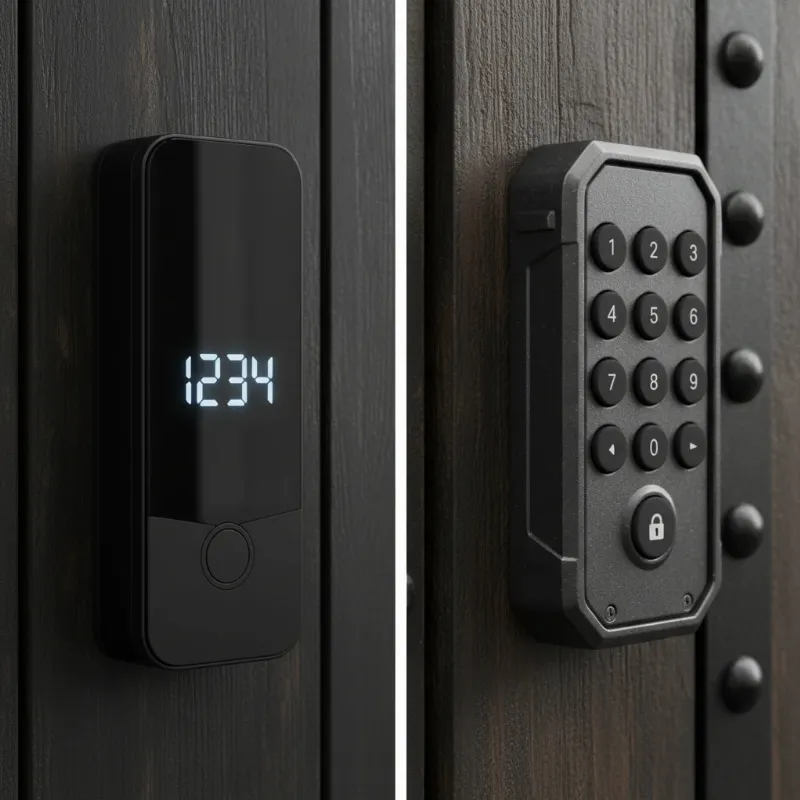 A split image showing a sleek touchscreen smart lock on one side and a robust physical button smart lock on the other, highlighting their distinct designs for durability comparison.
Pros and Cons of Each Keypad Type
Each keypad type comes with its own set of advantages and disadvantages that impact its suitability and longevity.
Touchscreen Keypads
Pros:
- Sleek Aesthetic: Offers a modern, clean look that integrates well with contemporary home designs.
- Mechanical Reliability: No moving parts means less susceptibility to mechanical failure from dirt or debris getting stuck.
- Customization: Fully customizable interfaces with software updates, supporting advanced features like multi-touch gestures.
- Space-Efficient: Can replace multiple buttons with a single, dynamic interface.
Cons:
- Lack of Tactile Feedback: Requires visual confirmation, which can be challenging in dark environments or for visually impaired users.
- Accuracy Concerns: Flat surface can lead to accidental key presses for some users.
- Environmental Sensitivity: Some capacitive screens may struggle with gloves, water, or extreme cold, potentially becoming unresponsive.
- Prone to Surface Damage: More susceptible to scratches, cracks, and electrical failures on the display.
- Battery Drain: Illuminated screens and continuous sensing can lead to faster battery depletion, especially in cold weather.
- Wake-up/Input Lag: Some models may experience delays in waking up or registering input, impacting user convenience.
Physical Button Keypads
Pros:
- Tactile Feedback: Provides instant physical confirmation of input, enhancing accuracy and ease of use without looking.
- Glove-Friendly: Easier to operate while wearing gloves, a significant advantage in cold climates or certain work environments.
- High Accuracy: Distinct buttons reduce input errors.
- Long-Lasting: Can withstand millions of presses, indicating robust mechanical durability.
- Predictable Performance: Less likely to be affected by moisture or extreme temperatures in terms of basic input function compared to some touchscreens.
Cons:
- Mechanical Vulnerability: Traditional designs can be prone to dirt and debris getting stuck under keys, leading to failure. (Membrane keypads mitigate this).
- Fixed Layout: Less flexible for interface changes compared to software-driven touchscreens.
- Aesthetic: May appear less modern or sleek than a flush touchscreen.
- Space: Can take up more physical space depending on the design.
Comparison Table: Touchscreen vs. Physical Button Keypads
| Feature | Touchscreen Keypads | Physical Button Keypads |
|---|---|---|
| Durability | Good (less mechanical wear, but prone to screen damage) | Excellent (high press endurance, but susceptible to debris) |
| Usability | Modern, customizable, visual-dependent | Tactile feedback, glove-friendly, intuitive |
| Weather Resistance | Can be sensitive to extreme cold/moisture/gloves | Generally robust, works well with gloves, susceptible to ice build-up |
| Cost | Often higher due to advanced display technology | Generally moderate, depending on build quality |
| Security | Excellent (digital encryption), but screen smudges can reveal codes | Excellent (mechanical robustness), code entry can be faster |
| Lifespan (Keypad) | 2-5 years (electronic components) | 5-10 years (mechanical components) |
Factors Influencing Lifespan & Durability
The longevity of any smart lock keypad, whether touchscreen or physical button, is influenced by several critical factors beyond its inherent design. Understanding these can help maximize your investment.
Build Quality and Materials
The choice of materials significantly impacts durability. Keypads made with high-grade metal components tend to last longer than those primarily constructed from plastic, especially in external environments. Weatherproofing, indicated by IP ratings, is also crucial, signifying resistance to water and dust ingress. A higher IP rating generally means better protection against the elements, extending the keypad’s life. The quality of internal mechanisms, such as springs and electronic circuits, is equally important for overall performance and resilience.
Frequency of Use
How often a keypad is used directly correlates with its wear and tear. A smart lock on a residential front door, used perhaps 10-20 times a day, will experience less stress than one on a busy commercial entry point, which might see 50+ uses daily. High-traffic applications naturally shorten a lock’s lifespan due to increased mechanical and electronic cycles.
Environmental Conditions
Exposure to varying environmental conditions can severely impact keypad durability. Extreme temperatures, both hot and cold, can degrade electronic components and affect battery performance. Moisture exposure, whether from humidity or direct rainfall, can lead to corrosion or electrical faults. For outdoor installations, sun exposure can cause UV damage to plastic components, leading to fading or brittleness over time. Locks in coastal areas are particularly vulnerable to corrosive salt air.
Power Source and Maintenance
For electronic and hybrid keypad locks, the power source is vital. The type and quality of batteries used, along with a consistent replacement schedule, are essential for stable operation. Regular cleaning of the keypad surface prevents dirt and grime buildup that could impede functionality, especially for physical buttons. For smart locks, timely software and firmware updates are crucial not only for security but also for maintaining optimal performance and patching any potential software-related durability issues.
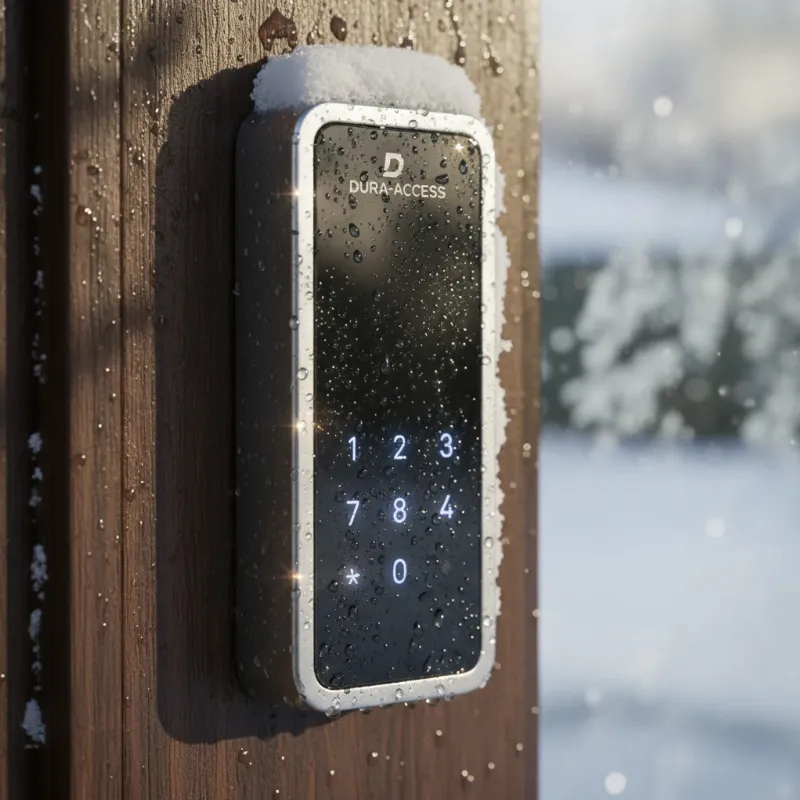 A smart lock keypad exposed to various environmental elements like rain, snow, and sunlight, illustrating the challenges it faces.
Choosing the Right Keypad for Your Smart Lock
Selecting the ideal keypad involves a thoughtful assessment of your specific needs, environment, and personal preferences. There isn’t a one-size-fits-all answer, as the “best” choice depends on your priorities.
Assessing Needs
- Environment: Consider where the smart lock will be installed. Is it exposed to direct sunlight, heavy rain, or extreme temperatures? An outdoor, exposed lock might benefit from a more rugged, weather-resistant design.
- User Type: Who will be using the lock? Families with children might prioritize ease of use and durability against rough handling. Commercial properties need keypads that can withstand high traffic and potentially gloved hands.
- Budget: While not directly a durability factor, budget often dictates the quality of materials and weatherproofing, which in turn affect lifespan. Higher-end models typically offer superior durability features.
Key Considerations
- Tactile Preference: If you value immediate feedback and easy operation in the dark or without looking, a physical button keypad is likely a better fit.
- Gloved Use: For cold climates or industrial settings where gloves are frequently worn, physical buttons are significantly more practical.
- Aesthetic: If a sleek, minimalist look is paramount for your home’s exterior, a touchscreen might be preferred, provided its environmental resilience meets your needs.
- Integration: Consider how the keypad integrates with your existing smart home system. While most smart locks offer app control, the keypad remains a primary access method.
- Security Features: Both offer strong security, but look for advanced encryption for touchscreens and robust physical construction for button keypads, along with features like anti-peep codes.
“The true durability of a smart lock keypad isn’t just about resisting damage, but consistently delivering reliable access under the unique conditions of its environment and usage. A thorough evaluation of your specific needs is paramount.” – Sarah Chen, Smart Home Security Analyst
Maintenance Tips for Enhanced Durability
Proper maintenance is essential for extending the lifespan and ensuring the reliable operation of both touchscreen and physical button smart lock keypads. Neglecting simple care can lead to premature wear and performance issues.
General Smart Lock Care
- Routine Cleaning: Regularly wipe down the keypad surface to prevent the buildup of dirt, grime, and fingerprints. Use a soft, damp cloth and avoid harsh chemicals that could damage the finish or electronic components.
- Battery Management: Monitor battery levels regularly, often through your smart lock’s app, and replace batteries proactively. Most smart locks will provide low battery warnings. Use high-quality, recommended battery types to prevent corrosion and ensure stable power.
- Firmware Updates: Keep your smart lock’s firmware updated to the latest version. These updates often include performance enhancements, bug fixes, and security patches that can improve overall reliability and durability.
- Inspect Components: Periodically check for any loose components, cracked housing, or signs of wear and tear. Address minor issues promptly to prevent them from escalating.
Specific for Touchscreen Keypads
- Screen Protection: Consider applying a high-quality screen protector, similar to those used on smartphones, to guard against scratches and minor impacts.
- Gentle Cleaning: When cleaning, use a microfiber cloth to avoid scratching the display. If the screen becomes unresponsive due to moisture, ensure it is completely dry before attempting to use it again.
- Avoid Harsh Elements: If possible, protect the touchscreen from prolonged direct sunlight, which can degrade the screen over time, and from extreme temperature fluctuations.
Specific for Physical Button Keypads
- Debris Removal: For keypads with individual buttons, regularly inspect for any dirt, dust, or small debris that might get lodged underneath or around the buttons. Use compressed air or a soft brush to carefully remove any obstructions.
- Lubrication: If the buttons feel stiff or sticky, consult the manufacturer’s guide for recommendations on suitable lubricants, if any, to ensure smooth operation of mechanical parts.
- Weather Seals: Inspect the weather seals around the keypad regularly. Damaged seals can allow moisture and dust to penetrate, leading to internal damage. Replace them if they show signs of cracking or degradation.
Common Durability Issues and How to Fix Them
Even with the best care, smart lock keypads can encounter problems. Knowing how to diagnose and address common durability issues can save you time and potentially costly repairs.
Unresponsive Touchscreens
- Problem: The touchscreen doesn’t light up or respond to touches.
- Cause: Often due to low batteries, extreme cold, excessive moisture, or a cracked screen.
- Fix: Replace batteries immediately. If it’s cold, try gently warming the screen (e.g., with your hand) or wait for temperatures to rise. Ensure the screen is completely dry. If cracked, the screen itself might need replacement, which often means replacing the entire keypad assembly.
Stuck or Unresponsive Physical Buttons
- Problem: A physical button is hard to press, doesn’t click, or doesn’t register input.
- Cause: Usually caused by dirt, grime, or debris lodged underneath the button. Could also be mechanical wear.
- Fix: Use compressed air or a thin, non-abrasive tool (like a toothpick) to carefully remove any visible debris around and under the button. If it’s a membrane keypad, gentle cleaning might be sufficient. If mechanical wear is suspected, professional service might be required.
Rapid Battery Drain
- Problem: Batteries in the smart lock, particularly the keypad, deplete much faster than expected.
- Cause: Frequent usage, extreme cold temperatures, faulty batteries, or an issue with the lock’s electronics or wireless module.
- Fix: Use high-quality, fresh batteries from a reputable brand. Ensure batteries are installed correctly. In very cold weather, this might be a normal occurrence, but if persistent, check for firmware updates or consult the manufacturer for possible electronic issues.
Compromised Weather Sealing
- Problem: Signs of water ingress, condensation inside the keypad, or visible degradation of seals.
- Cause: UV damage, physical damage to the seals, or improper installation.
- Fix: Inspect all seals around the keypad and housing. If any are cracked, brittle, or missing, they need to be replaced. This might require contacting the manufacturer for replacement parts or professional assistance. Maintaining proper installation alignment also helps ensure seals are effective.
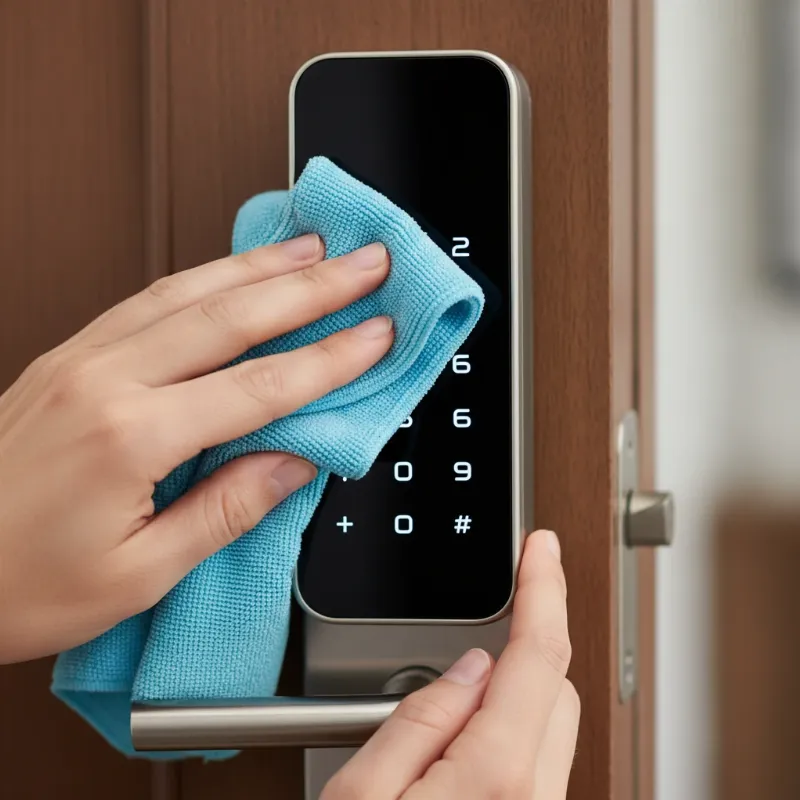 A person cleaning a smart lock keypad with a soft cloth, illustrating proper maintenance for durability.
Future Trends in Smart Lock Keypad Technology
The smart lock industry is continuously evolving, with innovations aimed at enhancing both functionality and durability. Future trends promise even more robust and user-friendly keypad experiences.
One significant trend is the integration of artificial intelligence (AI), which could lead to smarter power management for keypads, optimizing battery life based on usage patterns and environmental conditions. AI could also enhance security by learning individual user input patterns, making it harder for unauthorized users to gain access even with a correct code.
Advanced haptic feedback for touchscreen keypads is another area of development. This technology aims to provide more realistic and nuanced tactile sensations, bridging the gap between the virtual interaction of touchscreens and the physical feedback of traditional buttons. This would improve accuracy and user confidence for touchscreen users without sacrificing their sleek design.
Hybrid solutions that seamlessly blend the best features of both keypad types are also on the rise. Imagine a touchscreen that dynamically displays a keypad when needed, but with integrated physical buttons for critical functions or emergency access. These designs would offer flexibility, durability, and a highly optimized user experience, catering to diverse preferences and environmental demands.
Furthermore, advancements in material science will continue to produce more durable and weather-resistant keypads. Expect to see new coatings that resist scratches and smudges more effectively, and internal components designed to withstand even harsher environmental extremes, further extending the lifespan of smart lock keypads.
Conclusion
The debate between touchscreen and physical button keypads in smart locks is ultimately a choice between different strengths. Physical button keypads excel in tactile feedback, accuracy, and robust performance in extreme conditions, making them ideal for high-traffic or harsh environments. Touchscreen keypads offer a sleek, modern aesthetic, mechanical reliability against debris, and dynamic customization, appealing to those who prioritize contemporary design and digital flexibility. Both types have made significant advancements in durability, often achieving BHMA certifications to ensure reliable residential security.
Our comprehensive durability test reveals that while physical buttons may offer superior longevity in terms of raw presses and gloved operation, modern touchscreens have closed the gap in weather resistance and mechanical reliability. The lifespan of your smart lock keypad, typically ranging from 2 to 10 years depending on the type and maintenance, hinges on factors such as build quality, frequency of use, and environmental exposure. Regular cleaning, timely battery replacement, and firmware updates are crucial for both types to ensure years of dependable service.
Ultimately, the best keypad for you comes down to your priorities. Do you value the undeniable tactile click and extreme weather resilience of physical buttons, or the sleek design and evolving digital capabilities of a touchscreen? Both offer robust security, but understanding their distinct durability profiles will guide you to the perfect keyless entry solution for your property.
Visit SmartLocksPro.com today to explore our wide range of smart locks and find the perfect keypad that balances durability, convenience, and security for your needs!
Frequently Asked Questions
Are touchscreen smart locks as durable as physical button smart locks?
Modern touchscreen smart locks are significantly durable, offering good resistance to mechanical failure due to no moving parts. However, physical button keypads often boast superior resilience against extreme cold and can withstand millions of presses. The overall durability depends heavily on specific models, build quality, and environmental exposure for both types.
Can extreme weather affect smart lock keypad durability?
Yes, extreme weather conditions like intense cold, heat, or heavy moisture can significantly impact the durability and performance of both keypad types. Cold temperatures can drain batteries faster and make touchscreens less responsive. Physical buttons can be affected by ice buildup, while prolonged sun exposure can degrade plastic components and touchscreen displays.
How often should I replace the batteries in a smart lock keypad?
It is generally recommended to replace smart lock batteries every 6 to 12 months, or as indicated by low battery warnings from your lock’s app. Frequent use, extreme temperatures, and certain advanced features (like continuously illuminated touchscreens) can shorten battery life, so proactive replacement is key to maintaining consistent performance and durability.
Do smart locks with physical buttons get jammed more easily?
Traditional physical button keypads can be more susceptible to dirt and debris getting lodged under the keys, potentially causing them to jam or become unresponsive. However, many modern physical button keypads, especially those utilizing membrane switch technology, are designed to mitigate this risk by sealing the keys within a flexible surface, enhancing their durability against environmental factors.
What is the average lifespan of a smart lock keypad?
The average lifespan of a smart lock keypad varies. Mechanical keypad locks can last 5-10 years, while electronic keypad locks typically last 2-5 years, and hybrid models 3-7 years. This lifespan is greatly influenced by factors such as the lock’s build quality, how frequently it is used, and the environmental conditions it is exposed to.