Has your smart lock started sounding less robust, perhaps a weak whir, a strained grind, or even a slow, hesitant turn? A smart lock’s motor is its operational heart, translating digital commands into physical security. When this crucial component begins to falter, it can be disconcerting, raising concerns about your home’s security and the lock’s longevity. Understanding Why Your Smart Lock Motor Sounds Weak is the first step toward diagnosing the problem and restoring reliable, smooth operation. This guide will delve into the common culprits behind a struggling smart lock motor, provide practical troubleshooting steps, and offer preventative tips to ensure your smart lock functions optimally for years to come.
What is a Smart Lock Motor and How Does It Work?
A smart lock motor is the electromechanical component responsible for driving the deadbolt or latch mechanism, physically locking or unlocking your door. Unlike traditional locks that rely on purely mechanical means, smart locks integrate a small motor to automate this action, responding to commands from keypads, smartphone apps, voice assistants, or biometric scanners. When you initiate an unlock command, the smart lock’s internal processor signals the motor to engage, turning the internal gears that extend or retract the bolt. This seamless blend of electronics and mechanics provides the convenience and advanced security features that define modern smart locks.
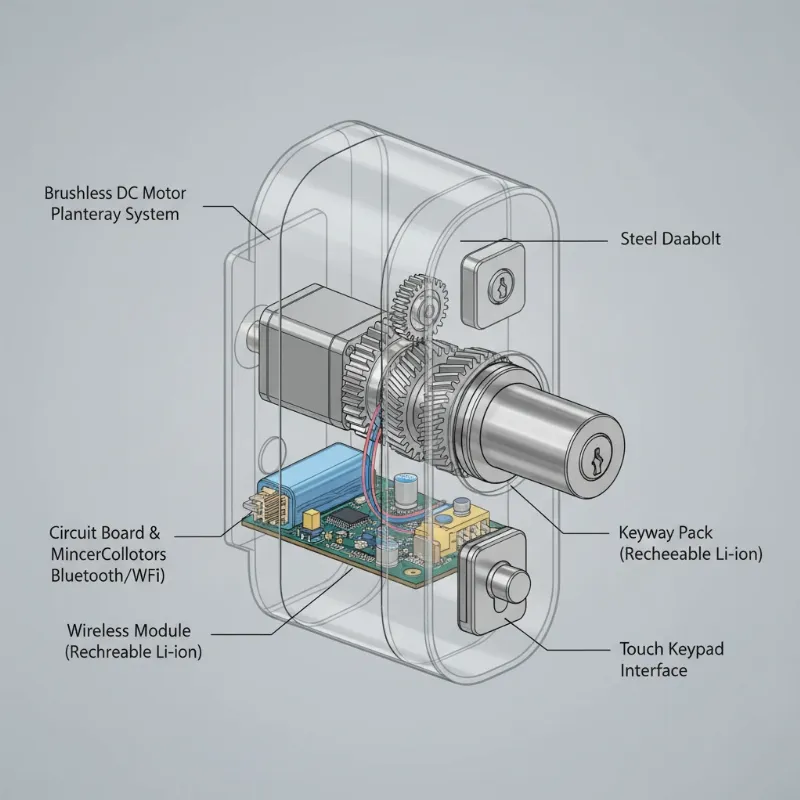 Detailed diagram illustrating the internal components and motor mechanism of a typical smart lock
Understanding Common Smart Lock Motor Sounds
Every smart lock motor emits a sound during operation, which is a normal byproduct of its mechanical functions. A healthy smart lock typically produces a smooth, consistent whirring or clicking sound as the bolt extends or retracts. This sound signifies the motor working efficiently, with minimal resistance. However, a deviation from this familiar sound – becoming noticeably weaker, slower, louder, or producing grinding or clicking noises – often signals an underlying issue. Recognizing these abnormal sounds early can prevent further damage and help pinpoint the exact problem before it escalates.
Why Your Smart Lock Motor Sounds Weak: Common Causes
A weak-sounding smart lock motor is rarely a sign of total failure right away. More often, it’s an indication that the motor is working harder than it should, struggling against increased resistance or operating with insufficient power. Pinpointing the exact cause can save you time, money, and the hassle of being locked out.
Low Battery or Weak Power Supply
|
Our Picks for the Best smart locks in 2026
As an Amazon Associate I earn from qualifying purchases.
|
||
| Num | Product | Action |
|---|---|---|
| 1 | Tapo Smart Wi-Fi Deadbolt Door Lock – Keyless Tactile Buttons, Customized Access with in-App Monitoring, Auto-Lock, IP54 Weatherproof, BHMA Grade 3, Compatible with Standard Door Sizes, Tapo DL100 |

|
| 2 | Schlage Encode Smart WiFi Deadbolt Lock for Front Door - Keyless Entry with App or Touchscreen - Works with Alexa, Hey Google, & Airbnb - Create Codes for Guests - Satin Nickel Silver |
|
| 3 | Yale Security Assure Lock 2 Deadbolt, Black Suede Keyed Smart Entry Door Lock with Wi-Fi Connected Keypad for Code Entry and Remote Access, YRD410-WF1-BSP |
|
| 4 | Wyze Palm Lock, Smart Door Lock with Palm Vein Recognition, Keyless Entry Smart Locks for Front Door, Keypad, Auto Lock, Dual Battery, Wi-Fi, Works with Alexa & Google, BHMA, IP53, Mechanical Key |
|
| 5 | ULTRALOQ U-Bolt Pro WiFi Smart Lock with Door Sensor, 8-in-1 Keyless Entry Door Lock with Fingerprint ID, App Remote Control, Built-in WiFi Keypad Deadbolt, Auto Unlock, IP65 Waterproof, Easy Install |
|
| 6 | TEEHO TE001 Keyless Entry Door Lock with Keypad - Smart Deadbolt Lock for Front Door with 2 Keys - Auto Lock - Easy Installation - Matte Black |
|
| 7 | Smart Door Handle Lock with Keypad: Yamiry Fingerprint Smart Knob - Keyless Entry Digital Lock for Front Door - Deadbolt with APP - Generate Passcode Remotely - DIY Installation |
|
| 8 | Schlage Encode Smart WiFi Deadbolt Lock for Front Door - Keyless Entry with App or Touchscreen - Works with Alexa, Hey Google, & Airbnb - Create Codes for Guests - Matte Black |
|
| 9 | Wyze Auto-Lock Bolt v2, Fingerprint Keyless Entry Smart Lock, AI Learning Scanner with Wi-Fi Front Door Lock Deadbolt, Auto-Lock, 8 Months Battery, BHMA2, IP53, Anti-Peep Keypad, Backup Keys |
|
| 10 | Smart Door Lock with Camera Fingerprint Keyless Entry Door Lock Electronic Deadbolt with Keypad Code, App Remote Control, Auto Unlock for Front Door |
|
The most frequent culprit behind a weak or slow-sounding smart lock motor is insufficient power. Smart locks are battery-powered, and as batteries deplete, the voltage supplied to the motor decreases. This directly impacts the motor’s ability to operate with its usual strength and speed. You might notice the lock taking longer to engage, emitting a strained whir, or completing its cycle sluggishly. Sometimes, the lock’s app might not even show a low battery warning until it’s critically low, so a weak motor sound can be the first real indicator.
Mechanical Binding or Obstructions
The physical deadbolt mechanism can encounter resistance, forcing the motor to exert more effort. This “binding” can occur due to several factors:
- Misaligned Door and Frame: If your door has shifted or the strike plate is not perfectly aligned with the deadbolt, the bolt may rub against the door frame, creating friction and resistance.
- Deadbolt Mechanism Issues: The internal components of the deadbolt itself might be sticking. Old grease can become gummy, or debris (like dust, dirt, or paint chips) can accumulate inside the mechanism, impeding smooth operation.
- Improper Installation: A smart lock that wasn’t installed perfectly can put undue stress on the motor from the start, leading to binding over time as components settle or wear unevenly.
- Weatherstripping/Door Swelling: Changes in temperature and humidity can cause doors to swell or weatherstripping to become compressed, increasing resistance against the latch or deadbolt.
Internal Mechanical Wear and Tear
Like any mechanical device, the internal gears and components of a smart lock motor are subject to wear and tear over extended use. Over time, these parts can degrade, leading to increased friction, play in the mechanism, or reduced efficiency. This wear might manifest as a grinding sound or a general lack of power from the motor as it struggles to overcome internal resistance.
Software Glitches or Firmware Issues
While less common for a purely “weak sound,” software or firmware problems can sometimes affect motor performance indirectly. A bug might cause the motor to receive incorrect commands, leading to hesitant movements, partial cycles, or simply inefficient operation that sounds weak. Keeping your smart lock’s firmware updated is crucial for addressing such potential issues.
Environmental Factors
Extreme temperatures can affect both battery performance and the viscosity of lubricants within the lock mechanism. In very cold weather, batteries may supply less power, and lubricants can thicken, making the motor work harder. Conversely, excessive heat can also impact electronic components over time.
Troubleshooting a Weak Smart Lock Motor
When your smart lock motor begins to sound weak, a methodical approach to troubleshooting can often identify and resolve the issue quickly.
| Symptom | Potential Cause | Immediate Action |
|---|---|---|
| Strained whir, slow operation | Low Battery | Replace all batteries with new, high-quality ones. |
| Grinding, clicking, binding | Mechanical Obstruction/Misalignment | Check door alignment, clean deadbolt, use dry lubricant. |
| Hesitant movement, partial cycle | Software Glitch | Perform a calibration (if available), factory reset, or firmware update. |
| Motor attempts but fails to turn | Circuitry or Motor Failure | Contact customer support or a professional locksmith. |
| Increased noise over time | Wear and Tear | Lubricate moving parts; consider professional inspection if sound persists. |
Step 1: Replace the Batteries
Always start here. Replace all batteries with fresh, high-quality alkaline or lithium batteries, even if your app indicates they are not critically low. Battery drain can be subtle, and a fresh set often resolves the issue instantly.
Step 2: Check Door and Frame Alignment
- Open the Door: With the door open, extend the deadbolt manually with your hand or key. Does it move smoothly without resistance?
- Close the Door: Close the door gently and observe how the deadbolt aligns with the strike plate on the door frame. Is there any rubbing or resistance as it enters the hole?
- Adjust if Necessary: If you notice rubbing, you might need to adjust the strike plate or the door hinges to ensure proper alignment. Even a millimeter can make a difference.
Step 3: Inspect and Lubricate the Deadbolt Mechanism
- Remove the Smart Lock Unit: Carefully detach the interior portion of your smart lock to expose the deadbolt mechanism.
- Clean: Use a can of compressed air or a soft brush to remove any dust, dirt, or debris from around the deadbolt and its internal components.
- Lubricate: Apply a dry graphite lubricant or a silicone-based spray lubricant (ensure it’s safe for plastics and electronics) to the deadbolt’s moving parts. Avoid using oil-based lubricants as they can attract dirt and become gummy over time, exacerbating the problem.
- Test: Operate the deadbolt manually with a key several times to work the lubricant into the mechanism.
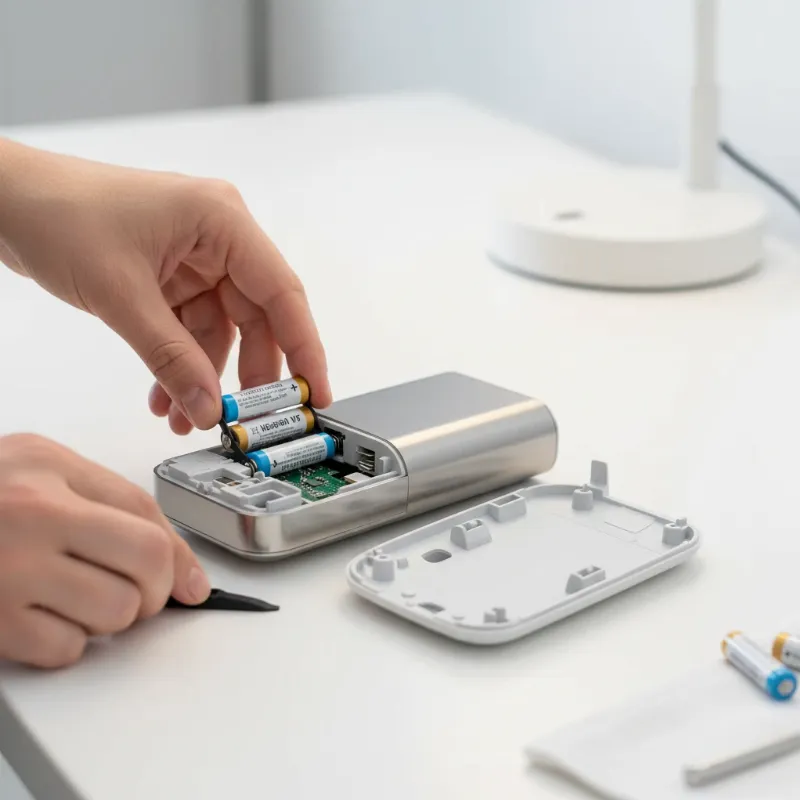 A person diligently replacing batteries in a modern smart lock, showcasing the ease of maintenance
Step 4: Perform Calibration or Reset
Many smart locks have a calibration feature that helps them “learn” the throw distance of your deadbolt. Refer to your lock’s manual for instructions on how to perform a calibration. If available, a factory reset can sometimes clear software glitches, but be aware this will erase all settings and require re-setup.
Step 5: Update Firmware
Check your smart lock’s companion app for any available firmware updates. Manufacturers regularly release updates to improve performance, enhance security, and fix bugs that might affect motor operation.
Step 6: Professional Assistance
If after trying these steps the motor still sounds weak or the problem persists, it might indicate a more serious internal hardware fault, such as a worn-out motor, a circuit board issue, or a severely damaged deadbolt mechanism. In such cases, it’s best to contact the manufacturer’s customer support or a qualified locksmith specializing in smart lock repair.
Preventative Maintenance for Smart Lock Motors
Regular maintenance can significantly extend the life of your smart lock and prevent motor issues:
- Routine Battery Replacement: Don’t wait for the low battery warning. Proactively replace batteries every 6-12 months, especially for frequently used doors.
- Keep Mechanisms Clean: Periodically clean the deadbolt and surrounding areas to prevent debris buildup.
- Use Proper Lubrication: Apply dry lubricant annually to the deadbolt mechanism to ensure smooth operation.
- Check Door Alignment: Regularly inspect your door’s alignment and adjust hinges or strike plates as needed.
- Stay Updated: Install firmware updates promptly to benefit from performance improvements and bug fixes.
“A weak-sounding smart lock motor is a warning, not a death knell. Often, a simple battery change or a quick lubrication can bring it back to full strength. Ignoring it, however, can lead to complete failure and compromised security.” – Anna Chen, Smart Home Technology Expert
When to Call a Professional
Knowing when to seek professional help is crucial. If your smart lock motor continues to sound weak, grinds excessively, or fails to operate entirely after you’ve exhausted all troubleshooting steps, it’s time to call in an expert. A professional locksmith or a certified smart home technician can accurately diagnose complex mechanical failures, internal circuitry issues, or motor wear that requires specialized tools or replacement parts. Attempting advanced repairs without proper knowledge can void your warranty or cause further damage.
Future Trends in Smart Lock Motor Technology
The evolution of smart locks continues, with future innovations likely to address motor efficiency and longevity. We can anticipate quieter, more robust motor designs, potentially incorporating advanced materials and self-lubricating components. Integration with artificial intelligence could enable predictive maintenance, alerting users to potential motor issues before they become audible. Furthermore, enhanced energy harvesting or longer-lasting battery technologies will reduce power-related motor struggles, making smart locks even more reliable and user-friendly.
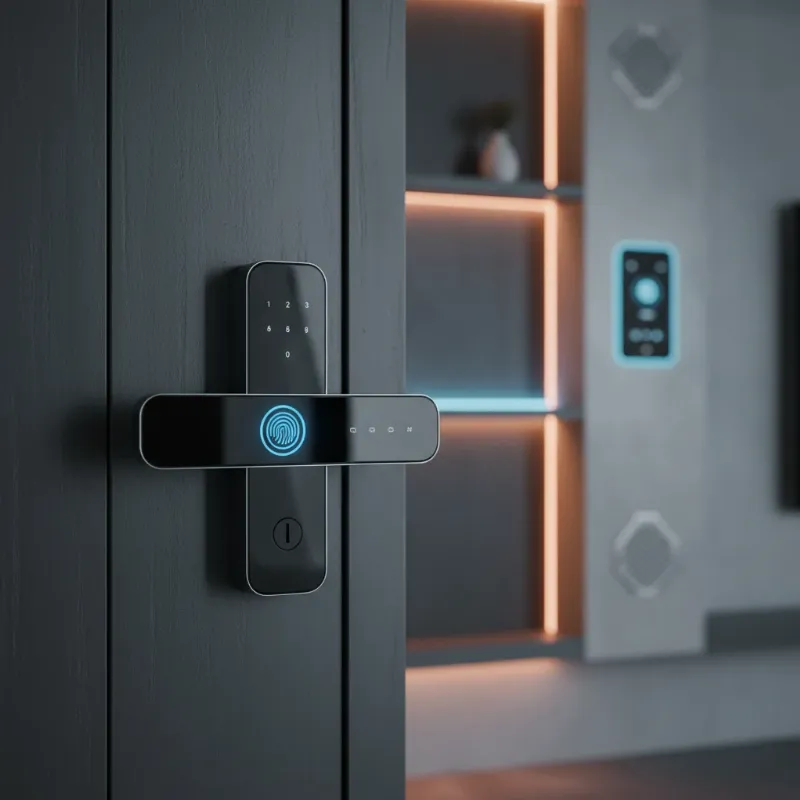 A sleek, futuristic smart lock seamlessly integrated into a smart home environment, representing advanced technology and convenience
Conclusion
A weak-sounding smart lock motor is a clear signal that something isn’t quite right, but it’s often a fixable issue. By understanding the common causes—from low batteries and mechanical binding to minor software glitches—and applying straightforward troubleshooting techniques, you can restore your smart lock to its optimal performance. Regular maintenance, including timely battery changes and proper lubrication, will also go a long way in ensuring your smart lock remains a reliable guardian of your home. Don’t let a struggling motor compromise your peace of mind or convenience; take action to keep your smart lock operating smoothly and securely.
Ready to ensure your smart lock is always performing at its best, or considering an upgrade?
Frequently Asked Questions
Is it normal for a smart lock motor to make some noise?
Yes, it is completely normal for a smart lock motor to produce a sound during operation. This sound comes from the internal gears and motor mechanism working to extend or retract the deadbolt. A healthy smart lock typically makes a consistent, smooth whirring or clicking sound. However, any change to this normal sound, such as increased loudness, grinding, or a noticeably weaker tone, often indicates an underlying issue that needs attention.
How often should I change the batteries in my smart lock?
The frequency of battery replacement depends on usage, battery type, and environmental factors, but a general guideline is every 6-12 months. High-traffic doors, extreme temperatures, or frequent use of Wi-Fi features can drain batteries faster. It’s recommended to use high-quality alkaline or lithium batteries and to replace all of them at once to ensure consistent power supply and prevent issues like a weak-sounding motor.
Can a weak smart lock motor affect security?
Yes, a weak smart lock motor can potentially affect your security. If the motor is struggling to engage fully, the deadbolt might not extend completely, making your door vulnerable. Additionally, a failing motor could lead to the lock not engaging at all, leaving your property unsecured. Addressing motor issues promptly is crucial for maintaining the intended level of security your smart lock provides.
What kind of lubricant should I use for my smart lock?
For lubricating a smart lock’s deadbolt mechanism, it is best to use a dry graphite lubricant or a silicone-based spray. These types of lubricants do not attract dust and dirt, nor do they gum up over time, which can happen with oil-based products. Ensure the lubricant is safe for electronics and plastics before application, and apply sparingly to moving parts of the deadbolt.
