The convenience of smart locks is undeniable, offering keyless entry and remote access, but this advanced technology often comes with a hidden cost: your personal data. As these devices become integral to our homes, it’s critical to understand what information your smart lock collects, how it’s used, and the potential privacy implications. Are you trading enhanced security for a detailed digital footprint of your daily life? This article will delve into the intricacies of smart lock data collection, shed light on potential risks, and provide practical strategies to safeguard your privacy.
What Are Smart Locks?
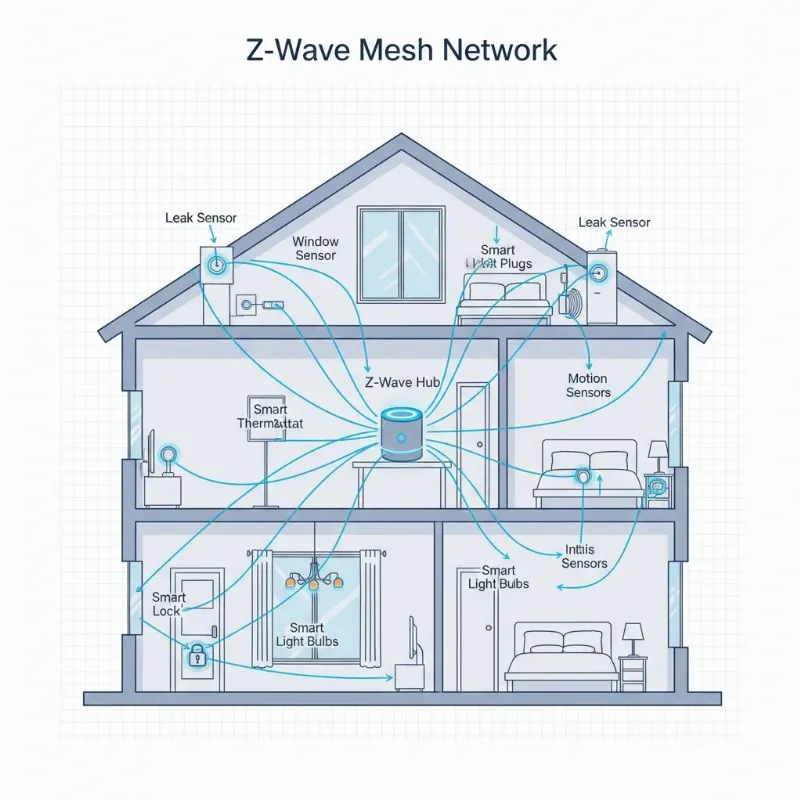
Smart locks are electromechanical locks designed to perform locking and unlocking operations when they receive instructions from an authorized device using a wireless protocol and cryptographic key. They represent a significant evolution from traditional mechanical locks, offering functionalities like keyless entry, remote access control, and integration with broader smart home ecosystems. These devices leverage various technologies such as Bluetooth, Wi-Fi, Z-Wave, or Zigbee to communicate, allowing users to manage access via smartphones, biometric scans, or unique passcodes. The history of smart locks is marked by a continuous push towards greater convenience and enhanced security, moving from simple app-controlled mechanisms to sophisticated systems integrating artificial intelligence and advanced biometric recognition.
{width=800 height=800}
The Unseen Data: What Your Smart Lock Really Collects
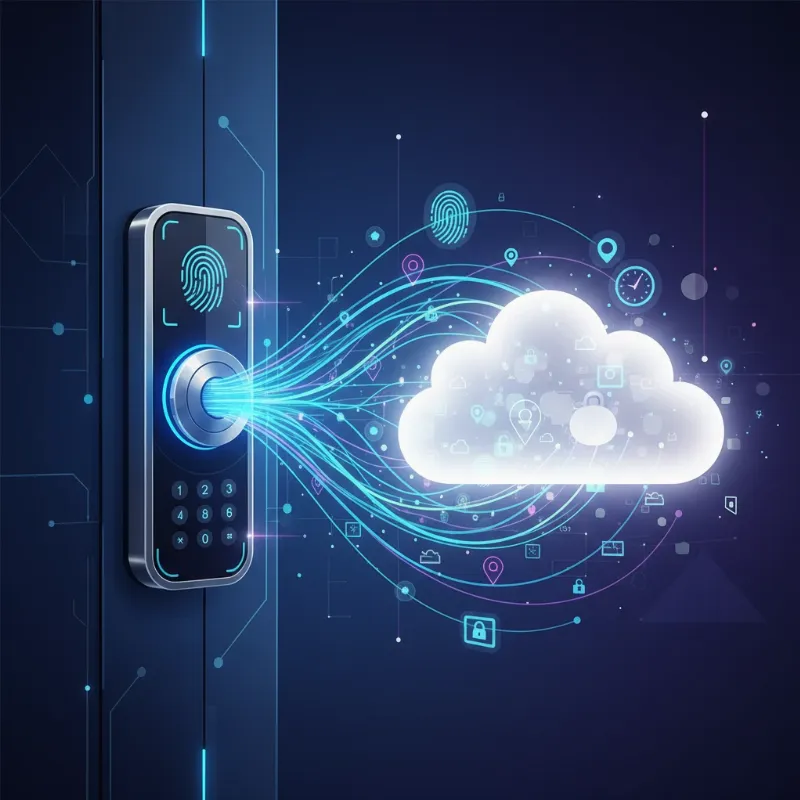
When you interact with a smart lock, it’s not just opening your door; it’s often gathering a significant amount of data about you and your home. While the specific types of data vary by manufacturer and model, most smart locks are designed to collect information to enhance functionality and user experience. This collection can range from basic operational data to highly sensitive personal identifiers. Understanding this scope is the first step toward managing your digital privacy.
Why Does Your Smart Lock Collect Data?
Smart locks collect data primarily to deliver their core functionalities and improve user experience. This includes knowing who entered, when, and how, which is essential for access control and security logging. Data also fuels smart features like personalized access schedules, integration with other smart home devices, and remote management. Manufacturers often use aggregated, anonymized data for product development, bug fixes, and identifying usage patterns to refine future models. Some companies might also use this data for marketing or to offer targeted services, turning your daily routines into a potential revenue stream.
Types of Data Collected by Smart Locks
Smart locks can collect a diverse range of data, much of which is highly sensitive and personal. This data is critical for the lock’s operation but also carries inherent privacy risks.
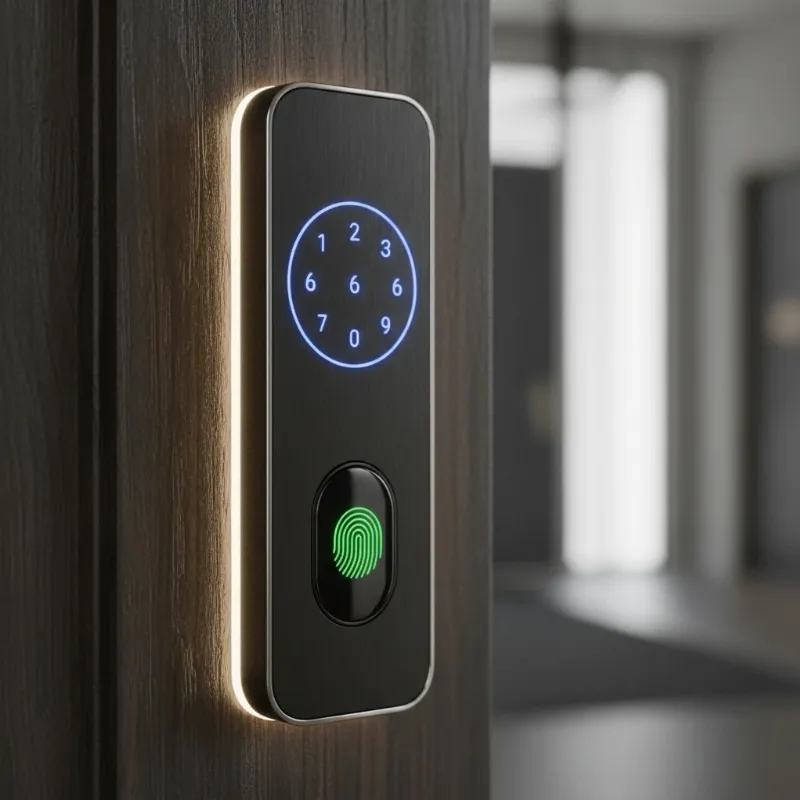
- Biometric Data: For locks utilizing fingerprint recognition or facial recognition, highly sensitive biometric templates are collected. These are not typically raw images but mathematical representations of your unique biological features. For instance, facial recognition locks convert facial features into numerical codes, making it difficult to reconstruct an actual image from the stored data. Some advanced systems, like palm vein recognition, read subdermal patterns for enhanced security.
- Access Codes and Credentials: PIN codes, temporary guest codes, and digital keys transmitted via smartphone apps are collected and processed to verify authorized entry.
- Usage Patterns and Access Logs: Smart locks record every interaction: who unlocked the door, at what time, and how often. This creates a detailed log of entry and exit events, offering insights into routines and presence within the home. This data can include the duration of access for guests or service providers.
- Location Data: If your smart lock uses geofencing features or relies on your smartphone’s location for auto-unlocking, it may collect your device’s location data. This helps determine when you are approaching your home.
- Video and Audio Data: Smart locks integrated with cameras or microphones, such as smart video doorbells or locks with built-in surveillance, collect video footage and audio recordings. This adds a layer of monitoring but also significantly increases the volume and sensitivity of collected data.
- Device Performance Data: Information about battery life, connectivity strength (Wi-Fi, Bluetooth), and software versions is gathered to monitor the device’s health and ensure optimal performance.
{width=800 height=800}
Comparing Data Collection Across Smart Lock Types
The method and volume of data collection can vary significantly based on the type of smart lock technology employed. Understanding these differences is crucial for assessing potential privacy impacts.
| Feature | Fingerprint Locks | Card/Fob Locks | Keypad Locks | Face Recognition Locks | App-Controlled Locks (Bluetooth/Wi-Fi) |
|---|---|---|---|---|---|
| Security Level | High | Medium | Medium | Very High | High |
| Convenience | High | Medium | High | High | High |
| Cost | Medium | Low | Low | High | Medium |
| Biometric Data | Yes (fingerprint template) | No | No | Yes (facial template) | No |
| Access Logs | Yes | Yes | Yes | Yes | Yes |
| Usage Patterns | Yes | Yes | Yes | Yes | Yes |
| Location Data | Rare (unless paired with app) | Rare (unless paired with app) | Rare (unless paired with app) | Rare (unless paired with app) | Yes (for geofencing) |
| Video/Audio Data | Only if integrated camera | Only if integrated camera | Only if integrated camera | Yes (core function) | Only if integrated camera |
| Primary Data Storage | Local (often encrypted chip) | Local/Cloud (for logs) | Local/Cloud (for codes) | Local or Cloud | Cloud (for remote features) |
Potential Privacy Risks Associated with Smart Lock Data
The collection of sensitive data by smart locks introduces several privacy risks that users should be aware of.
- Data Breaches: Even with robust encryption, cloud-based data storage remains an attractive target for hackers. A breach could expose biometric data, access logs, and personal routines, creating a lifetime vulnerability that cannot be changed like a password. “Massive data breaches are becoming routine: Major smart home companies have suffered security incidents affecting millions of users, from Ring’s cameras being hacked to smart lock manufacturers accidentally exposing entire customer databases online.”
- Unauthorized Access and Misuse: This can occur in several ways. Hackers could exploit vulnerabilities in software or unsecured Wi-Fi networks to gain unauthorized entry or access stored data. Additionally, landlords using smart locks in rental properties could potentially use access logs to monitor tenant movements, enforce minor lease violations, or even lock out tenants without notice.
- Data Monetization: Some companies might analyze user data and usage patterns, selling these insights to third parties for targeted advertising or other commercial purposes. This turns your daily routine into a revenue stream for the company, often without your explicit and informed consent.
- Government and Law Enforcement Access: Data stored on company servers can be subject to legal requests from law enforcement agencies. This means your access history or biometric data could be accessed via warrants, potentially without your knowledge, providing a detailed log of your home entries and exits.
- Abuse by Users: In unfortunate situations, smart home devices, including locks, have been used by abusers to maintain control over family members, using constant logs to track movements and make escape more difficult.
How to Safeguard Your Privacy with Smart Locks
Protecting your privacy with smart locks requires a proactive approach, combining careful product selection with diligent usage habits.
- Prioritize Local Data Storage: Whenever possible, opt for smart locks that process and store sensitive data, especially biometric templates, directly on the device itself rather than in the cloud. Brands like SwitchBot and Lockly emphasize this local-first approach to minimize external exposure.
- Understand Privacy Policies: Before purchasing, thoroughly review the manufacturer’s privacy policy. Look for clear statements on what data is collected, how it’s stored, who has access, and whether it’s shared with third parties. Avoid products with vague or missing policies.
- Employ Strong Authentication: Always use complex, unique passwords for your smart lock apps and accounts. Enable two-factor authentication (2FA) wherever available to add an extra layer of security, making it harder for unauthorized individuals to gain access even if they obtain your password.
- Maintain Software and Firmware Updates: Regularly check for and install firmware and software updates for your smart lock. These updates often include critical security patches that address vulnerabilities and improve encryption protocols, protecting your data from emerging threats.
- Secure Your Home Network: Ensure your Wi-Fi network is strong and secure. Use a robust password for your router and consider implementing a Virtual Private Network (VPN) to encrypt your internet traffic, especially when accessing your smart lock remotely.
- Limit Access and Permissions: Only grant access to your smart lock to trusted individuals and revoke permissions when they are no longer needed. Be mindful of the permissions you grant to the smart lock’s companion app on your smartphone.
- Consider Physical Key Backups: Always have a traditional physical key backup. This not only serves as a failsafe in case of electronic malfunction or power outage but also provides an alternative entry method that doesn’t rely on digital data.
{width=800 height=800}
Common Privacy Concerns and How to Address Them
Several recurring privacy concerns emerge with smart lock usage, each requiring specific strategies to mitigate.
- Concern: My biometric data (fingerprint, face scan) could be stolen in a data breach.
- Address: Choose locks that perform biometric matching locally on the device and store encrypted templates on a tamper-resistant chip. Verify that raw biometric images are not stored.
- Concern: My smart lock activity logs are being shared or sold to third parties.
- Address: Read privacy policies carefully to understand data sharing practices. Opt for manufacturers committed to data minimization and non-disclosure. Some privacy laws, like those in New York City, specifically regulate smart lock data.
- Concern: Landlords or property managers can track my movements.
- Address: Advocate for regulations that require explicit consent for data collection and provide an option for traditional physical keys that do not track data. If you are a tenant, understand your rights regarding smart locks in your jurisdiction.
- Concern: My smart lock could be remotely hacked, compromising my home security.
- Address: Ensure your Wi-Fi is secure, use strong, unique passwords, and enable 2FA. Keep the lock’s firmware updated and choose reputable brands known for their security measures. Using VPNs for remote access adds encryption.
- Concern: My smart lock’s camera or microphone could be used for surveillance.
- Address: If your lock has integrated cameras or microphones, be aware of their capabilities. Only enable these features when necessary and review settings to ensure they are not continuously recording or transmitting data without your knowledge. Prioritize devices that process video/audio locally.
“True smart home security doesn’t just protect your physical space; it also rigorously defends your digital self, ensuring convenience never comes at the cost of your personal privacy.” – Dr. Eleanor Vance, Cybersecurity Ethicist
The Future of Smart Lock Privacy and Data Protection
The landscape of smart lock privacy is continually evolving, driven by technological advancements and increasing consumer awareness. Future trends suggest a move towards even more robust data protection measures. We can expect to see enhanced Edge AI Processing, where more smart locks will integrate powerful onboard processors to handle biometric and other sensitive data locally, drastically reducing reliance on cloud servers and minimizing the risk of remote breaches. This “privacy by design” philosophy will become a standard, with manufacturers embedding data protection into the core architecture of their devices.
Furthermore, Enhanced Smart Lock Encryption standards are anticipated, with industry-wide protocols becoming more sophisticated to safeguard biometric and usage data during storage and transmission. The integration of blockchain technology could offer decentralized, immutable records of access events, potentially giving users greater control and transparency over their data. Regulatory frameworks, influenced by laws like GDPR and CCPA, will likely continue to expand, demanding greater transparency, user consent, and data minimization from manufacturers and service providers. This push for stronger legal protections aims to ensure that consumers retain full ownership and control over their personal information.
Conclusion
Smart locks offer an unparalleled blend of convenience and security, transforming how we interact with our homes. However, this transformative technology introduces significant privacy considerations. Understanding what data your smart lock collects—from biometric scans and access logs to usage patterns and potentially location or video data—is paramount. Armed with this knowledge, you can actively mitigate risks such as data breaches, unauthorized access, and the misuse of your personal information.
By prioritizing locks with local data storage, scrutinizing privacy policies, employing strong authentication, and maintaining software updates, you can strike a balance between modern convenience and robust privacy protection. The future promises even more secure smart lock technologies through advancements like edge AI and enhanced encryption, but ultimately, informed choices and diligent practices remain your strongest defense. Embrace the safety and ease that smart locks provide, but do so with an unwavering commitment to your digital privacy.
Frequently Asked Questions
Are smart locks more secure than traditional locks in terms of data privacy?
|
Our Picks for the Best smart locks in 2026
As an Amazon Associate I earn from qualifying purchases.
|
||
| Num | Product | Action |
|---|---|---|
| 1 | Wyze Palm Lock, Smart Door Lock with Palm Vein Recognition, Keyless Entry Smart Locks for Front Door, Keypad, Auto Lock, Dual Battery, Wi-Fi, Works with Alexa & Google, BHMA, IP53, Mechanical Key |

|
| 2 | Schlage Encode Smart WiFi Deadbolt Lock for Front Door - Keyless Entry with App or Touchscreen - Works with Alexa, Hey Google, & Airbnb - Create Codes for Guests - Satin Nickel Silver |
|
| 3 | ULTRALOQ U-Bolt Pro WiFi Smart Lock with Door Sensor, 8-in-1 Keyless Entry Door Lock with Fingerprint ID, App Remote Control, Built-in WiFi Keypad Deadbolt, Auto Unlock, IP65 Waterproof, Easy Install |
|
| 4 | Yale Security Assure Lock 2 Deadbolt, Black Suede Keyed Smart Entry Door Lock with Wi-Fi Connected Keypad for Code Entry and Remote Access, YRD410-WF1-BSP |
|
| 5 | TEEHO TE001 Keyless Entry Door Lock with Keypad - Smart Deadbolt Lock for Front Door with 2 Keys - Auto Lock - Easy Installation - Matte Black |
|
| 6 | Wyze Auto-Lock Bolt v2, Fingerprint Keyless Entry Smart Lock, AI Learning Scanner with Wi-Fi Front Door Lock Deadbolt, Auto-Lock, 8 Months Battery, BHMA2, IP53, Anti-Peep Keypad, Backup Keys |
|
| 7 | Schlage Encode Smart WiFi Deadbolt Lock for Front Door - Keyless Entry with App or Touchscreen - Works with Alexa, Hey Google, & Airbnb - Create Codes for Guests - Matte Black |
|
| 8 | Smart Door Handle Lock with Keypad: Yamiry Fingerprint Smart Knob - Keyless Entry Digital Lock for Front Door - Deadbolt with APP - Generate Passcode Remotely - DIY Installation |
|
| 9 | Smart Door Lock with Camera Fingerprint Keyless Entry Door Lock Electronic Deadbolt with Keypad Code, App Remote Control, Auto Unlock for Front Door |
|
| 10 | Tapo Smart Wi-Fi Deadbolt Door Lock – Keyless Tactile Buttons, Customized Access with in-App Monitoring, Auto-Lock, IP54 Weatherproof, BHMA Grade 3, Compatible with Standard Door Sizes, Tapo DL100 |
|
Smart locks offer enhanced physical security features like tamper alerts and remote monitoring, but they introduce new digital privacy challenges. Traditional locks do not collect data, whereas smart locks gather sensitive information that can be vulnerable to hacking, data breaches, or misuse if not properly secured by the manufacturer and the user.
What is the difference between local and cloud storage for smart lock data?
Local storage means your data, especially biometric templates, is processed and stored directly on the smart lock device itself, typically on an encrypted chip. This significantly reduces the risk of remote data breaches. Cloud storage involves transmitting and storing your data on external company servers, offering remote management but posing higher risks of hacking and third-party access.
Can my landlord access my smart lock data?
If your landlord installed the smart lock and manages the system, they often have access to your entry and exit logs and potentially other data. Regulations vary by location, but in some areas, laws are being introduced to limit landlord access and require tenant consent for data collection, often providing an option for a traditional key.
How can I ensure my smart lock’s data is encrypted?
Most reputable smart lock manufacturers use encryption standards like AES (Advanced Encryption Standard) or end-to-end encryption to protect data. Always check the product specifications and privacy policy for details on their encryption methods. Regularly updating your lock’s firmware also helps maintain the latest security protocols.
What should I do if I’m concerned about a smart lock’s privacy policy?
If a smart lock’s privacy policy is vague, unclear, or doesn’t explicitly state how your data is handled and protected, it’s best to avoid that product. Opt for brands that are transparent about their data collection practices, commit to data minimization, and offer robust security features, including local storage options for sensitive data.
Will my smart lock work without an internet connection?
Some smart locks are designed with local processing capabilities and can function without an internet connection for basic unlocking mechanisms. However, remote control features, real-time notifications, and cloud-based data synchronization will likely require an active internet connection. Check the product’s specifications for offline functionality.