Let’s be honest, we’ve all had that heart-stopping moment. You’re halfway to the office, or even worse, sitting on a plane, and the thought hits you like a ton of bricks: “Did I lock the front door?” That cold knot of anxiety is a universal feeling. But what if you could banish it forever? This is where the magic of Smart Lock Remote Access Control comes into play, transforming your smartphone into the ultimate key and security hub for your home. It’s not just a fancy gadget; it’s a fundamental upgrade to your peace of mind.
For those who are just dipping their toes into the world of smart homes, understanding the technology behind these locks is a great starting point. To get a better grasp of the core connectivity options, you can explore the differences between smart lock with WiFi vs Bluetooth, as this choice is fundamental to how you’ll interact with your lock remotely.
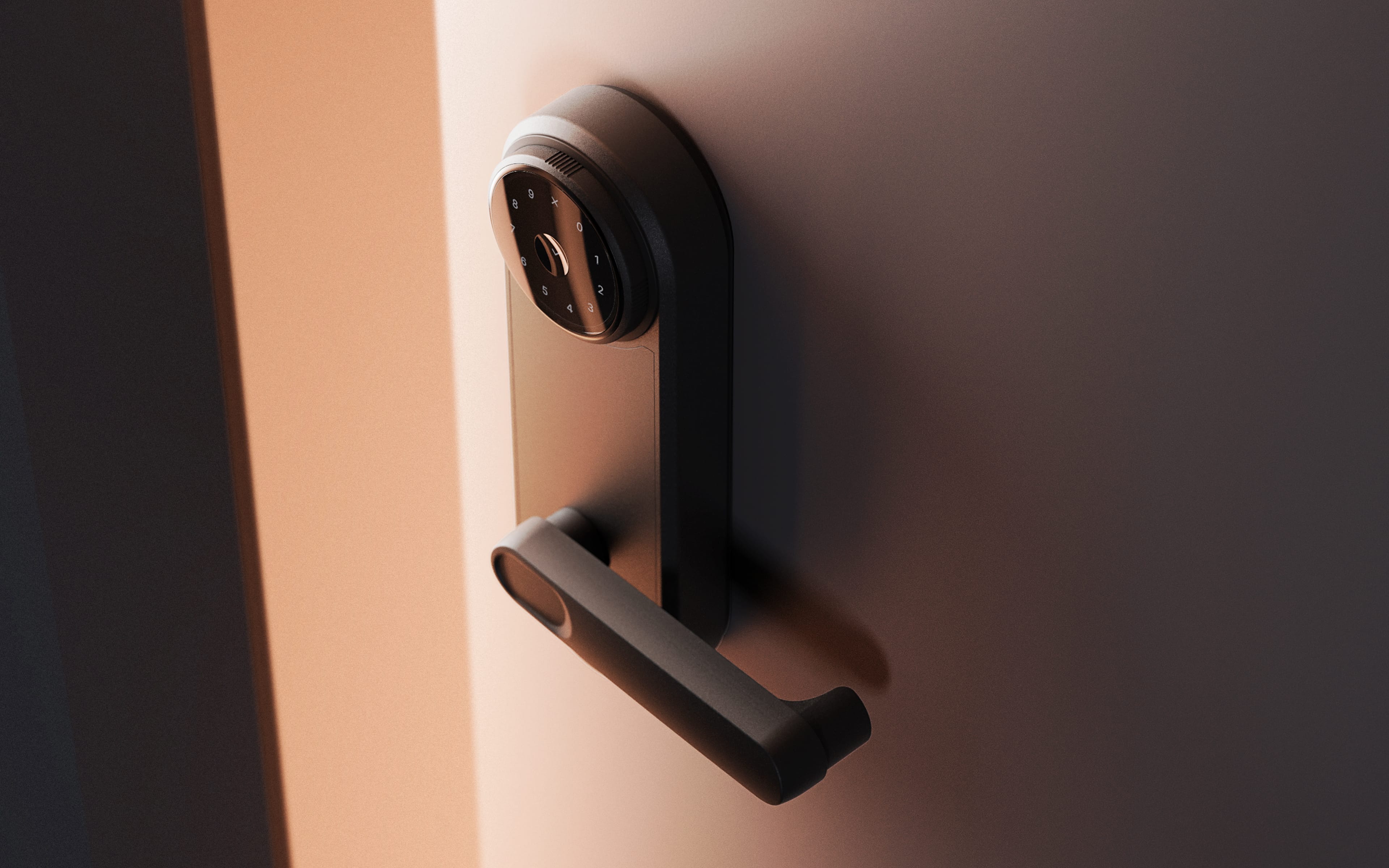
What Exactly Is Smart Lock Remote Access Control?
At its core, smart lock remote access control is the ability to lock, unlock, and monitor your door from anywhere in the world using an internet-connected device, typically your smartphone. Think of it as having a digital doorman on call 24/7. This isn’t about replacing your key with a code; it’s about fundamentally changing your relationship with your front door, giving you unprecedented control and visibility.
The technology relies on a connection between your smart lock and your home’s Wi-Fi network. While some locks connect directly, others use a small bridge or hub that plugs into an outlet and acts as a translator between the lock’s Bluetooth signal and your Wi-Fi router. Once connected, your lock can communicate with the cloud, allowing your smartphone app to send it commands—lock, unlock, check status—from anywhere with a cell signal or internet access.
How Can a Smart Lock Truly Upgrade Your Daily Life?
A smart lock with remote access fundamentally enhances both your convenience and your home’s security. It moves you from a passive security model (hoping a traditional lock does its job) to an active one where you are always in control and informed.
The End of the Spare Key
Remember hiding a key under the doormat or a fake rock? Those days are over. With remote access, you can grant entry to trusted individuals without ever handing over a physical key. Here’s how it works in real-life scenarios:
- The Unexpected Guest: Your cousin arrives in town early while you’re still at work. Instead of making them wait on the porch, you can unlock the door for them right from your desk.
- The Service Professional: Have a plumber or a cleaner scheduled? Grant them a temporary access code that only works during their appointment window. The code expires afterward, ensuring they can’t return unannounced.
- The Dog Walker: Give your dog walker a recurring access code that’s only active on weekdays between 1 PM and 2 PM. You’ll even get a notification when they’ve used it, so you know your furry friend is taken care of.
Peace of Mind Through Visibility
One of the most powerful features is the activity log. Your smart lock app keeps a detailed, timestamped record of every time the door is locked or unlocked, and by whom. You can see when the kids got home from school, confirm the cleaner left on time, or check if the door was locked overnight. This digital trail provides a level of security and oversight that a simple deadbolt could never offer. Many modern systems even integrate with voice commands, making daily routines even smoother. For those interested in this level of integration, understanding smart lock with voice assistant capabilities is a crucial next step.
Choosing the Right Smart Lock for Your Home
With so many options on the market, picking the perfect device can feel overwhelming. But by focusing on a few key areas, you can easily narrow down the choices to find the best fit for your needs and lifestyle.
- Connectivity and Reliability: As mentioned, the primary choice is between direct Wi-Fi and a Bluetooth lock that uses a Wi-Fi bridge. Direct Wi-Fi locks are simpler to set up, but can sometimes use more battery. Bridge systems are incredibly reliable and often have better battery life. Your choice will depend on your home’s Wi-Fi strength and your technical comfort level.
- Power Source: Nearly all smart locks are battery-powered. Look for models that offer a long battery life (6-12 months is standard) and provide multiple low-battery warnings through the app and on the device itself. Some even have a backup option, like terminals for a 9V battery, in case you ignore the warnings for too long.
- Installation: Are you a DIY pro or would you rather call an expert? Many smart locks are designed to be installed in minutes with just a screwdriver, replacing your existing deadbolt. However, if your door is old or misaligned, you might want to consider professional installation to ensure smooth operation.
- Smart Home Ecosystem: Do you already use Amazon Alexa, Google Home, or Apple HomeKit? Make sure the lock you choose is compatible with your existing ecosystem. This allows for powerful integrations, like saying “Hey Google, lock the front door” as you’re heading to bed. The synergy between your devices is what truly creates a “smart” home.
Security Expert Insight
According to David Chen, a certified high-tech locksmith, “A common mistake buyers make is focusing solely on the digital features. Remember, a smart lock is still a physical lock first. Always check its ANSI/BHMA grade—Grade 1 is the most secure for residential use—to ensure the physical hardware is as tough as the digital encryption protecting it.”
Beyond the Basics: Advanced Features to Look For
The world of smart lock remote access control is packed with innovative features that add layers of convenience. While not all are essential, they can significantly improve your experience.
- Auto-Lock: This feature automatically locks your door after a preset amount of time (e.g., 30 seconds or 5 minutes), so you never have to worry if you forgot to lock it on your way out.
- Geofencing (Auto-Unlock): Using your phone’s GPS, the lock can detect when you’re approaching home and automatically unlock the door for you. It’s a lifesaver when you’re juggling groceries.
- Built-in Alarms: Some locks have alarms that will sound if someone tries to tamper with them or force the door open, sending an immediate alert to your phone.
While fingerprint and keypads are common, the technology continues to evolve. Some high-end systems are exploring futuristic options. For those curious about the cutting edge, learning about smart lock with facial recognition showcases where the industry is headed.
Is It Really Secure? Addressing the Elephant in the Room
It’s natural to be skeptical. We’ve spent our whole lives trusting a physical piece of metal to protect our homes. Is a digital, internet-connected device really safe?
The short answer is a resounding yes, provided you choose a reputable brand. Here’s why:
- Encryption: Communications between your phone, the cloud, and your lock are protected with robust encryption, often AES 128-bit or 256-bit. This is the same level of security used by banks and governments.
- Physical Security: As David Chen mentioned, these locks are built to high physical security standards to resist forced entry.
- Digital Keys are Safer: Unlike a physical key that can be lost, stolen, and copied, a digital key or access code can be revoked instantly from your app.
The most critical element in this entire ecosystem is how your data is handled. This is why understanding the principles of smart lock cloud security is not just for tech enthusiasts, but for any responsible homeowner looking to make the switch. In a similar vein, many modern buildings use integrated systems, so checking smart lock smartcard compatibility can be important for those living in apartments or condos with existing access systems.
In the end, the upgrade to a smart lock remote access control system is about more than just convenience. It’s about regaining control over your home’s primary point of entry. It’s about the confidence of knowing your home is secure, whether you’re in the living room or on a beach halfway around the world. By eliminating the nagging doubt of an unlocked door and replacing it with the certainty of control in the palm of your hand, you’re not just buying a new lock—you’re investing in true, modern peace of mind.