Ever had that sinking feeling halfway to work? That nagging voice in your head asking, “Did I lock the front door?” It’s a universal moment of panic that can sour your whole day. But what if you could eliminate that worry for good? The Smart Lock Auto Lock Feature is more than just a convenience; it’s your personal, digital doorman, ensuring your home is secure even when your mind is elsewhere. It’s one of the most powerful, peace-of-mind-inducing innovations in home security today.
At Smartlocks Pro, we believe your home’s security should be effortless. The days of fumbling for keys or second-guessing yourself are over. Let’s dive deep into the world of automatic locking and discover how this single feature can fundamentally change how you think about home safety. Understanding the nuances of different systems is key, and this closely relates to the debate around smart lock with WiFi vs Bluetooth, as the connectivity type often dictates how these features operate.
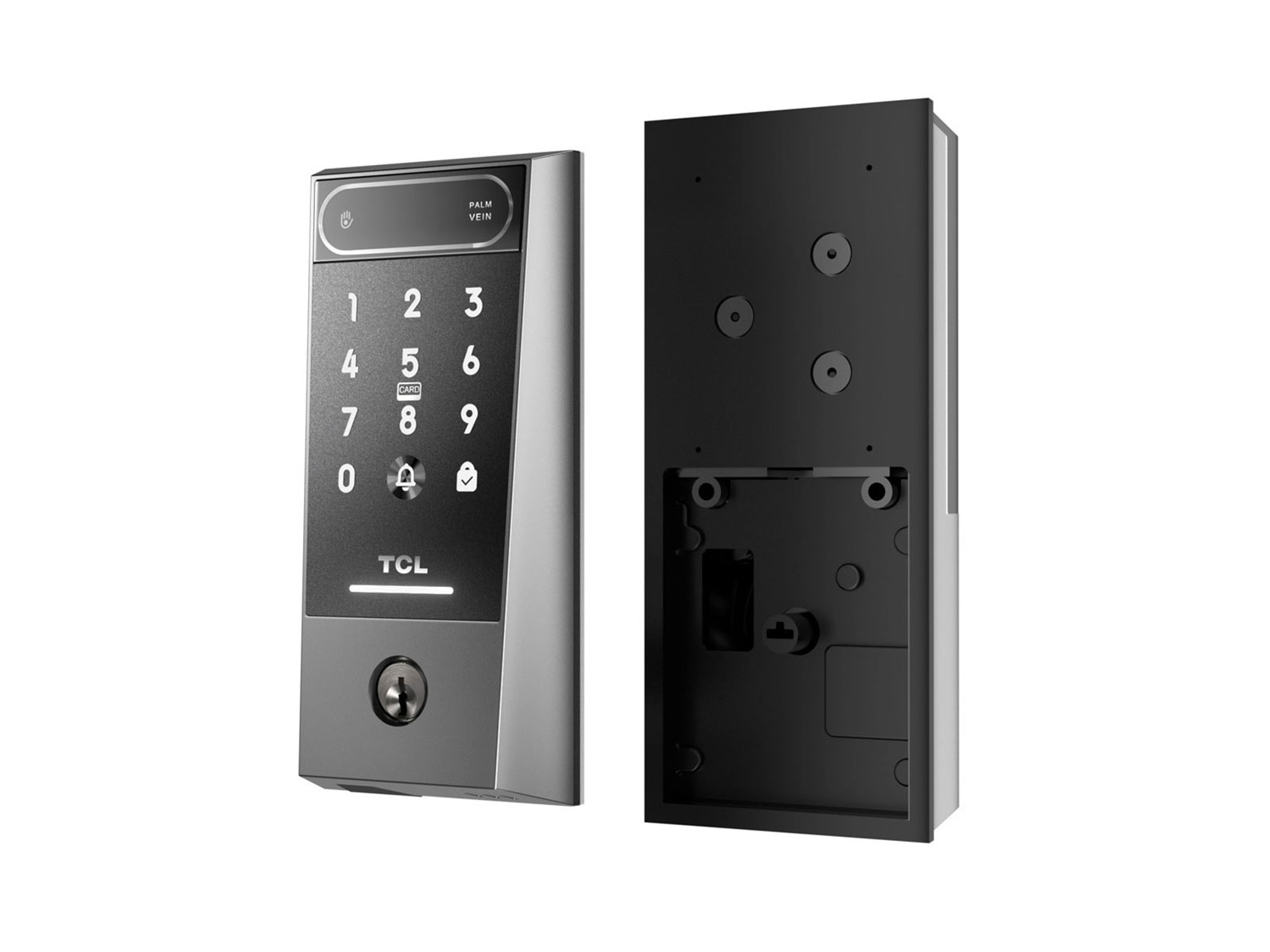
What Exactly is the Smart Lock Auto Lock Feature?
In simple terms, the smart lock auto lock feature is a setting that automatically locks your door after a predetermined condition is met. This could be a set amount of time after the door has been closed, or when it detects that you’ve left the vicinity. It’s designed to be the ultimate safety net for your home’s main point of entry.
This isn’t a one-size-fits-all function. The beauty of modern smart locks lies in their customizability. You’re in control, deciding how and when your door secures itself. This simple-sounding feature is powered by some clever technology working seamlessly in the background.
How Does It Actually Work? The Tech Behind the Magic
The “magic” of an auto-locking door isn’t magic at all—it’s a clever combination of sensors and software. Most smart locks achieve this in one of three primary ways, each with its own pros and cons.
Timer-Based Auto-Lock
This is the most straightforward version of the smart lock auto lock feature.
- You unlock and open your door.
- After you close it, a countdown begins.
- You can typically set this timer in the smart lock’s app, usually from 30 seconds to several minutes.
- Once the timer hits zero, the deadbolt engages automatically.
It’s simple and reliable. The only downside? If you’re just stepping out to grab the mail or chat with a neighbor, you might find yourself locked out if you’re not quick enough.
Geofencing: Your Phone is the Trigger
A more advanced method is geofencing. This uses your smartphone’s GPS to create a virtual perimeter around your home.
- Leaving: When the system detects your phone has left this “home” zone, it can trigger the door to lock automatically. You don’t have to do a thing.
- Arriving: Conversely, as you approach home, the lock can detect your phone and automatically unlock, offering a truly hands-free entry.
This is incredibly convenient, but its reliability depends on your phone’s GPS accuracy and app settings.
Door Sensors: The Smartest of Them All
This is arguably the most intelligent and secure implementation. Many premium smart locks now come with a small, separate sensor (like DoorSense™ technology) that you install on your door frame.
How it works: The lock doesn’t just know if it’s locked or unlocked; it knows if the door itself is physically open or closed. The auto-lock will only engage when the sensor confirms the door is fully shut.
This prevents the dreaded scenario of the deadbolt engaging while the door is still ajar, which could damage both the lock and the door frame. It provides absolute certainty that your home is not just locked, but properly closed and secured.
Is the Smart Lock Auto Lock Feature Really Secure?
This is a fantastic question and one we take seriously. The short answer is yes, the smart lock auto lock feature is incredibly secure when implemented correctly. The convenience doesn’t come at the cost of safety. In fact, it enhances it by eliminating the most common security risk: human error.
However, security is a multi-layered concept.
- Physical Strength: The feature is only as good as the deadbolt it controls. Always choose a lock with a high-grade physical security rating (like ANSI/BHMA Grade 1 or 2).
- Digital Encryption: The commands sent to your lock should be protected by strong encryption (like AES 128-bit or 256-bit). This prevents unauthorized digital access. For those concerned about where this data is stored and managed, it’s essential to understand the principles of smart lock cloud security.
- Firmware Integrity: Regular updates are crucial. As our in-house security specialist, David Chen, often says, “A smart lock is also a small computer. Just like your phone or laptop, its security depends on having the latest software to protect against new threats.” This is why understanding the importance of smart lock software updates is non-negotiable for any smart lock owner.
Pro Tip: Set up notifications on your smartphone. This way, you’ll get an instant alert every time your door auto-locks, giving you constant and complete peace of mind.
Choosing a Smart Lock with the Right Features
When you’re shopping for a smart lock, the auto-lock feature is just one piece of the puzzle. You should consider the entire ecosystem and how it fits your lifestyle. Look for a lock that not only has a great smart lock auto lock feature but also complements it with other useful functions.
Some of the most advanced models are even pushing the boundaries of keyless entry. For those who want to explore the cutting edge of home access technology, it’s worth looking into the capabilities of a smart lock with facial recognition, which represents the next frontier in personalized security.
|
Our Picks for the Best Smartlocks in 2026
As an Amazon Associate I earn from qualifying purchases.
|
||
| Num | Product | Action |
|---|---|---|
| 1 | Smart Keypad Door Lock with Handle: NICE DIGI Keyless Entry Digital Lock for Front/Interior Door, Electronic Code Knob, Easy Installation |

|
| 2 | Keypad Smart Door Lock with Knob, Yamiry Keyless Entry Digital Lock with Handle, Fingerprint Electronic Knob for Front Door, Generate Passcode Remotely, Easy Installation |
|
| 3 | Schlage Encode Smart WiFi Deadbolt Lock for Front Door - Keyless Entry with App or Touchscreen - Works with Alexa, Hey Google, & Airbnb - Create Codes for Guests - Satin Nickel Silver |
|
| 4 | Schlage Encode Plus Smart Wi-Fi Lock for Front Door, Keyless Entry Deadbolt, Unlock with Apple Watch, Built-in WiFi and App Control, Easy Install, Alexa & Apple HomeKit Compatible, Matte Black |
|
| 5 | Keypad & Key Smart Door Lock, 50 User Codes, Waterproof, Auto Lock - Matte Black |
|
| 6 | Kwikset Powerbolt 250 10-Button Keypad Satin Nickel Transitional Electronic Deadbolt Door Lock, Featuring Convenient Keyless Entry, Customizable User Codes, Auto Locking |
|
| 7 | Yale Security Assure Lock 2 Deadbolt, Black Suede Keyed Smart Entry Door Lock with Wi-Fi Connected Keypad for Code Entry and Remote Access, YRD410-WF1-BSP |
|
| 8 | ULTRALOQ U-Bolt Pro WiFi Smart Lock with Door Sensor, 8-in-1 Keyless Entry Door Lock with Fingerprint ID, App Remote Control, Built-in WiFi Keypad Deadbolt, Auto Unlock, IP65 Waterproof, Easy Install |
|
| 9 | TEEHO TE001 Keyless Entry Door Lock with Keypad - Smart Deadbolt Lock for Front Door with 2 Keys - Auto Lock - Easy Installation - Matte Black |
|
| 10 | Keyless Entry Fingerprint Smart Lock with Handle & Keypad: Sifely Biometric Digital Electronic Lock with Code, Electric Deadbolt Door Knob for Front, Interior, Exterior & Bedroom Doors (Silver) |
|
Here’s a quick checklist of what to look for:
- Customizable Timer: Can you adjust the auto-lock delay?
- Door Sensor Included: Does it come with a sensor for added certainty?
- Geofencing Capability: Does it support location-based locking/unlocking?
- Battery Life & Alerts: How long do the batteries last, and will it warn you when they’re low?
- Smart Home Integration: Is it compatible with your existing ecosystem (Alexa, Google Home, Apple HomeKit)?
- Guest Access: Can you easily create and manage temporary codes for visitors?
How Do I Integrate Auto-Lock with My Smart Home?
One of the most powerful aspects of a smart lock is its ability to communicate with other devices in your home. By integrating the smart lock auto lock feature into your smart home routines, you can create powerful security automations.
Imagine a “Goodbye” routine. With a single voice command, you could have your lights turn off, your thermostat adjust, and your front door lock itself. This is where a smart lock with voice assistant integration truly shines, turning a single feature into a cornerstone of your automated home. You can set this up easily within the Alexa, Google Home, or Apple Home apps.
For example, in the Alexa app:
- Go to ‘Routines’ and create a new one.
- Set the trigger, such as you saying, “Alexa, I’m leaving.”
- Add an action from your ‘Smart Home’ devices.
- Select your smart lock and choose the ‘Lock’ action.
- Save the routine. Now, one phrase secures your entire home.
Frequently Asked Questions
What happens if the smart lock battery dies?
All reputable smart locks provide ample warning (via the app and often an indicator on the lock itself) when batteries are low. Most also have a physical key override or a way to temporarily power the lock from the outside with a 9V battery, so you’ll never be permanently locked out.
Can I temporarily disable the auto-lock feature?
Absolutely. Every smart lock app allows you to easily toggle the smart lock auto lock feature on and off. This is useful if you’re having a party and people are coming in and out, or if you’re bringing in groceries and want the door to remain unlocked for a few minutes.
Does the auto-lock feature work without an internet connection?
It depends on the lock. Timer-based auto-lock and sensor-based systems usually work locally without Wi-Fi, as the logic is stored on the lock itself. Geofencing, however, requires an internet connection and location services to function.
Will it lock me out if I just step outside for a moment?
This is a valid concern, especially with timer-based systems. To avoid this, you can either set a longer timer (e.g., 5 minutes) or use a lock with a door sensor, which is smart enough to know not to lock an open door. Many apps also have a “one-touch lock” feature on the keypad, so you can choose to lock it manually when you step out.
Is the geofencing feature accurate enough to be reliable?
Modern smartphone GPS is quite accurate, and most apps allow you to adjust the size of your geofence “circle” to prevent false triggers. For most urban and suburban environments, it works very reliably.
The Final Word: Your Key to a Worry-Free Life
The smart lock auto lock feature is more than a gadget; it’s a fundamental upgrade to your home’s security and your daily peace of mind. It’s the silent guardian that takes over when you’re rushed, distracted, or simply forgetful. By eliminating the single most common point of failure in home security—human error—it ensures your door is always locked when it should be.
Upgrading to a smart lock is an investment in convenience, security, and tranquility. So, the next time you leave the house, you won’t have to ask yourself, “Did I lock the door?” You’ll already know the answer.