In an increasingly connected world, our homes are becoming smarter, more responsive, and effortlessly intuitive. Gone are the days when a lock simply secured a door; today, smart locks stand as the gateway to a truly integrated living experience. For those with a decade of expertise in smart lock technology, the evolution from basic keyless entry to complex AI-integrated systems has been remarkable. This article will guide you through how your front door, powered by a smart lock, can trigger a symphony of automated actions, enhancing security, boosting convenience, and even saving energy. It’s time to unlock the full potential of your smart home, starting right at the entrance.
Unlocking Convenience: What Are Smart Home Routines?
Smart home routines, often called automations or scenes, are sequences of actions performed by your connected devices in response to a specific trigger. They transform your home from a collection of individual gadgets into a cohesive, intelligent system. At the heart of many of the most effective routines lies the smart door lock, acting as a pivotal trigger. Whether you lock the door to leave or unlock it to return, this single action can initiate a cascade of commands across your home. Platforms like Google Home, Amazon Alexa, Apple HomeKit, SmartThings, and IFTTT serve as the brains, allowing you to define these “if this, then that” scenarios, turning your door lock into the master switch for your entire smart ecosystem.
The Power of the First Touch: Why Door Lock Routines Matter
The front door is the transition point between the external world and your personal sanctuary. By integrating smart lock routines, you empower this threshold with intelligent capabilities that extend far beyond simple security. These automations offer a blend of seamless integration, heightened security, improved energy efficiency, and ultimate convenience. They ensure your home is always in sync with your comings and goings, proactively adjusting to your needs without a single manual interaction. The act of locking or unlocking your door becomes a powerful command, orchestrating your home’s response to your presence, or absence, with precision and personalization.
7 Smart Home Routines That Start with Your Door Lock
Leveraging your smart lock as a primary trigger can revolutionize daily living. Here are seven innovative routines to integrate into your smart home, transforming mundane actions into intelligent automations.
Routine 1: The “Leaving Home” Master Switch
|
Our Picks for the Best smart locks in 2026
As an Amazon Associate I earn from qualifying purchases.
|
||
| Num | Product | Action |
|---|---|---|
| 1 | Smart Door Handle Lock with Keypad: Yamiry Fingerprint Smart Knob - Keyless Entry Digital Lock for Front Door - Deadbolt with APP - Generate Passcode Remotely - DIY Installation |

|
| 2 | Schlage Encode Smart WiFi Deadbolt Lock for Front Door - Keyless Entry with App or Touchscreen - Works with Alexa, Hey Google, & Airbnb - Create Codes for Guests - Satin Nickel Silver |
|
| 3 | ULTRALOQ U-Bolt Pro WiFi Smart Lock with Door Sensor, 8-in-1 Keyless Entry Door Lock with Fingerprint ID, App Remote Control, Built-in WiFi Keypad Deadbolt, Auto Unlock, IP65 Waterproof, Easy Install |
|
| 4 | Tapo Smart Wi-Fi Deadbolt Door Lock – Keyless Tactile Buttons, Customized Access with in-App Monitoring, Auto-Lock, IP54 Weatherproof, BHMA Grade 3, Compatible with Standard Door Sizes, Tapo DL100 |
|
| 5 | TEEHO TE001 Keyless Entry Door Lock with Keypad - Smart Deadbolt Lock for Front Door with 2 Keys - Auto Lock - Easy Installation - Matte Black |
|
| 6 | Smart Door Lock with Camera Fingerprint Keyless Entry Door Lock Electronic Deadbolt with Keypad Code, App Remote Control, Auto Unlock for Front Door |
|
| 7 | Schlage Encode Smart WiFi Deadbolt Lock for Front Door - Keyless Entry with App or Touchscreen - Works with Alexa, Hey Google, & Airbnb - Create Codes for Guests - Matte Black |
|
| 8 | Wyze Palm Lock, Smart Door Lock with Palm Vein Recognition, Keyless Entry Smart Locks for Front Door, Keypad, Auto Lock, Dual Battery, Wi-Fi, Works with Alexa & Google, BHMA, IP53, Mechanical Key |
|
| 9 | Wyze Auto-Lock Bolt v2, Fingerprint Keyless Entry Smart Lock, AI Learning Scanner with Wi-Fi Front Door Lock Deadbolt, Auto-Lock, 8 Months Battery, BHMA2, IP53, Anti-Peep Keypad, Backup Keys |
|
| 10 | Yale Security Assure Lock 2 Deadbolt, Black Suede Keyed Smart Entry Door Lock with Wi-Fi Connected Keypad for Code Entry and Remote Access, YRD410-WF1-BSP |
|
Imagine stepping out, locking your front door, and instantly, your home seamlessly transitions into “away” mode. This routine is triggered by locking your smart door. The actions it orchestrates are comprehensive: all lights automatically switch off, your security system fully arms, the thermostat adjusts to an energy-saving temperature, and smart blinds close for privacy and insulation. This ensures that every time you depart, your home is secure and optimized for energy efficiency, providing peace of mind with a single, simple action. Many smart home platforms, including Google Home, allow you to set up such “away” routines, turning off lights, setting Eco temperatures, and locking doors when the last person leaves. [search: 5]
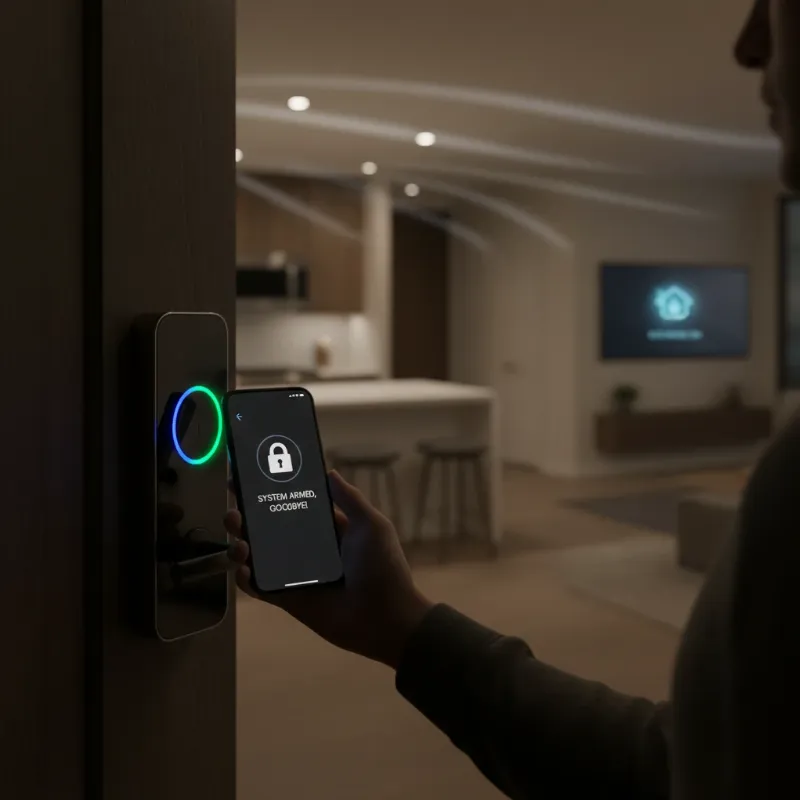 A person locking a smart door lock, triggering lights to turn off and a thermostat icon appearing, symbolizing the "Leaving Home" routine.
Routine 2: The “Welcome Home” Ambiance
Returning home should be a comforting experience. With this routine, unlocking your smart door sets the stage for your arrival. As the lock disengages, entryway and living room lights gently illuminate, the thermostat adjusts to your preferred comfortable temperature, and a soft playlist might begin playing through your smart speakers. If you have a security system, it can partially disarm or switch to a “home” mode, acknowledging your presence while maintaining an appropriate level of security. This automation ensures a welcoming atmosphere, eliminating the need to fumble with switches or adjust settings after a long day, making your return truly effortless. When someone’s home, presence sensing can trigger welcome lights to turn on. [search: 5]
Routine 3: Guest Access with a Timed Touch
Managing access for guests, family, or short-term renters becomes effortlessly secure with timed access routines. You can assign unique PINs to visitors through your smart lock’s app, which only function during specified periods. When a guest uses their code to unlock the door, the routine can temporarily enable specific interior lights, grant access to an interior smart lock, and send a notification to your smartphone. This allows you to manage who enters your home and when, without sharing physical keys or permanent codes, enhancing both convenience and security for everyone involved. Smart locks allow owners to assign unique PINs to each family member, dog walker, or babysitter, with the ability to set schedules for specific PINs. [browse: 3]
Routine 4: Child-Friendly Arrivals and Departures
For families, smart lock routines offer an added layer of safety and parental awareness. When your child uses their unique code or fingerprint to unlock the door after school, the smart lock can trigger a notification directly to your phone, letting you know they’ve arrived safely. Concurrently, the routine can ensure specific lights are on for their arrival and perhaps even temporarily disable certain smart devices or activate a “child home” mode. Conversely, when they leave and lock the door, you can receive another alert, confirming their departure. This automation provides peace of mind and reinforces a secure environment for younger family members.
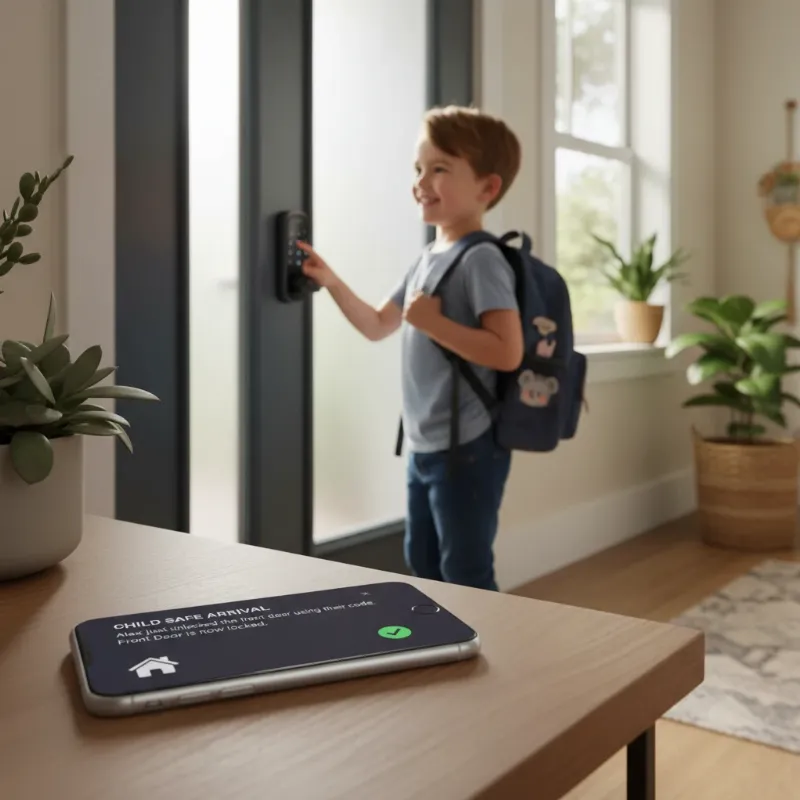 A child using a smart lock's keypad, with a smartphone in the foreground displaying a notification, symbolizing parental awareness.
Routine 5: “Good Night” Security Blanket
As evening settles in, a comprehensive “Good Night” routine can ensure your home is completely secure. Triggered by locking your front door after a specific time (e.g., 10 PM), this routine can automatically lock all other smart doors in your home, arm your perimeter security system, dim or turn off any remaining lights, and adjust the bedroom temperature for optimal sleep. It provides a holistic approach to nighttime security and comfort, eliminating the need to manually check each lock or adjust every setting. This routine helps ensure your home is secure even if you’re already tucked in for the night, and can activate security cameras and lower the temperature automatically. [search: 4]
Routine 6: Temporary Access for Services
Similar to guest access, smart locks excel at managing temporary access for service providers such as cleaners, pet sitters, or maintenance workers. By assigning them a unique, temporary code for a specific date and time window, the smart lock can trigger a routine when that code is used. This routine might disarm specific interior motion sensors for the duration of their visit, activate certain lights for their convenience, and send you a notification upon their entry and exit. This offers a secure and monitored way to allow necessary services into your home without compromising overall security.
Routine 7: “Late Night Out” Safety Check
For those late nights returning home, a smart lock-triggered routine can add an extra layer of safety and convenience. If your door is unlocked after a specific late hour (e.g., 1 AM), this routine can immediately turn on all main lights throughout the house, ensuring you don’t enter a dark home. It can also send a “welcome back” notification to your device or even trigger a smart coffee maker to start brewing at your usual morning wake-up time. This automation ensures a well-lit and secure return, while also anticipating your needs for the following morning, adding thoughtfulness to your smart home experience.
How to Set Up Your Smart Door Lock Routines
Implementing these smart lock routines is simpler than you might think, primarily involving choosing the right platform and compatible devices.
Choose Your Platform
Most smart home systems, including Google Home, Amazon Alexa, Apple HomeKit, SmartThings, Home Assistant, and IFTTT, offer robust automation capabilities. Select the platform that best suits your existing devices and preferences. [search: 2, 4], [browse: 3]
Compatible Devices
Ensure your smart door lock and all other devices you wish to integrate (lights, thermostat, security system) are compatible with your chosen platform. Many locks support common protocols like Wi-Fi, Bluetooth, Z-Wave, Zigbee, or Matter. [search: 2, 3], [browse: 3]
Define Triggers and Actions
Within your chosen app, create a new routine. The trigger will be your smart lock’s status changing (locked, unlocked, specific code used). Then, add the desired actions for your other smart devices.
Testing and Refinement
After setting up, thoroughly test each routine to ensure all devices respond as expected. Adjust timings and actions as needed to achieve your ideal smart home experience.
Expert Insight: The Future of Door Lock Automation
“Smart locks are evolving beyond mere security, becoming the central orchestrators of personalized home experiences. Integrating them into daily routines transforms a simple entry into a curated sequence of convenience and safety.” – Dr. Alistair Finch, Smart Home Futurist
Common Challenges and Troubleshooting for Door Lock Routines
While smart home routines offer immense benefits, users might encounter challenges. Connectivity issues (Wi-Fi, Bluetooth, Zigbee) can disrupt routines, requiring strong network coverage. Battery life management is crucial, as smart locks typically run on batteries that need periodic replacement to ensure uninterrupted operation. Compatibility across different brands and ecosystems can sometimes be complex, necessitating careful device selection. Finally, adhering to security best practices, such as strong passwords and unique PINs for guests, is paramount to protect your smart home from potential vulnerabilities. Most smart locks are battery-powered, with many offering external charging options or low battery alerts to prevent lockouts. [browse: 3]
The Future of Door Lock-Triggered Automations
The trajectory of smart lock technology points towards even more integrated and intelligent automations. Expect to see AI-powered predictive routines that learn your habits and anticipate your needs, adjusting your home environment before you even trigger a lock action. Enhanced biometric integration, such as advanced facial recognition, will offer more seamless and secure access. Future developments will also focus on truly seamless cross-platform communication, allowing devices from different manufacturers to work together effortlessly. Ultimately, smart locks will become even more central to hyper-personalized environmental control, making our homes truly intuitive extensions of ourselves.
Conclusion
Smart locks are undeniably pivotal to a modern, efficient, and secure smart home. By leveraging them to initiate a variety of routines, you can transform your daily life, making tasks simpler, your home safer, and your energy consumption smarter. From the moment you leave in the morning to your return late at night, your door lock becomes the intelligent command center, orchestrating a personalized ballet of devices to enhance your living experience. Embrace the world of smart locks, and discover the unparalleled convenience and peace of mind they bring to your doorstep. Visit SmartLocksPro.com to explore a wide range of smart lock solutions and begin building your own intelligent home routines today.
Frequently Asked Questions
Are smart door lock routines truly secure?
Yes, when sourced from reputable providers, smart locks employ advanced encryption and security protocols to prevent hacking. Utilizing unique, time-sensitive PINs and regularly updating software also significantly enhances security. Many trusted brands incorporate strict protections against unauthorized access, making them generally more secure than traditional locks at comparable price points. [browse: 3]
What do I need to start building these routines?
To begin, you’ll need a compatible smart door lock, other smart devices you wish to integrate (e.g., lights, thermostat), and a central smart home hub or platform (like Google Home, Alexa, or SmartThings) to manage the routines. Ensuring all devices are compatible with your chosen platform is the first crucial step.
Can I customize these routines for specific family members?
Absolutely. Most smart lock platforms allow you to assign unique codes or biometric access to individual family members. These unique identifiers can then serve as specific triggers for personalized routines, such as adjusting room temperatures or sending arrival notifications tailored to each person.
What happens if my internet goes down?
The functionality of your smart lock during an internet outage depends on its connectivity type. Many smart locks are battery-powered and can still be locked/unlocked via physical key, keypad, or local Bluetooth connection. While remote app control might be unavailable, basic locking and unlocking usually remain functional, and some systems have battery backups for hardwired components. [browse: 3]
How do smart locks save energy?
Smart locks contribute to energy saving by integrating with your thermostat and lighting systems. When a “leaving home” routine is triggered, the lock can command your thermostat to switch to an eco-friendly mode and turn off unnecessary lights. This ensures energy isn’t wasted heating or lighting an empty home.
